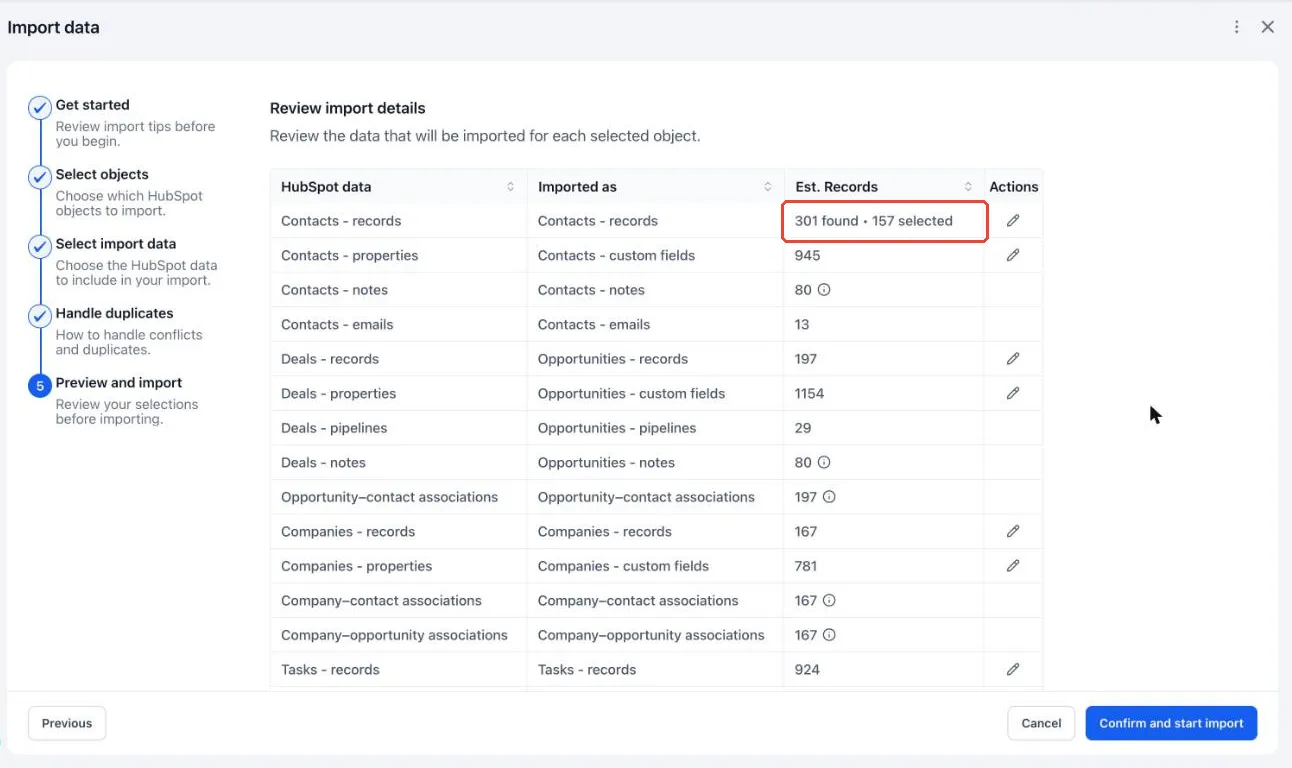
The HubSpot importer’s Preview and import step now lets you filter records before bringing them into SMBcrm. Choose which contacts, deals, companies, and tasks to include, then review the record counts before starting.
Available Filters
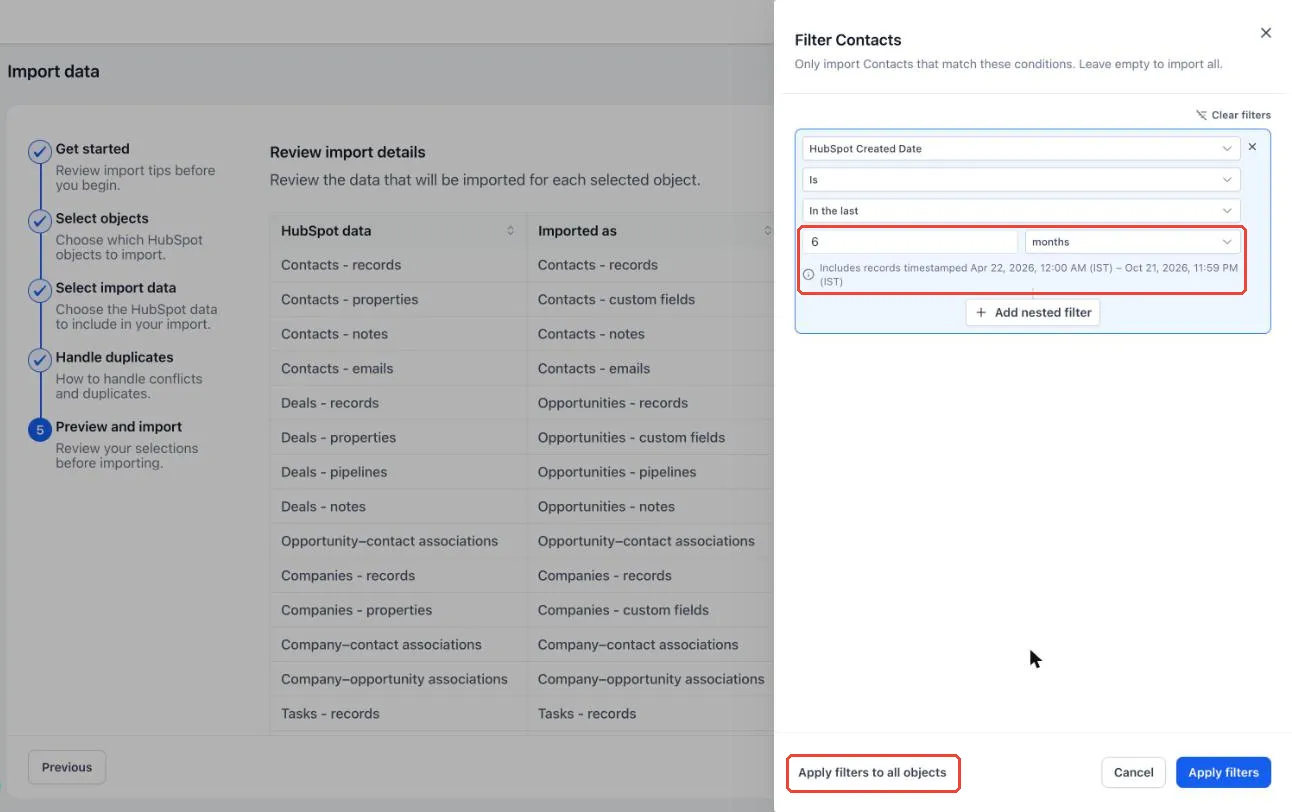
- Filter each object separately using HubSpot Created Date or HubSpot Last Modified Date.
- Choose relative ranges, such as In the last 6 months or This quarter, or use On, Before, After, and Between for specific dates.
- See the exact date range a filter covers before applying it.
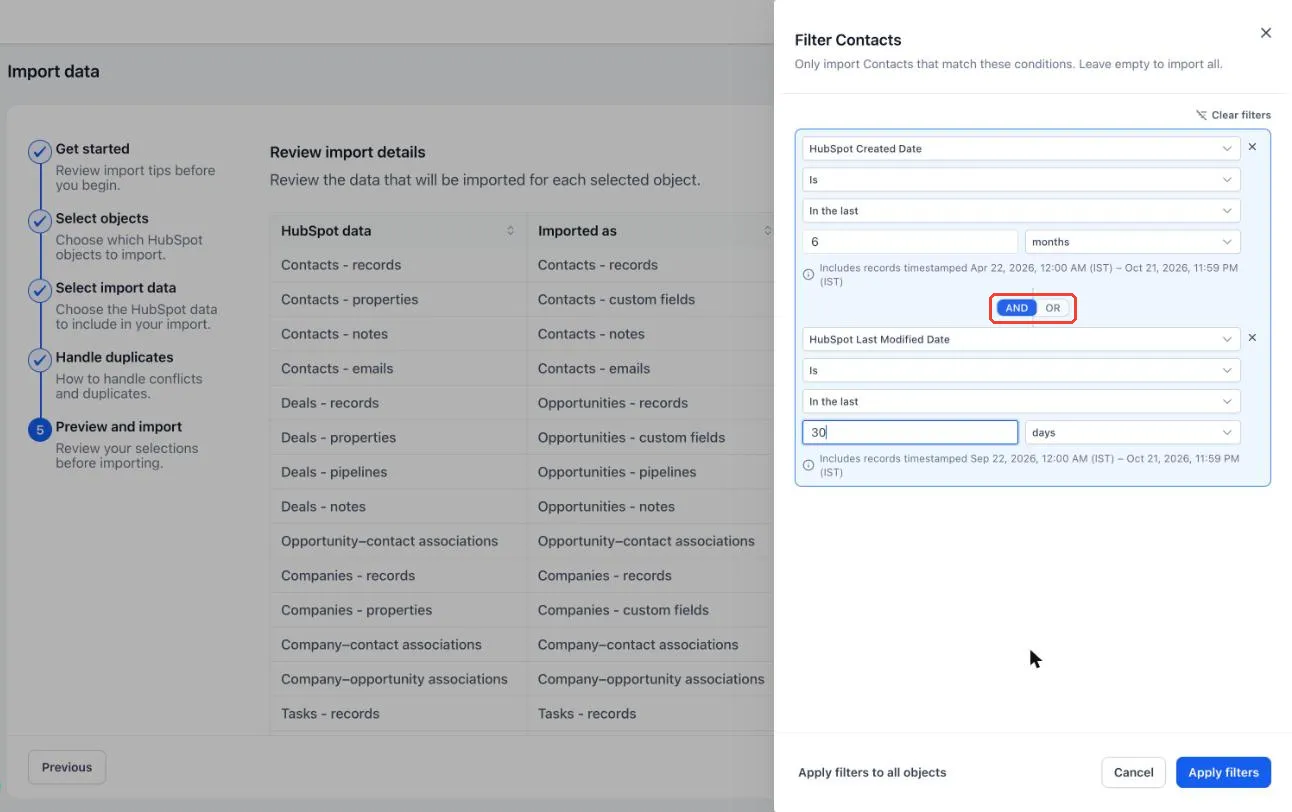
- Combine conditions with AND or OR, including nested filters.
- Apply the same filters to all selected objects in one click.
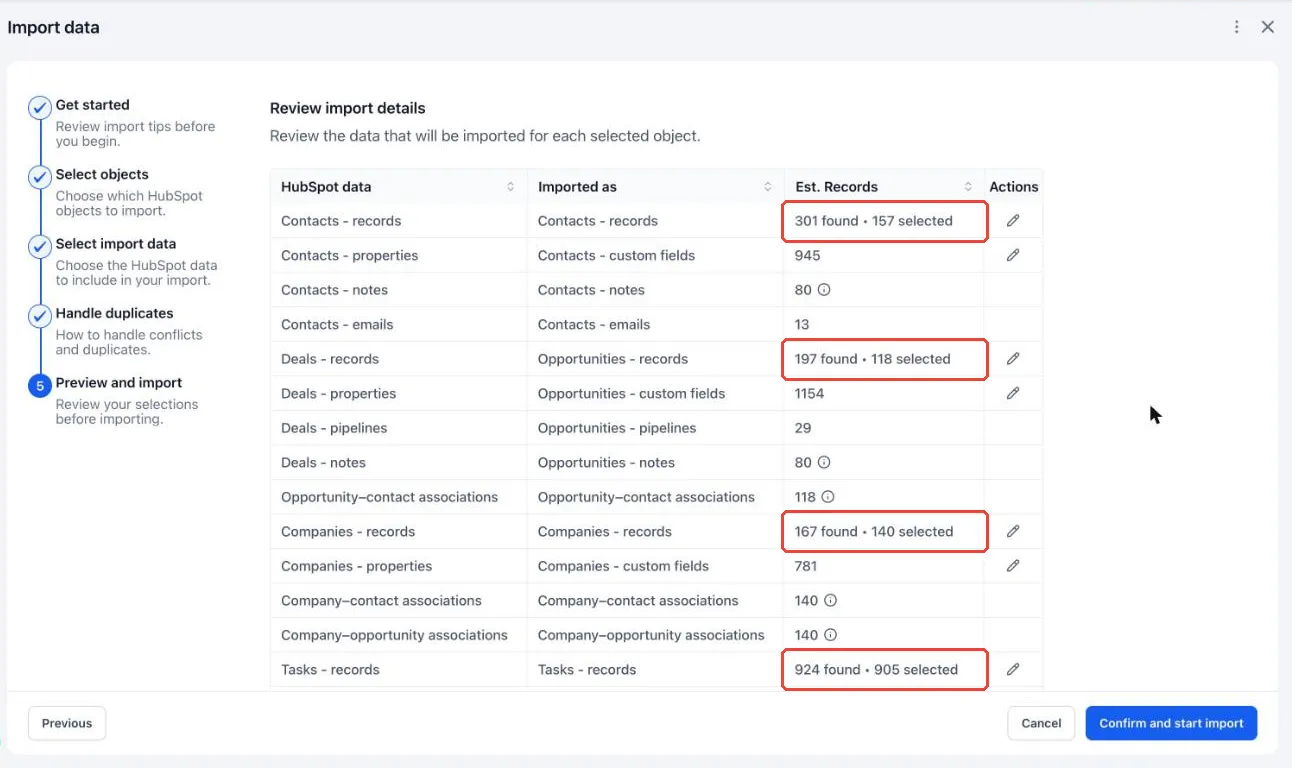
Record counts update immediately to show how many records were found and how many will be imported. This helps you limit imports to relevant records and reduce cleanup afterward.
How to Use Import Filters
- Go to Contacts, Companies, or Opportunities, click Import, and choose Import from HubSpot.
- Continue to Preview and import.
- Click the pencil icon on a record row, such as the Contacts row.
- Select a field, condition, and value. Use Add nested filter to combine conditions with AND or OR.
- Click Apply filters, or choose Apply filters to all objects to reuse the conditions across selected objects.
- Review the updated counts, then click Confirm and start import.
Important Notes
Filters are optional. Leave them empty to import everything. In the last excludes today, and filters currently support only HubSpot Created Date and HubSpot Last Modified Date.
Release Images
Need Help Applying This Update?
Want help turning this update into a working part of your CRM, marketing, or automation setup?
Get Started or schedule a demo and we’ll help you map the right next step.