Contact Smart Lists in SMBcrm CRM can display linked Company and Custom Object records and use those relationships as filter criteria. Enable Association Columns and Filters for Contacts in Labs to use these options.
What Changed
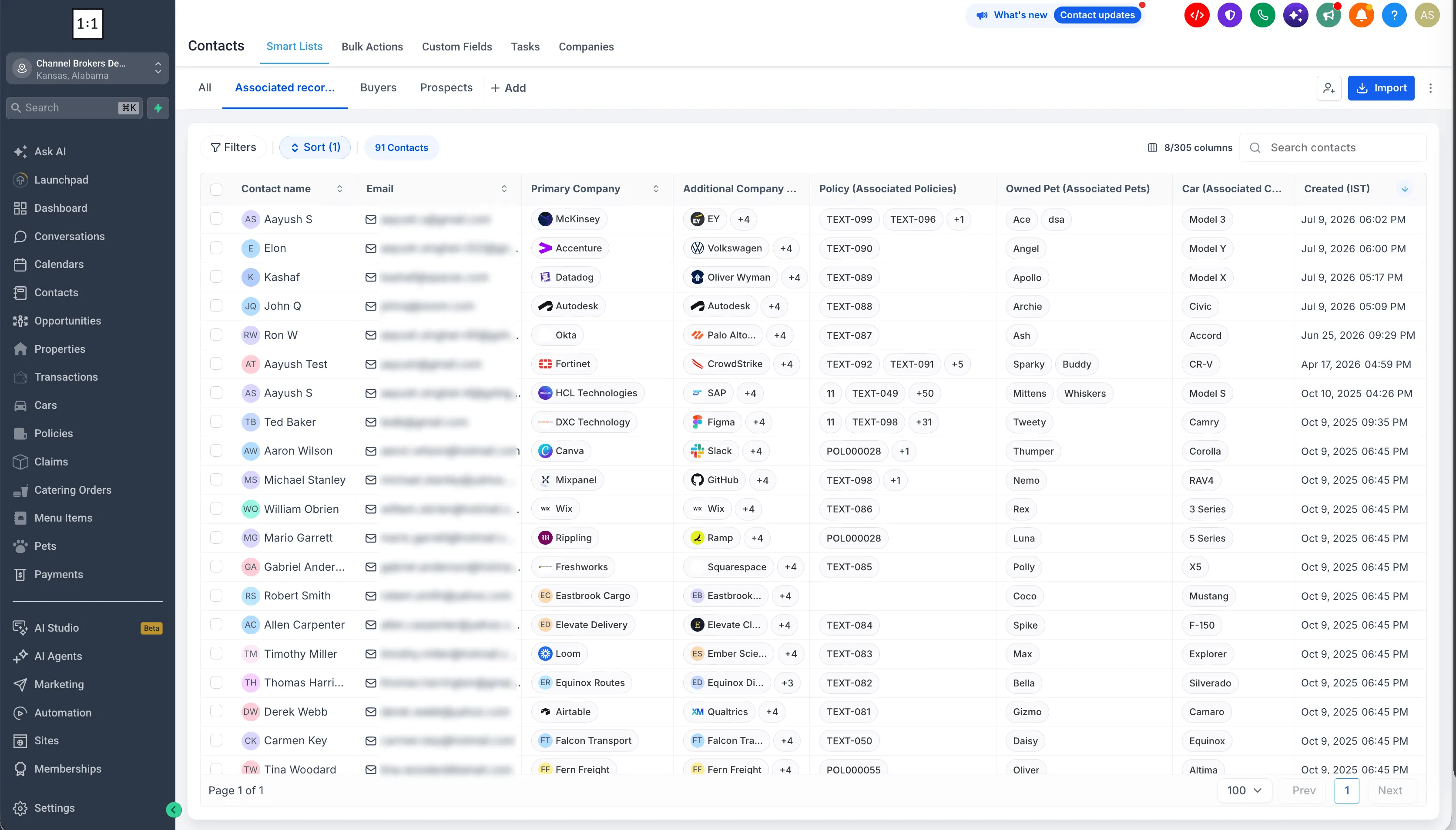
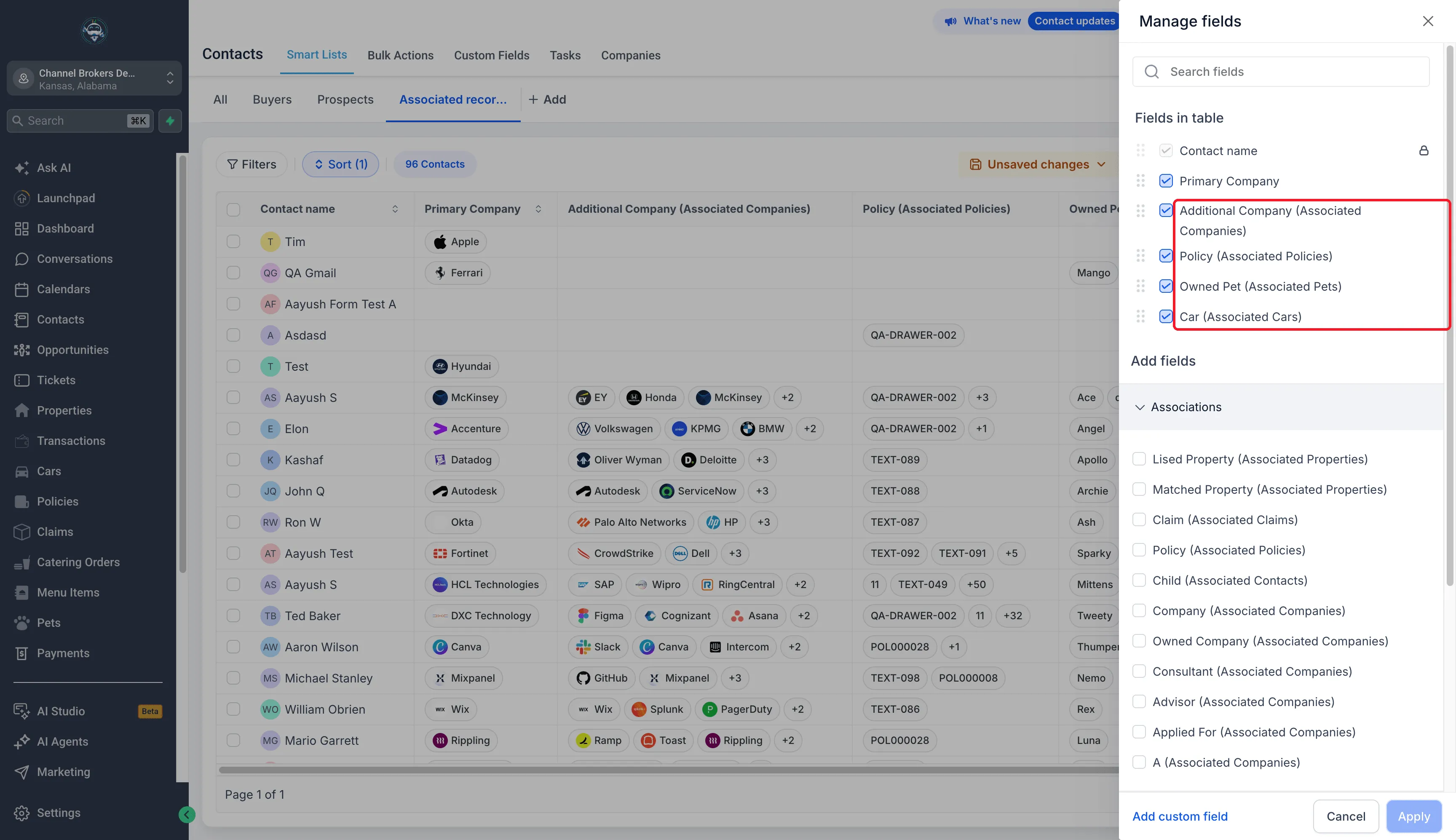
- Association columns: Add a separate column for each association label, including different relationships to the same object. Column headings reflect your configured object names.
- Linked-record chips: View associated records and open a record from its chip. A +N indicator shows when additional records are linked.
- Association filters: Find contacts linked to selected records, exclude selected records, or check whether a relationship exists.
- Saved audiences: Combine association filters with existing contact criteria and save the results as a Smart List.
- Primary Company column: The Company name column is now Primary Company, with a chip for the linked company.
How to Use It
- Enable Association Columns and Filters for Contacts in Labs.
- Go to Contacts > Smart Lists.
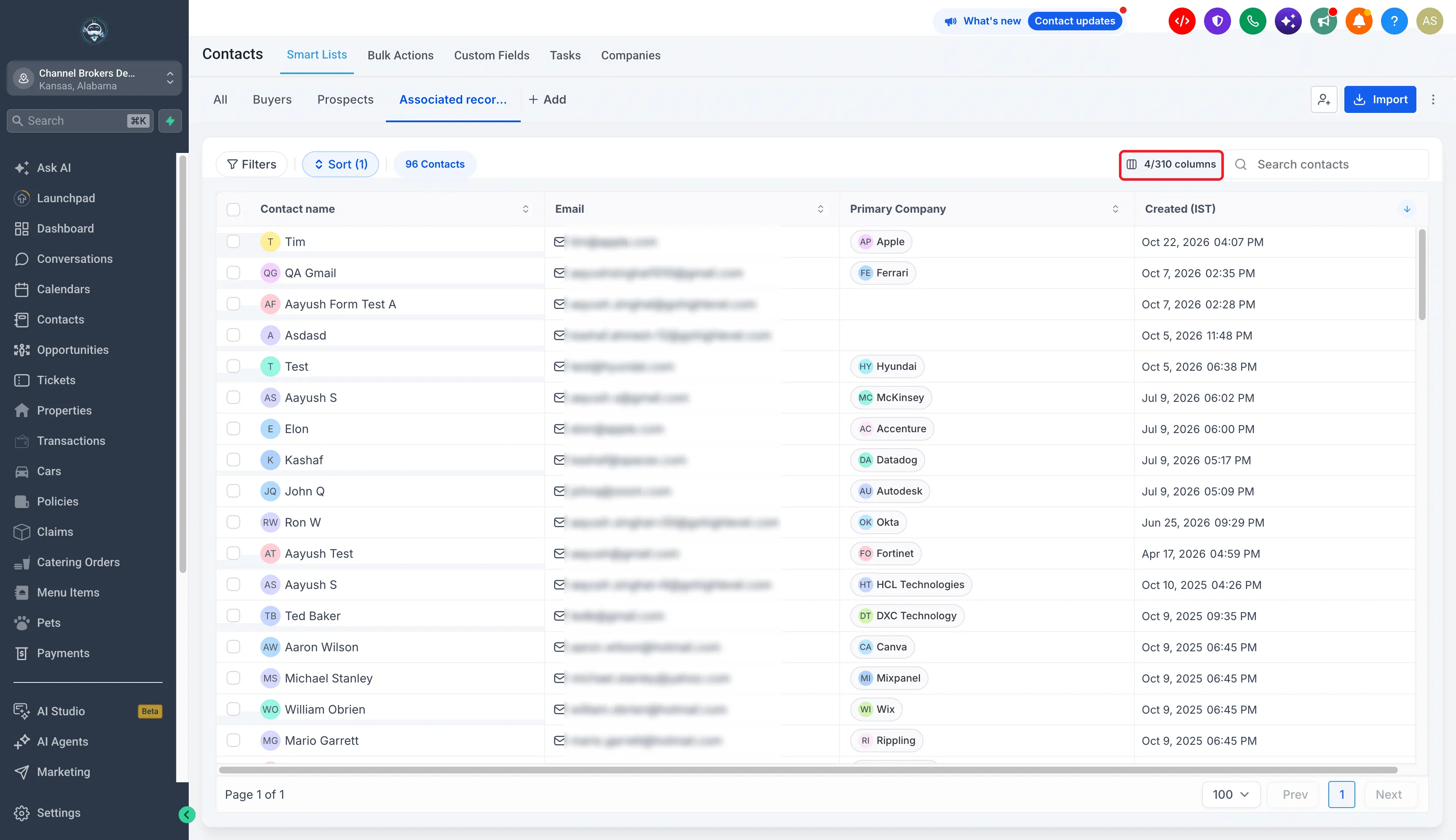
- Click the columns count above the list to open Manage fields. Select the labels under Associations, then click Apply.
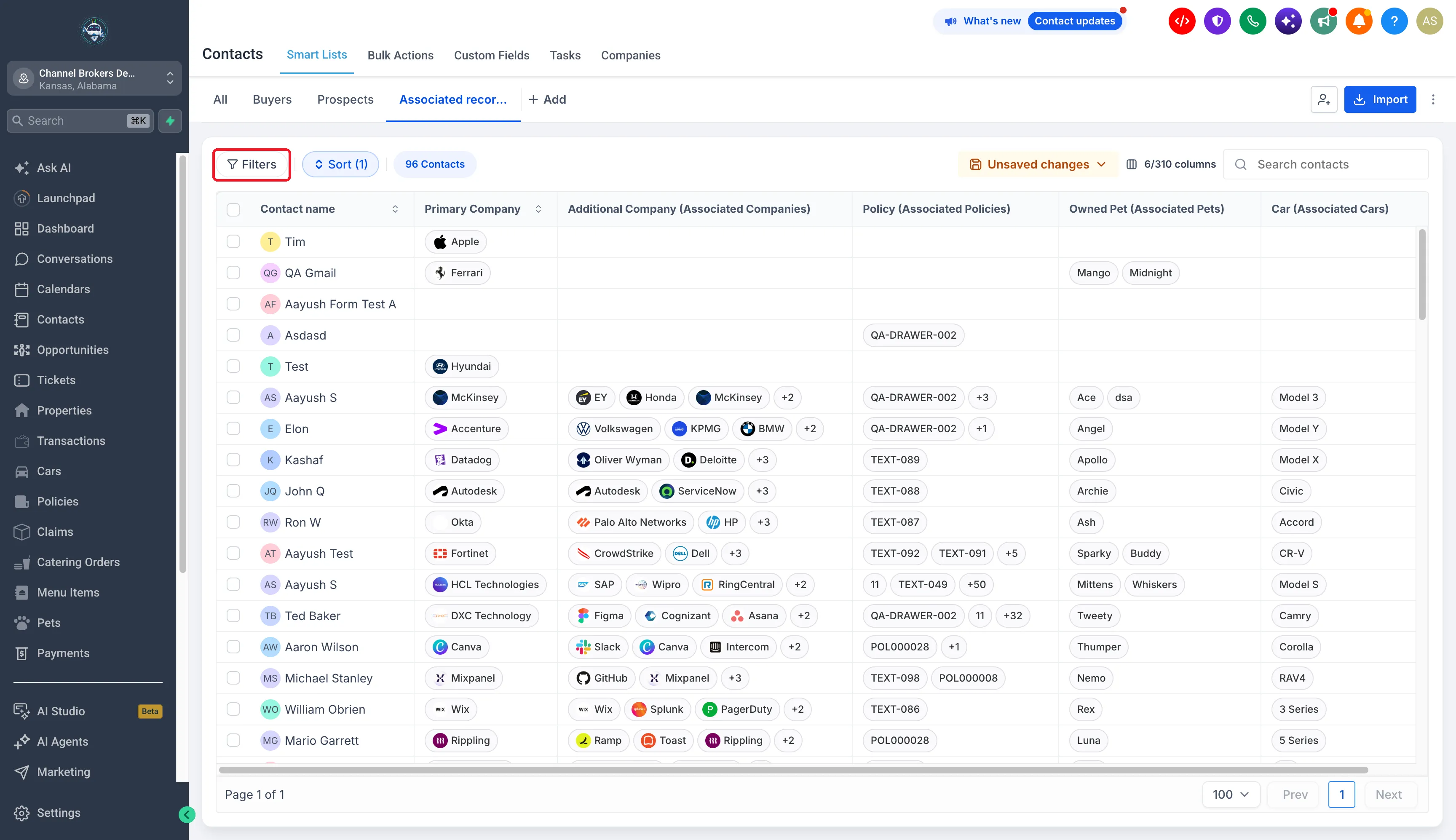
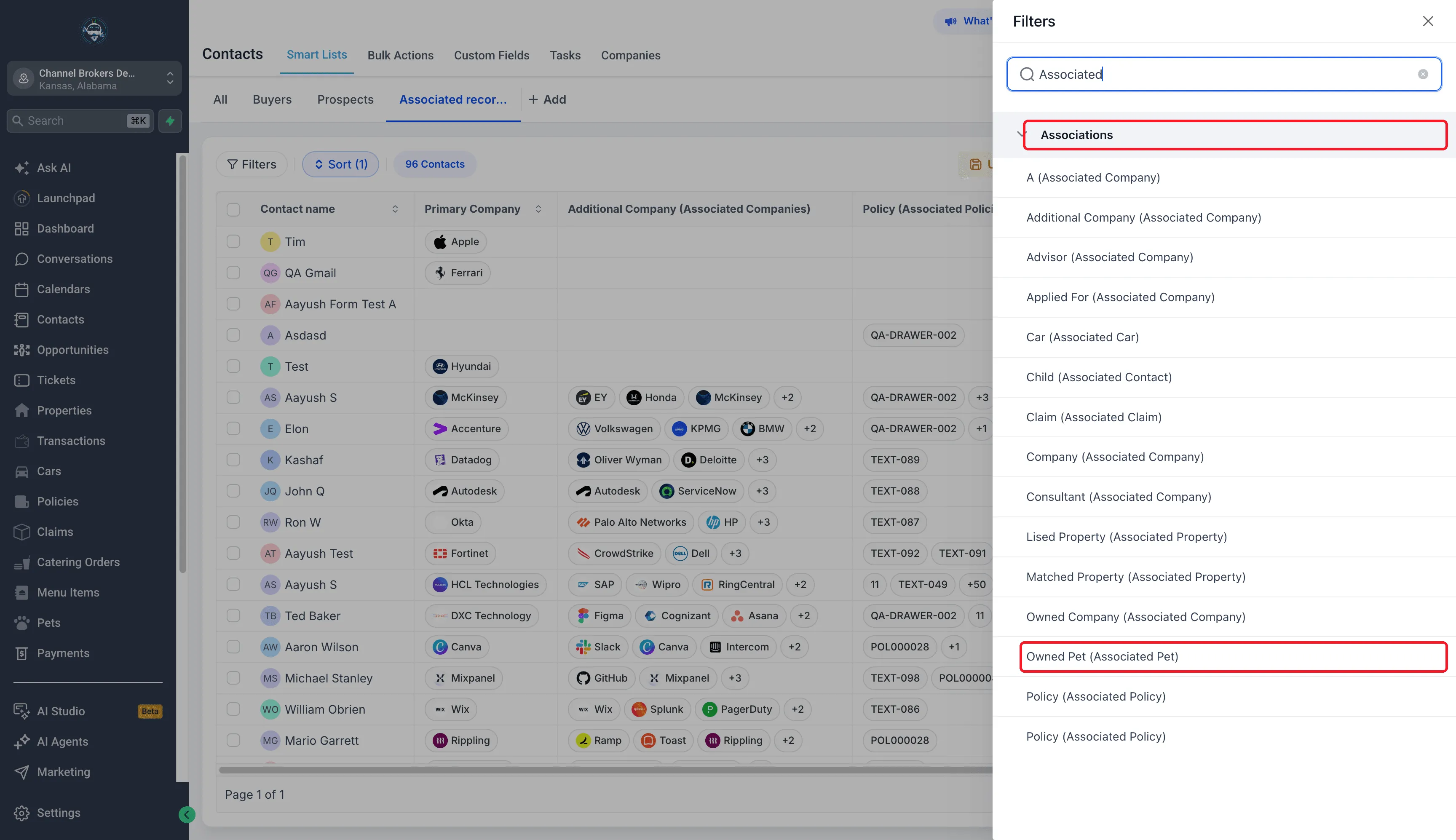
- Click Filters, search for Associated, and choose the association field.
- Select Contains any, Does not contain any, Is not empty, or Is empty. Choose linked records when required.
- Apply the filters and save the criteria as a Smart List for reuse.
Put Relationships to Work
A veterinary team can group contacts linked to selected pets for pet-specific follow-up. An account team can filter contacts by selected companies under the appropriate relationship label.
To review missing links, use Is empty for a label such as Owned Pet or Additional Company. Choose labels carefully, since different labels can describe different relationships to the same object.
Release Images
Need Help Applying This Update?
Want help turning this update into a working part of your CRM, marketing, or automation setup?
Get Started or schedule a demo and we’ll help you map the right next step.