Customer segmentation is the practice of dividing your customer base into distinct groups based on shared characteristics, behaviors, or needs. Instead of treating every customer the same, segmentation allows you to deliver targeted marketing that resonates with each group, resulting in higher engagement, better conversion rates, and stronger ROI.
For small businesses with limited marketing budgets, segmentation is not a luxury reserved for enterprise companies with data science teams. A well-organized CRM and a clear understanding of your customers are all you need to start building segments that transform generic outreach into personalized communication.
This guide walks through the core types of customer segmentation, how to build practical segments in your CRM, and how to put those segments to work across your marketing campaigns.
What Is Customer Segmentation?
At its simplest, customer segmentation means grouping your contacts based on what they have in common. These groups, or segments, let you tailor your messaging, offers, and timing to match what each audience actually cares about.
Consider the difference:
- Without segmentation: You send the same promotional email to your entire list. Open rates hover around 15-20%, and most recipients ignore the message because it does not feel relevant.
- With segmentation: You send three variations of that email, each tailored to a different customer group. Open rates climb to 30%+, click-through rates double, and conversions increase because recipients see offers that match their interests.
Research consistently shows that segmented email campaigns generate significantly higher revenue than non-segmented campaigns. The reason is straightforward: people respond to messages that feel relevant to them.
Why Segmentation Matters for Small Businesses
Small businesses often assume segmentation requires massive datasets or advanced analytics tools. In practice, even basic segmentation produces meaningful results:
- Better use of limited budgets: Stop wasting ad spend and email sends on audiences unlikely to convert
- Stronger customer relationships: People notice when your communication feels personal rather than generic
- Higher lifetime value: Relevant upsell and cross-sell offers increase repeat purchases
- Reduced churn: Identifying at-risk segments early lets you intervene before customers leave
- Clearer marketing insights: Segment-level performance data reveals what works for whom
Types of Customer Segmentation
There are five primary approaches to segmentation. Most effective strategies combine two or more types to create highly targeted groups.
Demographic Segmentation
Demographic segmentation divides customers based on who they are. This is the most common starting point because demographic data is relatively easy to collect.
Common demographic variables include:
- Age or generation (e.g., Gen Z, millennials, baby boomers)
- Gender
- Income level or budget range
- Education level
- Job title or role (especially useful for B2B)
- Company size (for B2B segmentation)
Example: A marketing agency segments leads by company size. Solopreneurs receive content about DIY marketing tools, while businesses with 10+ employees see case studies about managed marketing services.
Behavioral Segmentation
Behavioral segmentation groups customers based on what they do, not who they are. This is often the most valuable type of segmentation because actions reveal intent.
Key behavioral signals include:
- Purchase history: What they bought, how often, and how recently
- Website activity: Pages visited, content downloaded, time on site
- Email engagement: Opens, clicks, replies, and unsubscribes
- Product usage patterns: Features used, login frequency, support tickets
- Cart abandonment: Items added but not purchased
Example: An online retailer identifies customers who purchased during a holiday sale but have not bought anything in the past 90 days. This “lapsed holiday buyer” segment receives a re-engagement campaign with a personalized discount.
Geographic Segmentation
Geographic segmentation organizes customers by their physical location. This is essential for businesses with regional differences in demand, pricing, or availability.
Geographic variables include:
- Country or region
- State or province
- City or metro area
- Climate zone
- Urban vs. rural
Example: A landscaping company segments customers by neighborhood. Homeowners in newer developments receive content about lawn establishment, while those in established neighborhoods see offers for renovation and maintenance services.
Psychographic Segmentation
Psychographic segmentation looks at the why behind customer behavior. It considers values, attitudes, interests, and lifestyle factors that influence purchasing decisions.
Psychographic dimensions include:
- Values and beliefs (eco-conscious, budget-focused, premium-oriented)
- Lifestyle (busy professionals, stay-at-home parents, retirees)
- Interests and hobbies
- Pain points and motivations
- Brand loyalty tendencies
Example: A fitness studio segments members by motivation. The “weight loss” segment receives meal planning resources and progress tracking tips, while the “social fitness” segment gets invitations to group events and challenges.
Value-Based Segmentation
Value-based segmentation ranks customers by their economic value to your business. This helps you allocate resources where they will generate the greatest return.
Common value metrics include:
- Lifetime value (LTV): Total revenue a customer has generated
- Average order value (AOV): Typical transaction size
- Purchase frequency: How often they buy
- Referral activity: How many new customers they bring in
- Cost to serve: How much support they require
Example: A consulting firm identifies its top 20% of clients by revenue and creates a VIP segment. These clients receive priority scheduling, quarterly business reviews, and early access to new services.
Segmentation Types at a Glance
| Segmentation Type | What It Measures | Example Variables | Best Use Case |
|---|---|---|---|
| Demographic | Who the customer is | Age, income, job title, company size | Broad targeting, initial list building |
| Behavioral | What the customer does | Purchase history, email clicks, site visits | Triggered campaigns, re-engagement |
| Geographic | Where the customer is | City, region, climate, urban/rural | Local promotions, seasonal offers |
| Psychographic | Why the customer buys | Values, interests, pain points, lifestyle | Content personalization, brand messaging |
| Value-Based | What the customer is worth | LTV, order value, frequency, referrals | VIP programs, resource allocation |
How to Build Customer Segments in Your CRM
Having a clear segmentation strategy is only useful if you can execute it. Your CRM is the engine that makes segmentation operational. Here is a practical process for building and maintaining segments.
Step 1: Audit Your Existing Data
Before creating segments, review what data you already have. Most CRMs contain more usable information than businesses realize:
- Contact details (name, email, location, company)
- Purchase or deal history
- Email engagement metrics
- Notes from sales calls and support interactions
- Lead source information
- Tags or labels applied over time
Identify gaps in your data and create a plan to fill them. If you lack behavioral data, consider adding website tracking. If demographic information is sparse, add a question or two to your intake forms.
Step 2: Define Your Segments
Start with three to five segments that align with your business goals. Avoid the temptation to create dozens of micro-segments before you have proven the approach works.
Good starter segments for most small businesses:
- New leads (contacted in the last 30 days, no purchase yet)
- Active customers (purchased within the last 90 days)
- Lapsed customers (no purchase in 90-180 days)
- VIP customers (top 20% by revenue or frequency)
- Referral sources (customers who have sent you new business)
Step 3: Use Tags, Custom Fields, and Smart Lists
Most modern CRMs give you three tools to build and manage segments:
- Tags: Flexible labels you apply to contacts (e.g., “holiday-buyer-2025”, “webinar-attendee”, “VIP”). Tags work well for event-based or campaign-specific grouping.
- Custom fields: Structured data fields you define for your business (e.g., “Industry”, “Annual Budget”, “Preferred Communication Channel”). Custom fields are ideal for demographic and firmographic data.
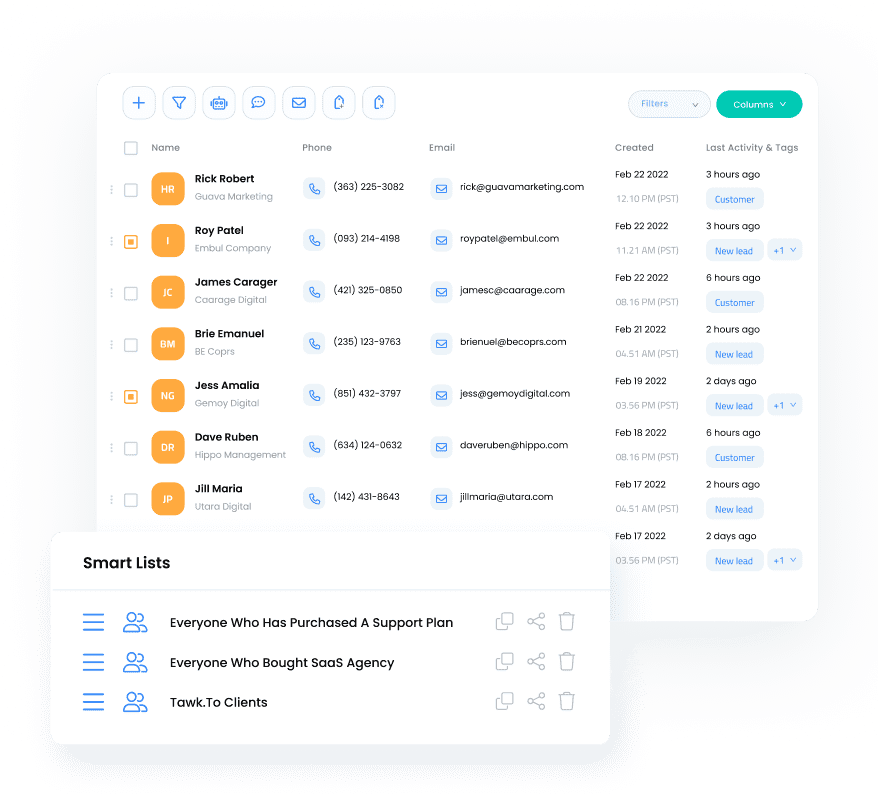
- Smart lists or saved filters: Dynamic lists that automatically update based on criteria you set (e.g., “All contacts tagged VIP who opened an email in the last 30 days”). Smart lists keep your segments current without manual maintenance.
The combination of these three tools gives you the flexibility to build virtually any segment. For deeper strategies on leveraging this data, see our guide on CRM customer insights.
Step 4: Keep Segments Clean and Current
Segments lose their value when data becomes stale. Build these maintenance habits:
- Review segments quarterly: Remove outdated tags, update criteria, and merge overlapping segments
- Automate where possible: Use workflow automations to apply tags when contacts take specific actions (e.g., auto-tag anyone who completes a purchase as “customer”)
- Validate data at entry: Use required fields and dropdowns on forms to ensure consistent data capture
- Archive inactive contacts: Move contacts with no engagement in 12+ months to an archive segment rather than deleting them
Segmentation in Action: Campaigns That Convert
The real payoff of segmentation comes when you use your segments to drive targeted campaigns. Here are three high-impact applications.
Targeted Email Campaigns
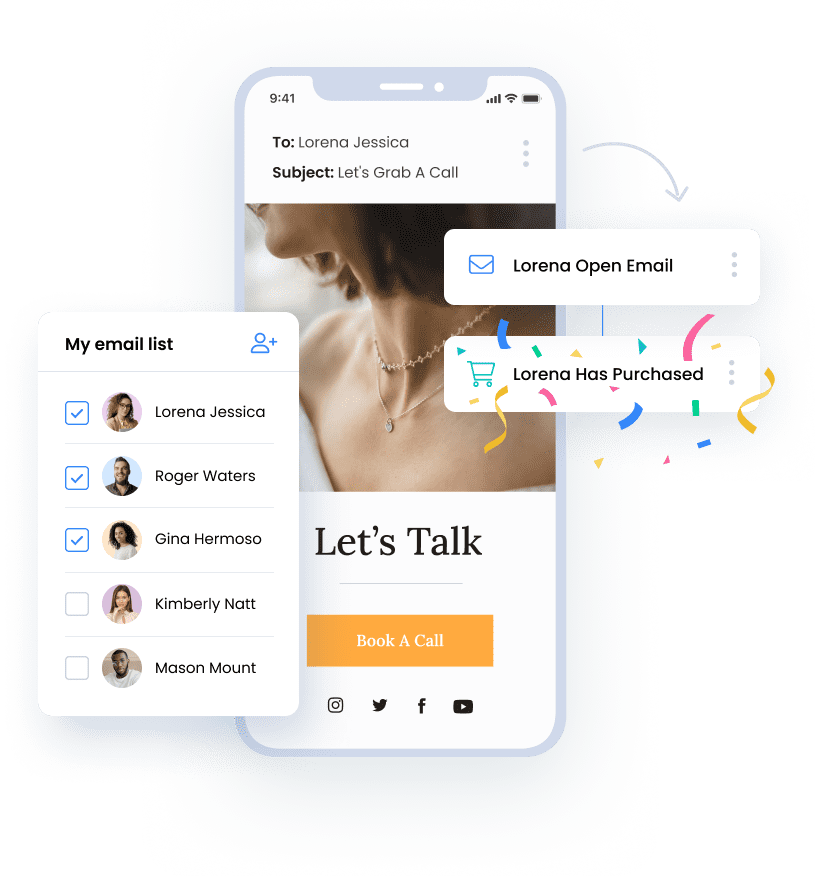
Email is where segmentation delivers the most immediate ROI. Instead of blasting your full list, send tailored messages to each segment:
- New leads: Welcome sequence introducing your brand, followed by educational content that addresses their specific pain points
- Active customers: Product tips, loyalty rewards, and upsell offers based on their purchase history
- Lapsed customers: Re-engagement campaign with a compelling reason to return (exclusive discount, new feature announcement, or “we miss you” message)
- VIP customers: Early access to sales, personalized recommendations, and invitations to exclusive events
For a deeper dive into building effective email campaigns for small businesses, including automation workflows and template ideas, see our complete guide.
Personalized Offers and Promotions
Generic discounts leave money on the table. Segmented promotions match the offer to the audience:
- Price-sensitive segment: Percentage-off discounts and bundle deals
- Premium segment: Exclusive access, early releases, and value-added bonuses rather than discounts
- First-time buyers: Welcome offer with a low barrier to entry
- Cart abandoners: Reminder email with the specific items they left behind
When you combine segmentation with CRM-driven email personalization, even simple campaigns can produce outsized results.
Multi-Channel Messaging
Segmentation becomes even more powerful when you extend it beyond email. Different segments may prefer different communication channels:
- Younger demographics: SMS and social media
- B2B decision-makers: Email and LinkedIn
- Local customers: SMS for time-sensitive offers, email for detailed content
- High-value accounts: Phone calls and personalized video messages
Coordinating your messaging across channels ensures each segment receives a consistent experience on the platform they prefer. For strategies on combining email with SMS, see our guide on multi-channel marketing approaches.
Common Customer Segmentation Mistakes
Even with the right tools, segmentation can go wrong. Avoid these pitfalls:
1. Creating Too Many Segments Too Soon
Starting with 20 micro-segments sounds sophisticated, but it creates an operational nightmare. You need unique content, offers, and workflows for each segment. Start with three to five segments, prove the model, then expand.
2. Segmenting Without a Campaign Plan
Segments are not an end in themselves. Every segment should have a clear marketing purpose. If you cannot articulate what you will send to a segment and why, you do not need that segment yet.
3. Relying on Static Data Alone
Demographics tell you who someone is today, but behavior tells you what they need right now. A segment built solely on demographic data misses the dynamic signals, like browsing behavior, email engagement, and purchase recency, that drive timely, relevant outreach.
4. Ignoring Segment Overlap
A single customer can belong to multiple segments (e.g., “VIP” and “lapsed”). Define clear priority rules so contacts do not receive conflicting messages. Most CRMs allow you to set suppression rules that prevent contacts from appearing in multiple active campaigns simultaneously.
5. Set-and-Forget Segments
Customer behavior changes over time. A “new lead” today is an “active customer” next month. Review your segmentation criteria regularly and ensure your smart lists or automations move contacts between segments as their status evolves.
How SMBcrm Supports Customer Segmentation
SMBcrm provides the core tools small businesses need to build and act on customer segments without requiring complex integrations or technical expertise:
- Tags: Apply unlimited tags to contacts manually or through automations. Use them for campaign tracking, lead sources, customer tiers, or any custom grouping your business needs.
- Custom fields: Create structured fields that capture the specific data points your segmentation strategy requires, from industry and budget range to communication preferences and referral sources.
- Smart lists: Build dynamic, filtered views of your contacts that update automatically based on tag, field, and activity criteria. Smart lists serve as your live segments, always reflecting the current state of your database.
- Workflow automations: Trigger tag additions, field updates, and list assignments automatically when contacts take specific actions, keeping your segments accurate without manual effort.
These tools work together so you can go from raw contact data to targeted, segmented campaigns within a single platform.
Frequently Asked Questions
How many segments should a small business start with?
Start with three to five segments based on your most important business goals. Common starting points include new leads, active customers, lapsed customers, and VIP accounts. Once you have proven that segmented campaigns outperform your generic outreach, gradually add more specific segments. Quality of segmentation matters more than quantity.
What data do I need to start segmenting customers?
At minimum, you need contact information, purchase or engagement history, and a way to track how contacts interact with your marketing (email opens, clicks, website visits). Most CRMs capture this data automatically. From there, adding custom fields for industry, budget, preferences, or lead source gives you more dimensions to segment on.
How often should I review and update my segments?
Review your segment definitions quarterly to ensure they still align with your business goals and marketing calendar. However, your smart lists and automations should keep the segments themselves current on a daily basis by automatically moving contacts as their behavior or status changes. The quarterly review is about strategy; the day-to-day updates should be automated.
Can I over-segment my customer base?
Yes. Over-segmentation fragments your audience into groups too small to be actionable and creates a content burden that most small teams cannot sustain. If a segment has fewer than 50 contacts or you cannot create distinct messaging for it, it is probably too narrow. Merge it with a related segment or wait until your list grows.
Ready to Segment Smarter and Market Better?
Turn your contact list into targeted, high-performing marketing segments with tags, custom fields, and smart lists built for small businesses.