Social media management is the process of creating, scheduling, publishing, and analyzing content across social platforms to grow your business presence online. For small businesses with limited time and staff, doing this well can feel overwhelming. Between choosing platforms, writing posts, responding to comments, and tracking results, it is easy to spend hours each week with little to show for it.
The good news: social media management does not have to be complicated. With the right strategy, a focused platform selection, and tools that consolidate your workflow, you can turn social media into a reliable source of leads and customer engagement without it consuming your day.
Why Social Media Matters for Small Businesses
Social media is where your customers already spend their time. According to recent data, the average person spends over two hours per day on social platforms. For small businesses, that represents a direct line to potential customers who are browsing, researching, and making purchasing decisions in real time.
Here is what a consistent social media presence delivers:
- Brand awareness: Regular posts keep your business top-of-mind with local and niche audiences
- Trust and credibility: An active, professional profile signals legitimacy to prospects researching your business
- Customer engagement: Social channels give customers a low-friction way to ask questions, leave feedback, and interact with your brand
- Lead generation: Organic posts and targeted content drive traffic to your website and landing pages
- Social proof: Customer reviews, testimonials, and user-generated content influence buying decisions, much like Google reviews influence local SEO
Small businesses that treat social media as an afterthought miss opportunities to connect with the people most likely to buy from them. The key is being strategic about where and how you show up.
Choosing the Right Platforms
Not every platform deserves your attention. The most effective approach for small businesses is to focus on one or two platforms where your ideal customers are most active, rather than spreading yourself thin across five or six.
Platform Comparison
| Platform | Primary Audience | Best Content Types | Best For |
|---|---|---|---|
| Adults 25-65+, broad demographics | Videos, community posts, events, links | Local businesses, service providers, community building | |
| Adults 18-44, visual-first users | Reels, Stories, carousels, photos | Retail, food, fitness, design, lifestyle brands | |
| Professionals 25-55, B2B decision-makers | Articles, industry insights, company updates | B2B services, consulting, professional services | |
| TikTok | Adults 18-34, entertainment-driven | Short-form video, trends, tutorials | Brands targeting younger audiences, creative businesses |
| X (Twitter) | Adults 25-50, news and opinion-oriented | Short updates, threads, industry commentary | Tech companies, thought leadership, real-time engagement |
How to Choose
Ask yourself three questions:
- Where does my target audience spend time? A B2B consulting firm will find more qualified leads on LinkedIn than TikTok. A local bakery will get more traction on Instagram and Facebook than X.
- What content can I realistically create? If you are not going to produce video regularly, TikTok is not the right fit. If you can take great photos of your work, Instagram is a natural choice.
- What are my competitors doing? Look at where similar businesses in your market are active and where they get the most engagement.
Understanding your audience segments is essential here. If you have already done work on customer segmentation, use those profiles to guide your platform decisions.
Creating a Content Calendar
A content calendar is a simple plan that maps out what you will post, when, and on which platform. It eliminates the daily scramble of figuring out what to say and ensures your content serves a strategic purpose.
Building Your Calendar
Start with a monthly view and plan content in weekly batches:
- Set a posting frequency: Two to four posts per week is sustainable for most small businesses. Consistency matters more than volume.
- Assign content themes to days: For example, Monday could be educational tips, Wednesday could be behind-the-scenes, and Friday could be a customer spotlight.
- Batch content creation: Set aside two to three hours once per week to write captions, select images, and prepare posts. Batching is far more efficient than creating one post at a time.
- Include key dates: Plan around holidays, seasonal events, product launches, and industry dates relevant to your audience.
- Leave room for spontaneity: Your calendar is a guide, not a straitjacket. Leave space to post timely, reactive content when something relevant happens.
Sample Weekly Schedule
| Day | Content Type | Example Post |
|---|---|---|
| Monday | Educational tip | ”3 signs your [problem] needs attention” |
| Wednesday | Behind-the-scenes | Team photo or workspace tour |
| Friday | Customer story | Testimonial quote with photo |
| Saturday (optional) | Promotional | Service highlight with CTA |
Content Types That Work for Small Businesses
Not all content performs equally. Here are four content categories that consistently drive engagement and results for small businesses.
Educational Content
Posts that teach your audience something useful position you as an expert and provide genuine value. Examples include:
- Quick tips related to your industry
- How-to guides and tutorials
- Common mistakes to avoid
- Myth-busting posts
Educational content should make up roughly 40-50% of your posts. It builds trust and gives people a reason to follow you beyond just selling.
Behind-the-Scenes Content
People buy from people, not logos. Showing the human side of your business builds connection and authenticity:
- Day-in-the-life content
- Team introductions and spotlights
- Process and workspace tours
- Candid moments from your workday
Testimonials and Social Proof
Customer stories and reviews are some of the most persuasive content you can share. They demonstrate real results and reduce buyer hesitation:
- Screenshot or quote a positive review
- Share a brief customer success story
- Highlight before-and-after results
- Repost user-generated content
Social proof on social media reinforces your online reputation management efforts and gives prospective customers confidence in your business.
Promotional Content
Promotional posts have their place, but they should not dominate your feed. Follow the 80/20 rule: 80% value-driven content, 20% promotional.
When you do promote, make it compelling:
- Highlight the benefit to the customer, not just the feature
- Include a clear call-to-action
- Use urgency sparingly and honestly
- Pair the promotion with a visual that stops the scroll
Scheduling and Automation
Manually logging into each platform to post content every day is a time sink. Scheduling tools let you plan and queue posts in advance so they publish automatically at the optimal time.
Benefits of Scheduling
- Time savings: Batch-create and schedule a week of content in one sitting
- Consistency: Posts go out on schedule even when you are busy with other work
- Optimal timing: Schedule posts to publish when your audience is most active, even if that is outside your working hours
- Cross-platform management: Manage multiple platforms from a single dashboard
What to Automate (and What Not To)
Automate:
- Publishing scheduled posts
- Reposting evergreen content
- Initial responses to common inquiries
- Content curation and sharing
Do not automate:
- Personalized replies to customer questions
- Responses to complaints or negative feedback
- Engagement with other accounts (comments, likes)
- Crisis or sensitive communications
Social media automation works best as part of a broader multi-channel marketing strategy. When your email, SMS, and social channels work together from the same platform, you avoid duplicating effort and maintain a consistent message.
Measuring Results: Key Metrics
Posting without measuring is guessing. Track these key performance indicators (KPIs) to understand what is working and where to adjust.
Metrics That Matter
| Metric | What It Tells You | Why It Matters |
|---|---|---|
| Reach | How many unique users saw your content | Measures brand awareness growth |
| Engagement rate | Likes, comments, shares, and saves as a percentage of reach | Indicates content quality and relevance |
| Click-through rate | Percentage of viewers who clicked a link | Shows how well posts drive traffic |
| Follower growth | Net new followers over time | Tracks audience building momentum |
| Conversion rate | Percentage of social visitors who take a desired action | Connects social activity to business results |
| Response time | Average time to reply to messages and comments | Impacts customer satisfaction and platform algorithms |
Conducting a Monthly Review
Set aside 30 minutes at the end of each month to review your social media performance:
- Identify top-performing posts: What topic, format, and time of day got the best results?
- Spot underperformers: Did any content types consistently fall flat?
- Check audience growth: Are you attracting the right followers?
- Review referral traffic: How much website traffic came from social channels?
- Adjust your calendar: Use what you learned to refine next month’s content plan.
Integrating Social Media with Your CRM
The biggest missed opportunity in social media management is treating it as a standalone activity. When social media lives in a silo, you lose context. A lead who engages with your Instagram post, visits your website, and then fills out a contact form should not look like three unrelated interactions.
Why Integration Matters
Connecting your social media management to your CRM (Customer Relationship Management) platform gives you a unified view of every touchpoint:
- See which social channels generate the most leads
- Track a contact’s journey from social engagement to customer
- Trigger follow-up sequences when someone interacts with your social content
- Build audience segments based on social behavior alongside email and website data
How SMBcrm Handles Social Media
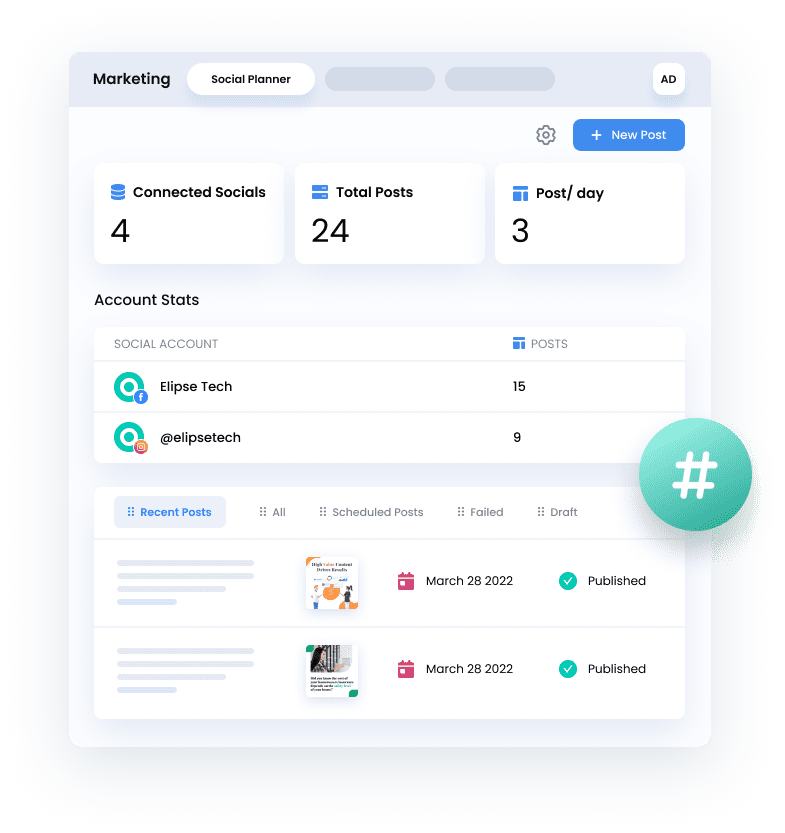
SMBcrm includes a built-in social media planner that lets you schedule posts, manage content, and track engagement across platforms from the same dashboard where you manage contacts, pipelines, and email campaigns. Instead of switching between a CRM, an email tool, and a social scheduling app, everything lives in one place.
This means when a prospect engages with your social content and later submits a form or replies to an email, that entire interaction history is visible on their contact record. Your sales and marketing efforts stay connected rather than fragmented.
Frequently Asked Questions
How much time should I spend on social media each week?
Most small businesses can manage an effective social presence in three to five hours per week when using a content calendar and scheduling tools. Spend one to two hours on content creation and scheduling, and distribute the remaining time across engagement, responding to messages, and reviewing analytics.
Should I be on every social media platform?
No. It is far better to be excellent on one or two platforms than mediocre on five. Choose platforms based on where your target audience is active and what content types you can consistently produce. You can always expand later once you have a strong foundation.
How long does it take to see results from social media?
Expect three to six months of consistent posting before seeing meaningful traction. Social media is a long-term brand-building channel, not a quick-win tactic. Early results will show up as increased engagement and website traffic, with lead generation and conversions building over time.
What should I do about negative comments on social media?
Respond promptly and professionally. Acknowledge the concern, offer to resolve it privately, and avoid getting defensive. How you handle negative feedback publicly often matters more than the complaint itself. A thoughtful response can actually build trust with people watching the exchange.
Next Steps
Social media management for small business comes down to three things: picking the right platforms, posting valuable content consistently, and measuring what works. You do not need to be everywhere or post every day. You need a focused strategy, a content calendar, and tools that keep your social efforts connected to the rest of your marketing.
Start with one platform, commit to a posting schedule for 90 days, and track your results. Once you find your rhythm, expand from there.
Ready to Simplify Your Social Media?
SMBcrm combines social media scheduling, CRM, email marketing, and pipeline management in one platform so you can plan posts, track engagement, and follow up with leads without juggling multiple tools.