SMBcrm workflows now include an AI Agent action that can reason through tasks, use available tools, and return structured outputs in a single step. It helps teams build more flexible automations without manually mapping every branch and condition.
What Changed
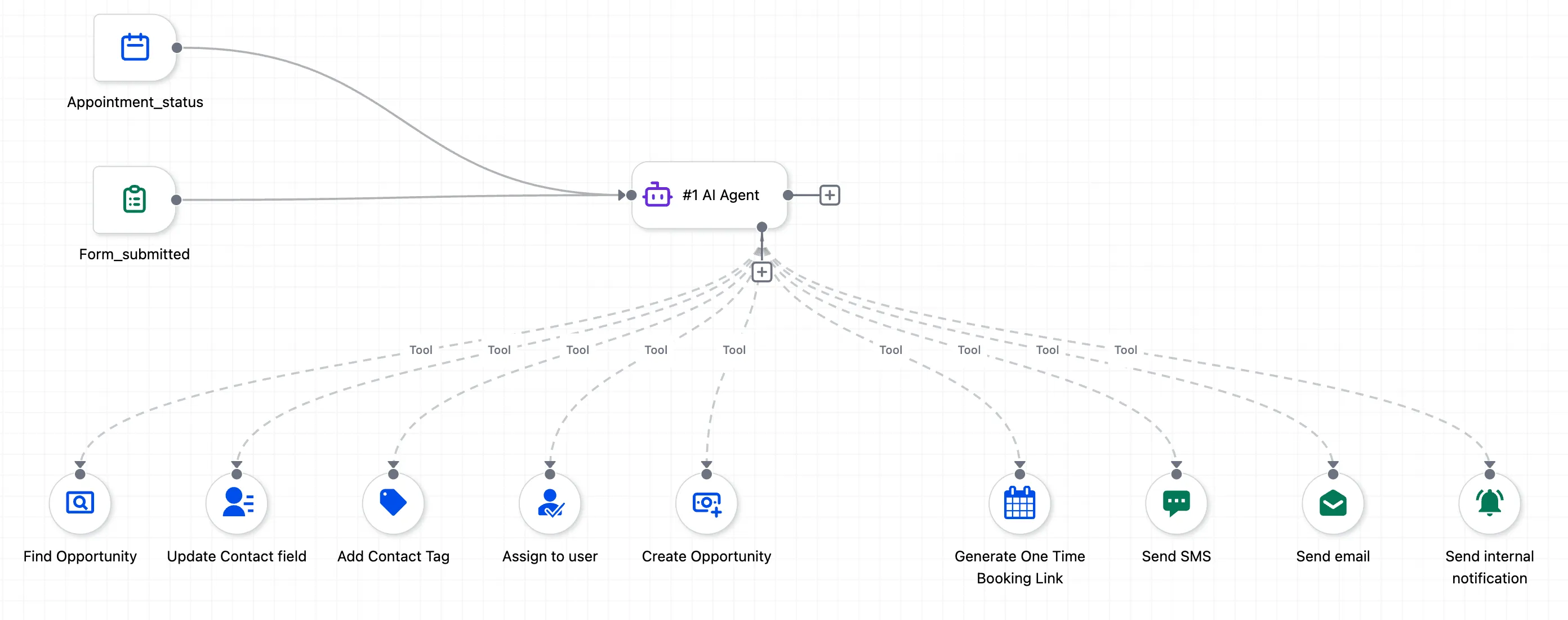
The AI Agent action brings autonomous decision-making into automation workflows. Instead of predefining every branch, condition, and field mapping, you can describe the goal in plain language and let the agent decide how to complete it using the tools you allow.
The agent can:
- plan the sequence of actions inside a workflow step
- choose inputs based on available context
- handle edge cases during execution
- return outputs for later workflow steps to use
Key Capabilities
CRM Context Awareness
The agent can pull context from across the CRM, including contact details, pipeline data, calendar availability, opportunity history, and custom fields. This reduces the need for manual lookups and variable mapping.
Natural Language Instructions
You can write instructions in plain English instead of relying only on rigid field-by-field setup. For example, the agent can resolve references such as a team member name or a pipeline name from your instructions.
Prompt Enhancement
The Enhance Prompt option can turn rough instructions into a more structured prompt with ordered steps, edge case handling, and messaging guidance.
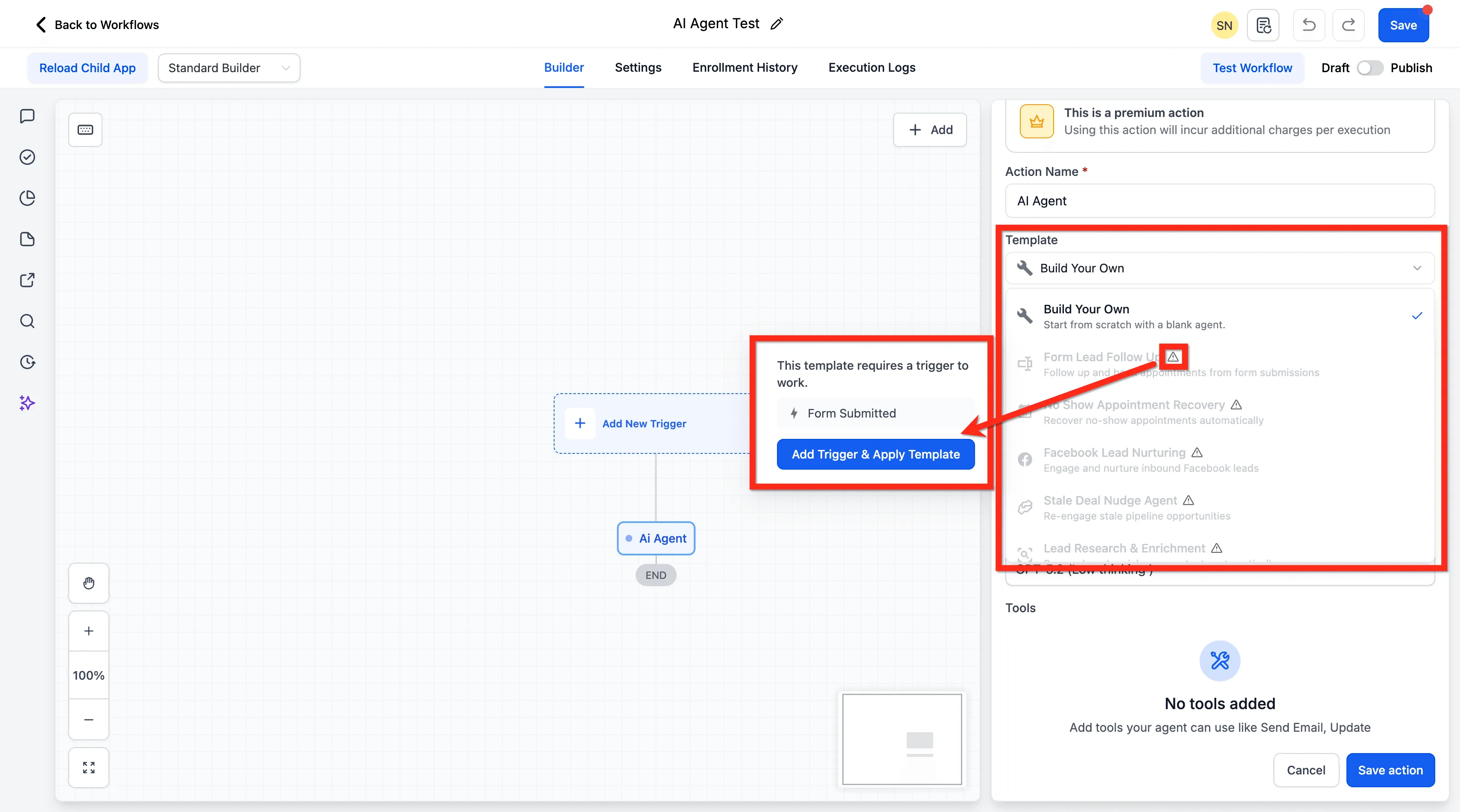
Ready-to-Use Starting Templates
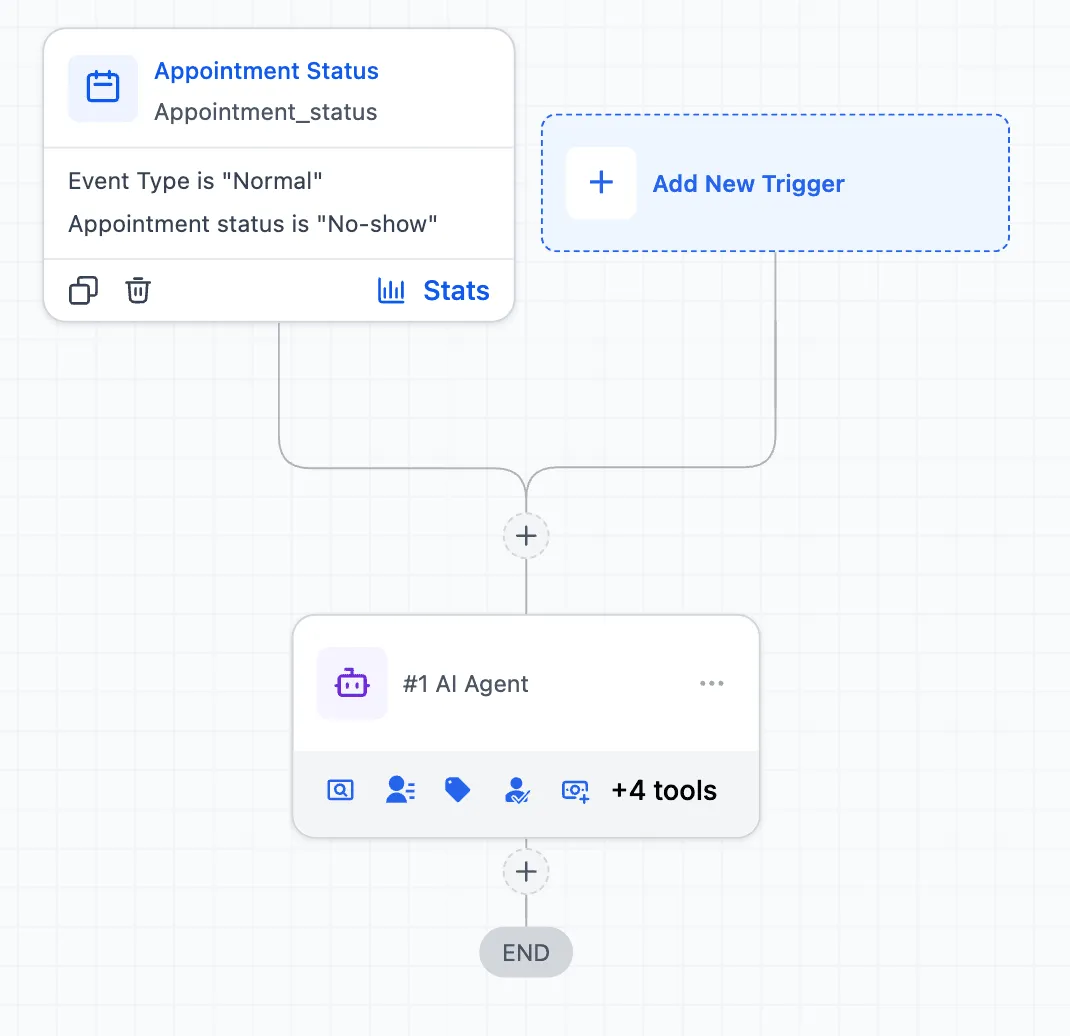
The AI Agent includes prebuilt starting points for common use cases such as:
- form lead follow-up
- no-show appointment recovery
- Facebook lead nurturing
- stale deal follow-up
- lead research and enrichment
- call transcript summaries and action items
- comment-to-DM outreach
- lead pipeline tracking
- appointment enrichment and confirmation
- quiz lead scoring and routing
- task creation from won deals
Per-Tool Control
You can decide how much autonomy to give the agent. Each tool includes an option to let AI decide field values, while still allowing you to lock specific fields when needed.
Conversation Memory
When enabled, the agent keeps a rolling summary of past executions for the same contact. That allows follow-up actions to adapt based on prior activity instead of treating each run as a separate event.
Structured Output
The agent can return results as text or JSON with a defined schema. Those results can feed into later workflow logic such as If/Else branches, field updates, or downstream actions.
Execution Logs
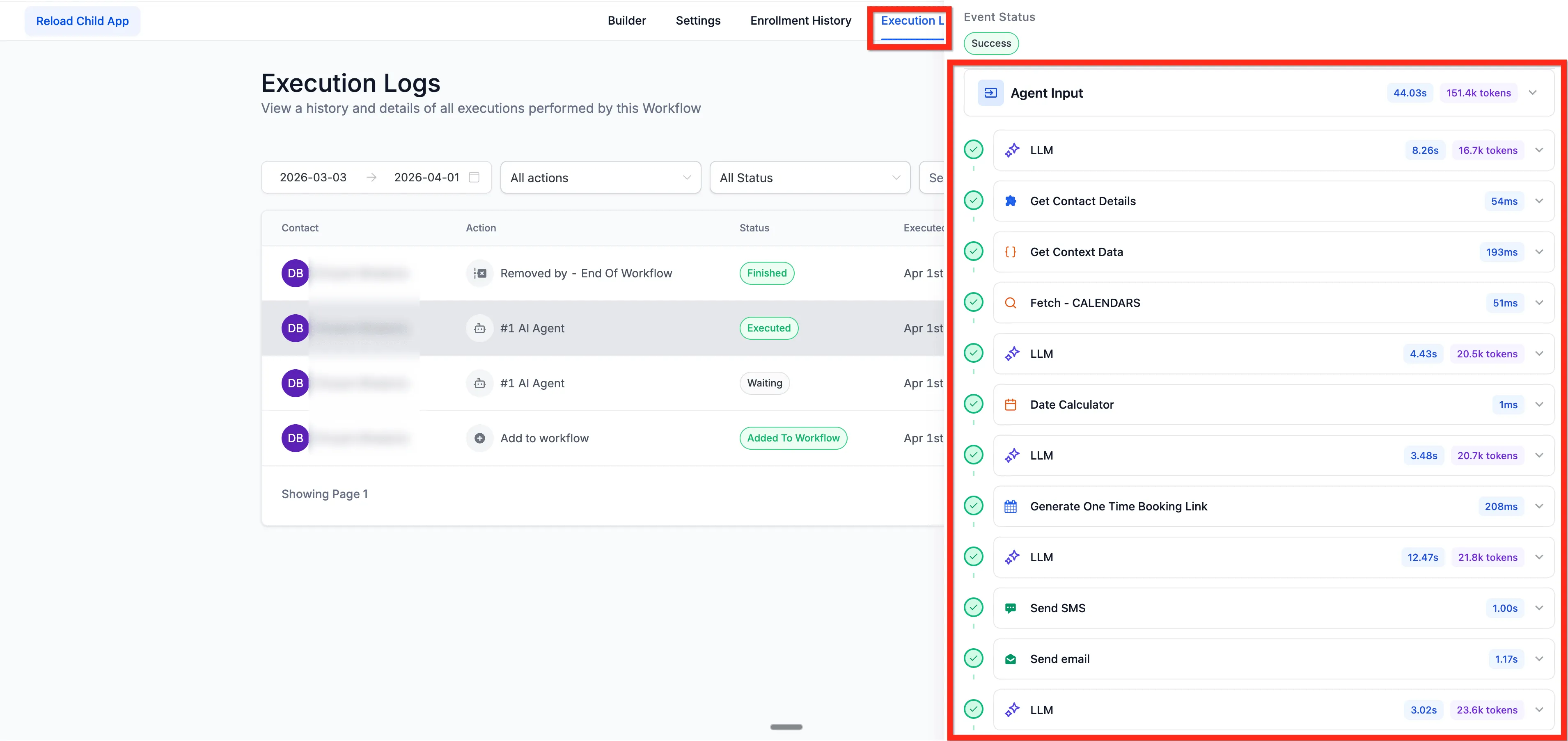
Each run includes a detailed execution trace showing reasoning steps, tool calls, inputs and outputs, timestamps, token counts, and success or failure status.
Model Options
Available model options include GPT-5.2 with Low, Medium, and High thinking modes, GPT-5.1 with Low, Medium, and High thinking modes, and GPT-5 Nano as the fastest option.
How to Use It
- Open a workflow.
- Click Add Action.
- Search for Agent or browse the Workflow AI category.
- Select AI Agent.
- Choose a template or start from scratch.
- Write the instructions for what the agent should do.
- Add up to 10 tools the agent can use.
- Configure options such as Conversation Memory and Output Format.
- Save and publish.
You can learn more about SMBcrm AI features and how they fit into workflow automation.
Pricing Notes
Pricing is usage-based.
Each execution is charged based on:
- total LLM tokens consumed across reasoning and tool calls, based on the selected model rate
- any premium tool executions used through integrations such as ClickUp, Airtable, or Notion
Standard CRM tools such as sending SMS, updating contacts, or adding tags do not add a premium tool charge.
Why It Matters
This update gives workflow builders a way to create automations that respond more flexibly to real CRM context. Instead of manually defining every path, teams can describe the outcome they want and let the AI Agent handle the intermediate reasoning.
In Case You Missed It
You can also read about Workflow Builder now including Find and Replace.
Release Images
Need Help Applying This Update?
If you’d like help rolling this out in SMBcrm, visit Support or request a demo.