Ask AI Chat Shortcut for the SMBcrm Mobile app
Open a blank Ask AI chat from your app icon, Quick Actions card, or search in the SMBcrm Mobile app without returning to a previous conversation.
New features, improvements, and fixes for your CRM.
Showing 1–30 of 351 updates
Open a blank Ask AI chat from your app icon, Quick Actions card, or search in the SMBcrm Mobile app without returning to a previous conversation.
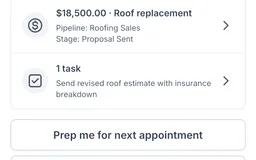
Ask AI in the SMBcrm Mobile app now shows contact details, prepares appointment briefings, and drafts dictated notes for your approval.
Start an Ask AI chat from your phone's home screen with text, voice, or a photo using the new widget for the SMBcrm Mobile app.
Ask AI in the SMBcrm Mobile app adds iOS shortcuts for New Chat, Dictation, and Voice Mode, accessible through the Action button, Siri, or Spotlight.
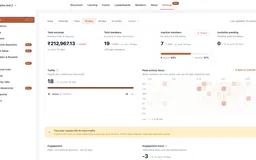
Track community revenue, membership, traffic, and engagement in one dashboard, with shared date filters and CSV exports for inactive member follow-up.

Connect apps, reconnect accounts, and control which tools Ask AI can use from the SMBcrm Mobile app, with connections synced between web and mobile.
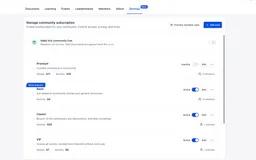
Create multiple paid plans within one community, bundle exclusive content, and let members compare options and switch subscriptions.
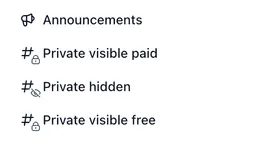
Community admins can make private channels visible, charge for access, and let members pay and join themselves on the web or in the SMBcrm Mobile app.
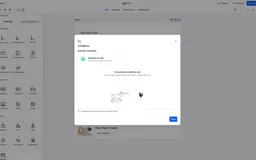
SMBcrm quizzes now support conditional URL redirects based on answers and scores, helping guide respondents to relevant content, products, or next steps.

SMBcrm adds 15 customizable templates for surveys and Facebook, Google, and LinkedIn ads, with options for a range of industries and services.
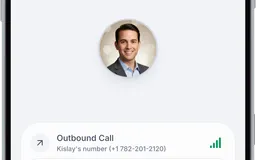
Check connection quality during calls in the SMBcrm Mobile app, get troubleshooting tips, and rate call audio after hanging up.

The SMBcrm Mobile app now shows all recordings for a call, with separate playback and transcripts when available for transferred or multi-leg calls.
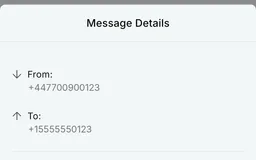
Call details in the SMBcrm Mobile app now show who answered and which device they used, helping teams follow up with the right person.
Use AI Analyze Video in SMBcrm workflows to review public videos, generate text responses, and pass results to later actions. Usage charges apply.
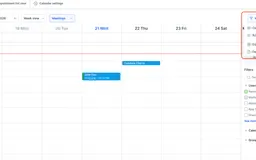
Customize your calendar view with saved display settings, staff colors, and PDF or CSV exports without changing availability or booking rules.
Create short AI videos inside SMBcrm workflows, then use their public URLs in later actions. Each generation carries an additional charge.
The Loop action repeats workflow steps for each list item or number in a range, with sequential or parallel execution and results for every iteration.
AI Agent Actions now support reusable skills, letting you share instructions across workflows and load them only when a matching situation arises.
The new Router action sends contacts through every matching workflow branch, in the order you choose, with test results showing which conditions passed.
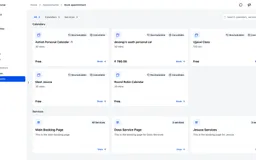
Clients can now book services in the new Client Portal, view appointments in one place, and reschedule or cancel eligible bookings based on your settings.
AI Builder now lets you test workflows in the same chat, follow each step on the canvas, and review a plain-language summary of the results.
The AI Agent Action can now search the web during workflow runs and read URLs provided in Instructions, with usage billed per search.

Ask AI Computer is now in the SMBcrm Mobile app, so you can start tasks, watch progress, take control, and manage files and sign-ins from your phone.
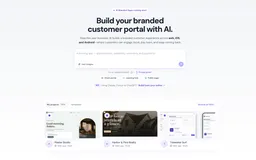
Create and refine custom client portals with AI prompts in Client App Builder, while keeping existing courses, communities, and member data connected.
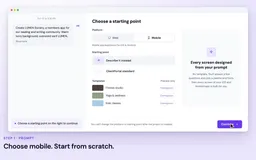
October 29 availability update: Client App Builder supports web portals in SMBcrm. Native iOS and Android apps are coming soon; original announcement below.
Managed Agents can now browse websites, create files, and run code with Computer, with approval controls and a persistent workspace.
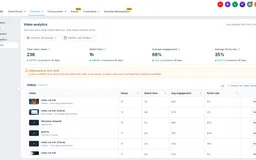
Track course video engagement, spot learner drop-offs, and review Course AI recommendations. Video Analytics is available in Labs for native uploads.
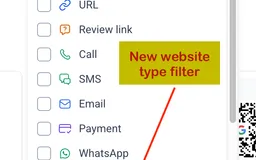
Create QR codes from website pages, customize their appearance, and keep scans pointing to the right page after a domain or page slug change.
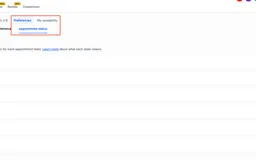
Track appointments with custom statuses that match your process, while built-in states manage availability, calendar updates, and notifications.

Build Client Portal pages that let members submit information and create CRM records, with AI-assisted setup and configurable record visibility.