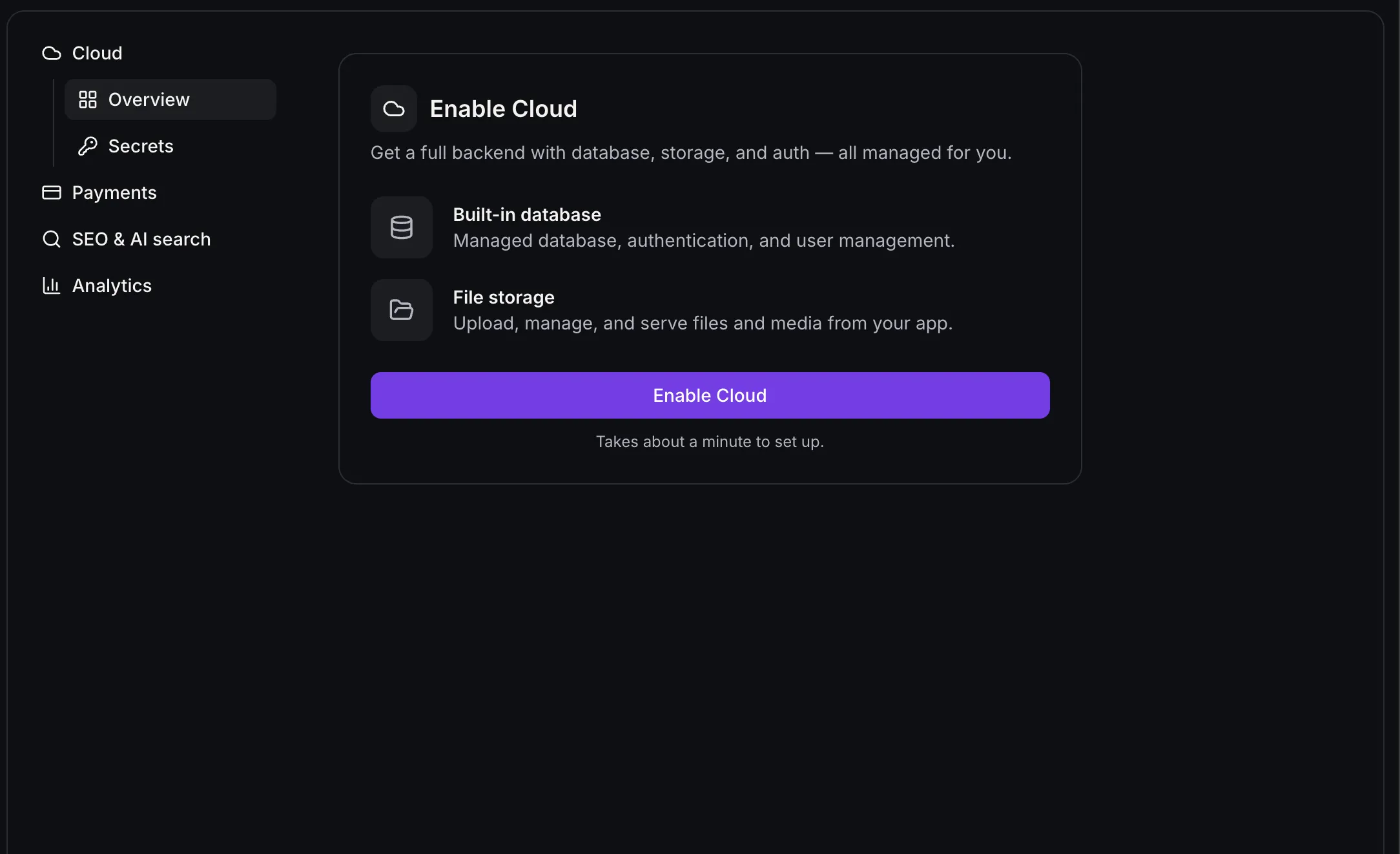
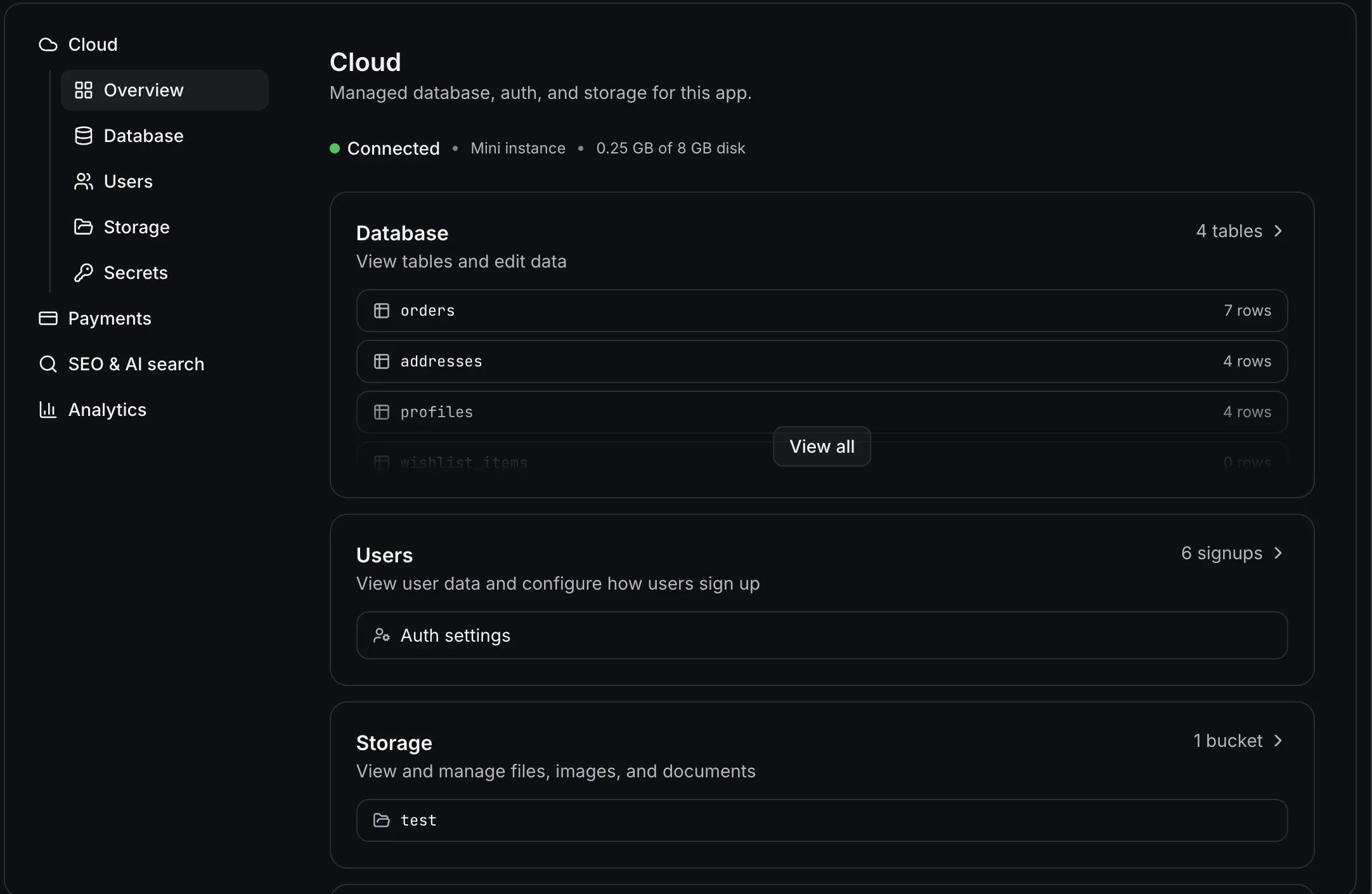
AI Studio Cloud gives an app its own database, user accounts, and file storage without a separate backend connection. To enable it, open More → Cloud and turn it on from Overview. You can keep building during setup. If setup stops, Try again resumes it without changing your app. AI Studio asks before building anything against Cloud.
Cloud extends the app-building tools available through SMBcrm AI features.
Manage app data and users
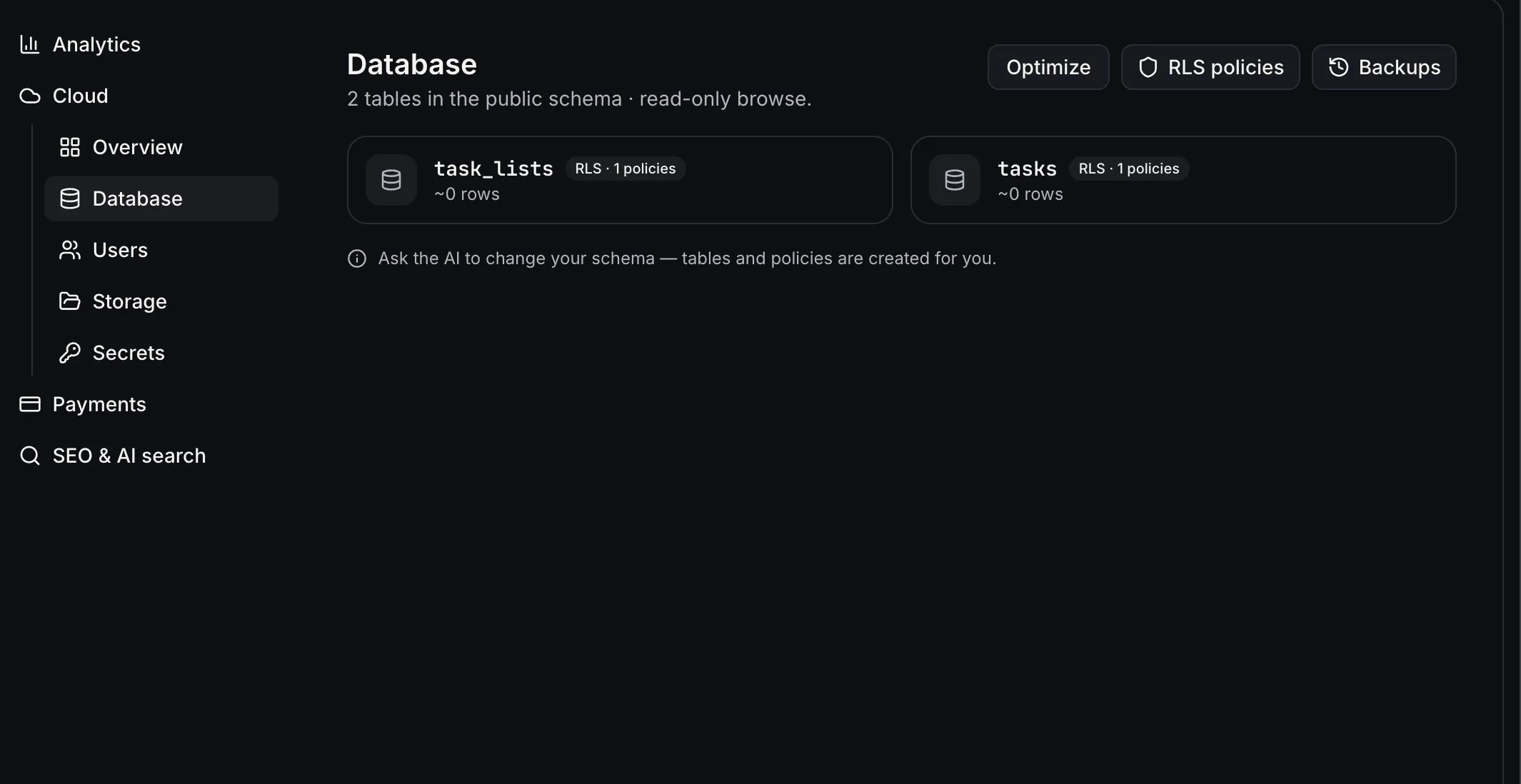
In Database, you can view tables, edit or delete rows, and ask AI Studio in chat to create tables or policies. Optimize sends a database health check to chat and uses credits like a chat message. Daily backups cover the database schema and rows, but not files or app code. Restoring a backup replaces the live database and pauses database access for a few minutes.
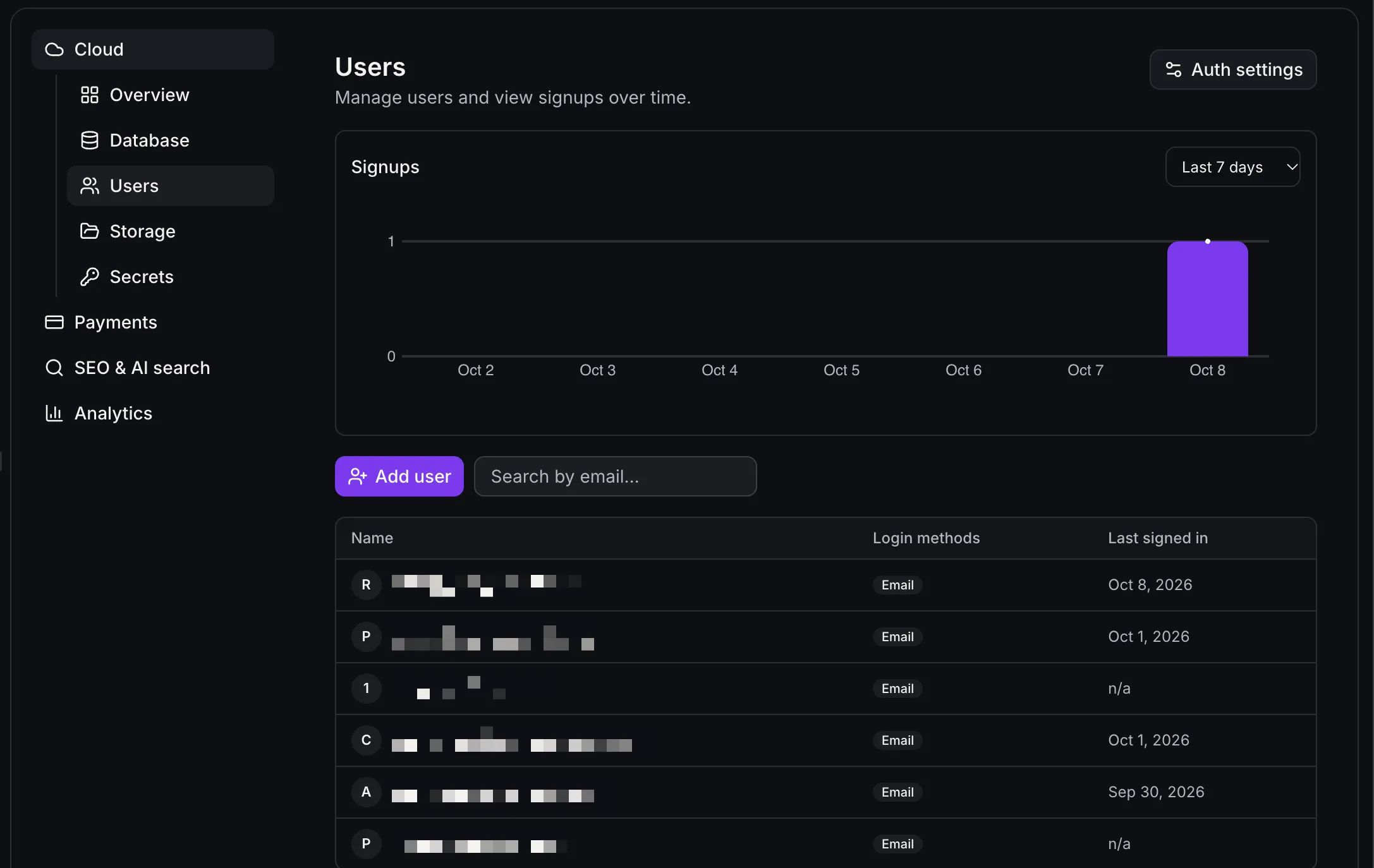
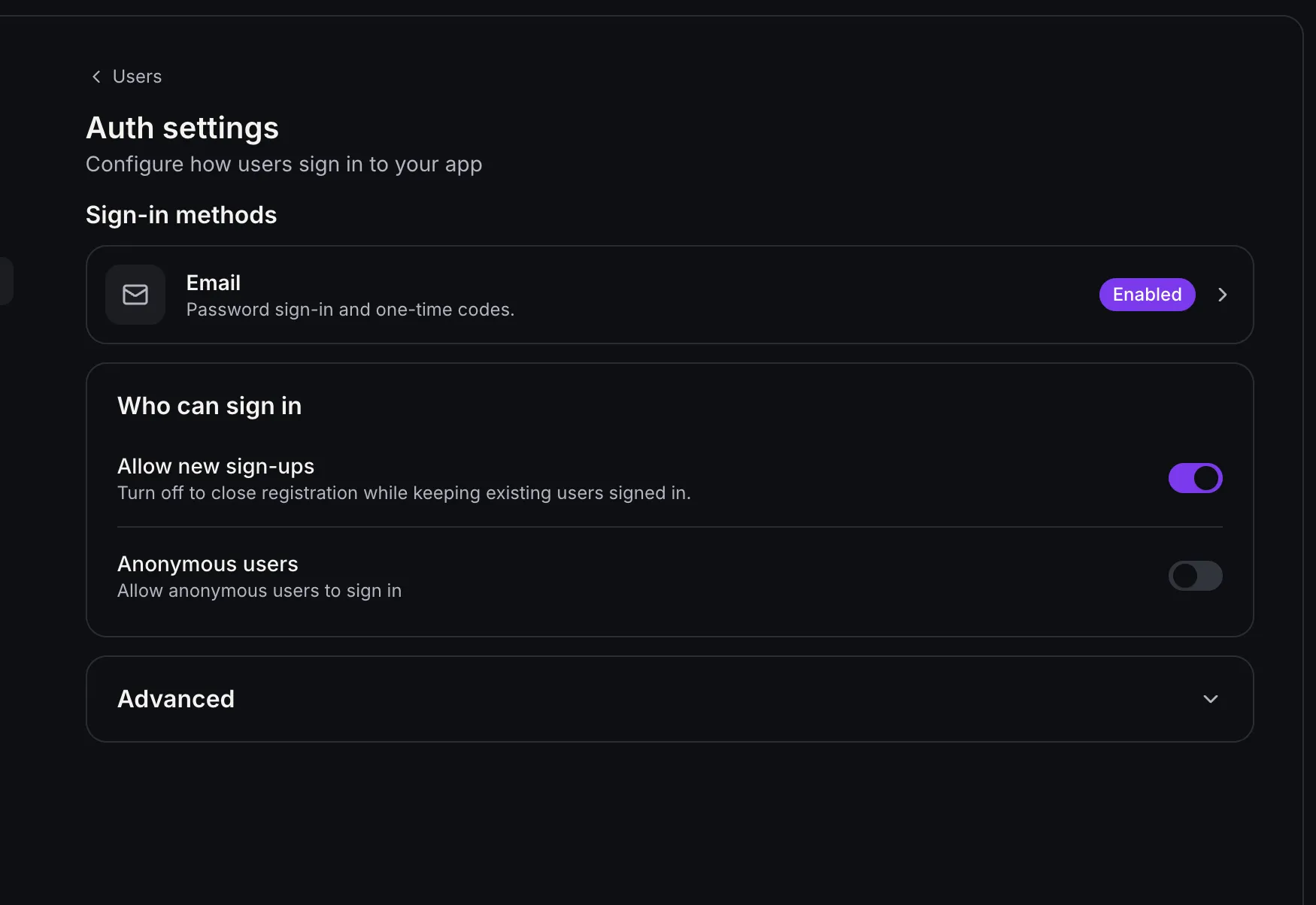
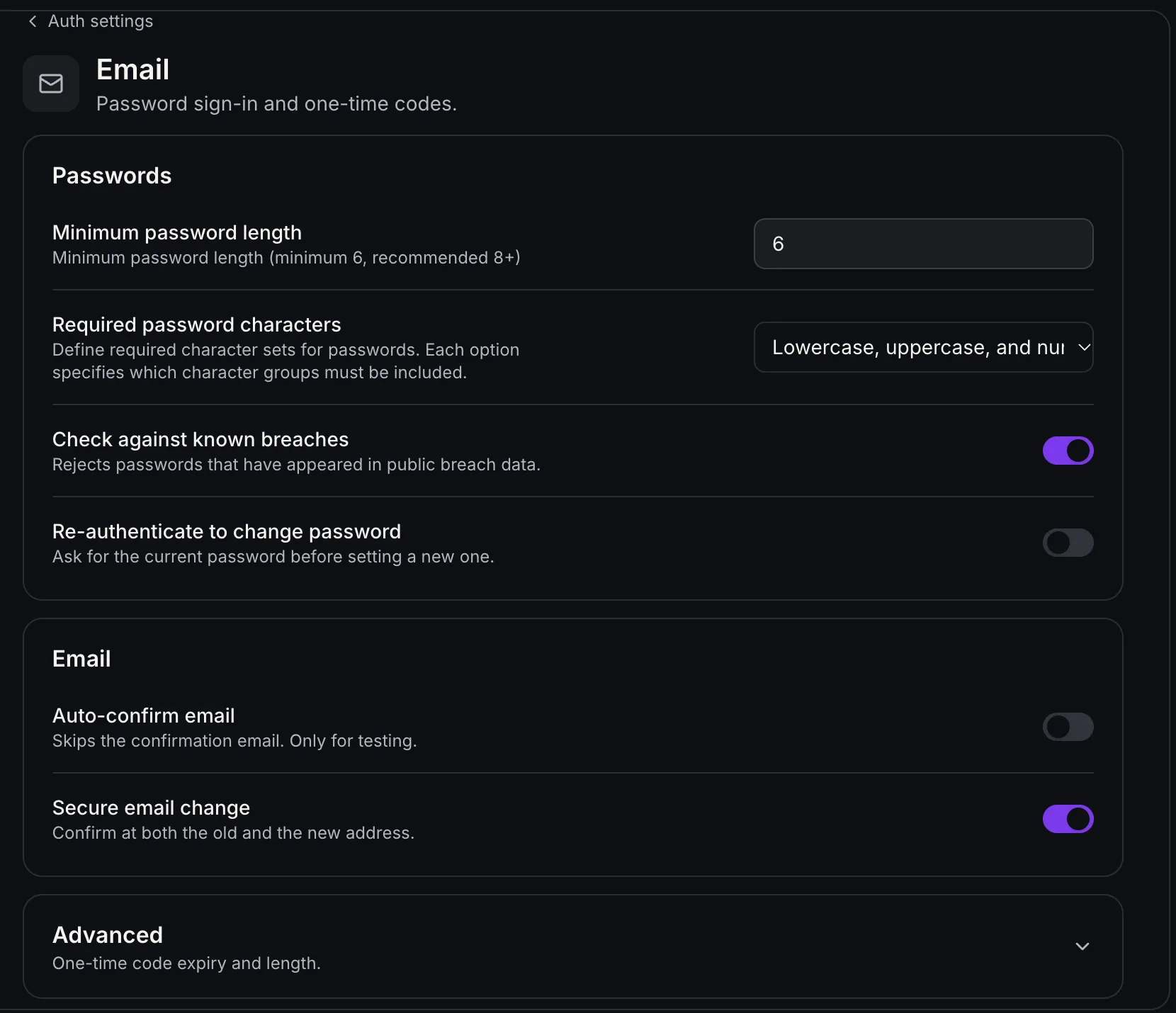
In Users, you can review signups, search by email, create confirmed users without sending an email, or email invitations. Signup, invitation, and password-reset emails use your account’s email, with links that open your app. Authentication settings cover registration, email confirmation, password rules, and redirect URLs. For this initial version, sign-in supports email and password only. Deleting a user cannot be undone.
Store files and control access
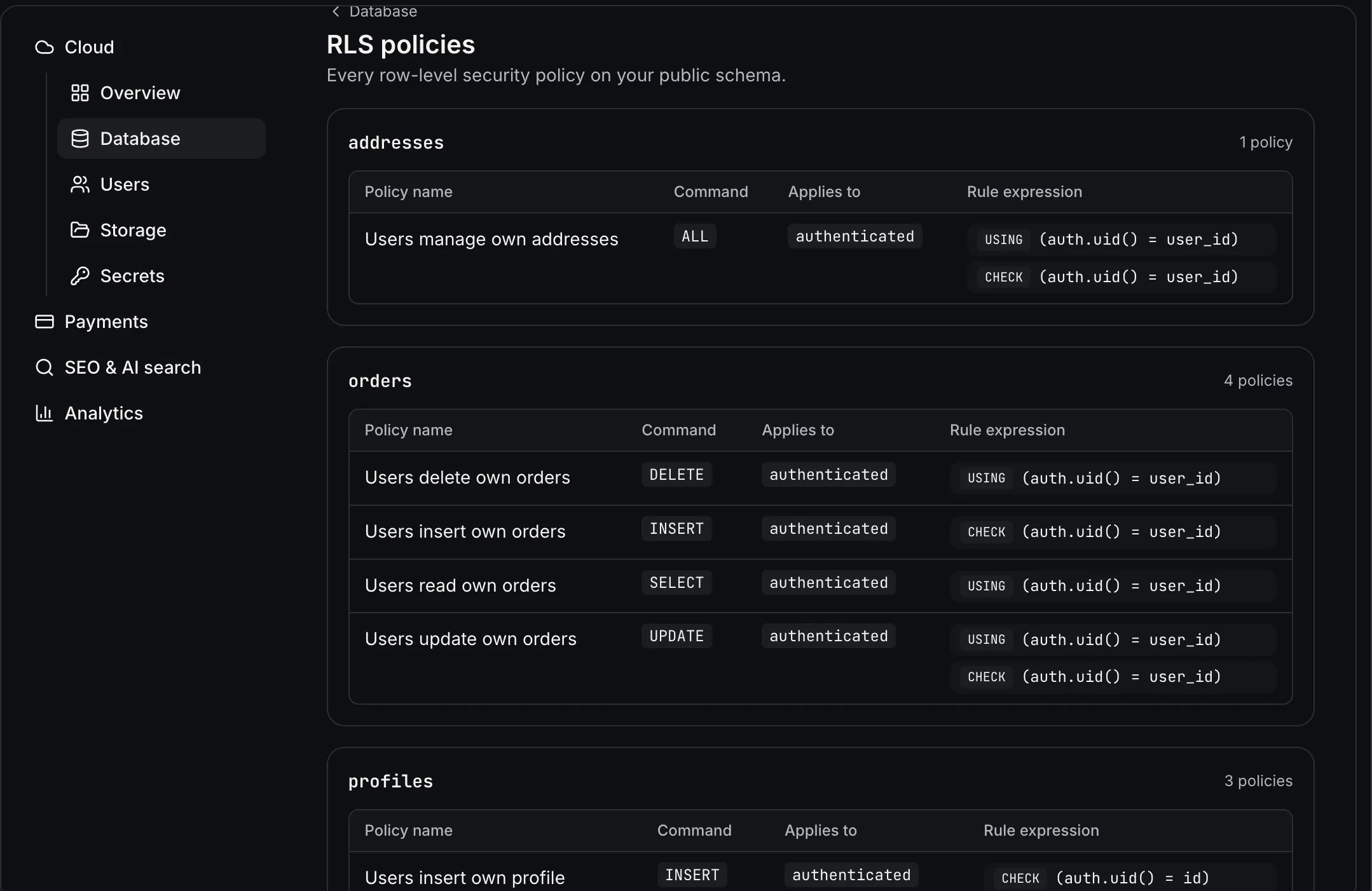
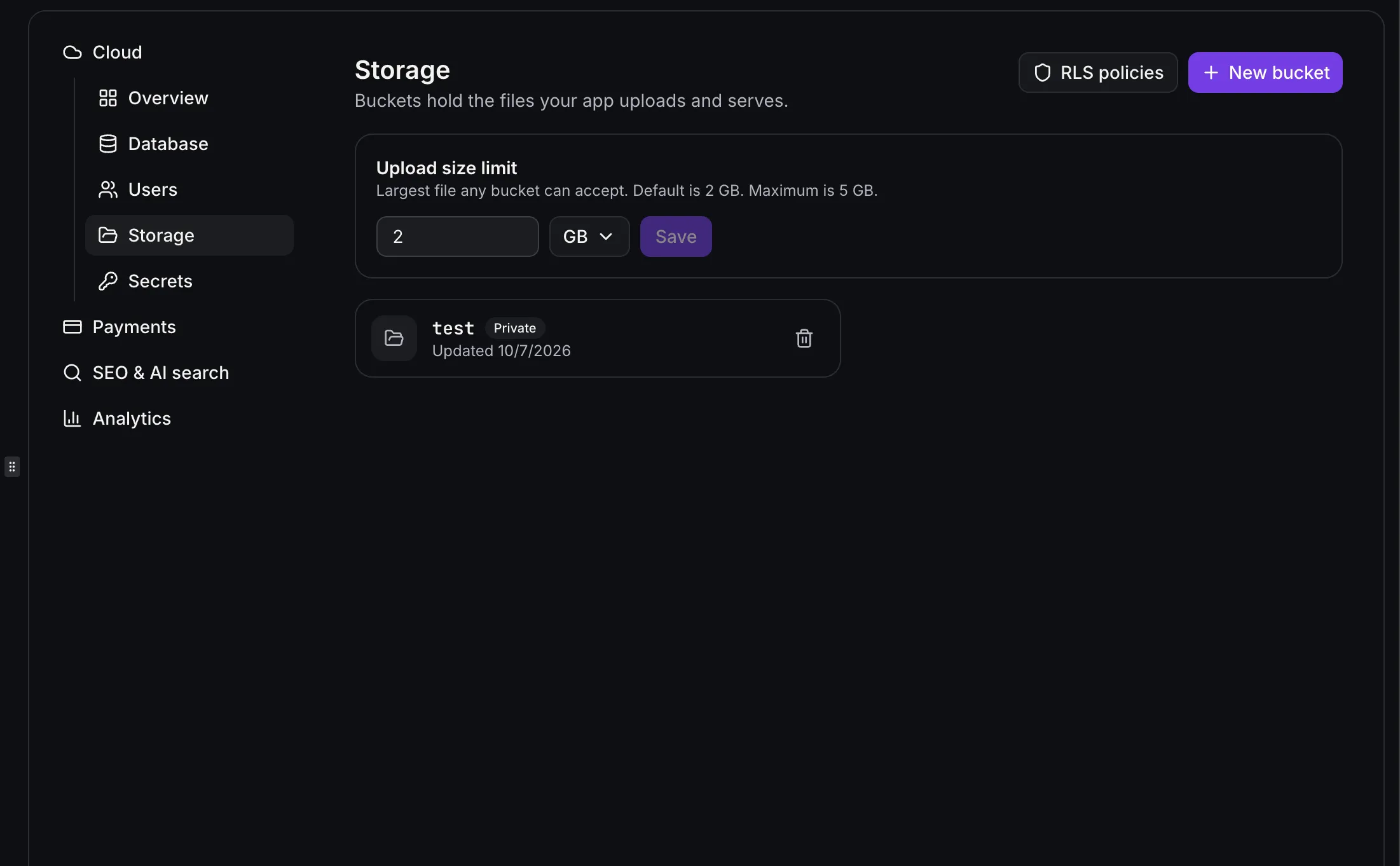
Storage lets you manage uploads in public or private buckets. You can organize, download, rename, and delete files, set an upload size limit, and review read and write access through row-level security policies. Public buckets are accessible to anyone with the link; private buckets are for signed-in users. Renaming a file changes its URL.
Review capacity and project settings
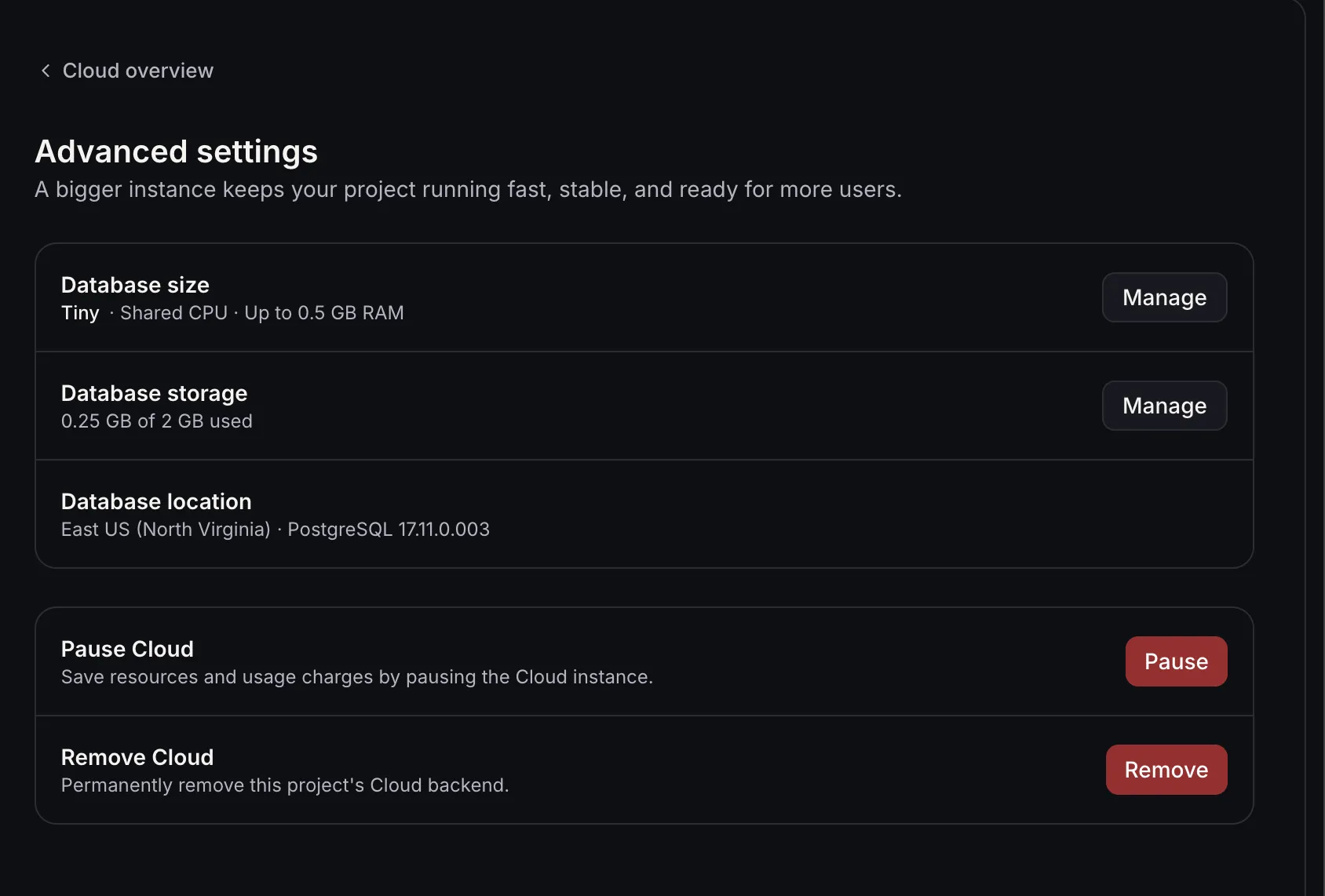
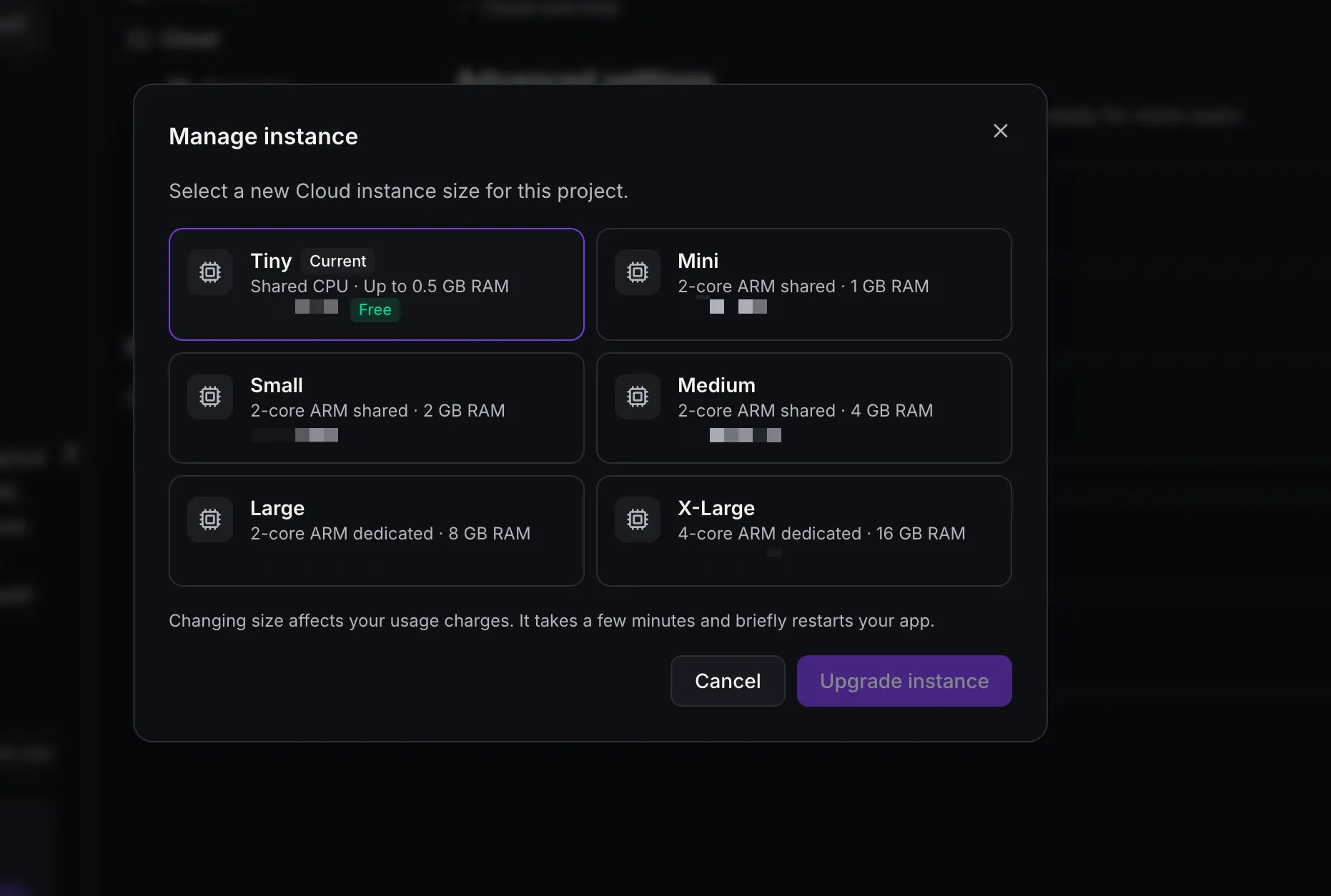
Database size starts at Tiny (free), with other sizes showing an hourly price. Resizing briefly restarts the app. Database storage can grow but not shrink, and its reserved capacity is billed hourly even while Cloud is paused. File storage is billed for what is stored. If billing cannot cover Cloud, access pauses without deleting data; Wake up becomes available after billing is fixed.
Remove Cloud permanently deletes that project’s database, users, and files. Export tables and download files before removing it. Security issues appear on Overview; resolve critical issues before publishing.
Cloud works with apps built on TanStack Start. For an existing React project, Project Settings → Migrate to SSR creates an upgraded copy and leaves the original live. Migration does not enable Cloud. Your published site remains unchanged until you publish again. Sharing or remixing does not copy Cloud data, but the copy may still request data from the original project’s Cloud under its access rules.
In Case You Missed It
Read about how recurring appointment notifications cover custom series.
Release Images
Need Help Applying This Update?
Want help turning this update into a working part of your CRM, marketing, or automation setup?
Get Started or schedule a demo and we’ll help you map the right next step.
Explore this in SMBcrm
See where this fits in AI Studio.
Explore the app builder, its connection to your CRM, and the AI usage and Cloud costs to consider.
Explore the AI Studio app builderAlready using this feature? Find setup help