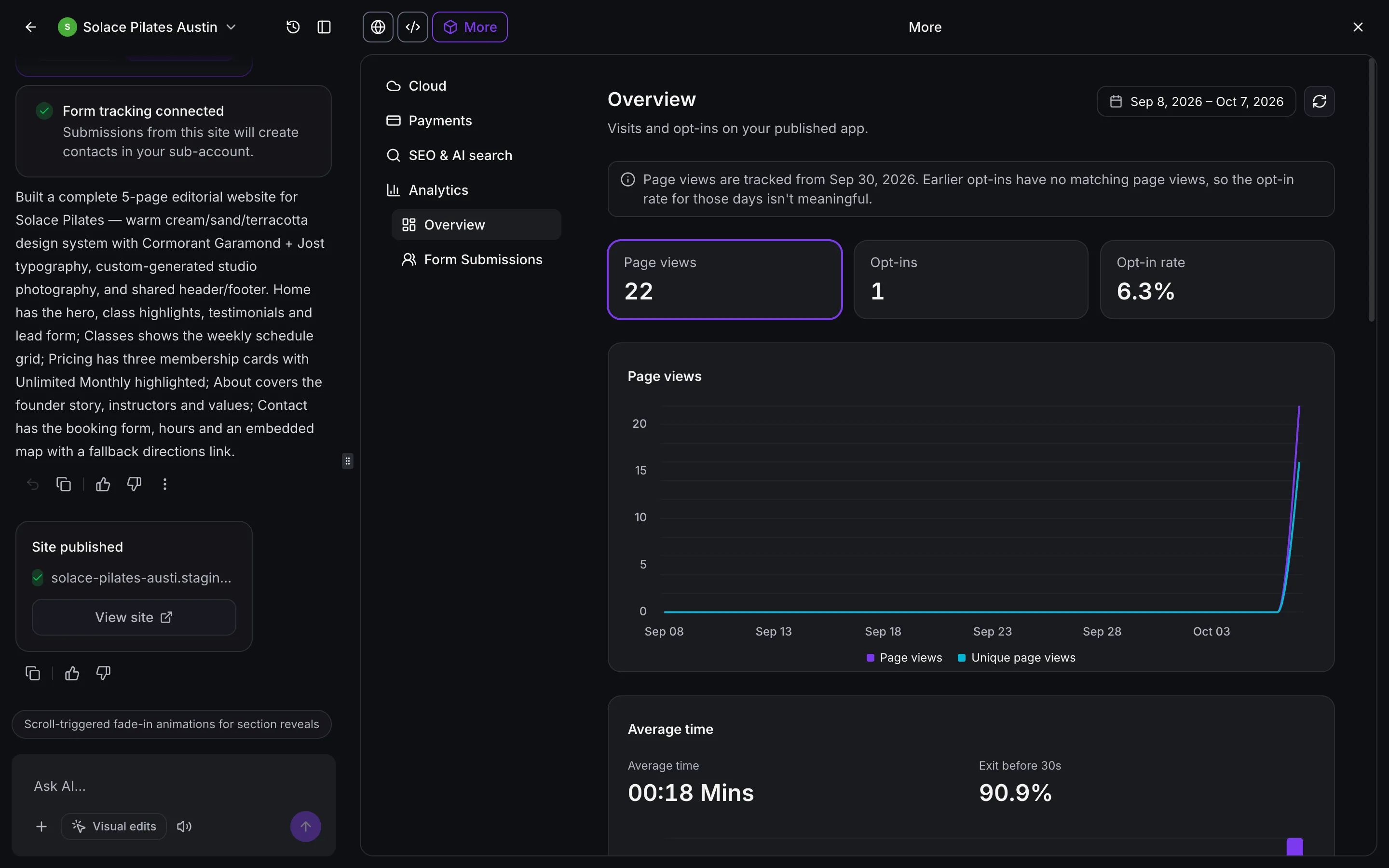
Published AI Studio sites now track visits and opt-ins without additional setup or tracking code. You can review results in your project, compare sites, and see how site visits lead to CRM contacts.
Review site performance
In Your project → More → Analytics → Overview, see page views, unique visitors, opt-ins, and opt-in rate, including trends and changes from the previous period. You can also explore top pages, time on page, traffic sources, devices, browsers, and visitor locations.
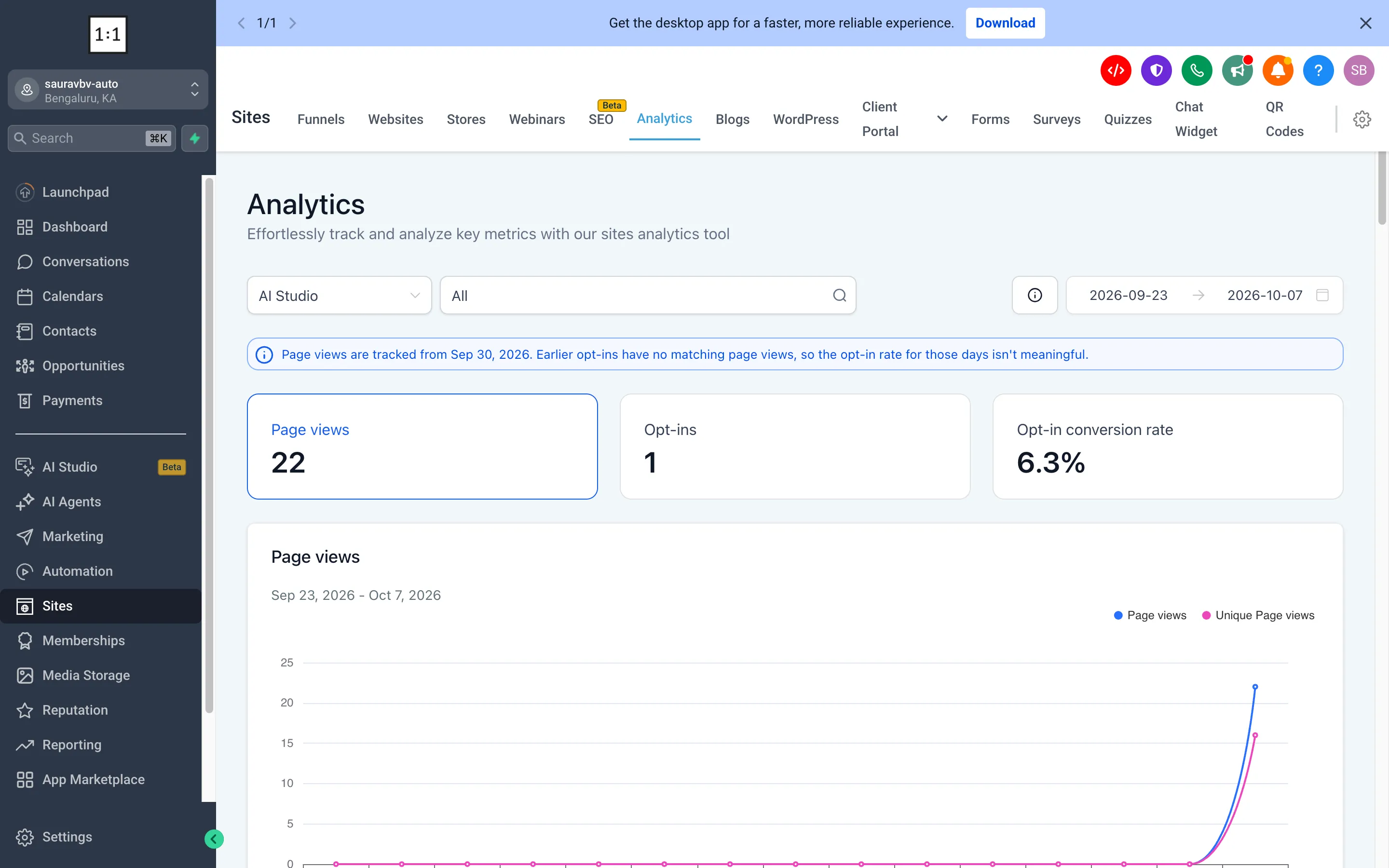
To compare projects, go to Sites → Analytics → AI Studio. This view shows AI Studio sites alongside Funnels and Websites, with an option to focus on one project. Learn more about SMBcrm’s AI features.
Follow submissions into the CRM
Open Your project → More → Analytics → Form Submissions to see leads collected through site forms. You can filter submissions by form or date, open the linked contact, or create a workflow from this view.
In Contacts → Contact details → Activity, contacts created from your site retain their visit history, including pages viewed, traffic source, and submitted form.
Opt-ins from previously connected forms still count. To link those submissions to pages visitors viewed before submitting, ask AI Studio to reconnect form tracking, then publish the site again.
Release Images
Need Help Applying This Update?
Want help turning this update into a working part of your CRM, marketing, or automation setup?
Get Started or schedule a demo and we’ll help you map the right next step.
Explore this in SMBcrm
See where this fits in AI Studio.
Explore the app builder, its connection to your CRM, and the AI usage and Cloud costs to consider.
Explore the AI Studio app builderAlready using this feature? Find setup help