Pay per use or included with AI Employee
Build the Apps Your Business Needs by Describing Them
Tell AI Studio what you need in plain English: a client portal, a quote calculator, a storefront. It builds a working app with logins, a database, and checkout. Because it lives inside SMBcrm, every lead, booking, and sale lands in the CRM you already use.
It started as a page builder. Now it builds apps.
AI Studio used to stop at the page: a landing page, a service site, a booking page. New projects now run as full web apps. They can store data, let people sign in, accept payments, run logic on the server, and call other services securely. You still start the same way, by describing what you want.
- Before Landing pages and websitesNow Websites and web apps
- Before Forms that capture leadsNow Forms that create contacts and start workflows
- Before Static pagesNow Server-rendered pages, server functions, and APIs
- Before No place to store dataNow A database, user accounts, and file storage per app
- Before Link out to a separate checkoutNow Hosted checkout and subscriptions inside the app
Older projects keep working as they are. You can migrate any of them to the new app setup as a draft copy whenever you're ready.
Everything an app needs, in the account you already run
Four layers, one place. Build it, give it a backend, connect it to the business, and launch it.
Build
Describe it, then shape it your way.
-
Describe it, get a working app
Start from a prompt, a URL, or a screenshot. AI Studio plans the work as a task list you can follow and keeps your project's context between sessions.
-
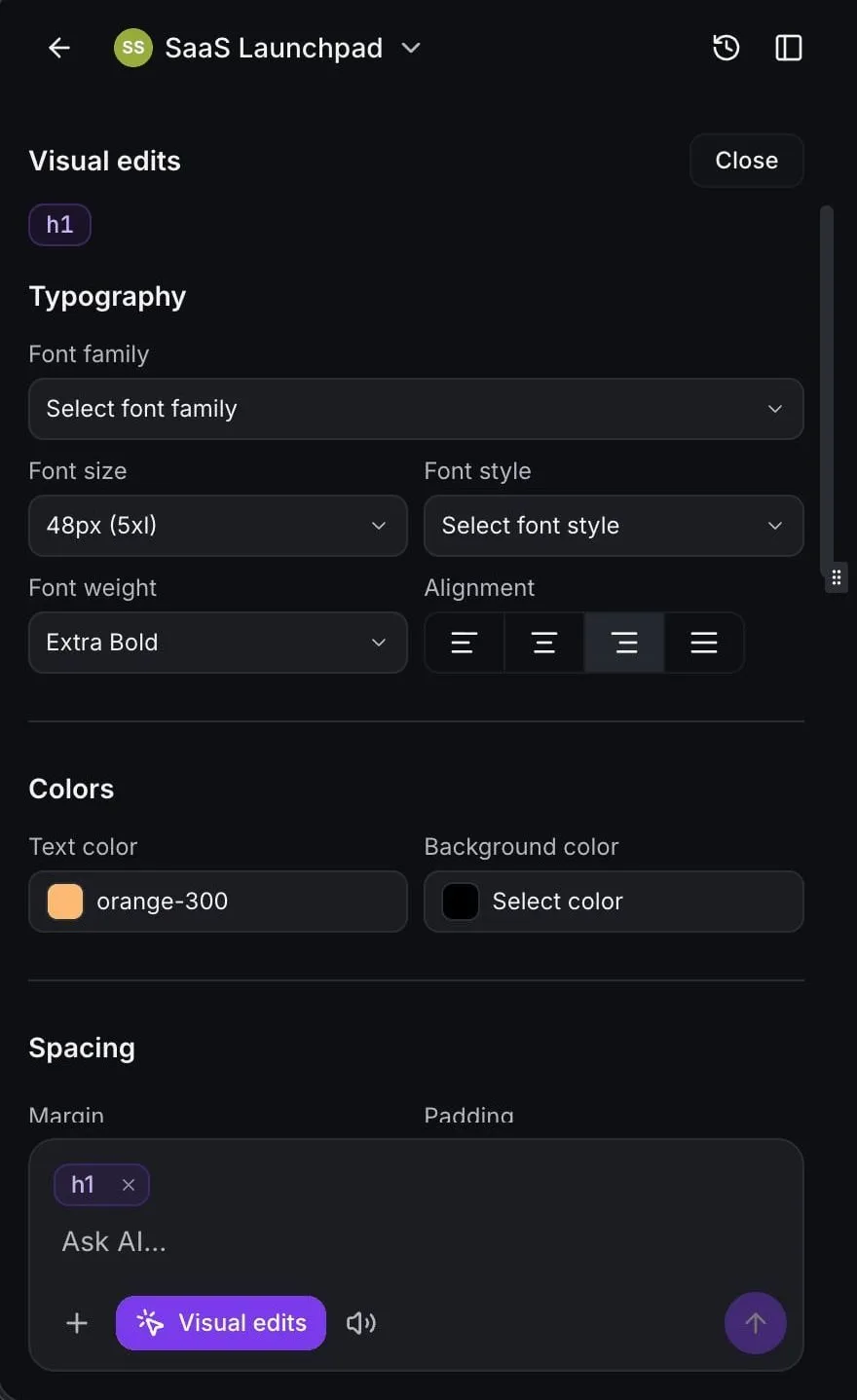
Edit by clicking, not prompting
Click any element in the preview to change colors, fonts, spacing, images, icons, or text. Direct edits apply instantly and don't use AI tokens.
-
Open the code when you want to
A built-in code editor with project-wide search, version history, and rollback. When something breaks, "Try to fix" asks the AI to correct it.
-
Use your brand assets
Pull images and files from your Media Library into chat, visual edits, and publish settings so every build stays on brand.
Backend
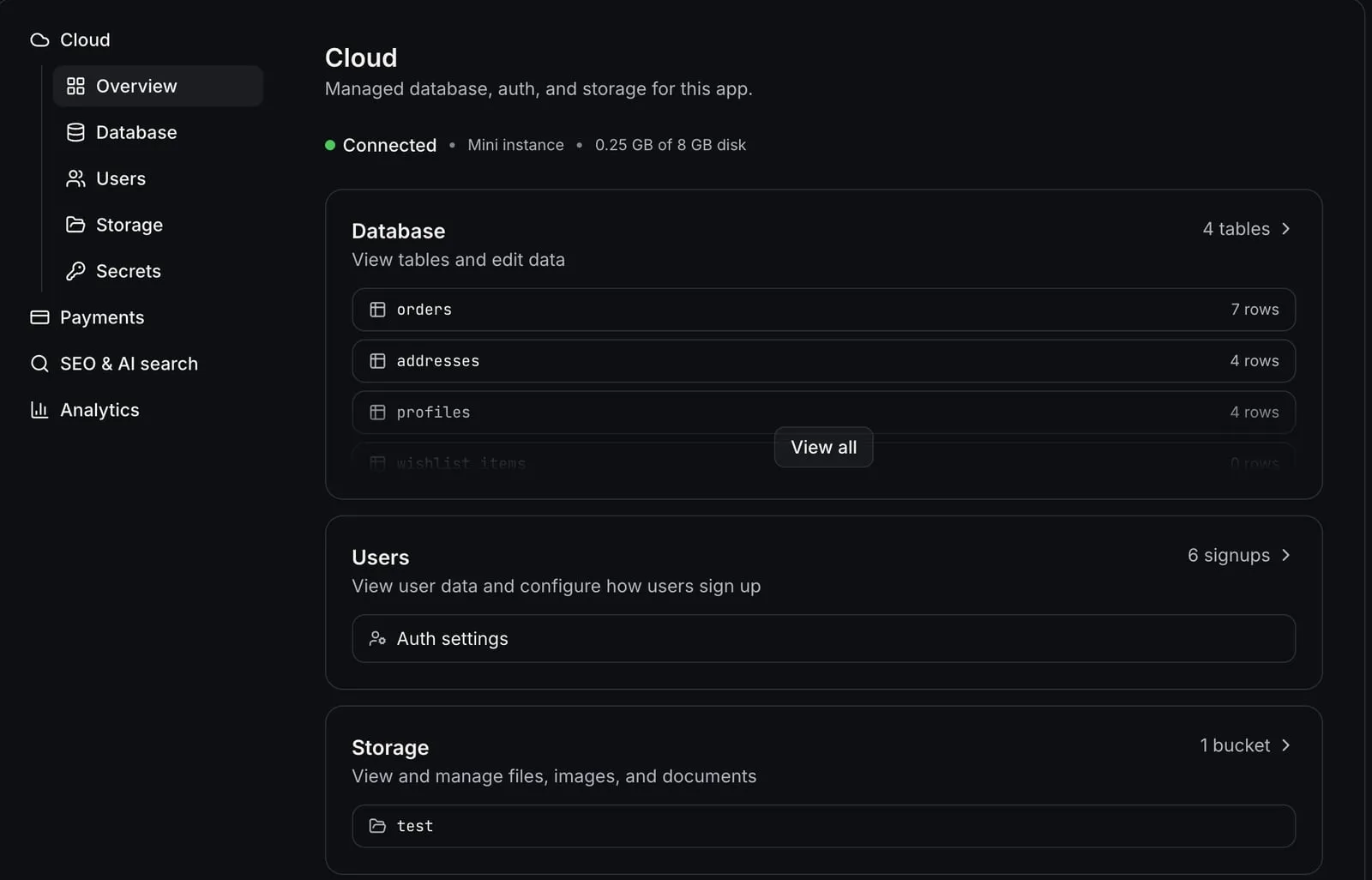
AI Studio Cloud gives every app a real backend, managed inside your project.
-
A database for your app
Tables you can view and edit, access rules you can ask AI Studio to write, daily backups, and a one-click health check.
-
User accounts and logins
Signup, invitations, email confirmation, and password reset, sent from your own account's email with links back to your app. Email and password sign-in for now.
-
File storage
Public or private buckets for uploads, with size limits and access rules. Private files are only for signed-in users.
-
Server logic and secrets
Server functions and API endpoints handle logic and webhooks and connect to outside services, including the SMBcrm API with a private integration token. API keys stay in a secrets vault, out of your page source.
Business
Wired into how you already sell and follow up.
-
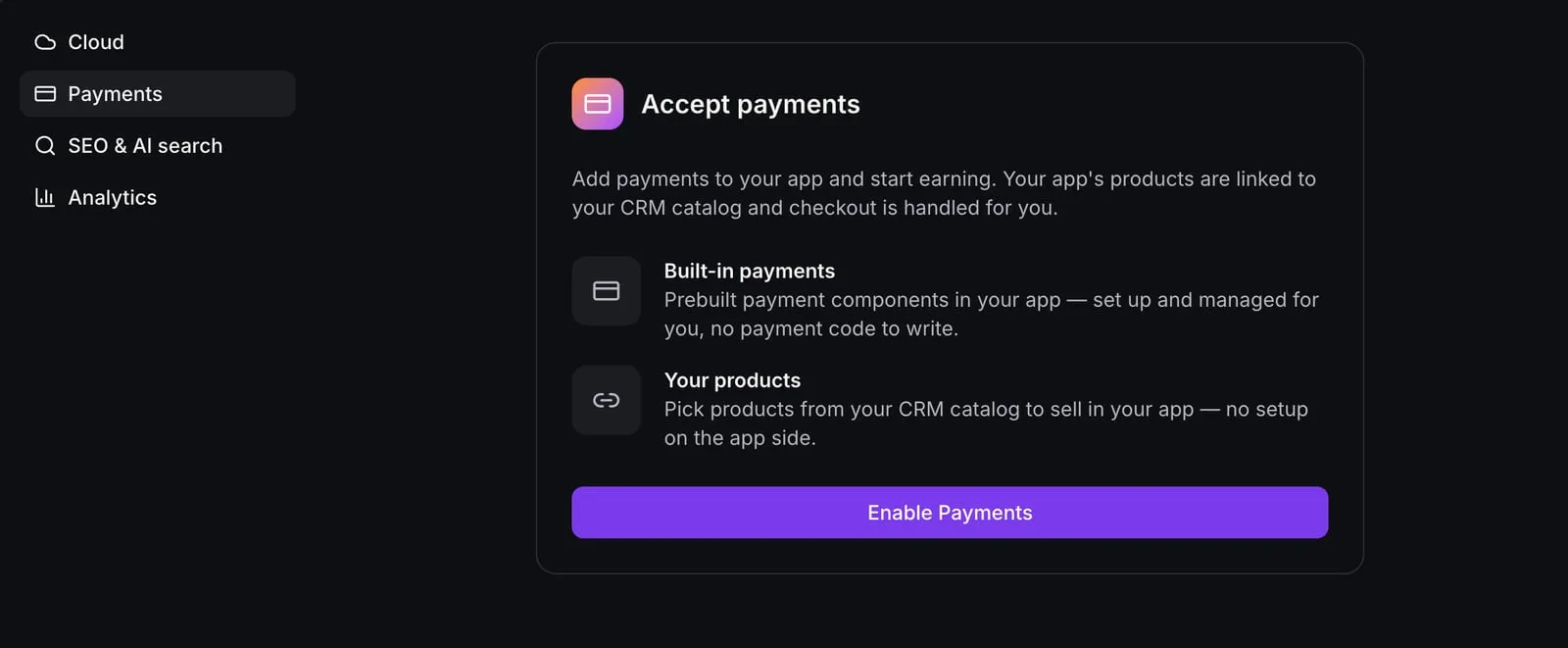
Sell from your catalog
Ask for payments and AI Studio adds product pages and a hosted checkout using the products and processors already in your SMBcrm account. Card details never touch your app's code.
-
Subscriptions, coupons, and one-click upsells
Sell subscriptions (more than one per cart), take coupon codes, and offer an add-on after purchase that buyers accept with one click.
-
Leads land in your CRM
Connected forms create contacts, show up in Form Submissions, and keep each visitor's page history on their contact record. App signups and purchases can create contacts too.
-
Follow-up that starts itself
Form submissions, signups, and purchases can start any workflow: send an email or text, apply a tag, create an opportunity, or alert your team. Connected calendars handle booking.
Launch
Get found, go live, and see what is working.
-
Built to be found
Pages are rendered on the server, so search engines, social previews, and AI crawlers see real titles, headings, and copy. Sitemaps included when you publish on your custom domain.
-
Your domain
Publish to your own domain. Domains already in your SMBcrm account are detected for you.
-
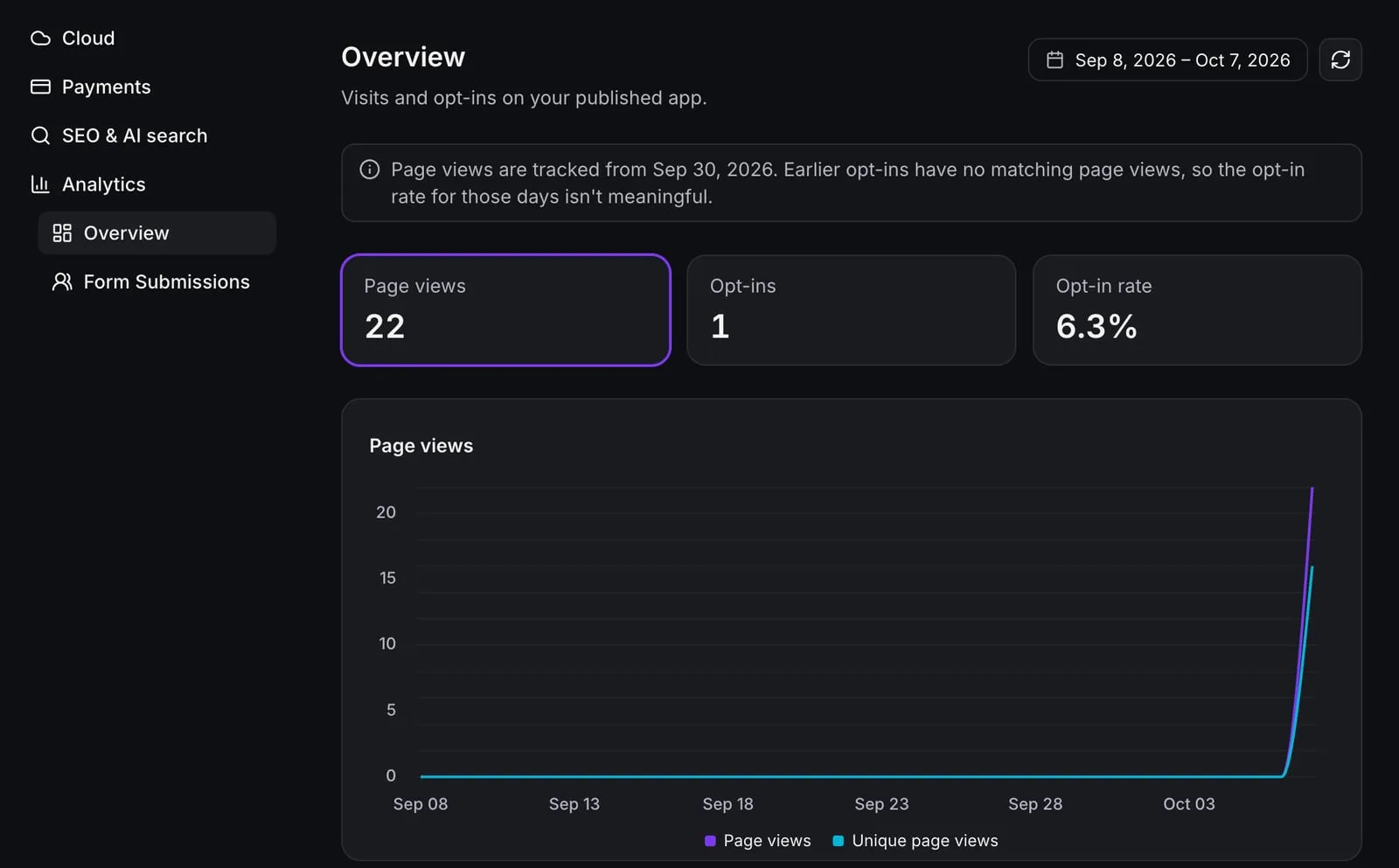
Analytics built in
Page views, unique visitors, opt-in rate, traffic sources, devices, and locations, with no tracking code to install. Compare against your Funnels and Websites.
-
Control who can edit
Give team members view-only access, or view and manage. Only the people you choose can change a live app.
Small apps that do real work
A few examples of what small businesses can build. Each one runs on the same account as your contacts, calendars, and payments.
Client portal
Clients sign in to check project status, download deliverables, and upload documents. Want something standard instead? See our ready-made Client Portal.
- Logins
- Database
- Private files
Quote calculator
Visitors enter job details, see a price range, and request a firm quote. They're added to your CRM and your follow-up starts on its own.
- Forms to CRM
- Workflow trigger
- Analytics
Online store with subscriptions
Product pages from your catalog, a cart, hosted checkout, monthly plans, and a one-click add-on after purchase.
- Checkout
- Subscriptions
- One-click upsell
Order-ahead menu
A cafe, bakery, or meal-prep menu with sizes and options, coupon codes, and pickup notes.
- Checkout
- Product variations
- Coupons
Booking page with a service menu
Customers compare services, see what's included, and book a time on your real calendar.
- Calendar
- Forms to CRM
- SEO
Client intake app
New clients create an account, complete a step-by-step intake, and upload photos or documents privately.
- Logins
- Private files
- Workflow trigger
Member resource library
Members subscribe, get a login automatically, and browse guides, templates, and recordings you add over time.
- Subscriptions
- Logins
- File storage
Team job tracker
Your staff log in to track jobs, statuses, and notes, with contact and opportunity data pulled from SMBcrm through its API.
- Logins
- Database
- SMBcrm API
ROI calculator or quiz
Visitors answer a few questions, get a personalized result, and opt in to receive it by email.
- Forms to CRM
- Workflow trigger
- Analytics
Building for clients? Consultants can build these on each client's own SMBcrm account, so leads and orders land in the client's CRM. Use AI Studio permissions to control who can edit.
The backend is your business
Standalone AI app builders can generate an app. Then you connect the CRM, email, booking, payments, and analytics yourself. In SMBcrm, those are already there.
| Area | A stitched-together stack | AI Studio in SMBcrm |
|---|---|---|
| Leads | A stitched-together stack A form tool, plus a connector to push entries into your CRM | AI Studio in SMBcrm Connected forms create contacts and keep their visit history |
| Follow-up | A stitched-together stack A separate email and SMS tool, wired to the form | AI Studio in SMBcrm Form submissions, signups, and purchases start your SMBcrm workflows |
| Payments | A stitched-together stack Set up a payment integration and rebuild your product list | AI Studio in SMBcrm Your existing catalog, processors, orders, and subscriptions |
| Backend | A stitched-together stack Another account for a database, logins, and file storage | AI Studio in SMBcrm Turn on Cloud inside the project |
| Analytics | A stitched-together stack Install a tracking script that doesn't know your contacts | AI Studio in SMBcrm Built in, with visits shown on contact records |
| Hosting | A stitched-together stack A hosting plan for each app | AI Studio in SMBcrm Included in your SMBcrm plan |
| Bills and logins | A stitched-together stack One per tool | AI Studio in SMBcrm One SMBcrm account |
From idea to live app in four steps
-
Describe it
Type what you need, paste a URL, or upload a screenshot. AI Studio asks questions if something's unclear, then builds a first version you can click through.
-
Shape it
Keep chatting, click to edit anything on the page, or open the code. Every change is saved, so you can roll back at any time.
-
Connect it
Turn on Cloud for logins and data, turn on Payments and choose which products the app can sell, and connect forms and calendars so leads and bookings reach your CRM. AI Studio asks before it builds anything against Cloud or Payments.
-
Launch and learn
Publish to your domain, test checkout in test mode before going live, then watch visits, opt-ins, and submissions in the built-in analytics.
Pay for what you build, or cover it with AI Employee
AI Studio is available on every SMBcrm plan. Building with AI is pay-per-use, or covered by an AI Employee allowance that refreshes in five-hour windows. Clicking to edit in the preview doesn't use AI at all.
Growth · $97/mo
Included AI Studio usage, refreshed in five-hour windows.
Unlimited · $147/mo
Three times the Growth allowance in each five-hour window. Included with Enterprise.
AI Studio Cloud is billed separately. The Tiny database size is free. Larger sizes are billed hourly, and file storage is billed for what you store. Database storage can grow but not shrink, and reserved capacity is billed even while Cloud is paused. If billing can't cover Cloud, your app's backend pauses without deleting data.
No separate hosting or publishing fee. Your payment processor's fees apply to app sales.
Frequently Asked Questions
What is AI Studio?
Is AI Studio the same as Agent Studio or Managed Agents?
Do I need to know how to code?
Can I take payments in an AI Studio app?
Can people log in to my app, and where is the data stored?
Do leads, signups, and purchases from my app go into my CRM?
What does AI Studio cost?
Can my app use data from SMBcrm?
Will my AI Studio site show up in Google?
Should I use AI Studio or the Website Builder?
What's the app your business is missing?
Describe it in a sentence. AI Studio builds it on the contacts, payments, and workflows you already have.
-
60-day money-back guarantee
Eligible Startup and Professional initial subscription fees only. Usage and add-ons are excluded. Read the refund terms.
-
No setup fees
Plan your setup with training and support
-
Cancel anytime
No long-term contracts, stay because you want to