Skip to content
Small business AI platform

The small business AI platform that already knows your customers

AI Studio, AI agents, Voice AI, live chat and automations that work from the same contacts, calendar, inbox and pipeline you run the business on. Start with one job. Your team stays in control.

Plans from $97/month with unlimited contacts. AI is included, pay-per-use or covered by the AI Employee add-on. 60-day money-back guarantee for new Startup and Professional customers. Terms apply.

app.smbcrm.com
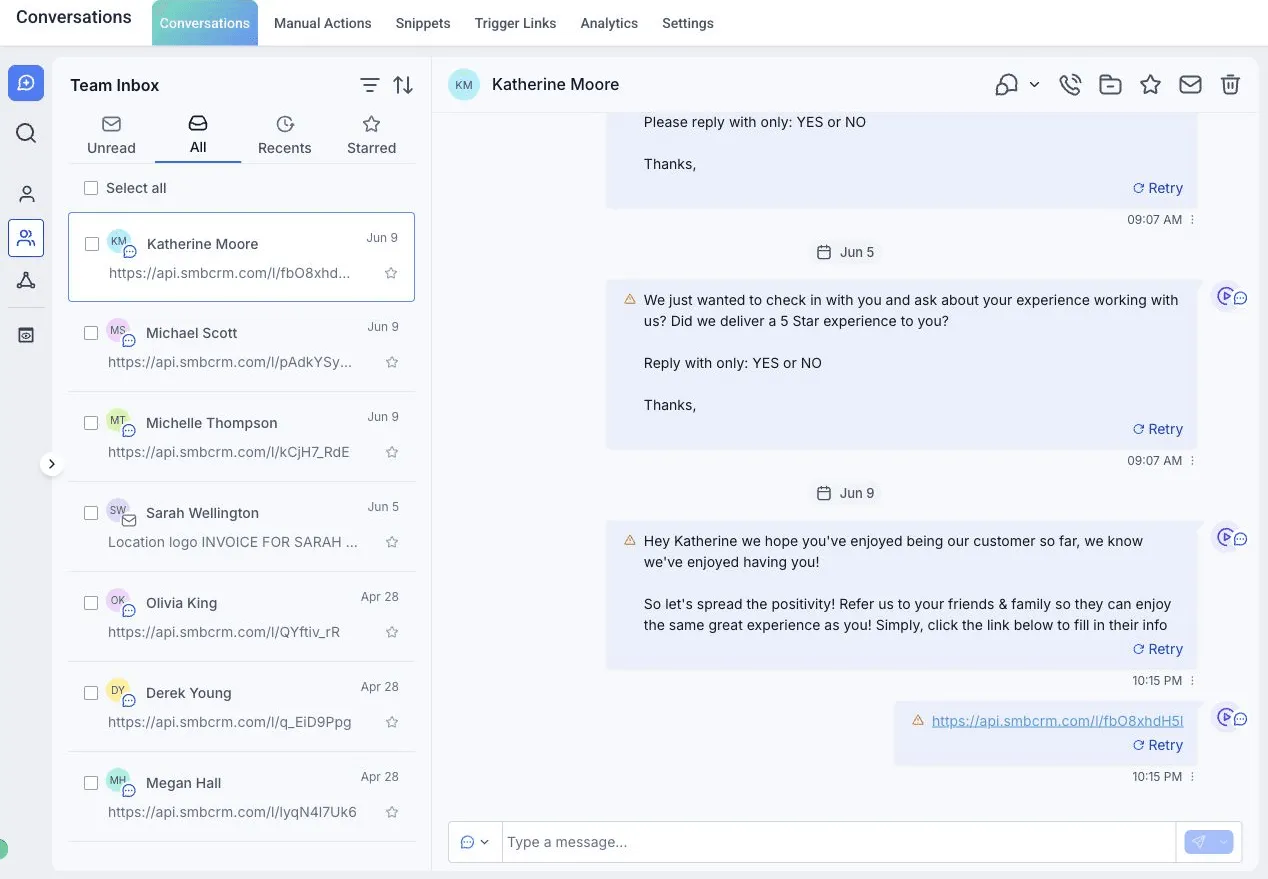
SMBcrm shared inbox showing a customer conversation thread with contact details alongside.

Sample conversation

Conversation AI answered a service-area question, booked Tuesday 9:00 and handed the price question to your team.

One shared environment, not five logins

Most "AI for small business" tools answer a message and stop. They do not know the caller is a current customer, that Tuesday is full, or that the invoice is still open. SMBcrm's AI runs inside the CRM, so it does.

  1. 01. The AI reads your records

    Contacts, past conversations, calendar availability, pipeline stage, open invoices and the business information you add. That is what it answers from.

  2. 02. The AI writes back to them

    A booking lands on the real calendar. A tag goes on the real contact. The transcript sits on the real conversation, where your team picks it up.

  3. 03. You decide what it may touch

    Each AI product gets only the permissions you grant, a handoff rule, and a test area before it meets a customer.

AI that works the front desk, the follow-up and the back office

Five jobs small businesses lose money on, and the SMBcrm AI product that takes each one. Every product below is available on every plan.

After-hours leads and slow follow-up

AI agents that answer, qualify and book

Conversation AI · Managed Agents

A lead texts at 9 pm. Conversation AI replies from the services, hours and FAQs you gave it, asks the qualifying question, books the appointment on your calendar and hands off to a person when the conversation needs one. It works across SMS, email, WhatsApp, Instagram, Facebook and your web chat, with working hours and an off-hours reply you set per channel.

Managed Agents, which you build in Agent Studio, take the jobs that run on a trigger or a schedule. Describe one in plain English: "Follow up with leads who haven't replied in 3 days." Choose which CRM permissions it gets, attach your knowledge base, pick a trigger (a chat message, a form submission, a tag) or a schedule, and test it with 30 free runs a month before you switch it on.

What it touches: contacts, conversations, calendar, tags, pipeline, knowledge base
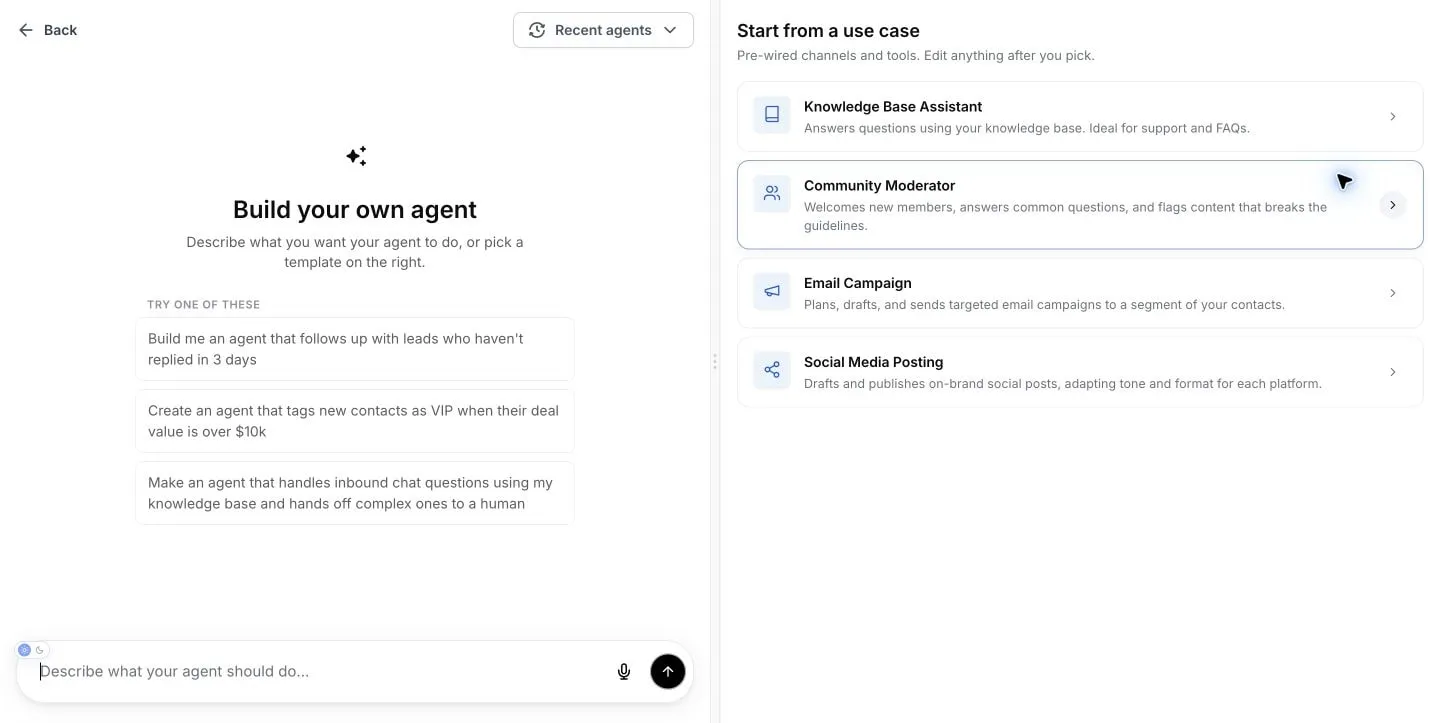
Managed Agents setup screen where you describe an agent's job in plain English.
Missed calls

Voice AI that picks up when you cannot

Voice AI Agents

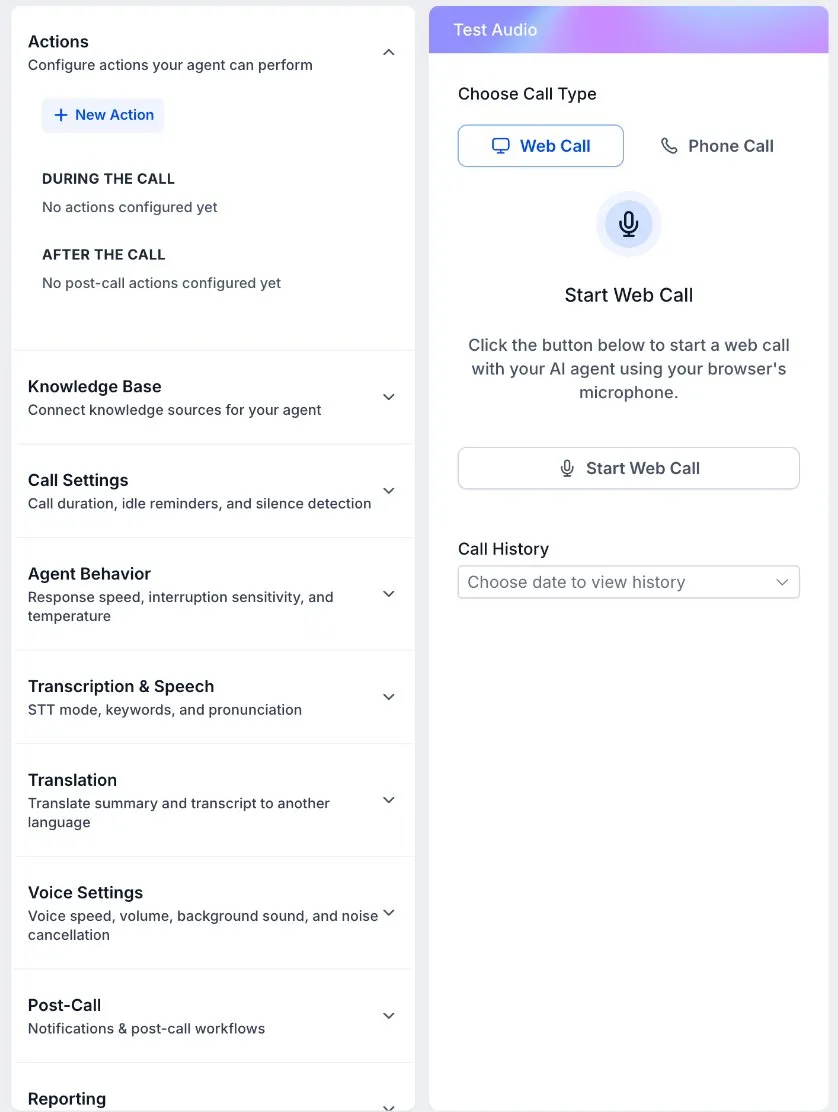
A plumber under a sink cannot answer the phone, so Voice AI answers it. It handles the common questions and routes the caller to the right person. It can also run as a web call widget on your site, so the same AI receptionist picks up there too. Call minutes are billed as normal phone usage, and the AI Employee add-on covers Voice AI minutes up to its allowance.

What it touches: phone system, calendar, contact record, call transcript

Voice AI agent settings in SMBcrm: actions, knowledge base, call behavior and voice settings, beside a test panel with a Start Web Call button.

Sample call

  1. Caller: Do you do water heater replacements, and can someone come out this week?
  2. Voice AI: Yes, we replace water heaters, and this week is possible. Can I take your address and the best number to reach you?
Sample conversation. Your agent answers from the business information you give it and routes the caller by the rules you set.
Visitors who leave without asking

Live chat and web chat on one inbox

Web Chat & Live Chat

Put a chat widget on your site in the channels your customers already use: all-in-one chat, SMS, WhatsApp, Facebook, Instagram, live chat or a Voice AI widget, sticky in the corner or embedded on the page. Every conversation lands in the shared inbox as a contact, so a person and the AI work the same thread. When Conversation AI is the agent behind the widget, it answers first and your team takes over when it should. Spam protection and a consent notice are built in.

What it touches: inbox, contacts, Conversation AI, your website

SMBcrm unified inbox with SMS, email and social conversations in one list.
Follow-up that depends on someone remembering

AI automations that run the follow-up

Workflow AI Builder · AI Agent and GPT workflow actions

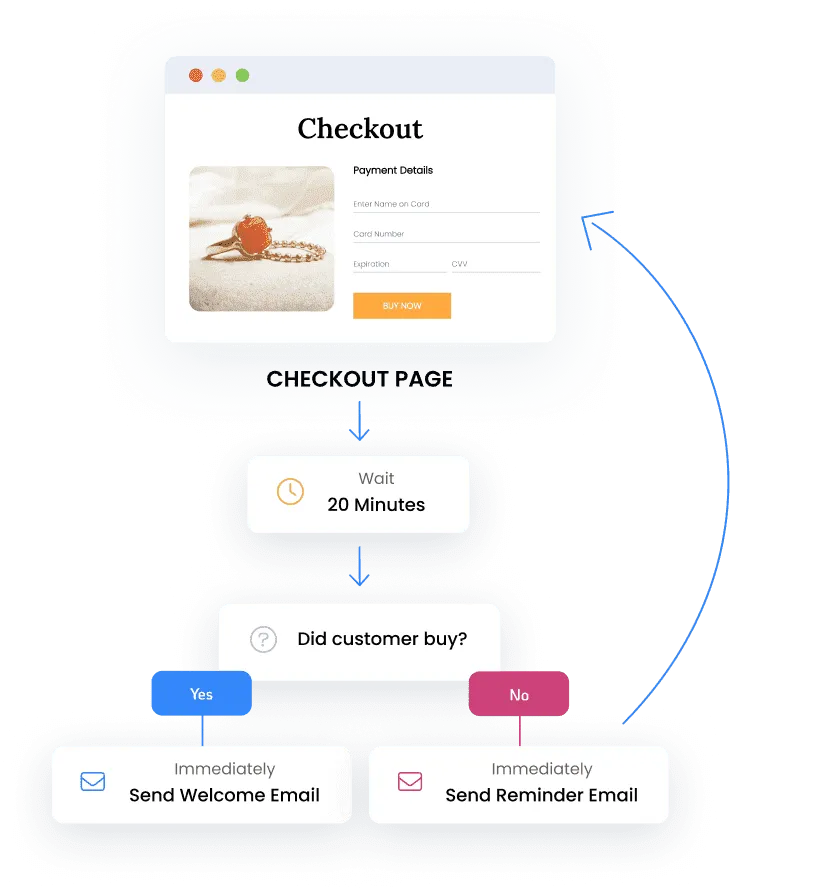
Describe the automation you want, and the builder lays out the workflow for you to review and edit: missed-call text back, a three-touch follow-up after an estimate, a review request after the invoice is paid. Inside a workflow, AI actions can read the full conversation history, search your knowledge base and update custom values, so a step can decide what to send instead of sending the same message to everyone. Ask AI can draft a workflow from a prompt too. The builder is included on every plan; premium AI actions and external models are billed as usage.

What it touches: workflows, contacts, conversations, pipeline, calendar, invoices

SMBcrm workflow builder showing a branching follow-up automation.
The portal, store or tool you never had built

AI Studio: describe the app, get a working one

AI Studio

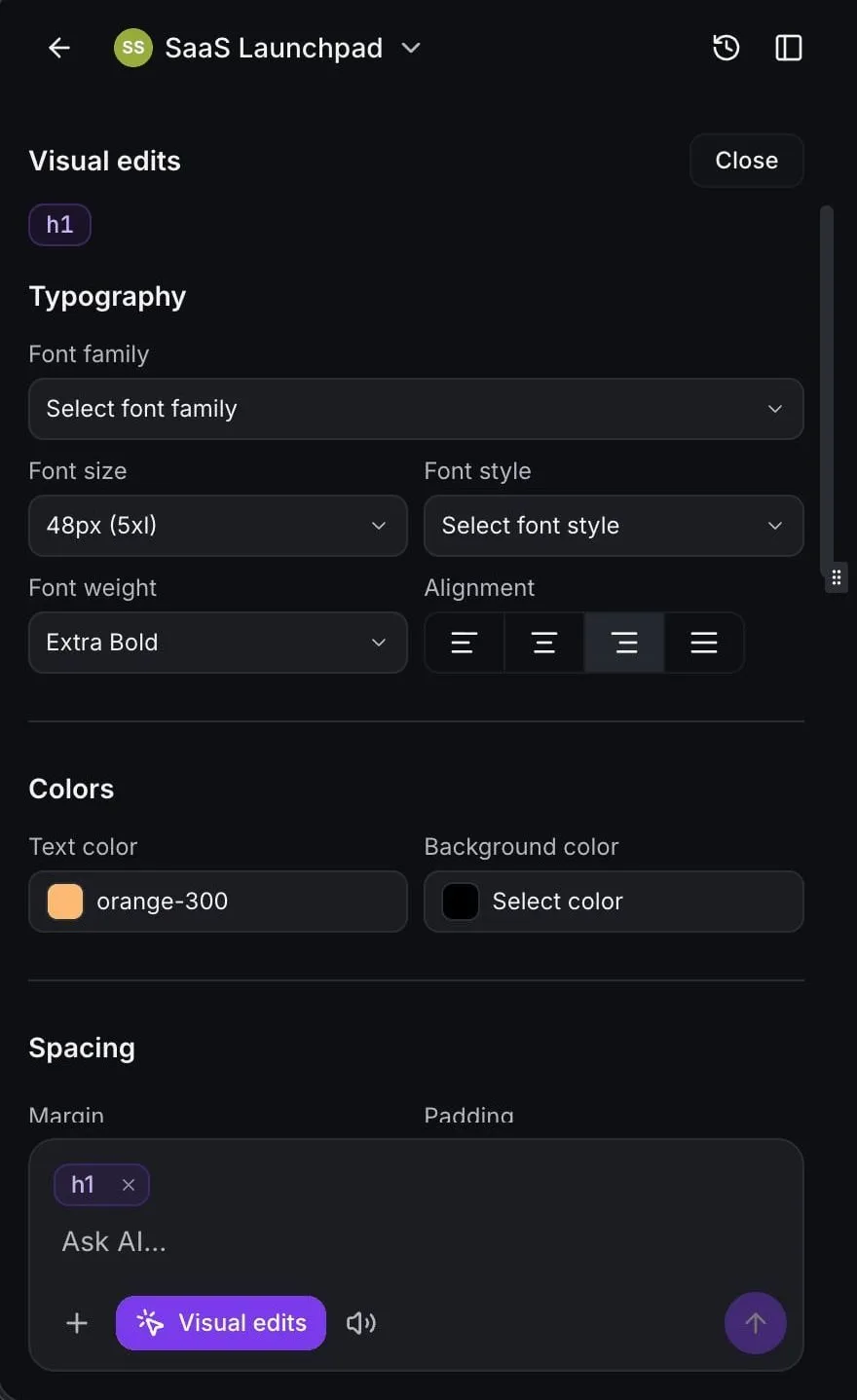
AI Studio is the AI app builder inside SMBcrm. Describe a client portal, a quote calculator, an order-ahead menu or a booking page with a service menu, or start from a URL or a screenshot, and it builds a working web app. Refine it by chatting, by clicking elements (direct visual edits use no AI tokens) or by opening the code. Apps get a database, user accounts and file storage, checkout from your existing SMBcrm catalog and processors, and connected forms that create contacts and start workflows. Pages are server-rendered, so they are crawlable, and you can use your own domain. No separate hosting or publishing fee.

What it touches: contacts, forms, workflows, calendar, products and payments, media library

AI Studio editor with the visual edits panel open on a generated web app.

Also in the box

  • Reviews AI. Drafts replies to Google and Facebook reviews for you to send, or replies automatically under rules you set.
  • Content AI. Drafts emails, social posts, ad copy and website copy in your brand voice for you to edit before it goes out.
  • Ask AI. The copilot inside the app, on mobile (typed or voice) and by WhatsApp text: look up a contact, update a deal, check the calendar, draft a follow-up, draft a workflow.
  • Website AI and Funnel AI Builder. Generate and edit pages in plain language inside the builders. Included on every plan, subject to fair use.
  • Knowledge Base. The business information that feeds Conversation AI, Voice AI, Managed Agents and Email AI. Included.

The AI sits on a CRM small businesses already run on

Everything above reads and writes these records. You get all of them on every plan, with or without AI.

Plus a phone system, forms and surveys, email marketing and Email Sequences (Beta), social planner and ad manager, a client portal, the mobile app and 40+ integrations, with memberships and courses from Professional up. Platform infrastructure is ISO 27001 certified.

One day at a service business, with the AI switched on

An illustrative day for a two-truck plumbing company. Every step happens on the same records; nothing is copied between tools.

  1. 7:40 am

    A homeowner fills in the website form while the owner is driving. The new-lead workflow texts back and tags the contact "new lead".

    (Forms, workflows)

  2. 8:15 am

    The homeowner replies with a question about the service area. Conversation AI answers from the business information, asks what the job is, and offers Thursday 9:00 from the live calendar. Booked.

    (Conversation AI, calendar)

  3. 10:30 am

    Two calls come in while both techs are on jobs. Voice AI answers both, takes the details for one, and routes the other to the office because the caller asked for a price. The transcript is on each contact.

    (Voice AI, phone system)

  4. 12:00 pm

    The office manager opens the inbox. The hand-off is at the top with the session summary, and the office manager quotes the price.

    (Shared inbox)

  5. 2:00 pm

    A Managed Agent scheduled for 2 pm finds estimates with no reply in three days and sends the follow-up you wrote.

    (Managed Agents, pipeline)

  6. 4:30 pm

    An invoice is paid by Text-2-Pay. A workflow waits a day, then sends the review request.

    (Payments, workflows, reputation)

  7. 6:00 pm

    In the truck, the owner asks Ask AI on the mobile app how many jobs are booked for tomorrow and tells it to move one estimate to "won".

    (Ask AI, mobile app)

The next morning, the whole day is on the contact records: the form, the chat, the call transcripts, the booking, the invoice and the review request. That is the point of one environment.

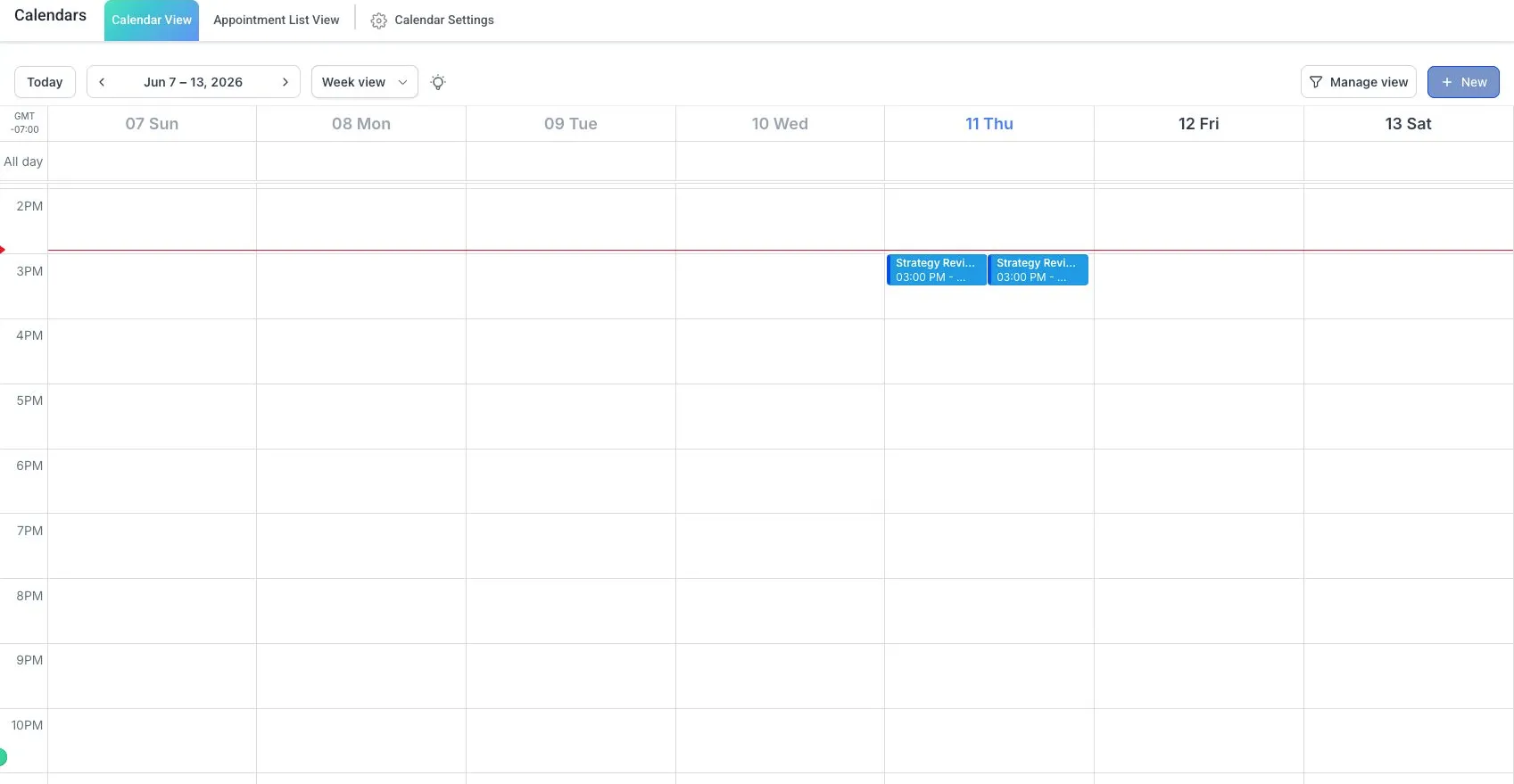
SMBcrm week calendar with booked appointments.

You set the limits before a customer ever meets the AI

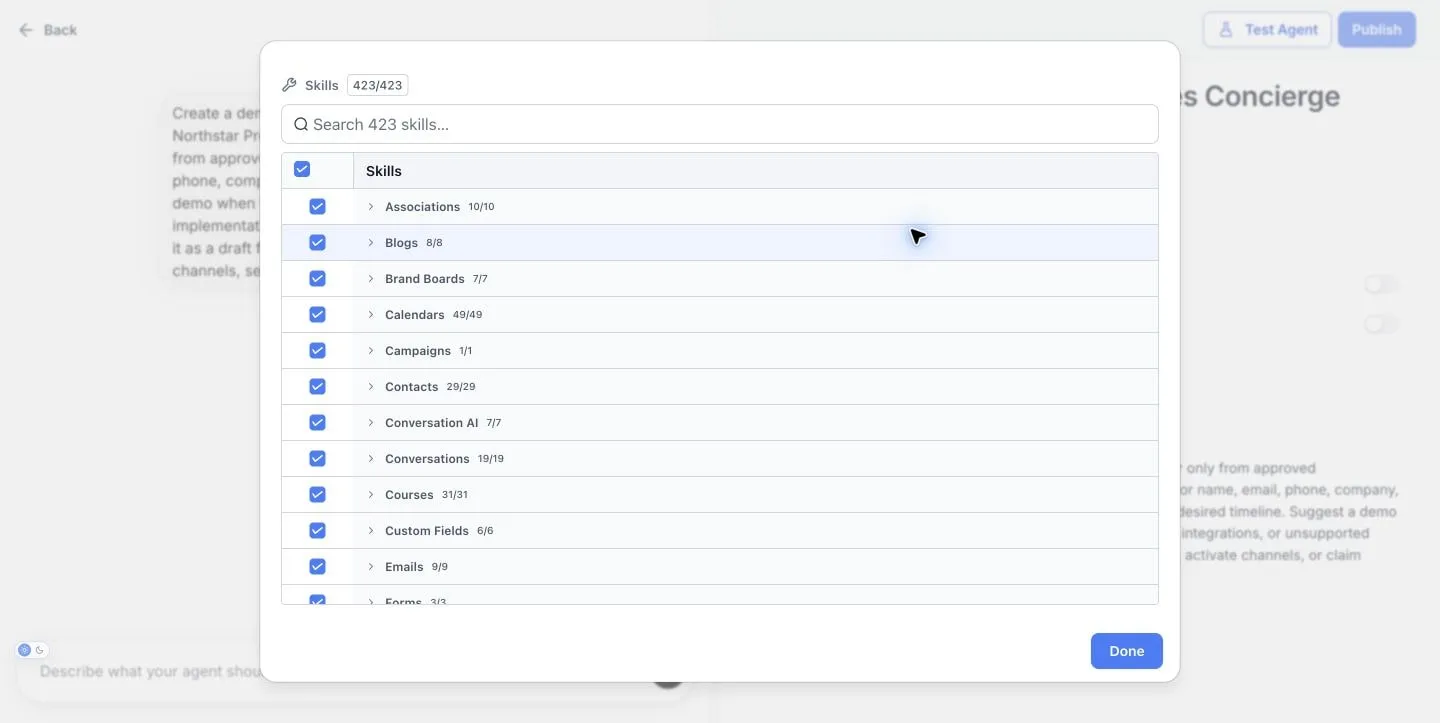
  1. Only the permissions you grant. A Managed Agent can only use the CRM access you give it: contacts, conversations, calendars, invoices, email. Web search and image generation are off unless you switch them on.

  2. Test before you activate. Managed Agents are published, then tried in the test area with 30 free runs a month, before you activate them for customer work. The prompt optimizer tests a Conversation AI agent with realistic chats and scores it before launch.

  3. A person can always take over. Set the handoff rule, choose which channels and hours an AI handles, and let staff reply in the same thread. Suggestive mode lets AI draft while your team sends.

  4. Every session is on the record. Conversation AI leaves a session summary and the full transcript on the conversation, and you can monitor a Managed Agent's runs after it goes live.

Managed Agent permissions screen listing the CRM areas an agent may use.

One subscription, and AI billed in three parts

The CRM is a flat monthly price. AI is either included, pay-per-use from your plan's usage credit, or covered by the AI Employee add-on. New Startup and Professional customers are covered by the 60-day money-back guarantee, which covers the subscription fee; usage and add-ons are excluded.

Startup

$97/mo ($970/yr)

2 users, unlimited contacts, every CRM feature, $10/mo usage credit.

Professional

$297/mo ($2,970/yr)

Unlimited users, unlimited contacts, $98/mo usage credit, lower usage rates. Adds WordPress hosting, memberships, communities and certificates.

Enterprise

Custom

Priority support, dedicated account manager, advanced onboarding. AI Employee Unlimited included.

  1. Included. Website AI and Funnel AI Builder (fair use). Workflow AI Builder, Email AI and Knowledge Base carry no added AI charge.

  2. Pay-per-use, from your usage credit first. Conversation AI, Voice AI, Content AI, Reviews AI, Ask AI, AI Studio and Managed Agents.

  3. Covered by AI Employee. Add it to any plan when AI is part of most days.

AI Employee add-on

Growth

$97/mo

1,000 Conversation AI responses and 100 combined Voice AI minutes a month; Content AI and Reviews AI unlimited (fair use); Conversation and Voice prompt optimizers; 100 Managed Agent runs a month; included Ask AI and AI Studio usage in five-hour windows.

Unlimited

$147/mo

Conversation AI, Voice AI, Content AI, Reviews AI and prompt optimizers unlimited (fair use); 1,000 Managed Agent runs a month; three times the Growth allowance for Ask AI and AI Studio in each five-hour window. Included with Enterprise.

Billed separately: telephony, SMS, email delivery, premium workflow actions, external models, and AI Studio Cloud databases above Tiny plus file storage.

A chatbot plus a phone bot plus a Zap is not a platform

You can bolt an AI chat widget, a phone bot and an automation tool onto a separate CRM. Six things change when they share one environment instead.

What changes Point tools stitched together SMBcrm
Who the AI is talking to Each tool keeps its own idea of the customer One contact record, with the full history
Booking an appointment Depends on a sync to the calendar tool Books straight onto the calendar the team uses
Hand-off to a person Staff open the bot's dashboard to find the thread The thread is already in the shared inbox
What a workflow can read Whatever the connector passes along Conversations, pipeline, invoices, forms, calendar
Permissions and logs Set in each tool, if offered Set per agent in one place, with transcripts on the record
Bills One per tool, plus the connector One subscription, one usage credit, one optional add-on

Keep the tools that earn their place. SMBcrm connects to 40+ apps, a private Zapier app, webhooks and a REST API.

Frequently asked questions

What is a small business AI platform?

A set of AI tools that work from one customer database instead of as separate point tools. In SMBcrm that means Conversation AI, Voice AI, Managed Agents, Workflow AI, AI Studio and Ask AI all read and write the same contacts, conversations, calendar, pipeline and invoices your team uses, so an answer can become a booking, a tag or a follow-up on the real record.

How is this different from ChatGPT or a chatbot plugin?

A chatbot answers text. SMBcrm's AI acts on your CRM records: it can book onto your calendar, tag a contact, move a deal, send the follow-up and leave the transcript in your inbox. It answers from the business information and knowledge base you give it, and it only uses the permissions you grant.

Can AI answer my phone calls and book appointments?

Yes. Voice AI Agents answer calls, handle common questions and route callers to the right person. Conversation AI books appointments over text, web chat and social messages from your live calendar. You decide when a conversation goes to your team, and transcripts stay on the contact.

What does it cost?

Plans start at $97/month (Startup) and $297/month (Professional), both with unlimited contacts. Website AI and Funnel AI Builder are included. Conversation AI, Voice AI, Content AI, Reviews AI, Ask AI, AI Studio and Managed Agents are pay-per-use from your plan's usage credit, or covered by the AI Employee add-on: Growth at $97/month or Unlimited at $147/month. Telephony, messaging and email delivery are billed separately.

Do I need technical skills or an IT person?

No. Most AI tools work from plain-language instructions and the business information you add, like your services, hours and FAQs. AI Studio builds apps from a description and lets you open the code only if you want to. Managed Agents start from a plain-English description of the job. Onboarding, group training and 24/7 chat support are included on every plan.

Is my customer data safe, and what can the agents access?

Each AI product uses only the CRM permissions you grant, and web search and image generation are off unless you turn them on. Data is encrypted in transit, our platform infrastructure is ISO 27001 certified, and our privacy practices cover GDPR and CCPA.

What happens when the AI cannot answer?

It hands off. You set the rule for when a person takes over, by channel and by working hours. Conversation AI leaves a session summary and the full transcript on the conversation, so your team picks up where the AI stopped. Suggestive mode lets AI draft replies that staff send.

Do I have to replace my current tools?

No. Start with one job, such as missed calls or estimate follow-up, and keep the rest of your setup. SMBcrm connects to 40+ apps, a private Zapier app, webhooks and a REST API, and the migration guide covers imports from common CRMs.

60-day money-back guarantee

Put the AI where your customers already are

Start with one job on the CRM you will run the business on. Plans from $97/month. 60-day money-back guarantee for new Startup and Professional customers; usage and add-ons excluded.

60-day money-back guarantee

Eligible Startup and Professional initial subscription fees only. Usage and add-ons are excluded. Read the refund terms.

No setup fees

Plan your setup with training and support

Cancel anytime

No long-term contracts, stay because you want to