A technician cannot answer from a crawlspace. A receptionist may already be helping someone. An owner may simply be driving. The useful question is what happens after the phone stops ringing.
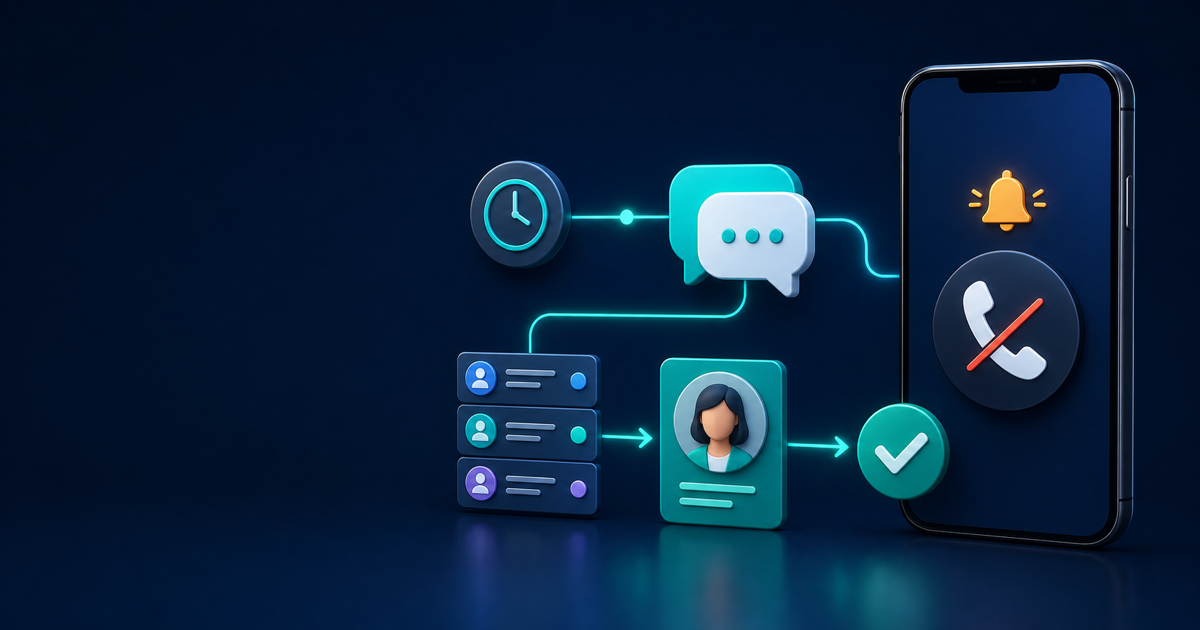
A missed call text back is a short, automatic acknowledgement sent after an inbound call goes unanswered. It does not answer the call or complete the conversation. Call forwarding tries another live person, voicemail records a message, an AI receptionist can hold a conversation, and a manual callback depends on someone acting later. A text-back workflow sits between those options: it confirms receipt, gathers a small amount of context, and gives the call to a person.
The often-cited missed-call figure comes from a 2016 study by 411 Locals. The company monitored calls to 85 businesses in 58 industries for 30 days. It reported that 37.8% were answered live, 37.8% went to voicemail, and 24.3% received no response, so roughly 62% were not answered by a person.
That dated observational snapshot is not a current national benchmark. The page omits total calls, geography, sampling method, and time-of-day mix. It still illustrates a familiar problem across many small-business industries: an unanswered call needs an owned next step.
Set the rules before the messages
Do not treat an inbound call as blanket permission for promotional texting. Permission for an acknowledgement depends on purpose, technology, prior relationship and consent, jurisdiction, and carrier rules. Keep the first text specific, identify the business, and have qualified counsel review it. This is operational guidance, not legal advice.
The current FCC rule on calls and texts recognizes STOP, QUIT, END, REVOKE, OPT OUT, CANCEL, and UNSUBSCRIBE as clear revocation methods, along with other language a reasonable person would understand. The rule allows no more than 10 business days to honor covered requests. Operationally, suppress further automated messages immediately.
The same rule restricts telephone solicitations to residential subscribers before 8 a.m. or after 9 p.m. in the recipient’s local time. State laws and carrier policies may be stricter, and a service acknowledgement is not always treated like a solicitation. Configure recipient-local quiet hours and get legal guidance before sending after-hours texts.
For U.S. business messaging over a ten-digit number, register through your provider. The Campaign Registry’s 2026 10DLC overview says individual and nonmarketing business messages are included.
12 missed-call text-back recipes
Use the timing and promises your team can actually meet. Replace the placeholders, test every branch, and add your approved opt-out language.
1. Staffed-hours callback
Trigger this when a call goes unanswered during staffed hours and the number is eligible for texting.
[Business]: Sorry we missed your call. What can we help with? A team member will call by [time]. Reply STOP to opt out.
Route by service, territory, or a simple rotation. Create a callback task with a deadline and alert a backup if the owner does not accept it. A person reviews the thread and calls; the text does not count as the callback. If delivery fails, keep the call task open. Measure the median time to first human attempt and the share completed by the promised time.
2. After-hours, next-open queue
Trigger this outside staffed hours only when your approved quiet-hours policy permits it.
[Business]: We missed your call and are closed now. We will return calls after [opening time]. Reply with the service you need, or STOP to opt out. This message does not confirm emergency service.
Place the contact in a next-open queue, oldest first, and assign it before the next shift. The opening team owns the callback. Do not imply 24/7 coverage or promise an exact time without staffing it. Track how often the opening team meets the stated window.
3. Real on-call escalation
Use this only for a dedicated urgent-service line with a scheduled on-call person.
[Business]: We received your urgent-service call. Reply with your location and a brief description. This does not confirm dispatch. For immediate danger, contact 911 or the appropriate emergency service. Reply STOP to opt out.
Alert the on-call person, require acknowledgement, then escalate to a backup. A human must assess the request and confirm whether help is available. Never let automation diagnose a hazard or promise arrival. Measure time to on-call acceptance and time to the human callback.
4. Self-booking for non-urgent calls
Trigger this for eligible appointment requests when the calendar shows real availability.
[Business]: Sorry we missed you. You can choose a time here: [booking link], or reply with a question and our team will help. Reply STOP to opt out.
A completed booking should stop the recovery sequence and notify the right owner. A link click is not a booking, and the person still owns any unanswered question. Track completed appointments from the link, not clicks.
5. Service-area routing
Use this when location determines who should respond.
[Business]: Thanks for calling. Reply with your ZIP code and the service you need so we can route your request. Reply STOP to opt out.
Assign only after the reply matches a service area; send uncertain or out-of-area requests to human review. Do not confirm coverage automatically or ask for sensitive details. Measure how many replies route cleanly and how many require correction.
6. New caller or existing customer
Trigger this when the same number could belong in sales or service.
[Business]: Sorry we missed your call. Is this about new service or an existing request? Reply NEW or EXISTING, or tell us what you need. Reply STOP to opt out.
Route NEW to intake and EXISTING to the service queue, then assign a person. Keep account, appointment, and project details out of the first text because numbers can be shared or reassigned. Track routing corrections as a workflow-quality metric.
7. Repeat-caller cooldown
Trigger an internal escalation when the same number calls again within your chosen cooldown window. If the first acknowledgement was delivered, do not send another. If it was not, use:
[Business]: We saw your additional call and raised it for review. A team member will call as soon as available. This does not confirm dispatch. Reply STOP to opt out.
Increase the task priority and alert the owner or backup. Cap automated messages so three calls do not create three texts. A human decides whether the repeated calls change urgency. Measure duplicate messages prevented and time from the latest call to human contact.
8. Voicemail-aware handoff
Trigger this when a missed call includes a new voicemail.
[Business]: We received your voicemail and will review it before calling you back by [time]. You can add details here. Reply STOP to opt out.
Attach the recording and transcript to the callback task, then route by the caller’s stated need. The owner should listen to the audio before acting because names, addresses, and technical terms can transcribe incorrectly. Do not repeat sensitive voicemail details in a text. Track whether the voicemail reached the correct owner on the first route.
9. No-voicemail qualifier
Trigger this after a short delay when there is no voicemail and no active conversation.
[Business]: Sorry we missed your call. What service do you need, and what is the best time to call? Reply STOP to opt out.
Use the reply to assign the right person, but create a callback task even if the caller stays silent. Do not turn nonresponse into a promotional nurture sequence without the required permission. Track useful replies separately from human callbacks.
10. Open-estimate routing
Use this when the number matches a contact with an open estimate, while still allowing for a different reason to call.
[Business]: Sorry we missed you. Reply ESTIMATE to reach the person handling an open quote, or tell us what you need. Reply STOP to opt out.
Route ESTIMATE to the current owner and pause messages that no longer fit once a conversation starts. A person confirms identity and intent. Never include the amount, address, or project details, and never mark an estimate accepted from a keyword reply. Measure owner response time and record the real outcome separately.
11. Appointment-day routing
Trigger this when the caller may have an appointment that day.
[Business]: Sorry we missed your call. Reply APPOINTMENT if this is about a scheduled visit, or tell us what you need. Reply STOP to opt out.
Send the reply to the scheduling queue and pause reminders that could conflict. A person verifies identity before sharing details or completing a change. Do not put service, medical, address, or account information in the text. Regulated businesses need a privacy and legal review. Measure completed confirmations and reschedules, not automated replies.
12. Delivery-failure fallback
Trigger this when the text is undelivered, rejected, or the destination is not SMS-capable. Create a manual call task and use this callback or voicemail opener:
Hi, this is [Name] from [Business], returning your call from [time]. Please call us at [number], or use [booking link] if that is easier.
The assigned person owns the attempt and records the outcome. If someone says it is a wrong number or asks you to stop, suppress automation and correct the record; do not switch channels to work around the request. Track carrier failures, wrong numbers, and manual resolutions as separate reasons.
Do not automate known opt-outs, wrong numbers, sensitive or disputed matters, emergencies that need judgment, or contacts whose identity is unclear. If call forwarding, voicemail handling, or an AI receptionist already produced an owned conversation, suppress the redundant text. The exception queue belongs to a person.
Measure a recovery, not an auto-send
Record the missed-call time, acknowledgement delivery, owner assignment, first human attempt, first two-way human conversation, booking, opt-out, wrong-number report, and delivery failure as separate events. Deduplicate repeat calls within a defined window so one persistent caller does not inflate the denominator.
Define recovery before reporting it. For many service businesses, a sensible definition is a meaningful human conversation or a completed booking after an eligible missed call. Keep those outcomes separate. An automatic acknowledgement is useful, but it is not a recovered conversation.
Our speed-to-lead guide explains how to measure automated acknowledgement and human response independently. SMBcrm’s automation workflows can coordinate conditions, delays, tasks, and handoffs, while its communication tools keep phone, text, and conversation history together. Start with one or two recipes, test from fresh and known numbers, then review the exception queue before adding more.
Build a missed-call workflow your team can keep
SMBcrm brings missed-call text back, routing, two-way messaging, and human follow-up into one system. Eligible new Startup and Professional subscriptions are backed by a 60-day money-back guarantee; usage, add-on, and third-party charges are excluded.