Picture a homeowner requesting estimates from three contractors before lunch. Each business receives the same kind of high-intent inquiry. One confirms the request, routes it to an available person, and calls while the job details are still fresh. Another replies that evening.
That gap is speed to lead: the elapsed time between a new inquiry and your response. It is partly a technology problem, but it is mostly an operating problem. Someone has to own the lead, know the deadline, see the alert, and take the next step.
An automatic confirmation helps, but it is not the same as a conversation. This distinction matters throughout this guide:
- Automated acknowledgement tells the lead that the request arrived and explains what happens next.
- Meaningful human contact lets the lead ask questions, confirm fit, and move toward an estimate, appointment, or other next step.
Our lead capture tools guide covers forms, chat, and the systems that collect inquiries. Our sales follow-up strategy covers the longer sequence after the first response. This article stays inside the narrow gap between submission and accountable human follow-up.
What the 5-minute research actually found
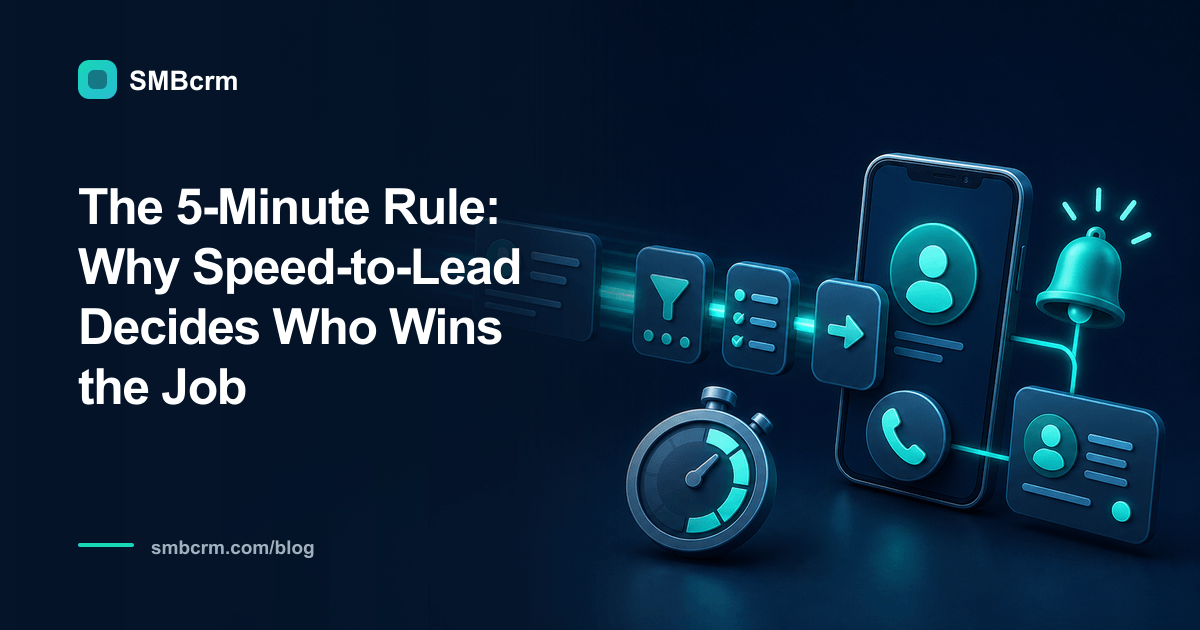
The widely quoted 5-minute rule comes from the 2007 MIT/InsideSales Lead Response Study, led by James Oldroyd. The study examined three years of data from six companies, covering more than 15,000 web leads and more than 100,000 call attempts.
Its best-known finding was about qualification odds: the odds of qualifying a lead were 21 times greater when the first call came within five minutes instead of after 30 minutes. XANT restated the finding in its 2014 Lead Response Report. Oldroyd, Kristina McElheran, and David Elkington later brought broader attention to response delays in the March 2011 Harvard Business Review article, “The Short Life of Online Sales Leads”.
That is a striking result, but it needs context.
The original study analyzed web leads that received at least one call attempt. “Qualified” meant the lead was willing to enter the sales process, which could include setting an appointment, and each participating company used its own qualification definition. The report explicitly said it did not study close rates. It also noted that patterns varied by company and by the type of offer behind the form.
So the research does not prove that every service business will close 21 times as many jobs by calling at minute five. It does not make minute six a lost cause, either. The useful lesson is operational: the odds changed sharply as response time increased, so a short first-response target is worth building and measuring. Treat five minutes as a service-level goal, then compare it with your own qualification and booking data.
Start the clock at the actual inquiry
A response standard fails when the team cannot agree on when timing begins. Use the moment the prospect takes a clear action:
- submits a quote or contact form
- starts a chat and shares contact details
- sends a direct message that requests service
- completes a lead form from an ad
- calls and reaches voicemail
- asks a partner or employee to arrange a callback
Do not restart the clock when someone notices the lead or when it is imported into another system. If a form submission waits in an email inbox for 20 minutes before it reaches the CRM, that delay belongs in your response time.
Coverage also needs a plain definition. A five-minute daytime standard and an after-hours callback promise are different commitments. Write down your staffed hours, the time zone used for each lead, and which channels someone actually monitors.
Build acknowledgement and human response as two separate steps
The first automated message should do a small job well. It should identify the business, confirm receipt, set a realistic expectation, and offer a useful next step.
Thanks for contacting [Business] about [service]. We received your request. [Name or team] will call by [specific time]. If you prefer to choose a time, you can book here: [link].
Avoid pretending that a person is already reviewing the request when nobody has opened it. A vague “we will be in touch soon” also leaves the prospect guessing. The promise should reflect your real coverage.
The human response has a different purpose. The assigned person should review the source and request details, call or reply on the appropriate channel, and record the outcome. An automated text sent in seconds can improve the experience, but your dashboard should not count it as a completed human follow-up.
Give every lead an owner, a backup, and a deadline
A dependable response process does not end with a notification. It needs routing and escalation. SMBcrm automation workflows can start from a new lead, apply conditions, create tasks, send messages, and handle handoffs. The workflow still needs rules that match the way your team works.
| Event | System action | Human responsibility | Evidence |
|---|---|---|---|
| Inquiry arrives | Create or update the contact and record the source | None yet | Lead-created timestamp |
| Routing runs | Assign by service, area, availability, or a simple rotation | Assigned owner accepts the lead | Owner and assignment time |
| Acknowledgement sends | Confirm receipt and state the response promise | Keep the promise accurate | Message delivery record |
| Response deadline approaches | Alert the owner, then the backup if no activity is logged | Call or send a personal reply | Call, message, or note timestamp |
| Lead replies or books | Stop messages that no longer fit and update the stage | Continue the real conversation | Reply or booking record |
For a solo operator, the owner and backup may be the same person at different times of day. The backup can also be a shared queue instead of another employee. What matters is that an unaccepted lead cannot sit invisibly.
Notifications should reach the place the owner watches while working. An alert buried in a CRM dashboard will not help a technician who spends the day in the field. Use the minimum details needed to act: lead name, service requested, source, location, preferred contact method, and a direct link to the record.
Use an honest after-hours playbook
After-hours automation is most useful when it sets expectations instead of imitating live coverage. If nobody is on call, say when the team will respond. Offer a booking link if the calendar reflects real availability, and put the lead into a clearly named next-open queue.
A lean after-hours workflow can:
- acknowledge the inquiry immediately;
- state the next staffed response window;
- offer self-booking or a short question that helps route the request;
- assign the lead before the next shift begins; and
- alert the opening person to the oldest unanswered leads first.
If you advertise emergency or 24-hour service, define who receives those leads and what happens when that person does not accept one. If you do not provide live overnight coverage, do not suggest that you do.
Automated outreach also has to follow the rules for the channel you use. Capture and retain the appropriate permission, identify your business, and honor opt-out requests. The FCC’s 2024 order on TCPA consent revocation addresses automated calls and texts, but federal and state requirements can change. Have qualified counsel review your workflow if you are unsure what applies.
Measure the response your customer experienced
One “response time” field can hide several different events. Track at least these timestamps separately:
- inquiry received
- automated acknowledgement sent
- owner assigned
- first human attempt
- first meaningful two-way contact
- appointment or estimate booked
- lead qualified
Then report the share of in-hours leads that received a human attempt within your target, along with the median and 90th-percentile response time. The average alone can look healthy while a smaller group of leads waits for hours.
Compare qualification and booking rates across useful response bands, such as 0–5 minutes, 6–30 minutes, 31–60 minutes, and more than an hour. Keep closed jobs separate. That protects you from repeating the mistake the original study avoided: treating qualification as if it were revenue.
Review exceptions, not just the summary. Which sources arrive without phone numbers? Which service areas stay unassigned? Which team member gets alerts during appointments? Which after-hours promise is missed most often? Those details tell you whether the problem is capture, routing, staffing, notification, or follow-through.
Test the full path before relying on it
Submit test leads through every important source during staffed hours and after hours. Use a fresh email address and phone number where needed, then watch the record move through the system.
Confirm that the source is correct, the acknowledgement uses the right copy, the lead reaches the expected owner, the backup alert fires when it should, and the workflow stops or changes after a reply or booking. Test for duplicate records and missing fields too. A workflow that looks tidy on a builder screen can still fail at the handoff.
Finally, give the team a one-page response runbook. It should name the clock start, the in-hours target, the after-hours promise, the primary owner, the backup, what counts as a human attempt, and where to record the outcome. That shared definition turns speed to lead from a slogan into a process someone can manage.
Build a faster response system without pretending a bot is a person
SMBcrm brings lead-triggered workflows, assignments, tasks, email, SMS, and handoffs into one system. See how it fits your response process, backed by a 60-day money-back guarantee.