Managed Agents From a Prompt
Describe the job in plain English, choose the CRM access it needs, and attach trusted knowledge. A Managed Agent can run in chat, from an event, or on a schedule, then hand work to your team when your rules call for it.
From prompt to published agent
- 1
Describe the agent
Write what you need in plain English, or start from a use case like Knowledge Base Assistant or Email Campaign.
- 2
Set the guardrails
Choose events or schedules, approve permissions, attach your knowledge base, and set the capabilities the agent can use.
- 3
Publish, then test
Nothing runs until you publish. Once it's published, test the agent, watch how it handles real questions, and refine the instructions any time.
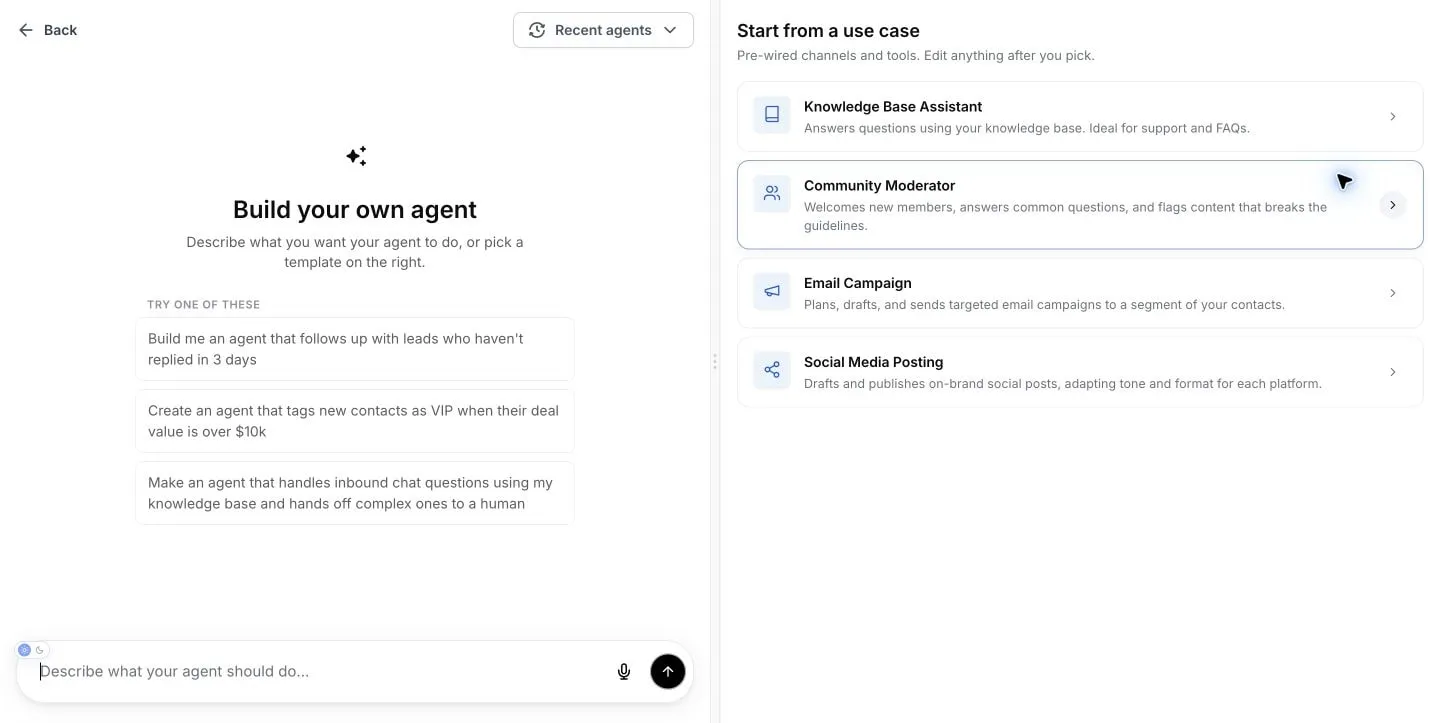
What will you put an agent on?
Start from a prompt like these, or pick a starter use case: Knowledge Base Assistant, Community Moderator, Email Campaign, or Social Media Posting.
“Follow up with leads who haven't replied in 3 days.”
Slow follow-up is where deals die. Put an agent on it.
“Tag new contacts as VIP when their deal value is over $10k.”
Your pipeline stays organized without anyone touching it.
“Handle inbound chat questions using my knowledge base and hand off complex ones to a human.”
After-hours questions get answers from your content, not guesses.
You decide what it can do
You control what an agent can reach, what it knows, and when it runs. Nothing is switched on that you didn't switch on yourself.
Only the skills you allow
Choose access to contacts, conversations, calendars, invoices, email, and other CRM tools. An agent can only use the permissions you grant.
Answers from your own content
Attach a knowledge base so answers come from material you approved. Web search and image generation are separate switches, off unless you turn them on.
Triggers you define
Agents run when you say: on a chat message, a form submission, or a lead tag being added or removed. Or run them on demand in chat.
A person can take over
Write a handoff rule into the instructions so complex conversations go to your team. The agent handles the routine, and your people handle the judgment calls.
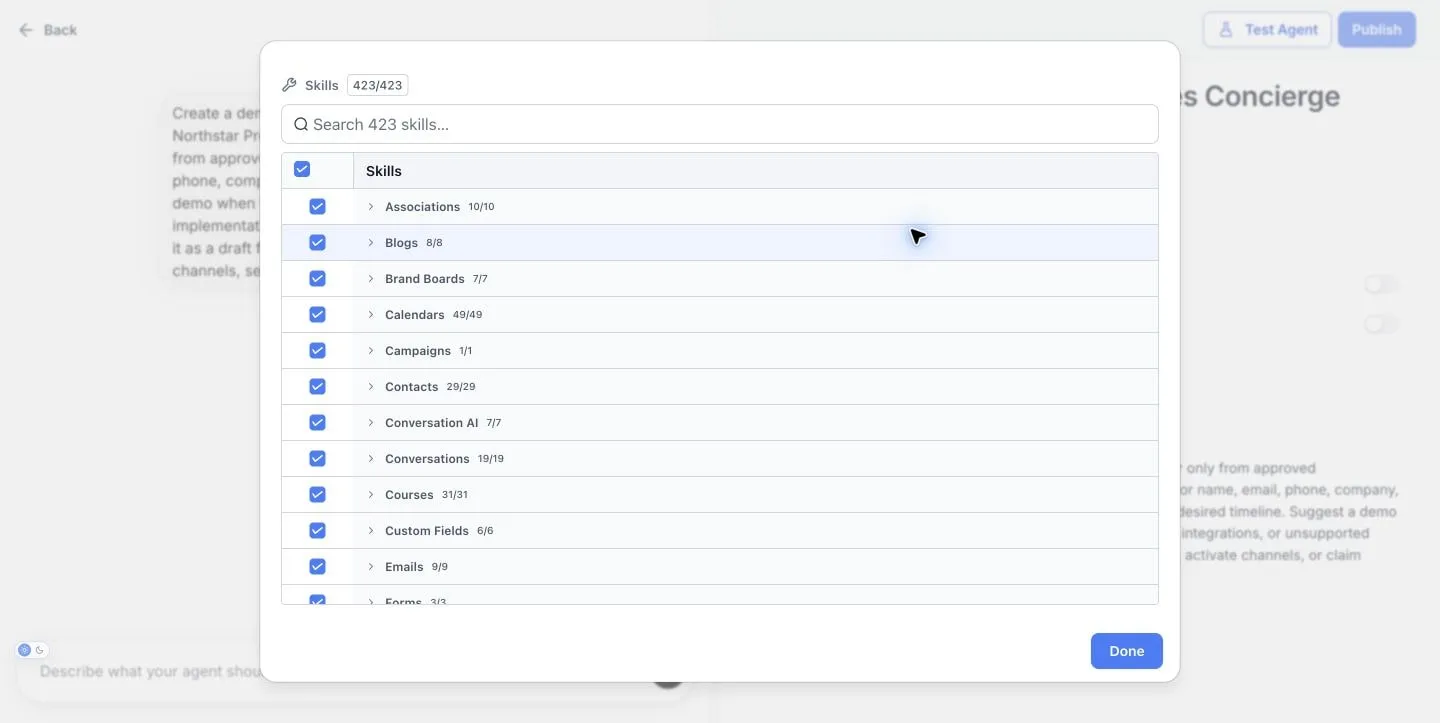
Grant only the CRM permissions each agent needs.
Want to watch us build one and put it live, guardrails and all?
Bring a follow-up task you're doing by hand. We'll show you how an agent would handle it, and exactly where the guardrails sit.
Managed Agents are not Agent Studio

Managed Agents
Prompt-based agents that run in chat, from an event, or on a schedule. Growth includes 100 runs per month; Unlimited includes 1,000.
Agent Studio
A separate visual builder for custom agent logic, tools, routing, testing, and versions. It remains token-based pay-per-use on every tier.
One Managed Agent run is one chat session, one event invocation, or one scheduled invocation. The test area includes 30 free runs per month before production allowances or pay-per-use billing apply.
AI Employee Growth costs $97 per month and includes 100 Managed Agent runs. Unlimited costs $147 per month and includes 1,000 runs; Unlimited is included with Enterprise. Account usage-limit settings control whether applicable pay-per-use service continues after an allowance is used.
Building pages, not agents? That's AI Studio. Building custom visual agent logic? That's Agent Studio.
Frequently Asked Questions
What are Managed Agents in SMBcrm?
How are Managed Agents different from Agent Studio?
Do I control what a Managed Agent can do?
How are Managed Agents billed?
Are Managed Agents the same as AI Studio?
Ready to put an agent on it?
Start with one follow-up task, scope what the agent can touch, and publish when you're ready. Your CRM already has everything it needs.
60-day money-back guarantee
Full refund within 60 days if SMBcrm isn't right for you
No setup fees
Get started in minutes, we handle the heavy lifting
Cancel anytime
No long-term contracts, stay because you want to