AI Studio payment checkouts now support configurable fields, two-step lead capture, and more detailed payment confirmations.
Choose Your Checkout Fields
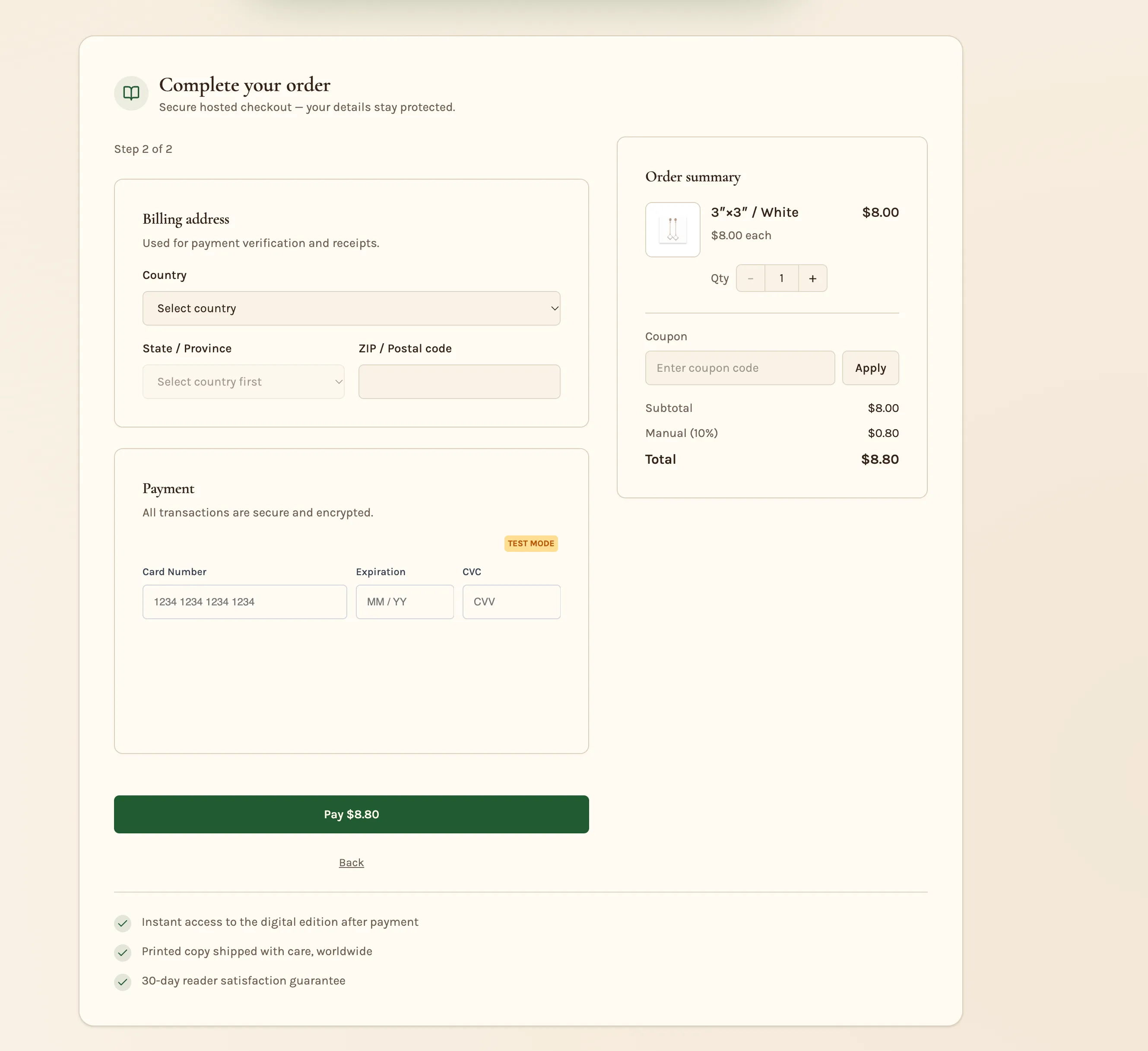
Show, hide, or require the phone number and each billing address field: street, city, state, ZIP, and country. Name and email remain required.
Try prompting: “Make phone required and hide the billing address.”
Capture Leads Before Payment
Two-step checkout separates contact capture from payment, like the Two Step Order form in Funnels:
- Save the contact. Step 1 creates a CRM contact so you can follow up with buyers who do not complete payment.
- Collect payment. Step 2 handles the payment.
Try prompting: “Make it a two-step checkout.”
Check your workflows: New leads from this checkout fire the Contact Created trigger, not Order Form Submission. Make sure your follow-up workflows use the correct trigger.
Show Order Details After Payment
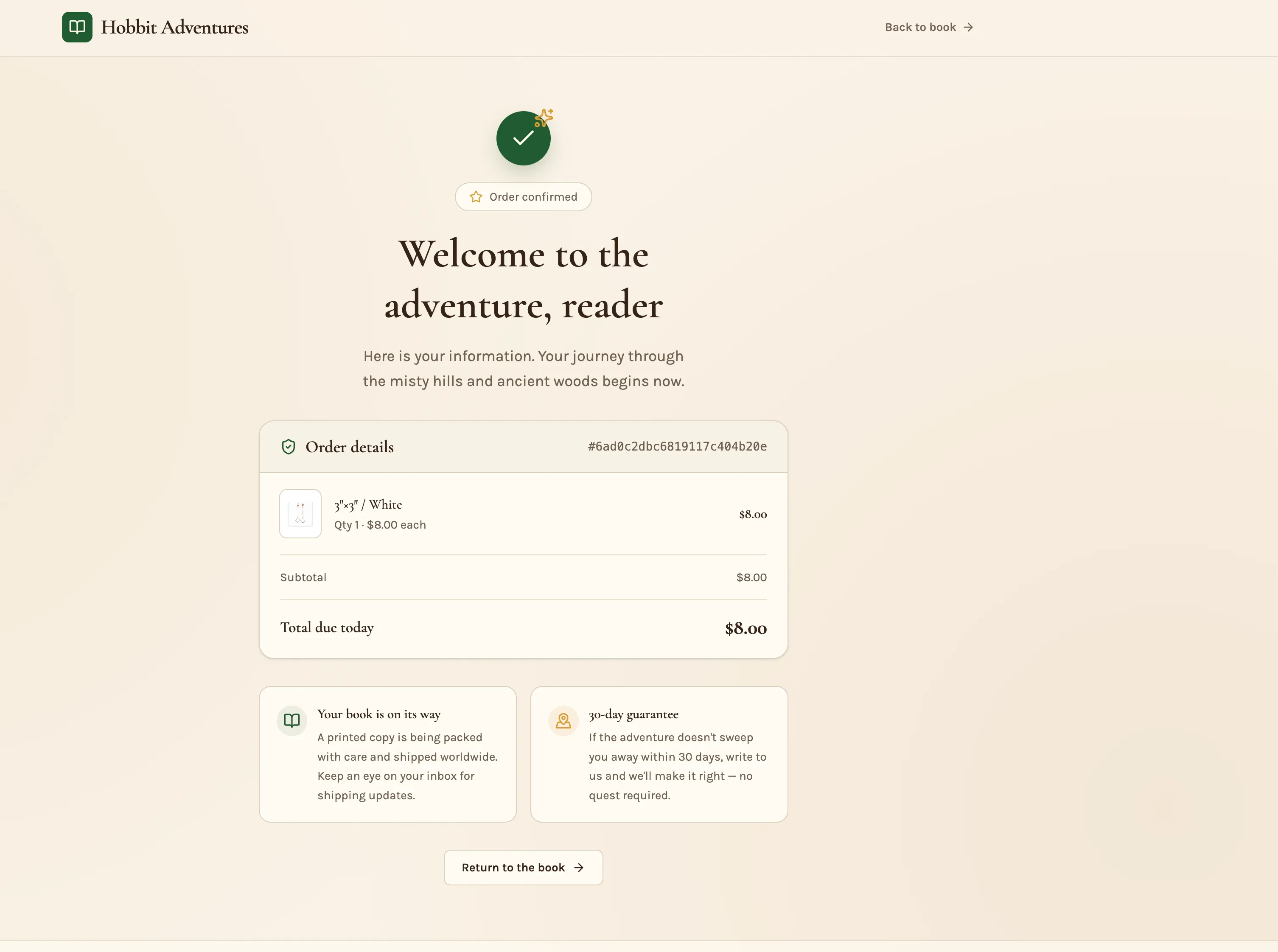
The confirmation screen now displays the order ID, items, taxes, and total paid. For subscriptions, it also shows the next charge.
You can also send buyers to a custom thank-you page that displays their actual order details.
Try prompting: “Send buyers to my own thank-you page after payment.”
Apply the Updates
Projects already using Payments receive these updates on their next prompt. No reconnection is needed.
Release Images
Need Help Applying This Update?
Want help turning this update into a working part of your CRM, marketing, or automation setup?
Get Started or schedule a demo and we’ll help you map the right next step.