AI Studio, part of SMBcrm’s AI features, now connects projects to GitHub for two-way code syncing. Work in an external editor or coding agent, then bring those changes back into your project with a fresh preview.
Connect a Project
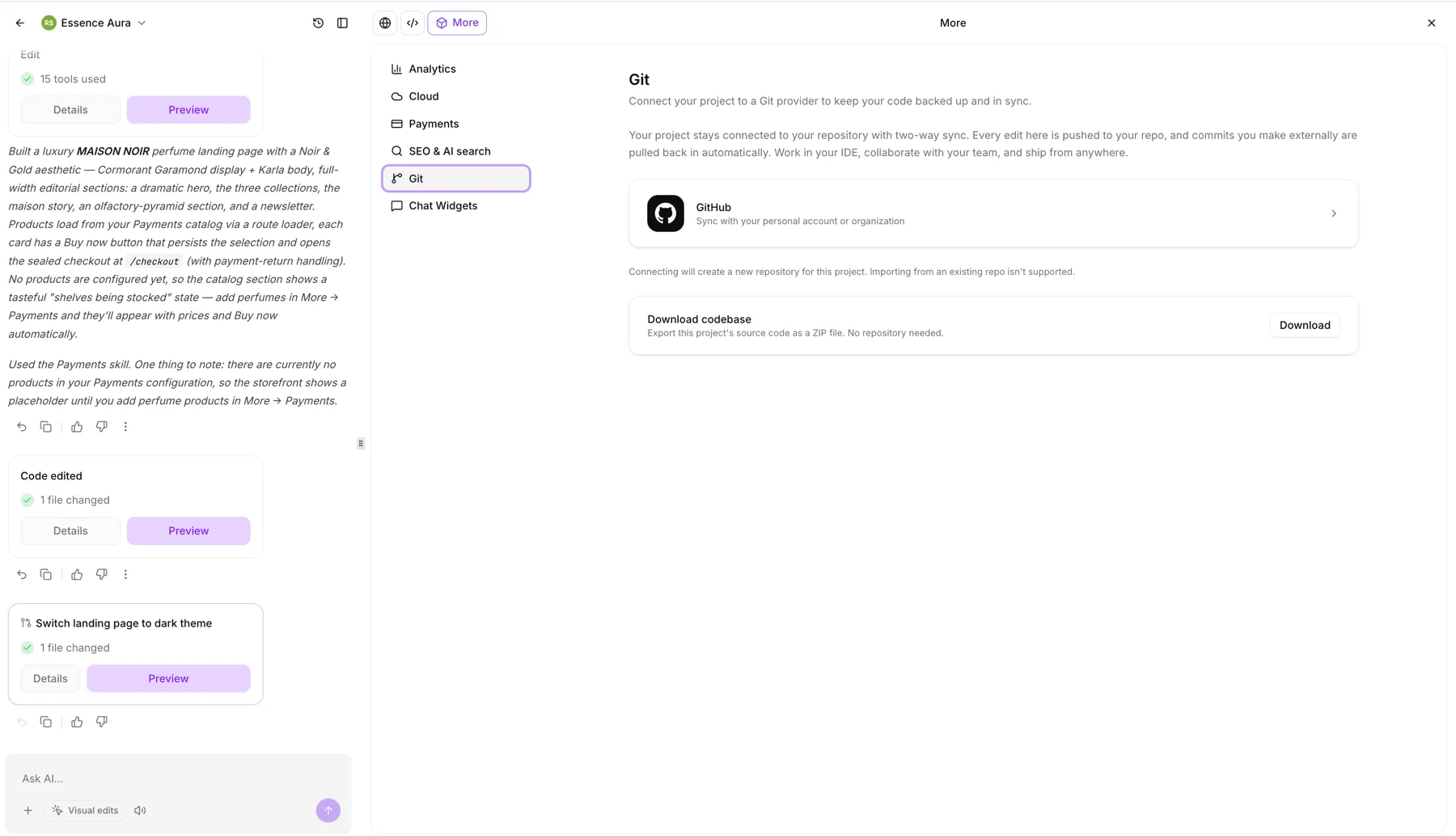
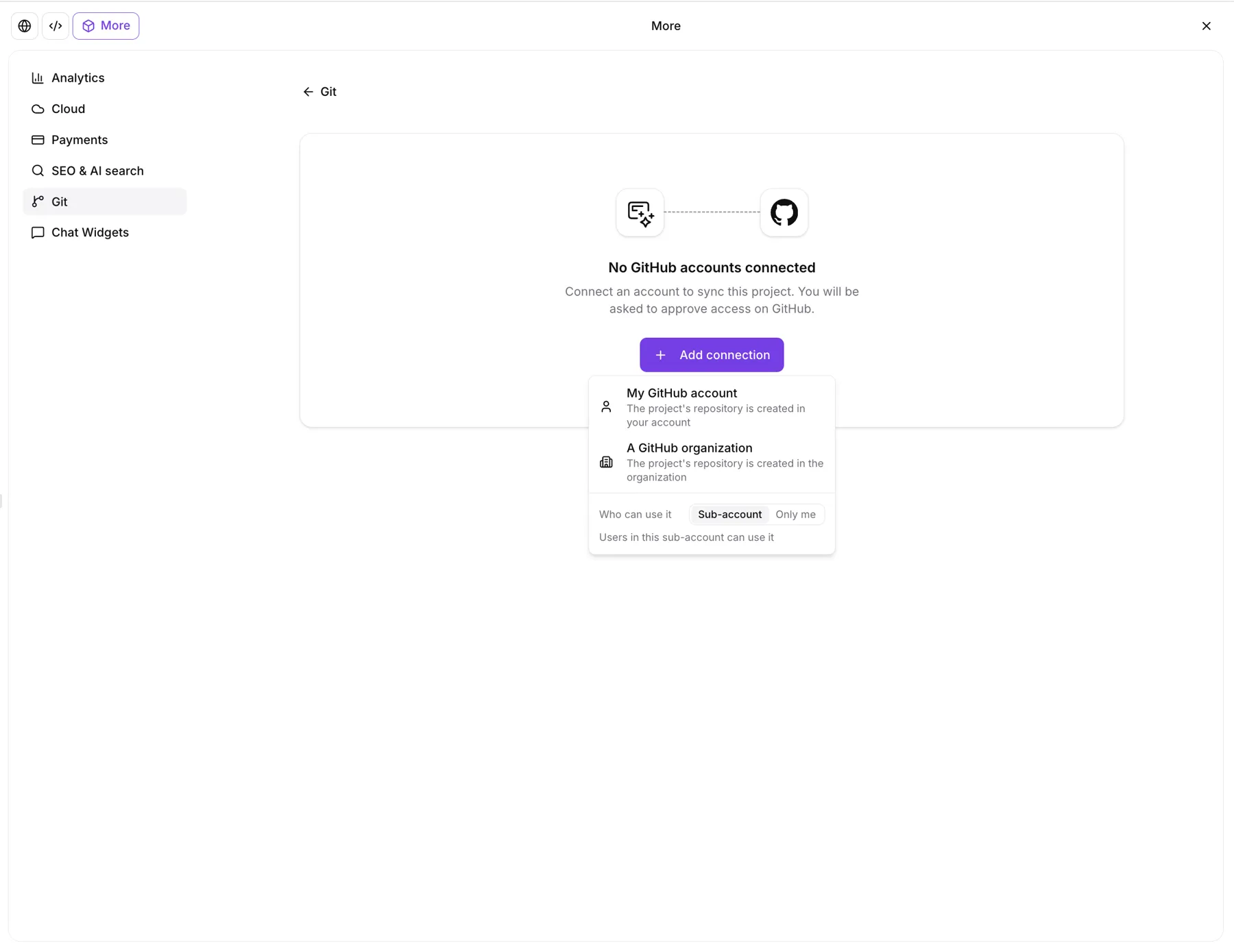
Open More → Git in your project to connect a personal GitHub account or organization. You can share the connection with your account or keep it private.
AI Studio creates a private repository named after your project and completes the first push. Reconnecting a project reuses its previous repository without force-pushing.
Sync Code and Manage Branches
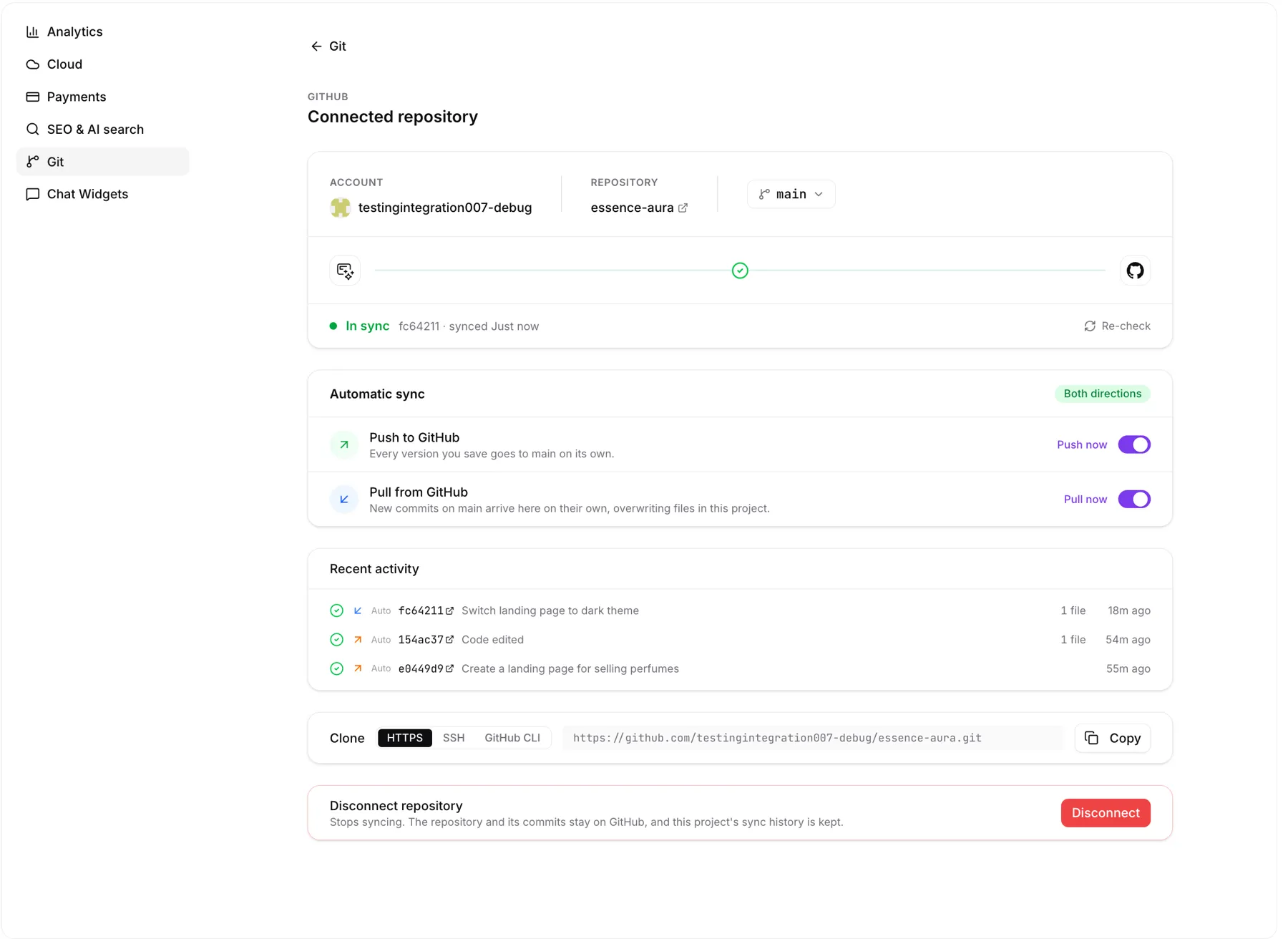
- Automatic pushes: Every saved version, including AI prompts, code edits, visual edits, and restores, is pushed to GitHub.
- Automatic pulls: New commits on the connected branch are pulled back into AI Studio.
- Manual controls: Automatic pushing and pulling can each be turned off. Push now and Pull now remain available.
- Branch selection: Sync starts on
main. Switch branches anytime, or select a new branch that will be created on the next push. Only the connected branch syncs.
If both GitHub and AI Studio have new commits, choose Force push to use the AI Studio version or New branch to keep both.
Preview Changes and Review Sync History
After a pull, a fresh preview builds in the background. Click Update preview when it is ready, so the page does not reload while you are working. If the build fails, use Retry build or Try to fix.
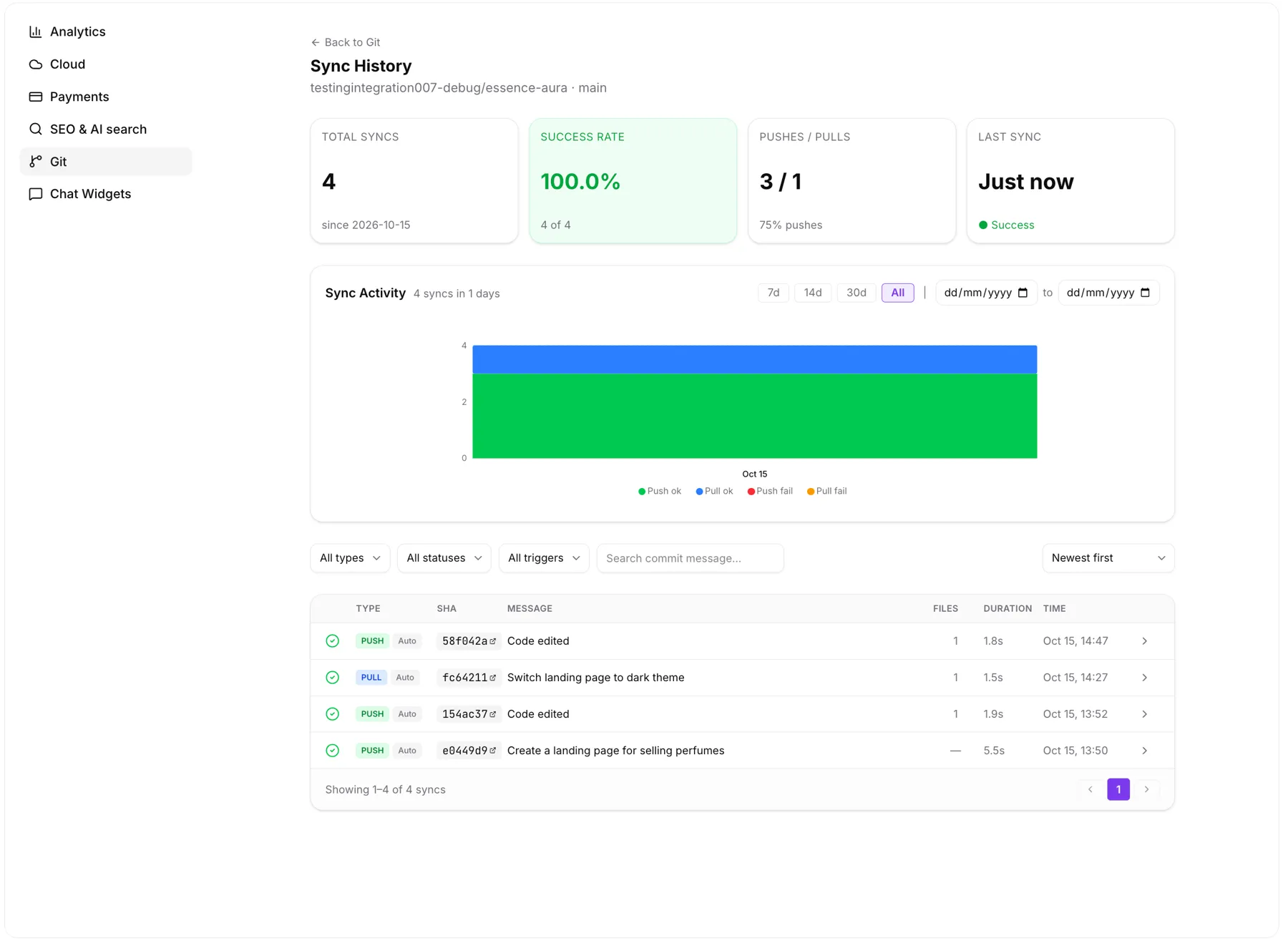
Sync History shows total syncs, success rate, the push/pull split, and each transferred commit with a link to GitHub. Sync failures include plain-language explanations.
Safeguards and Access Controls
Pushes are scanned for secrets, including AWS, GitHub, Stripe, and OpenAI keys, plus private keys. Pushes are blocked when secrets are found. Images, fonts, and other binary files are preserved during syncing.
The Manage Git & download code permission controls Git access and code downloads. It is enabled by default for every role. Agency administrators can disable it per user under Settings → Team → Permissions → AI Studio.
Users without this permission do not see the Git tab or Download options, but can still build, edit, and preview projects.
Compatibility and Commit Identity
GitHub sync works with React (Vite) and TanStack Start projects. AI Studio commits use a platform identity rather than your GitHub identity. Projects that do not connect to GitHub are unchanged.
Release Images
Need Help Applying This Update?
Want help turning this update into a working part of your CRM, marketing, or automation setup?
Get Started or schedule a demo and we’ll help you map the right next step.