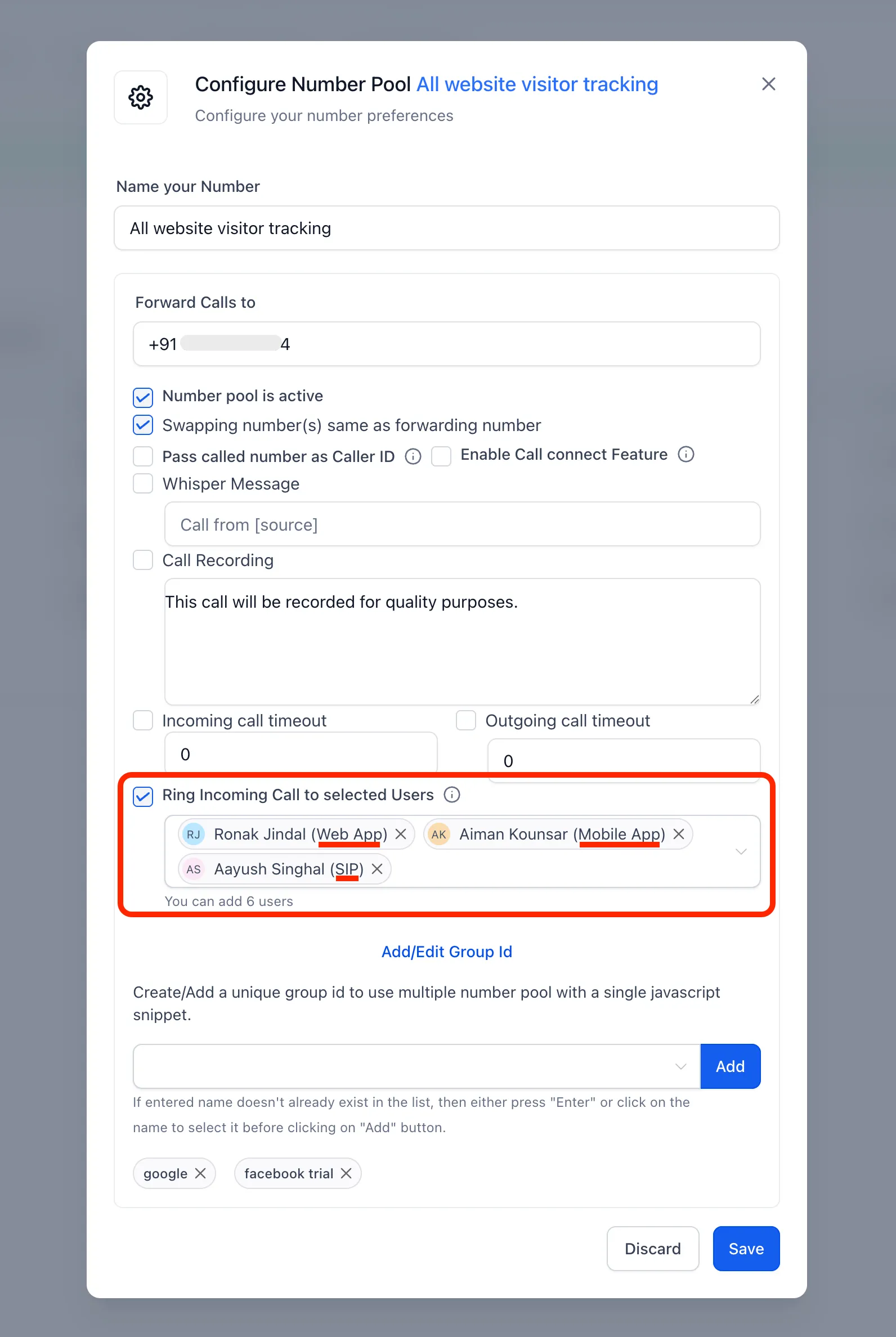
You can now route incoming number pool calls to up to six team members at once. Each person can answer through their configured ring channel: web, mobile, desk phone, or their own phone number.
Previously, number pool calls could not be routed to specific team members’ devices.
Set Up Call Routing
- Open the number pool’s settings.
- Turn on Ring Incoming Call to selected Users.
- Select up to six team members.
The selected team members’ devices ring simultaneously using each person’s configured ring channel. Your selections are saved and appear the next time you open the pool.
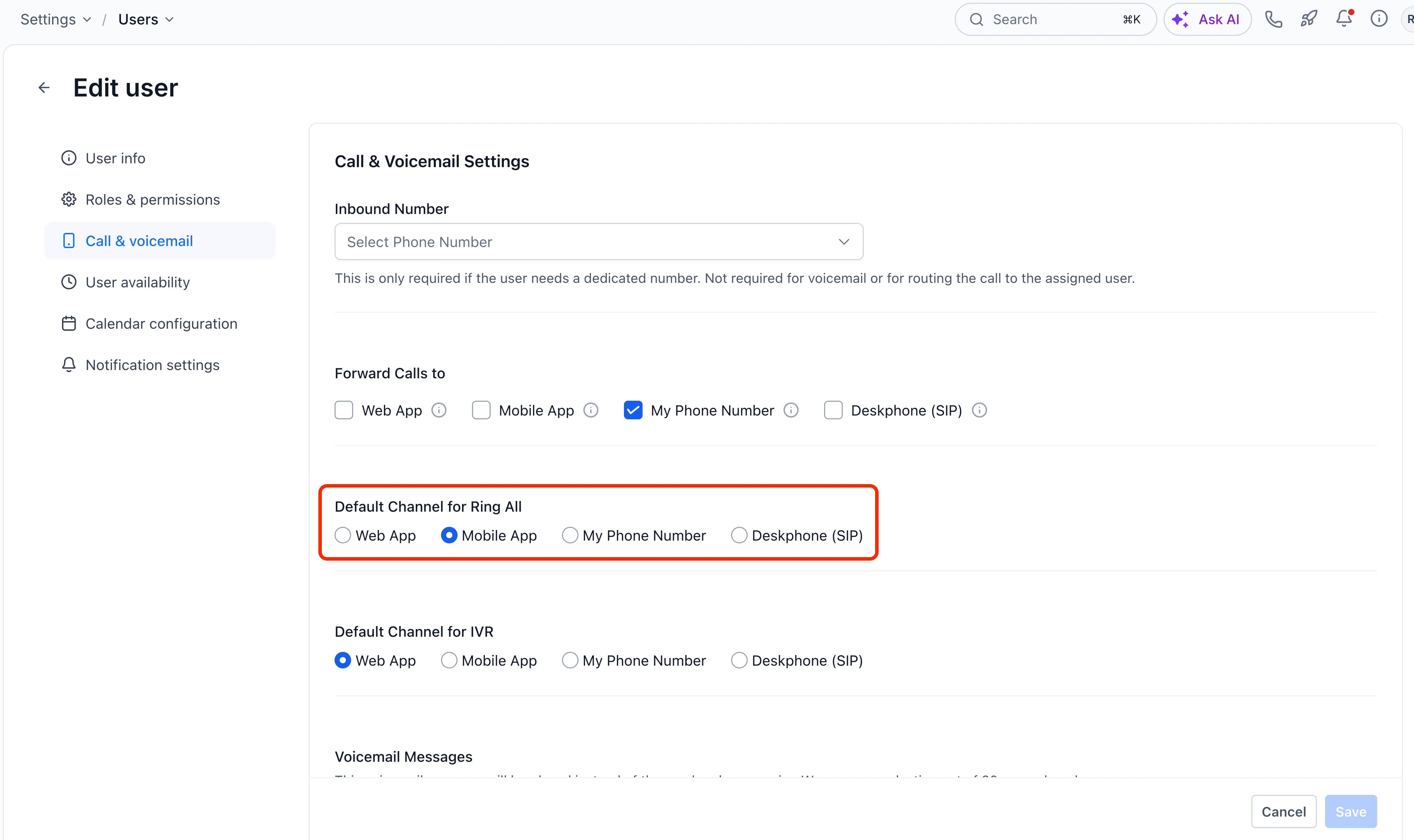
Choose Each User’s Preferred Device
Go to Settings > Users/My Staff > Edit > Call & voicemail > Default channel for ring all to choose a user’s preferred device type.
Release Images
Need Help Applying This Update?
Want help turning this update into a working part of your CRM, marketing, or automation setup?
Get Started or schedule a demo and we’ll help you map the right next step.