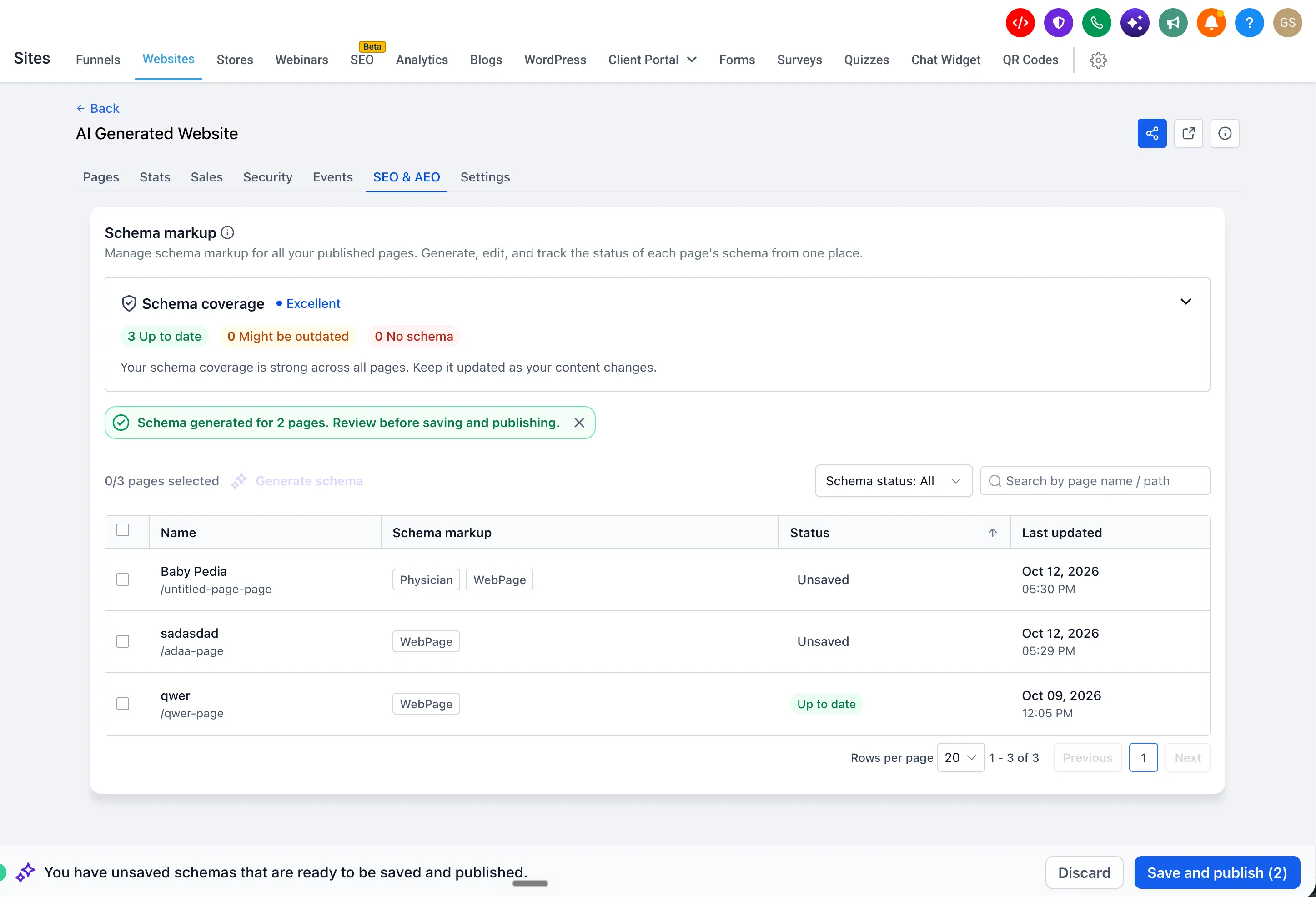
SMBcrm now includes a schema markup dashboard under the SEO & AEO tab for each website and funnel. You can manage schema across your websites and funnels without opening every page in the builder.
What you can manage
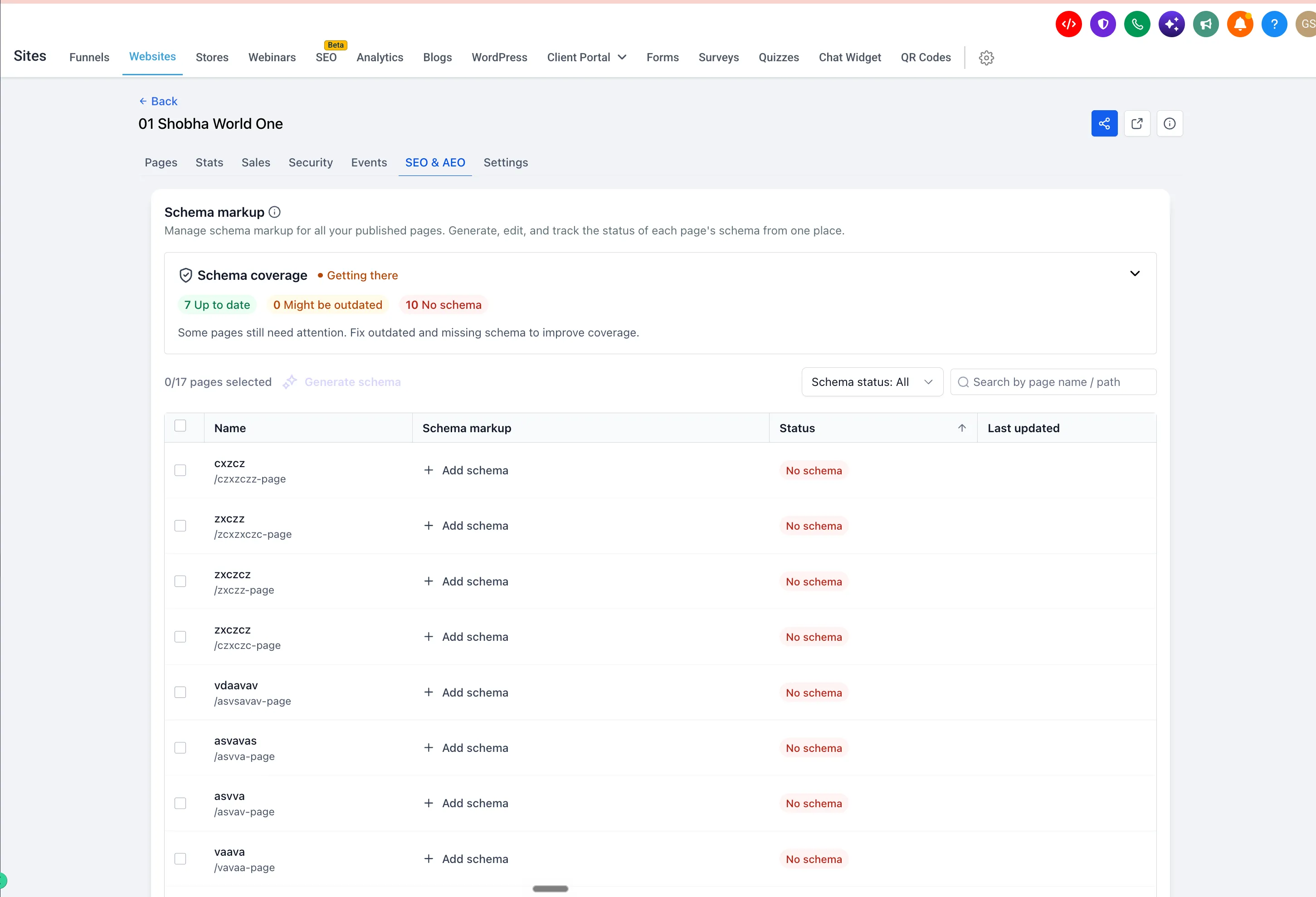
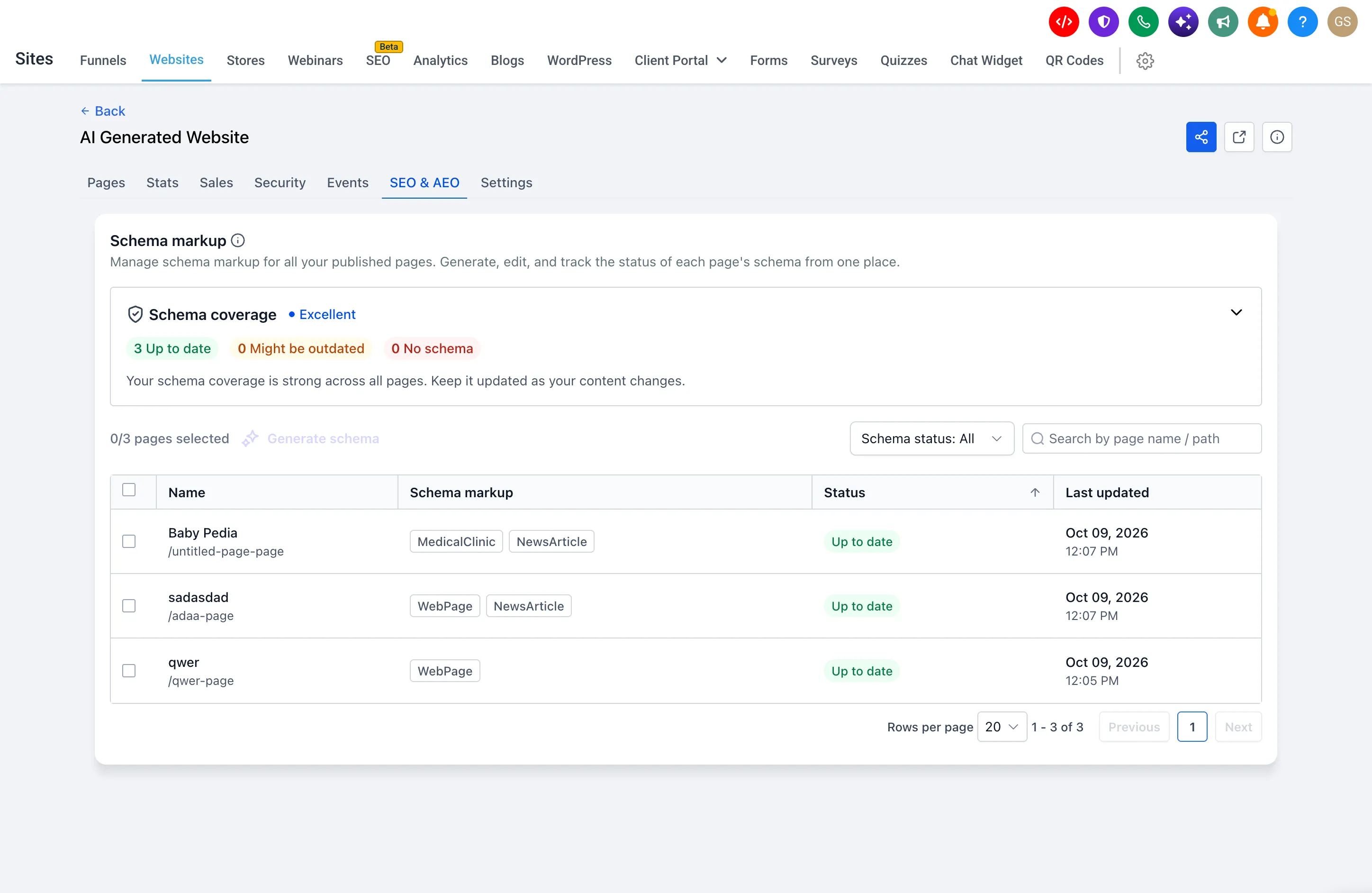
- Overall coverage: The Schema coverage card rates your site as Needs work, Getting there, Good, or Excellent, with counts for Up to date, Might be outdated, and No schema.
- Page-level details: See each page’s schema types, last update time, and status: Up to date, Might be outdated, No schema, Unpublished, or Unsaved.
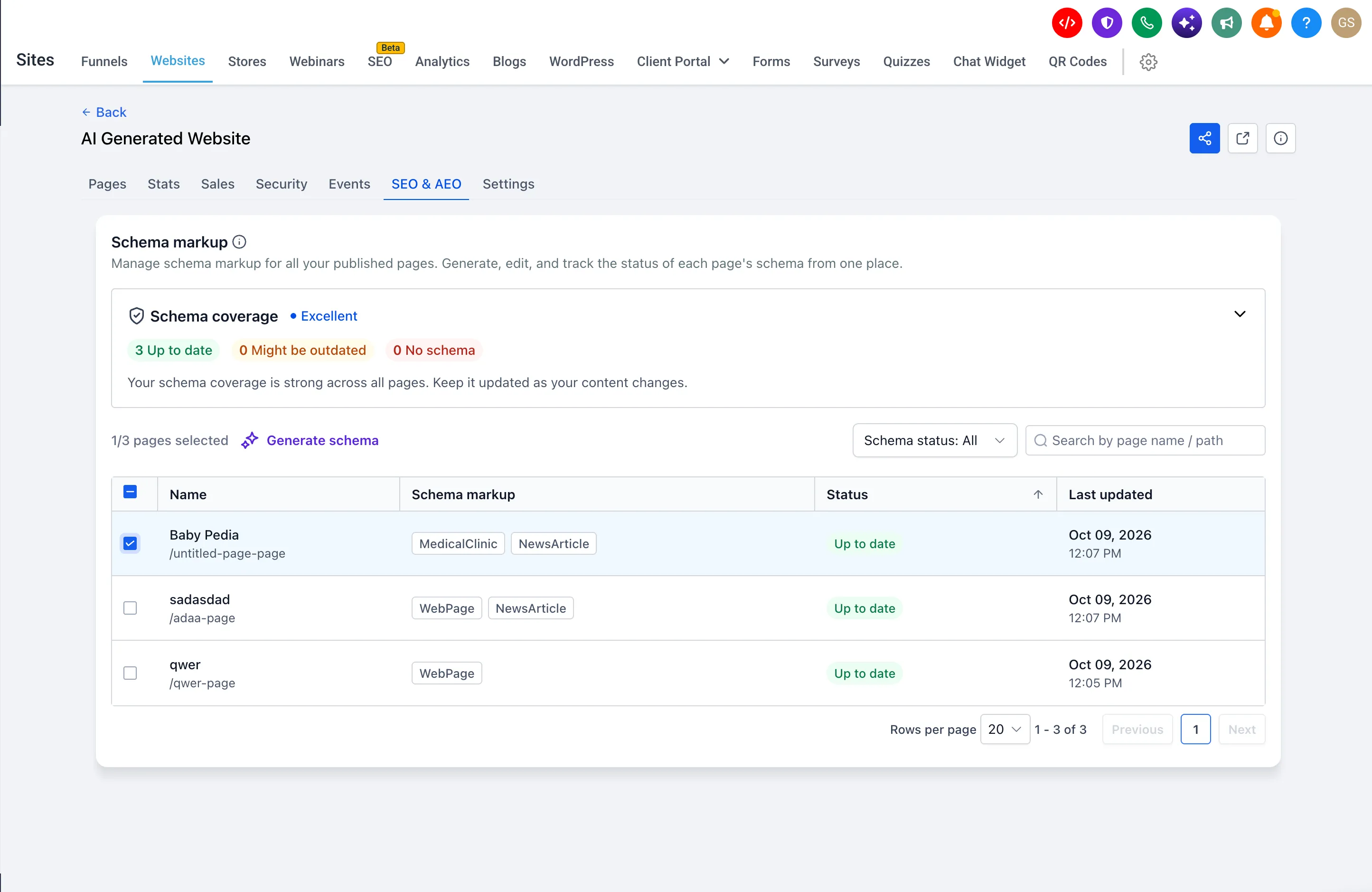
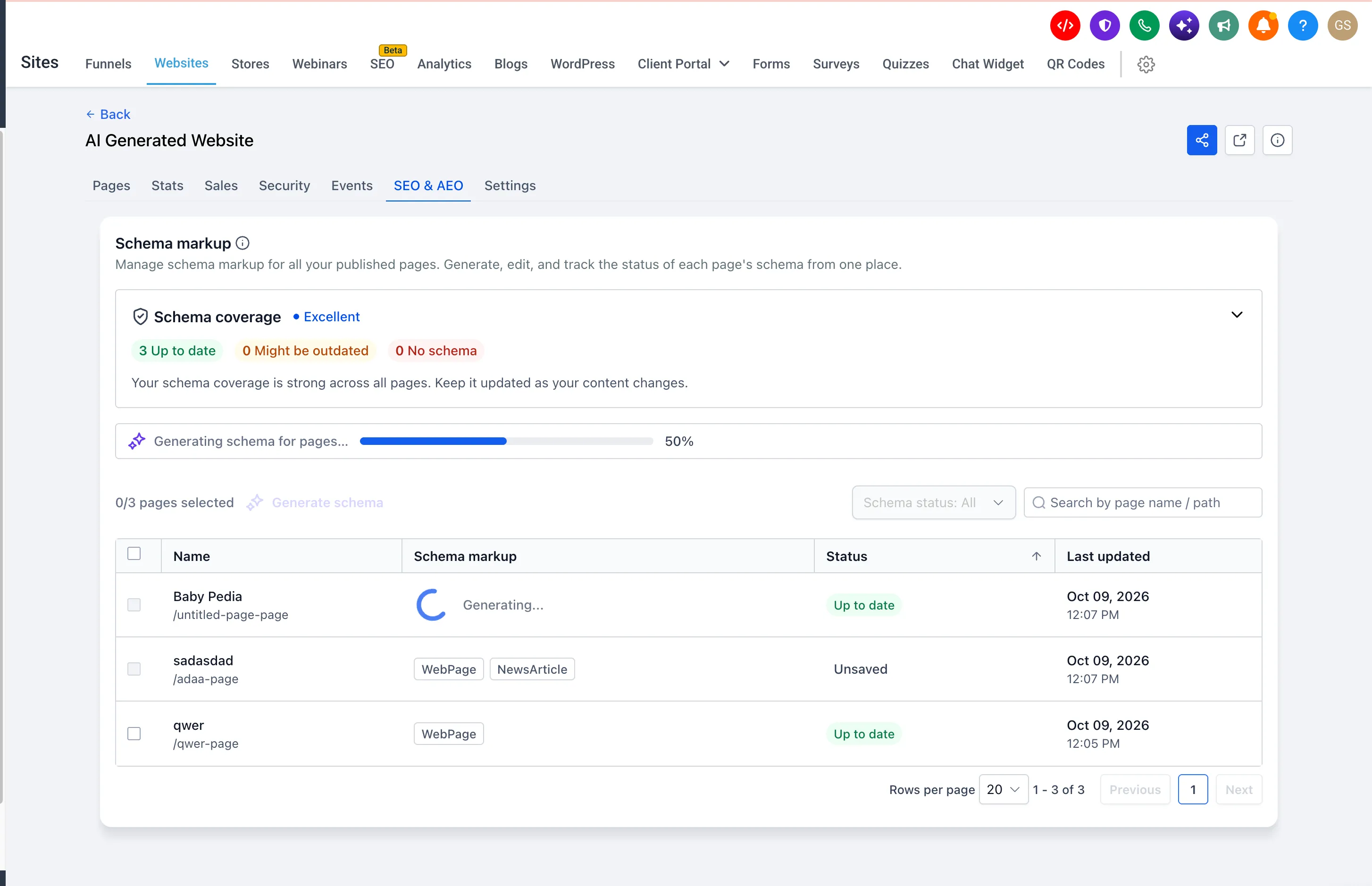
- AI generation: Generate schema for one page or multiple selected pages. Progress appears live, and results are available for review before publishing.
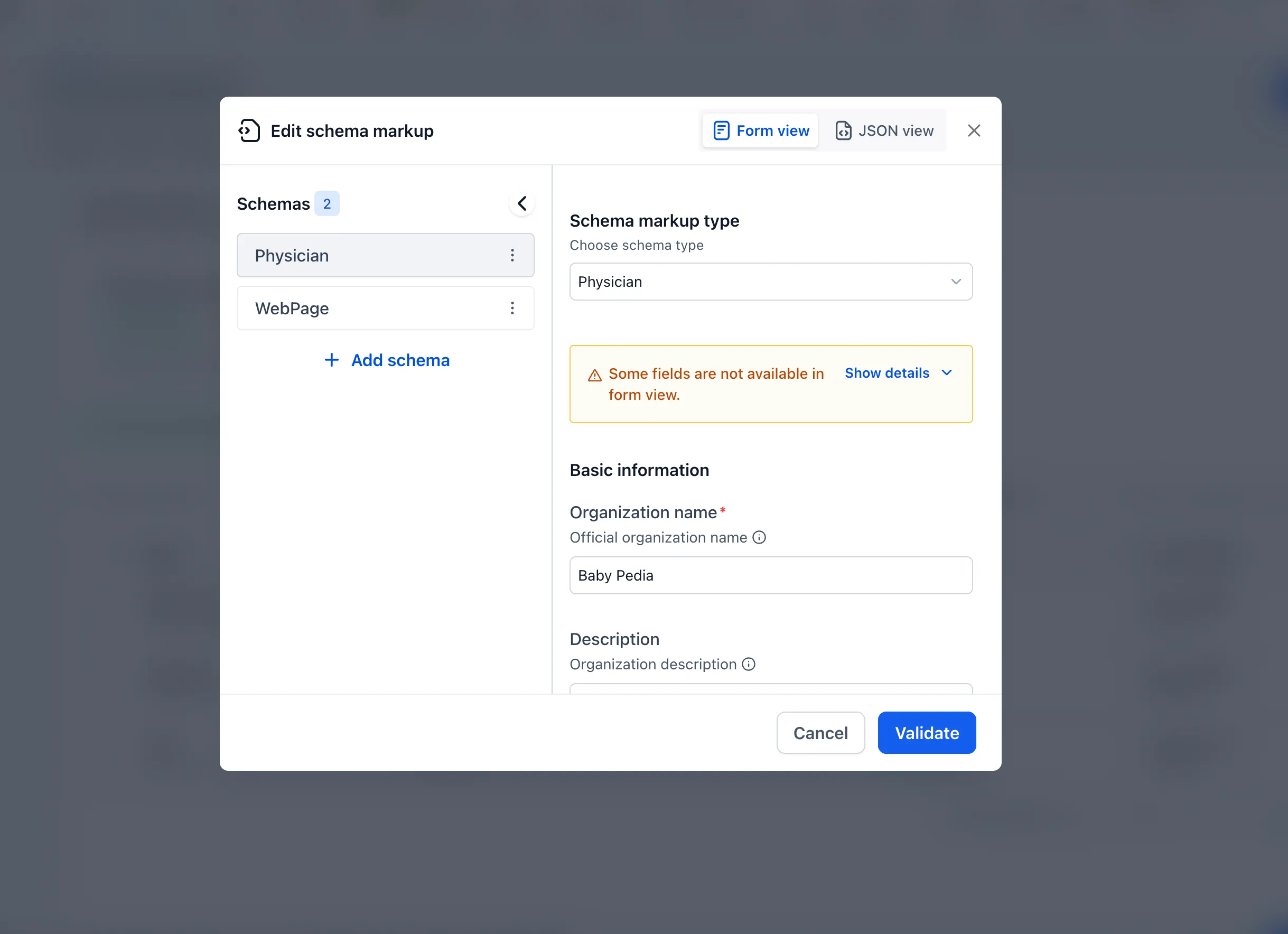
- Manual editing: Use + Add schema for pages without schema, or click a schema tag to open the editor.
- Search and filters: Find pages by name or path, and filter by schema status.
Pages edited and republished two or more times since their schema was created are flagged Might be outdated. Keeping schema current helps search engines and AI answer engines understand your content and supports eligibility for Google rich results.
How to use it
- Go to Sites → Websites/Funnels, select a website or funnel, and open SEO & AEO.
- Review the Schema coverage card. Filter by No schema or Might be outdated to find pages that need attention.
- Select pages and click Generate schema, or add or edit schema manually.
- Review the results, then click Save and publish. Use Discard if you do not want to keep the changes.
Generated or edited schema remains Unsaved until you save and publish. Generating schema for a page that already has schema replaces it entirely, so review the replacement before publishing.
What happens to existing schema
No action is required, and existing schema appears automatically in the dashboard without data loss. Pages without schema are marked No schema.
Schema editing in the page builder continues to work as before, and changes stay in sync between the builder and the dashboard.
Release Images
Need Help Applying This Update?
Want help turning this update into a working part of your CRM, marketing, or automation setup?
Get Started or schedule a demo and we’ll help you map the right next step.