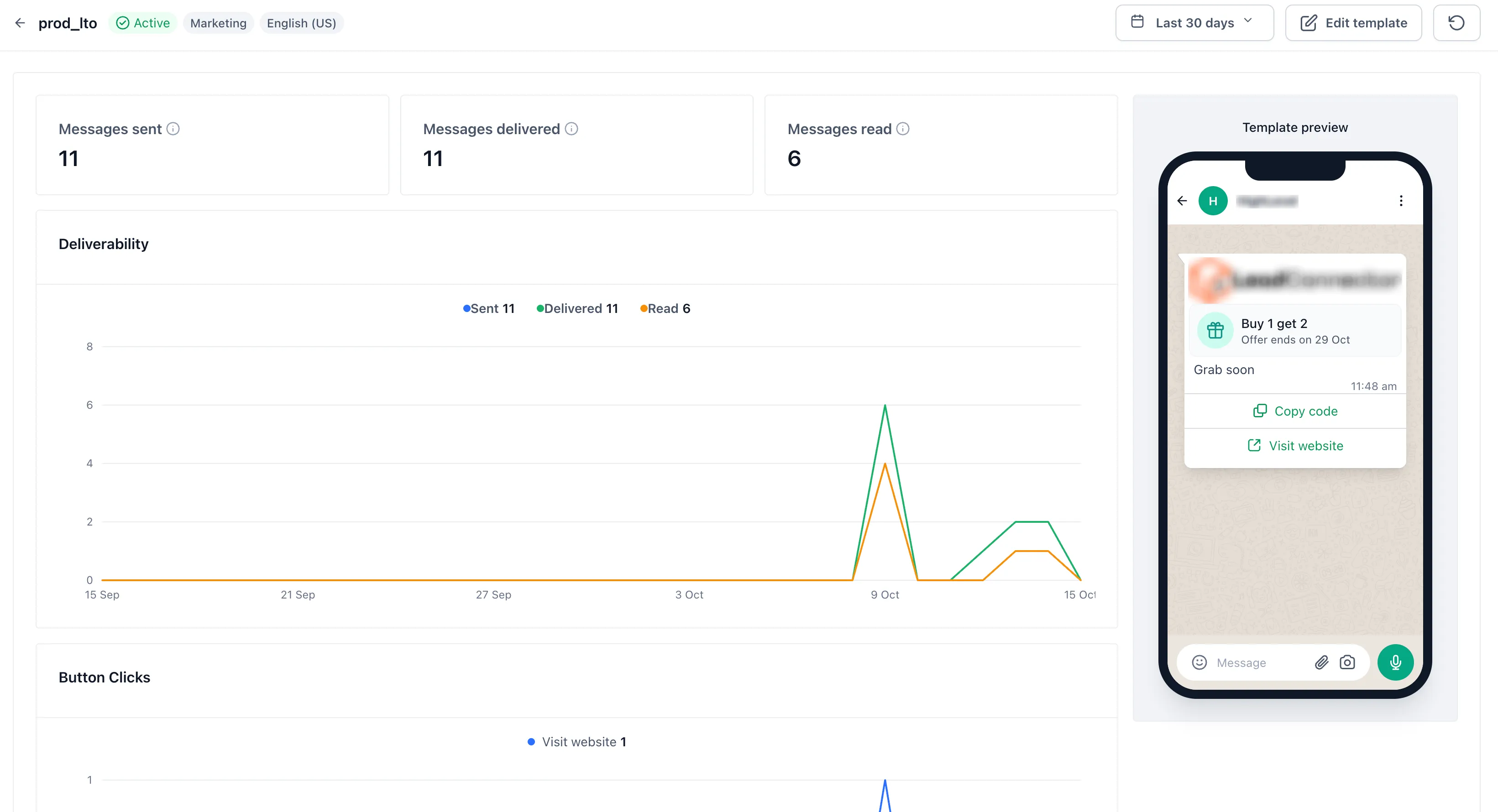
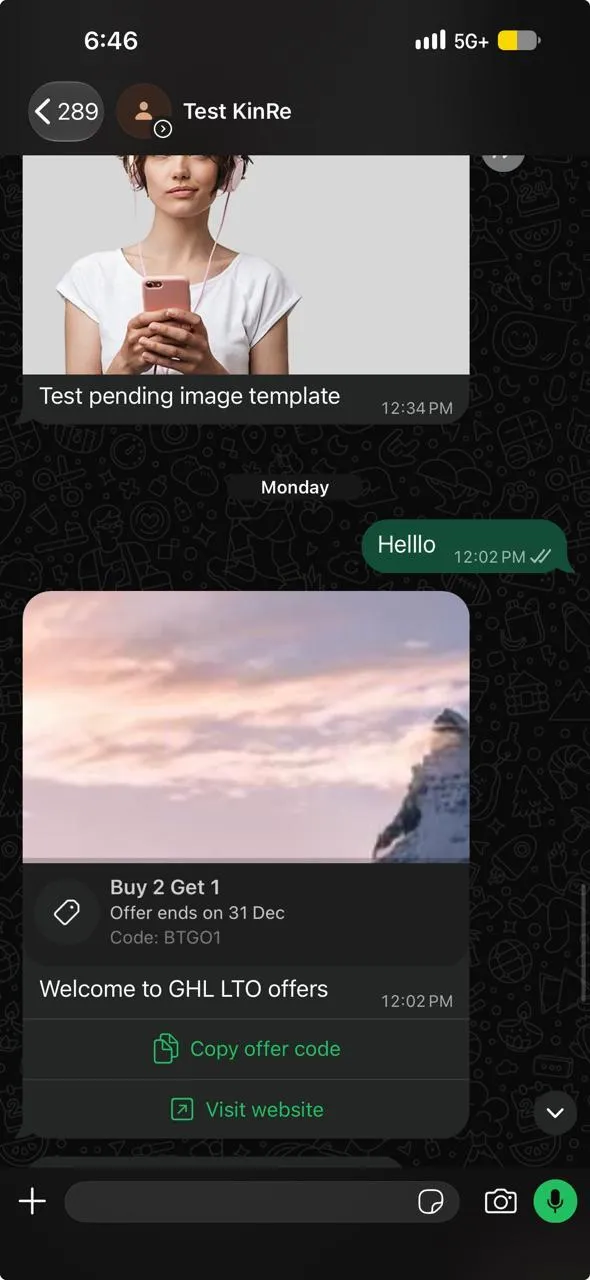
SMBcrm now supports limited-time offer templates for WhatsApp marketing. These templates add a live countdown inside the customer’s chat, along with a discount code and a link to your offer.
This update to SMBcrm’s communication tools lets you reuse an approved template across campaigns by setting the expiration each time you send.
What changes
- Live countdown: WhatsApp renders the countdown in the message and turns it red during the final hour. It is not part of a static image.
- One-tap discount code: Customers can copy the offer code directly from the message.
- Offer link: A URL button takes customers to your offer. Meta requires both the copy-code and URL buttons, so neither can be removed.
- Reusable template: The template defines the structure, while the expiration is chosen at send time. Changing only the deadline does not require a new template approval.
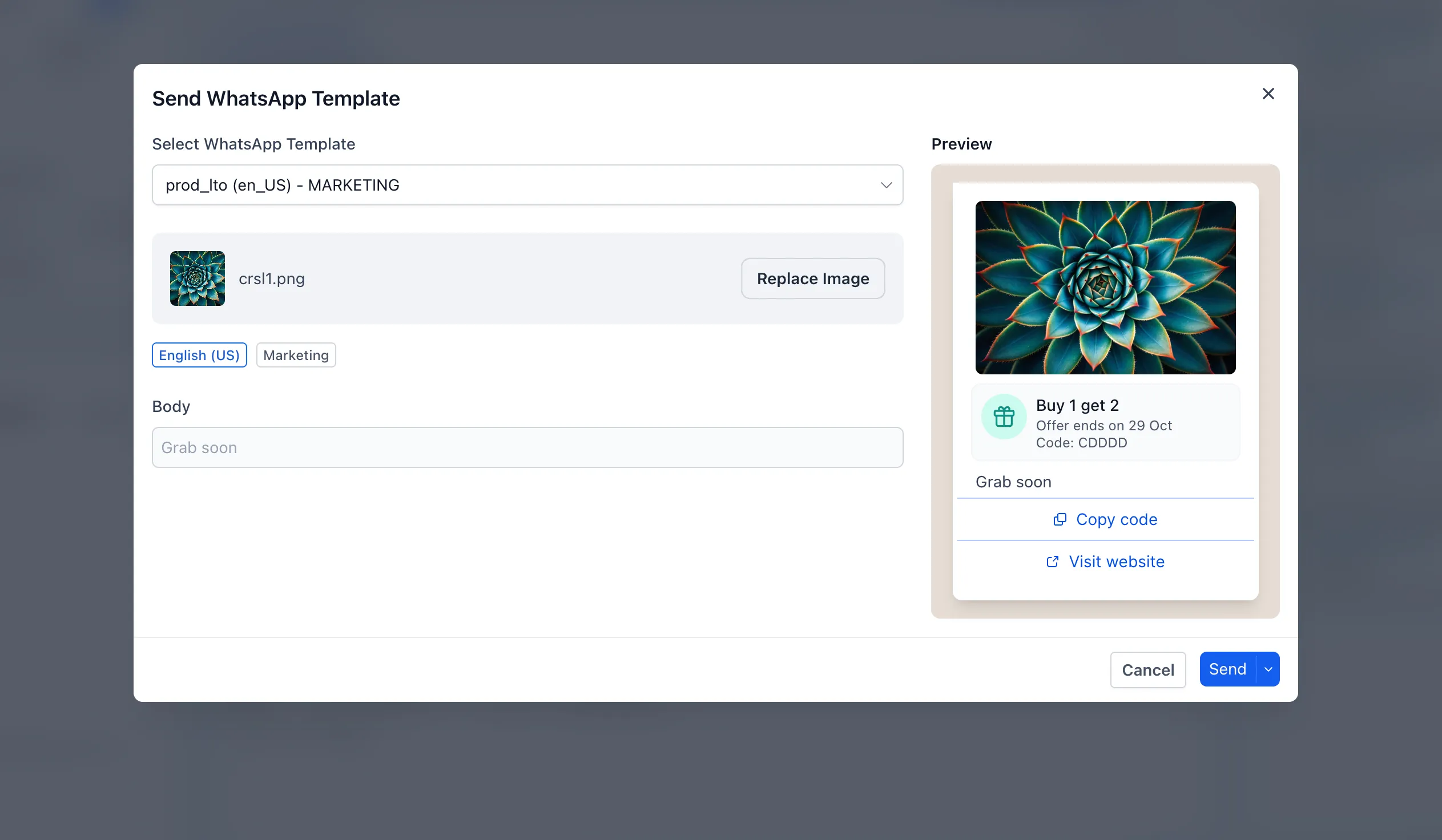
You can send these templates through Conversations, bulk actions, workflows, and calendar sends. The AI template writer can also draft the offer heading, expiration, offer code, and image.
How to create an offer
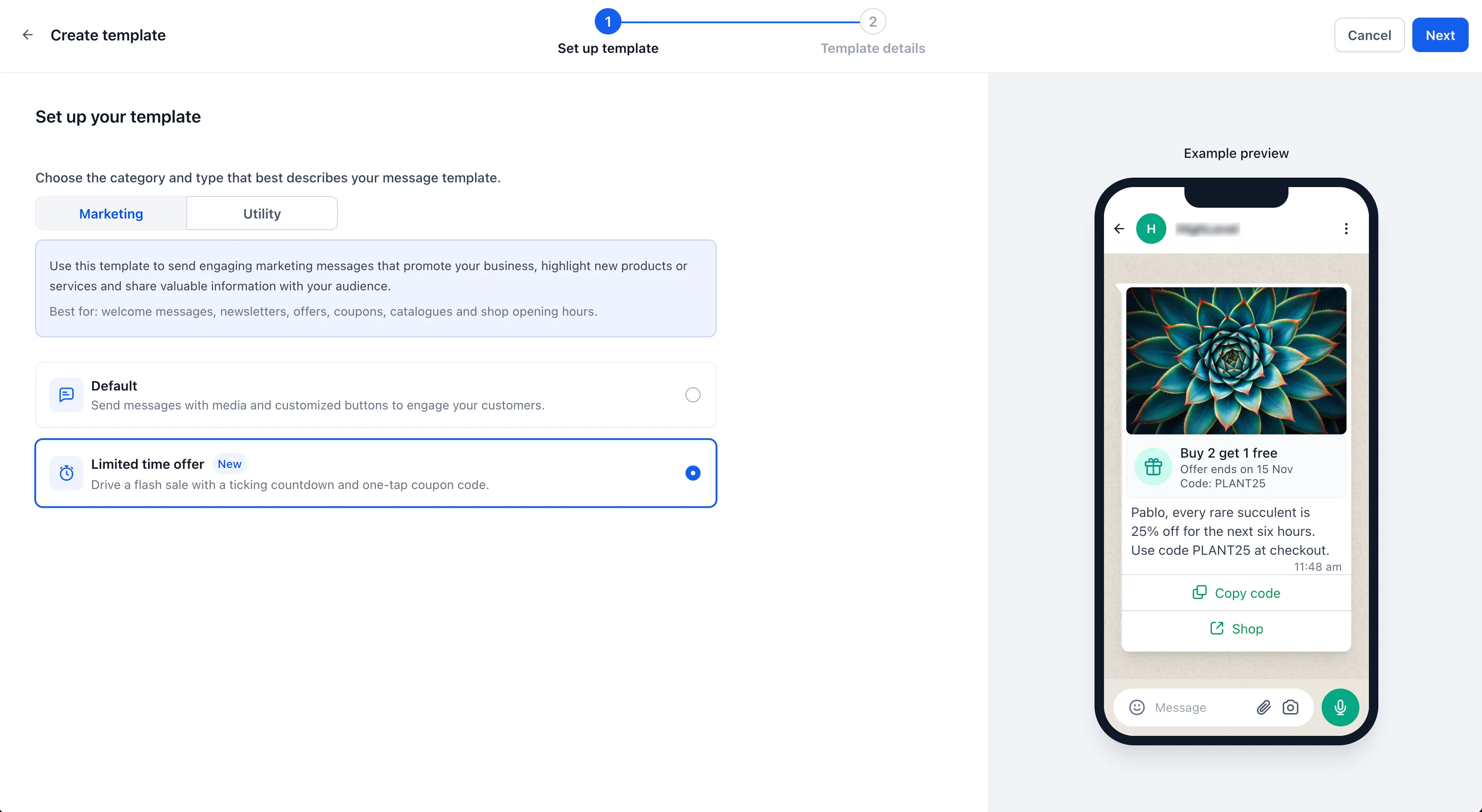
- Go to Settings → WhatsApp → Templates → Create template.
- Set Category to Marketing and Type to Limited time offer.
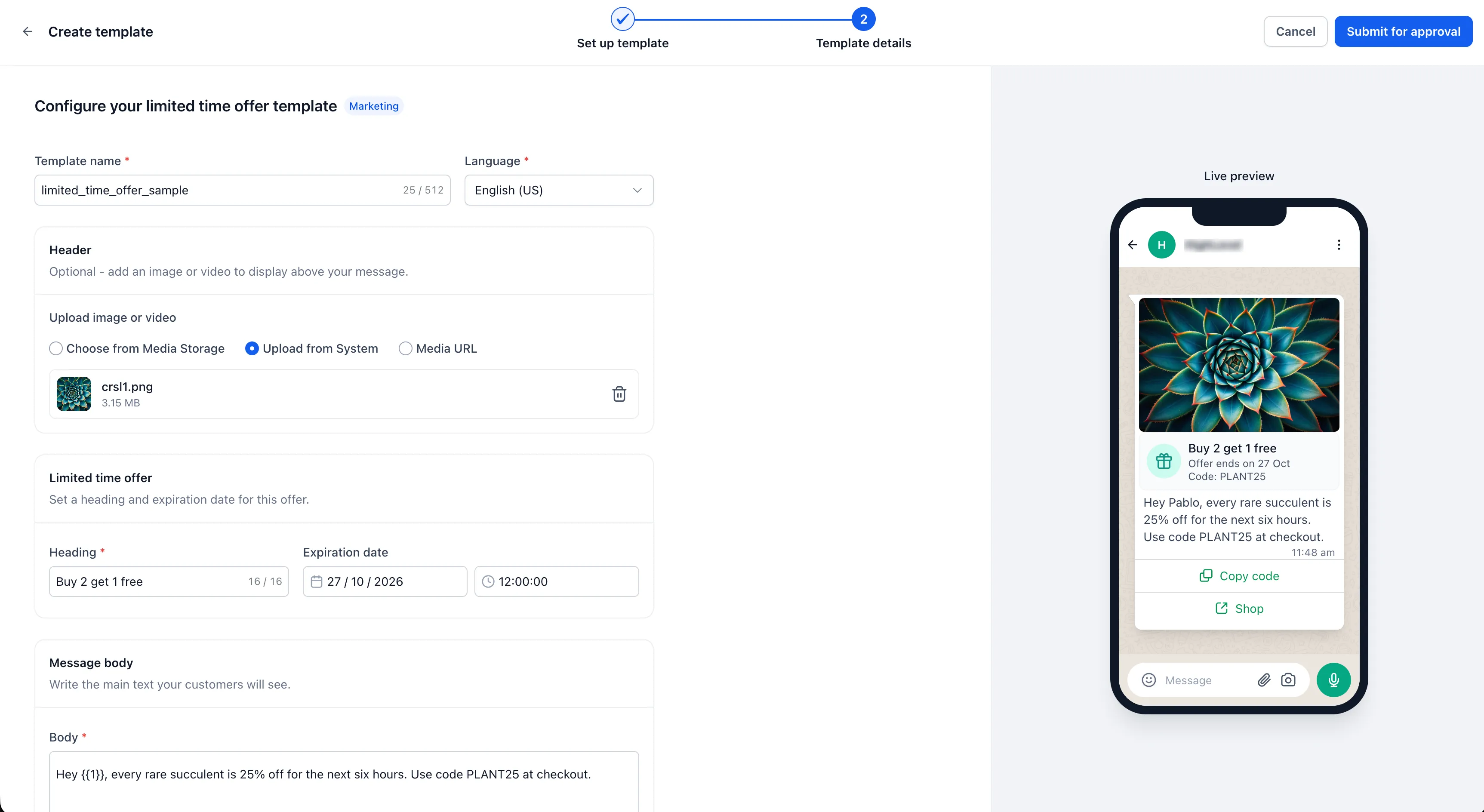
- Add an offer heading, image header, message body, discount code, and URL. The builder supports body variables and a live phone preview.
- Submit the template for Meta approval.
- Choose the campaign’s expiration when you send.
Check the expiration before sending: Meta still accepts messages with a deadline that has already passed, but customers will see the offer as expired. Double-check the deadline before a bulk send.
Release Images
Need Help Applying This Update?
Want help turning this update into a working part of your CRM, marketing, or automation setup?
Get Started or schedule a demo and we’ll help you map the right next step.