The rebuilt WhatsApp template builder brings template settings into one layout and adds a live phone preview. Dynamic media headers also let one approved template deliver a different image, video, or document to each contact.
These changes support personalized WhatsApp communication without creating a separate template for every asset.
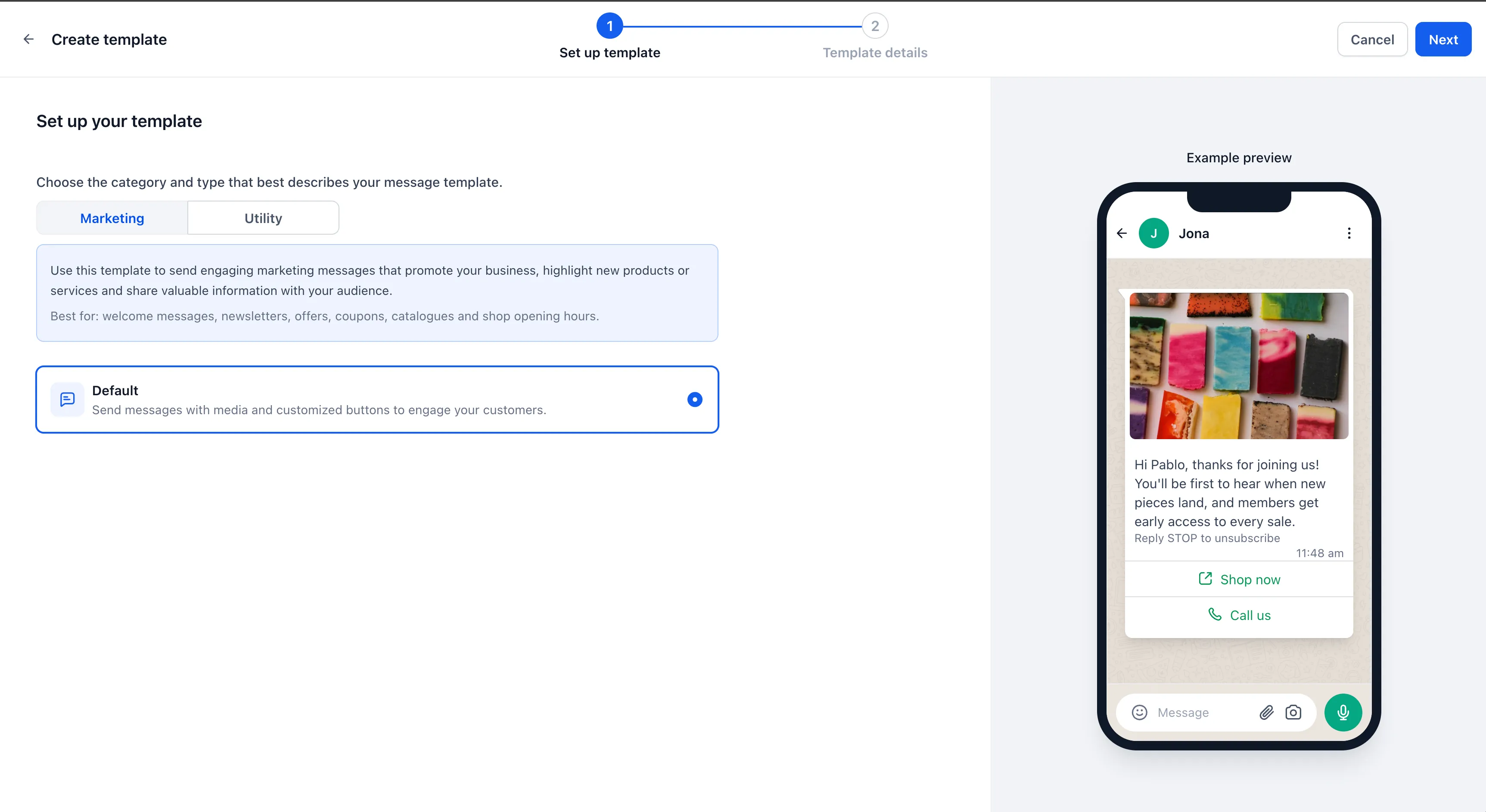
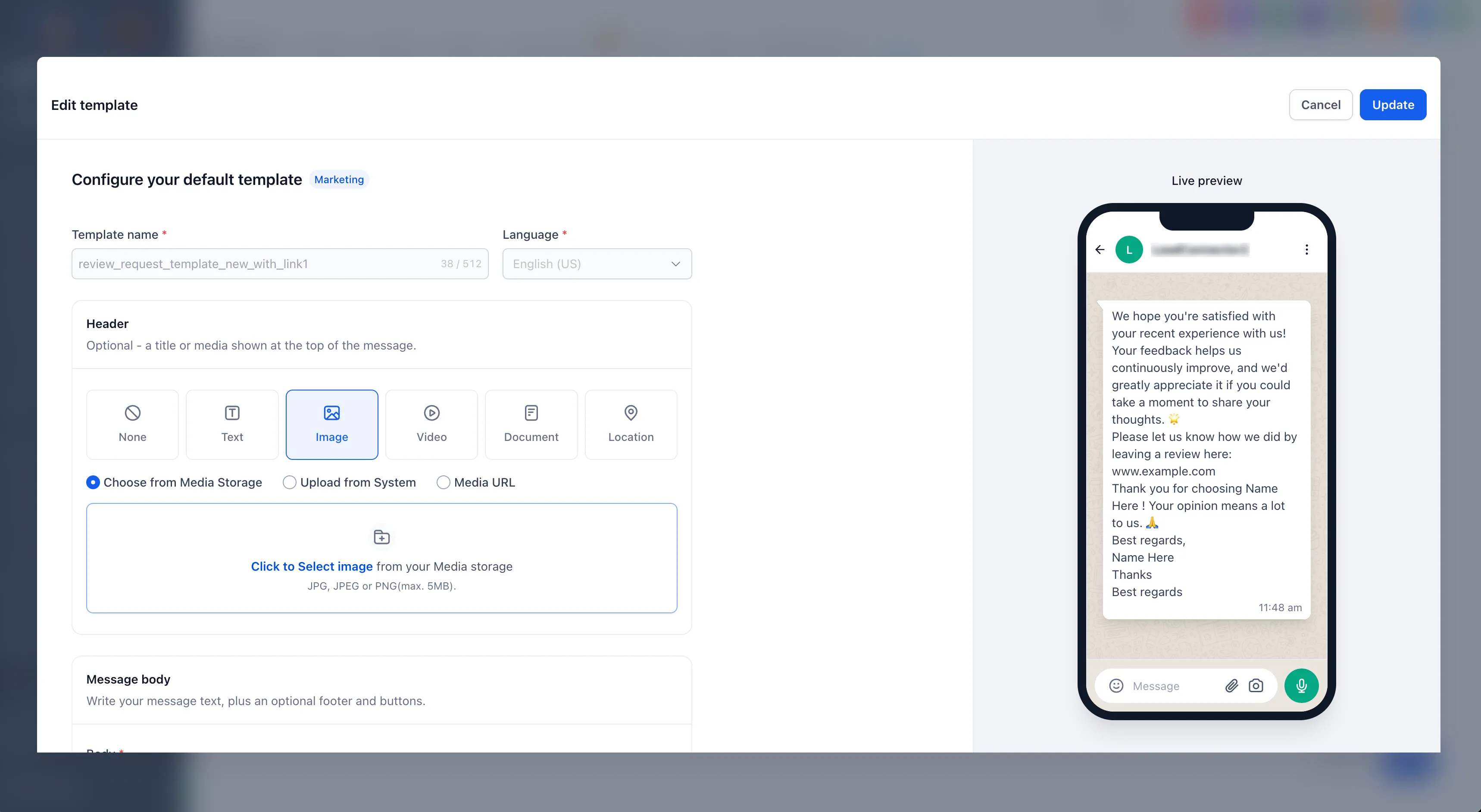
A unified builder with live preview
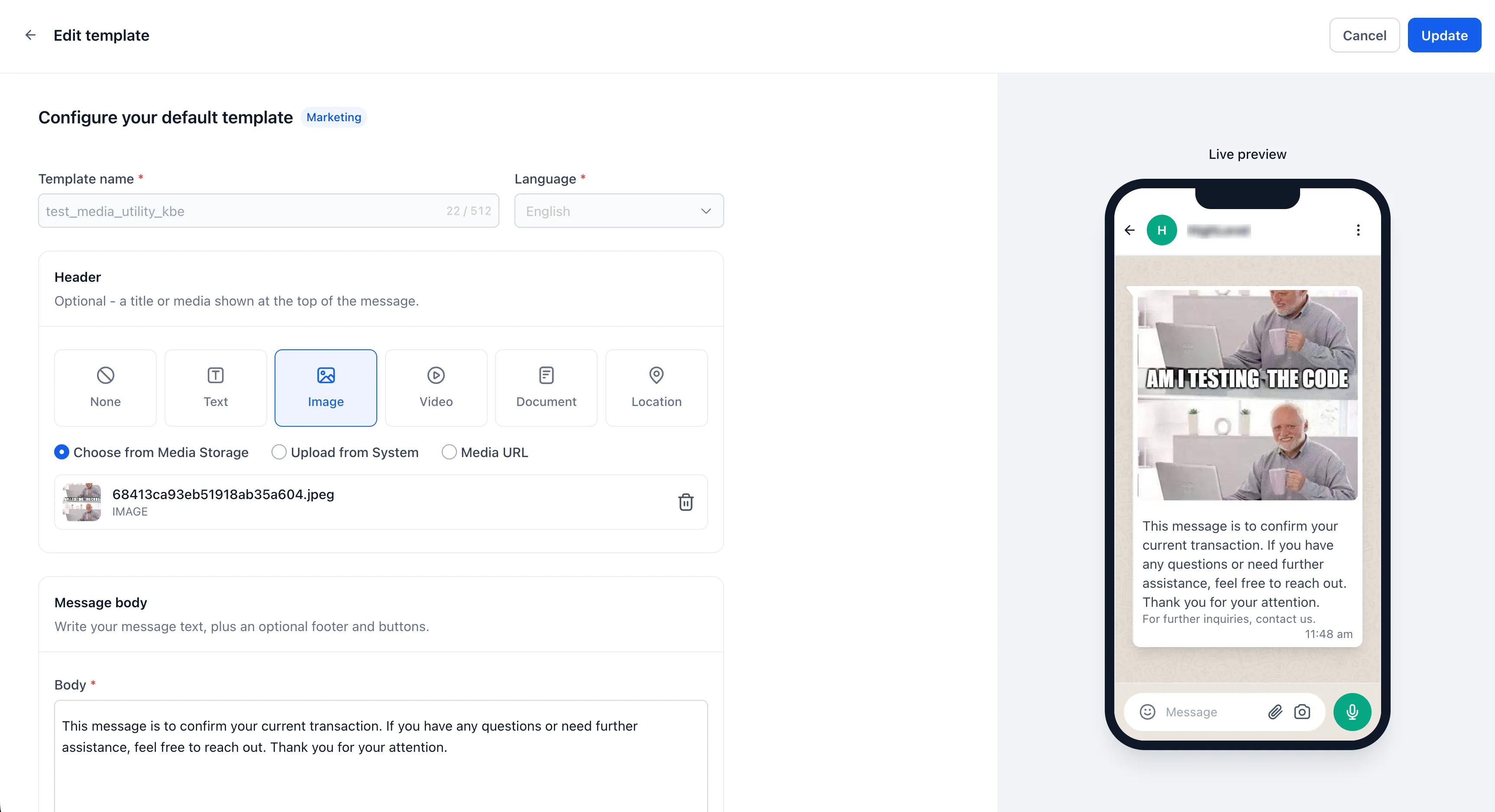
Category, type, naming, body, media, buttons, and variables now appear together in one builder. AI template generation and the template builder opened from Reputation use the same interface.
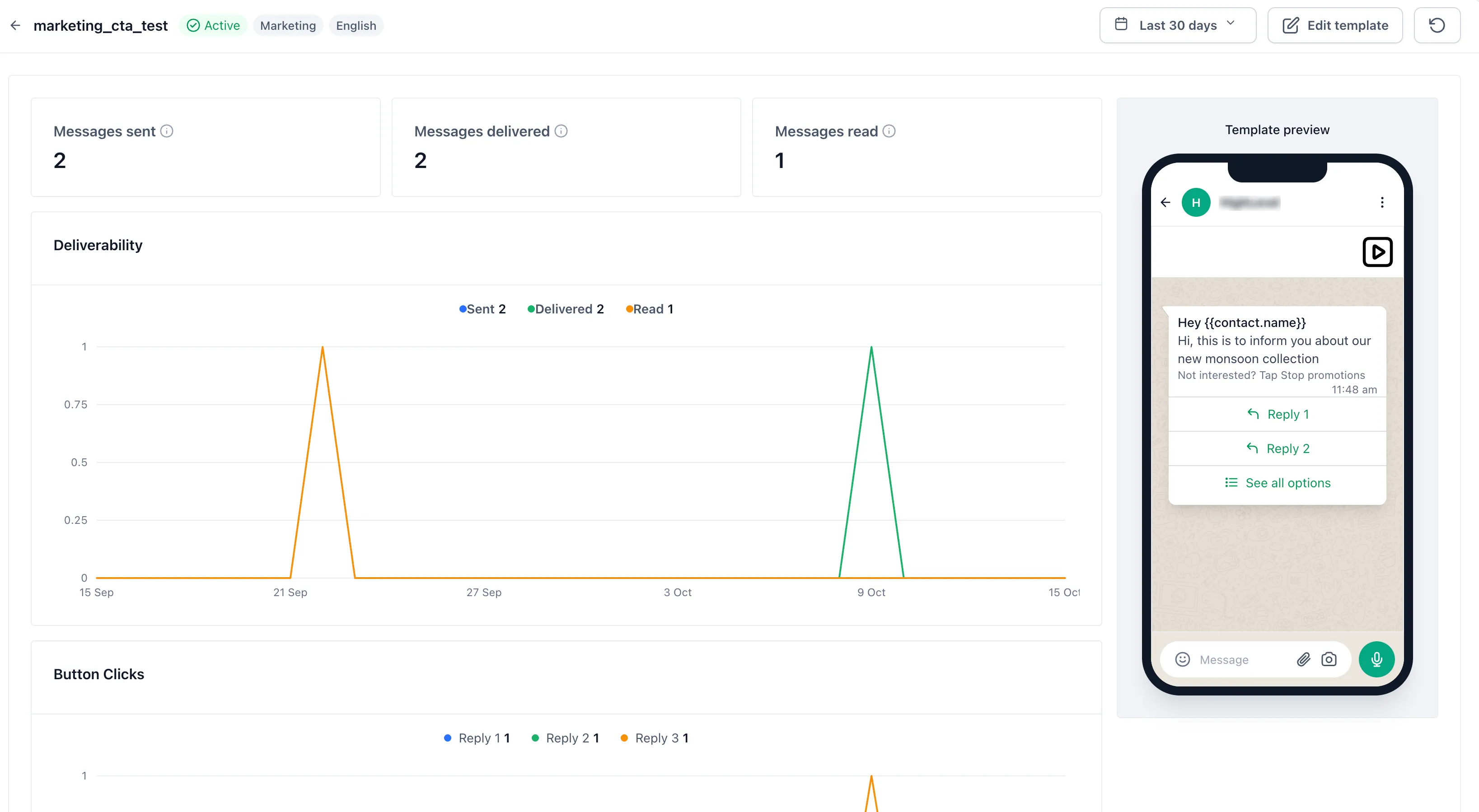
The phone preview updates as you edit headers, body text, media, and buttons, helping you catch layout issues before submitting a template for Meta approval.
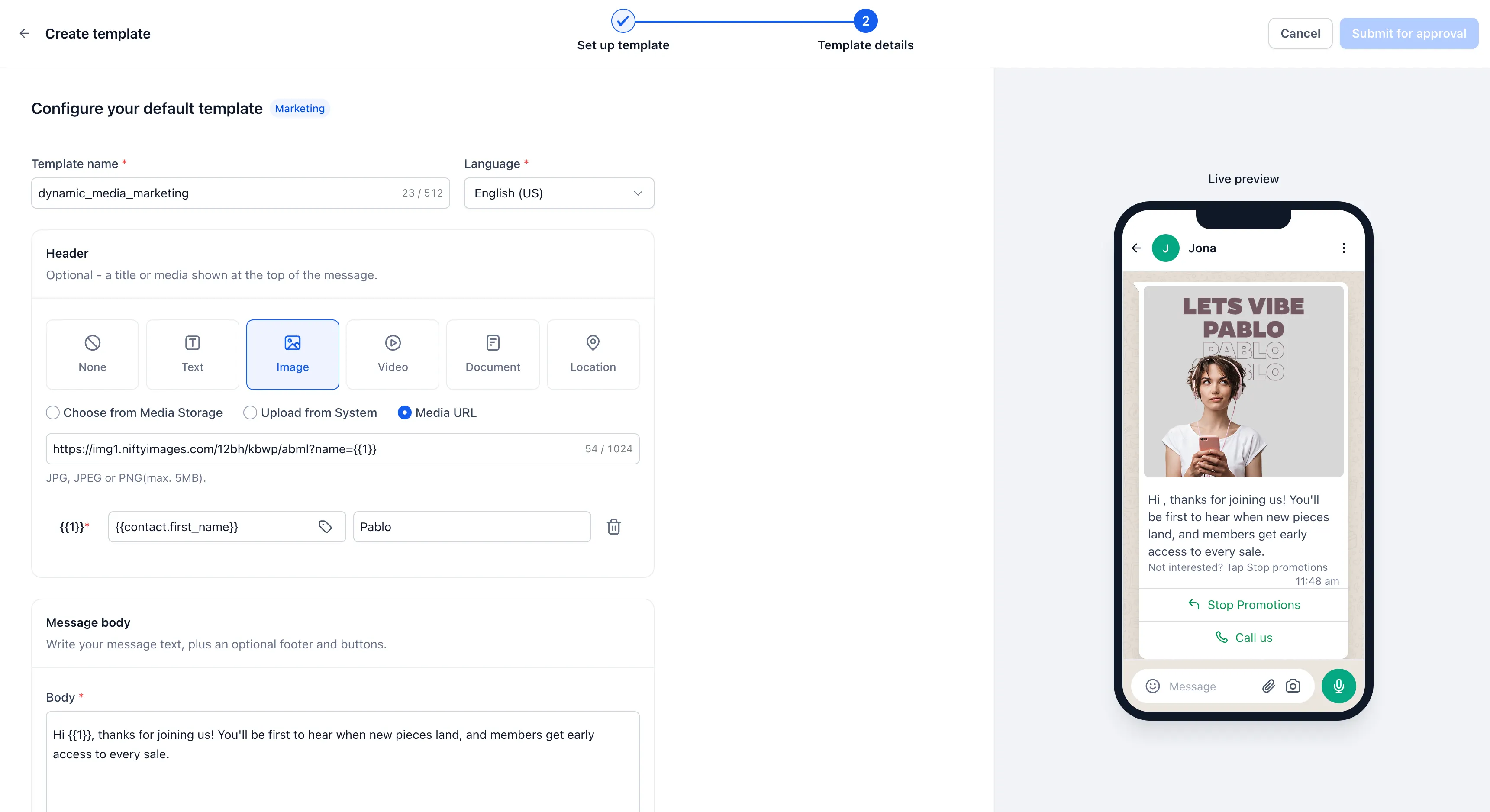
Dynamic media for each contact
Media headers now accept custom fields and dynamic values instead of requiring a fixed URL. When a message is sent, the value resolves for that contact and supplies Meta with the specific media URL.
A single approved template can deliver contact-specific invoices, tickets, certificates, or personalized images without creating another template for each asset variation.
Dynamic media headers work across:
- Workflows and automations
- Conversations
- Bulk actions
- Calendar appointments
- Reputation review requests
- Missed call text back
For personalized image campaigns, you can use an image personalization service and supply contact details dynamically through the media URL.
How to use dynamic media
- Store a publicly reachable HTTPS URL in a contact custom field.
- In the template’s media header field, select that custom field instead of entering a fixed URL.
- Send through a workflow, bulk action, or conversation. The media URL resolves separately for each contact.
The resolved URL must be publicly accessible so Meta can download the file. Private Drive links, URLs requiring a login, empty fields, and invalid values fail clearly rather than sending successfully.
Where to find the builder
- Templates: In your account, go to Settings → WhatsApp → Templates → Create or Edit.
- Reputation: Go to Reputation → Settings → WhatsApp Requests → Open WhatsApp Template Builder.
- Missed call text back: Go to Settings → Phone System → Voice → Voicemail & Missed Call TextBack → Missed Call Text Back → Customize.
Release Images
Need Help Applying This Update?
Want help turning this update into a working part of your CRM, marketing, or automation setup?
Get Started or schedule a demo and we’ll help you map the right next step.