The new Add Internal Comment action in SMBcrm workflows lets you post internal comments automatically when a workflow runs. Teams can capture context and share instructions without manually adding each comment.
Keep Team Context in the Conversation
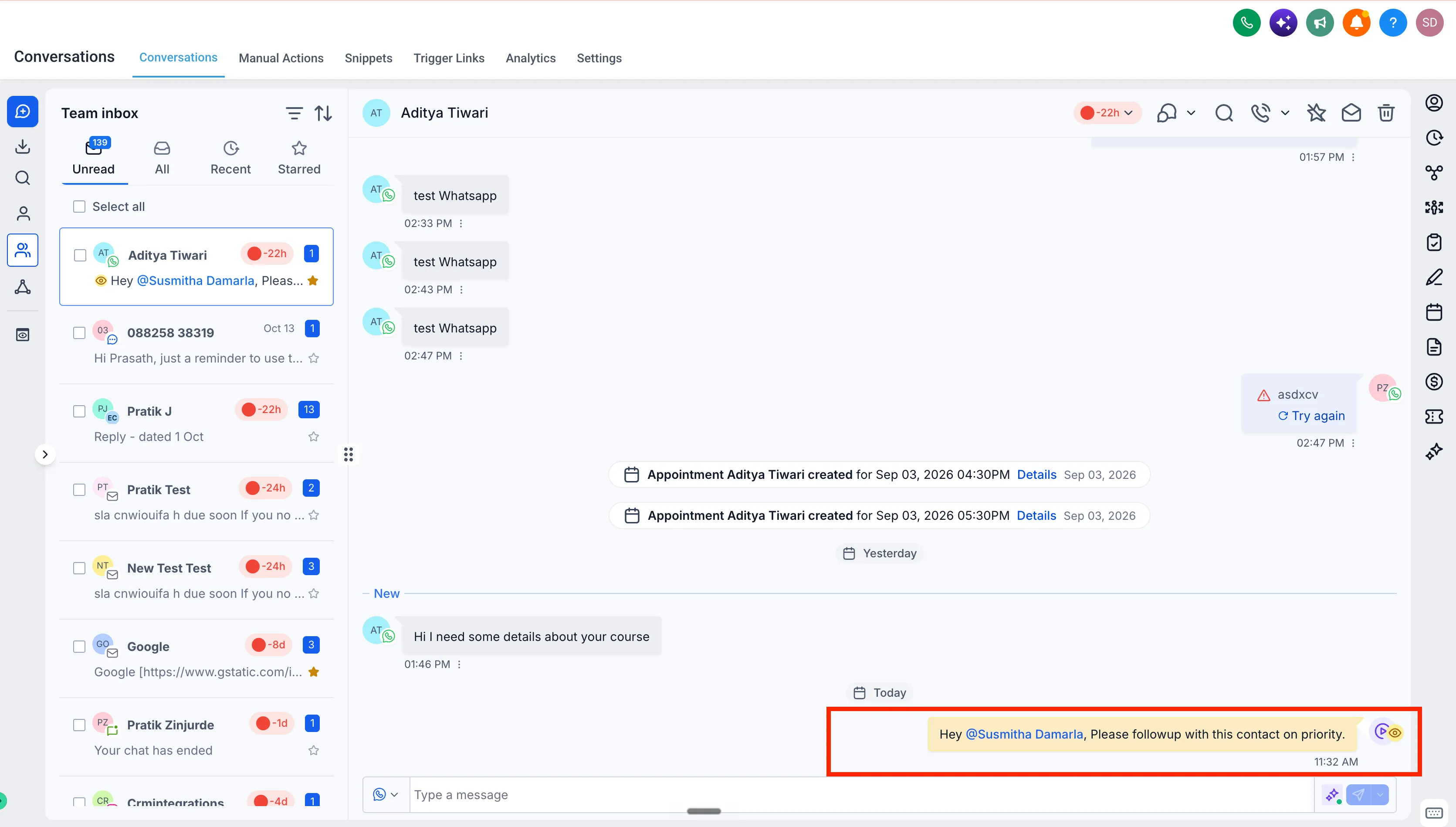
Comments appear directly in the conversation history without sending anything to the customer. Use the action to:
- Share important customer or lead context.
- Provide follow-up instructions.
- Notify specific teammates by @mentioning them in the comment.
For example, when a high-priority lead enters a workflow, you can add an internal comment that mentions the assigned teammate and outlines the next steps.
How to Set It Up
- Go to Automation → Workflows.
- Create a workflow or open an existing one.
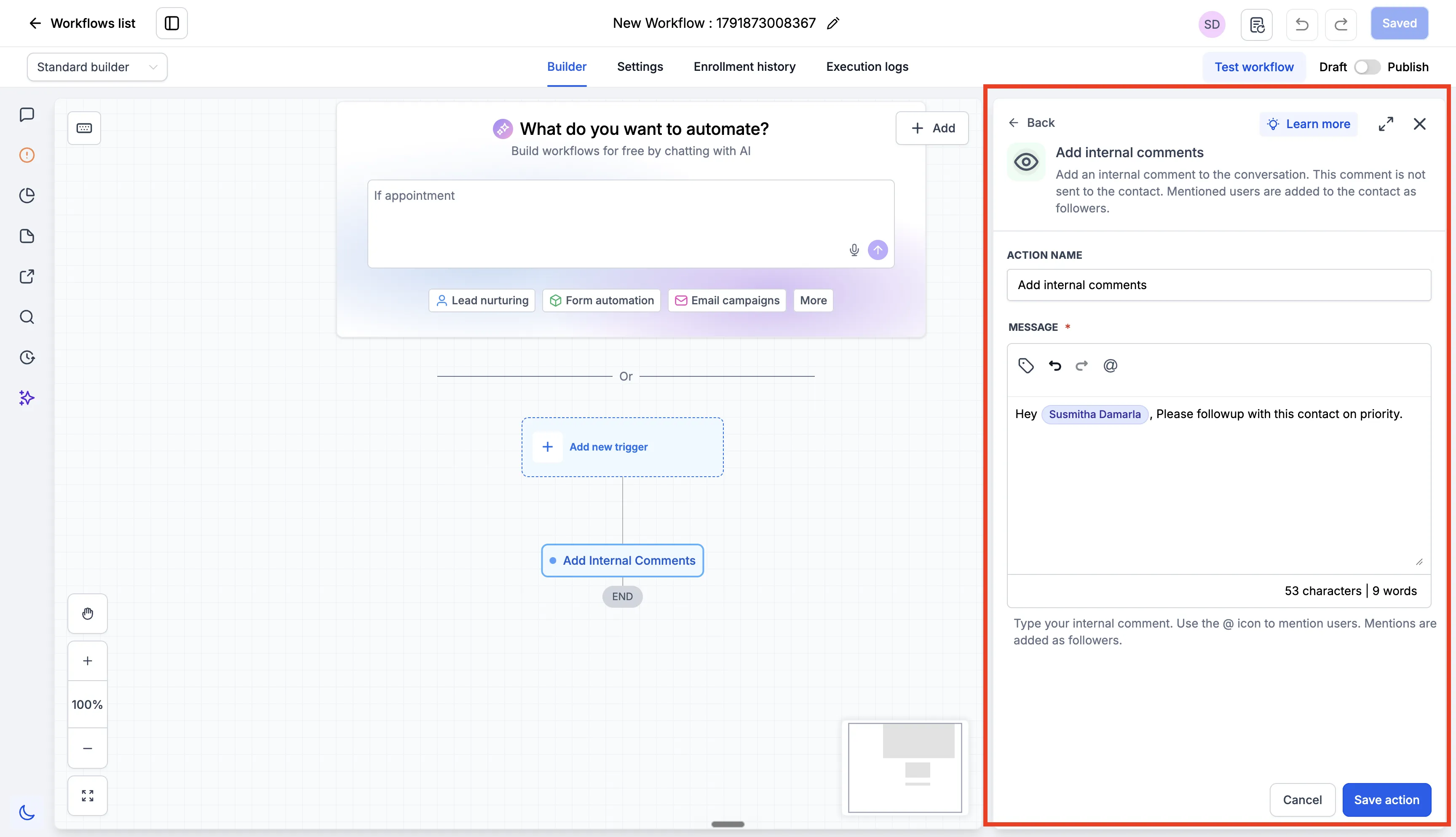
- Add the Add Internal Comment action.
- Enter your comment and @mention teammates as needed.
- Save and publish the workflow.
This action keeps internal instructions alongside customer conversations and reduces manual updates for your team.
Release Images
Need Help Applying This Update?
Want help turning this update into a working part of your CRM, marketing, or automation setup?
Get Started or schedule a demo and we’ll help you map the right next step.