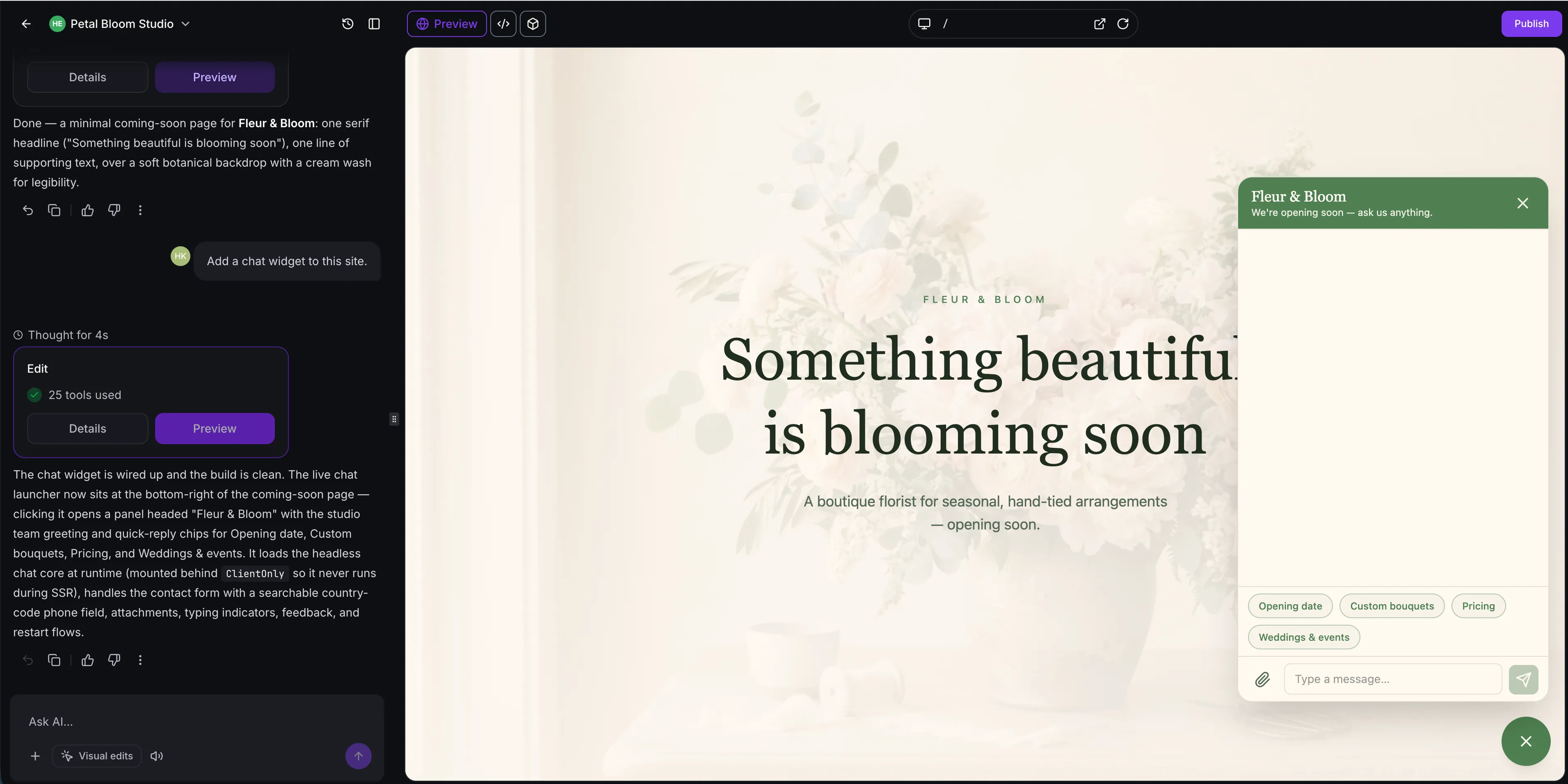
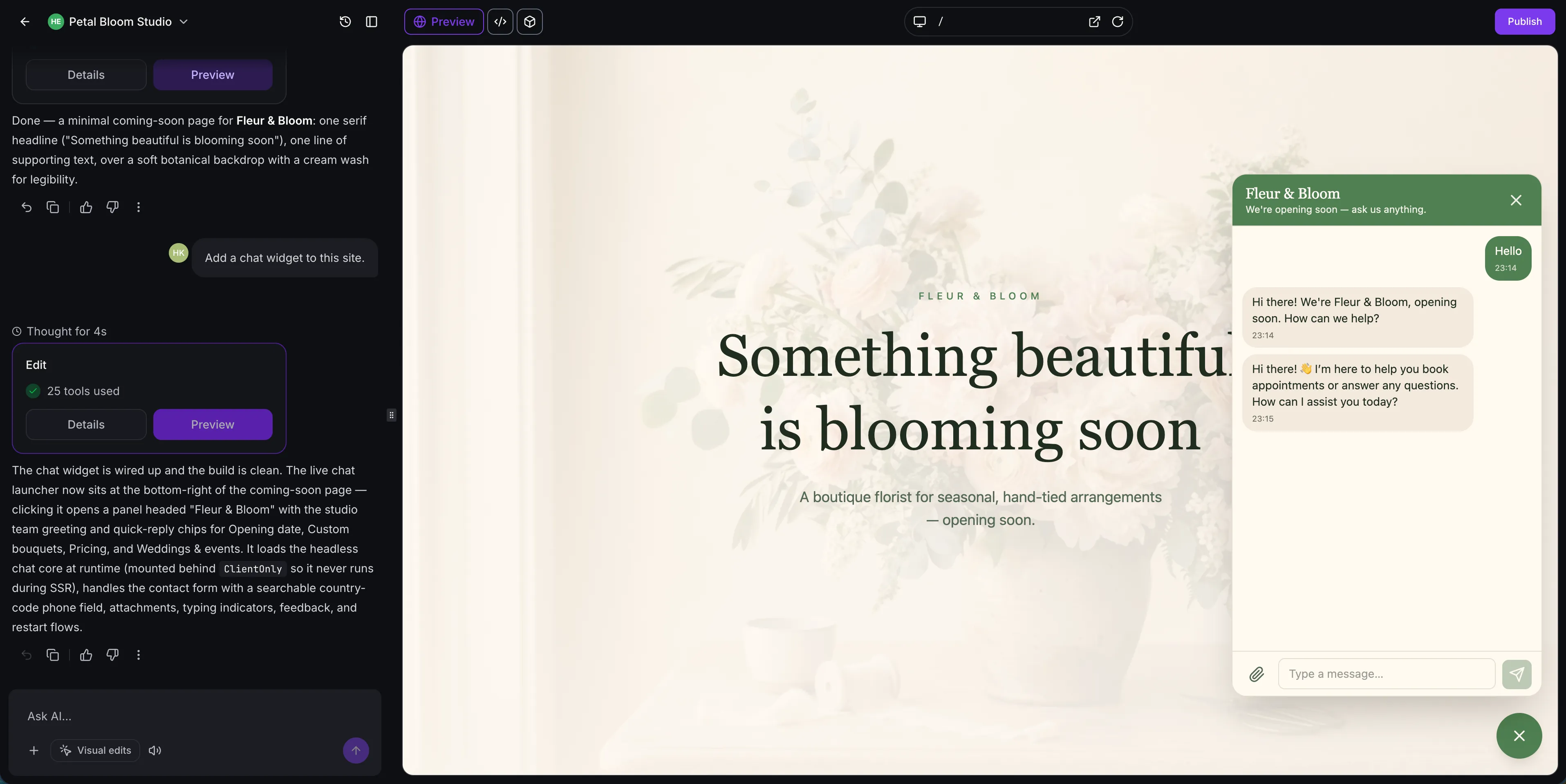
AI Studio can now build chat widgets directly into your apps, styled to match your site’s colors, fonts, and layout. Widgets use your existing SMBcrm contacts, conversations, and chat settings, with no extra setup required.
Create and style a widget
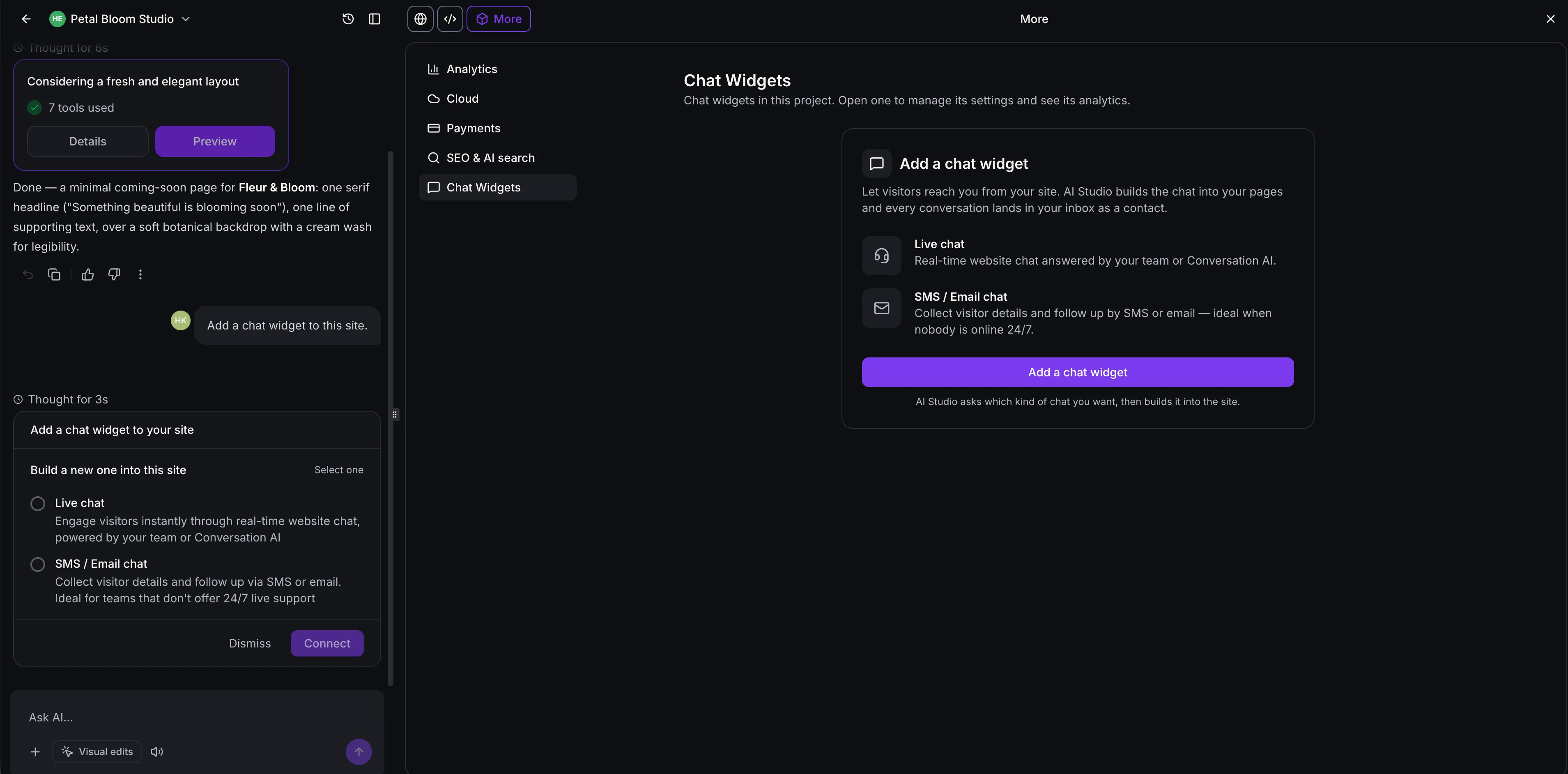
Ask AI Studio to “add a live chat.” It presents a card to create either Live Chat or Email Chat, where visitors leave a message and receive a reply by email.
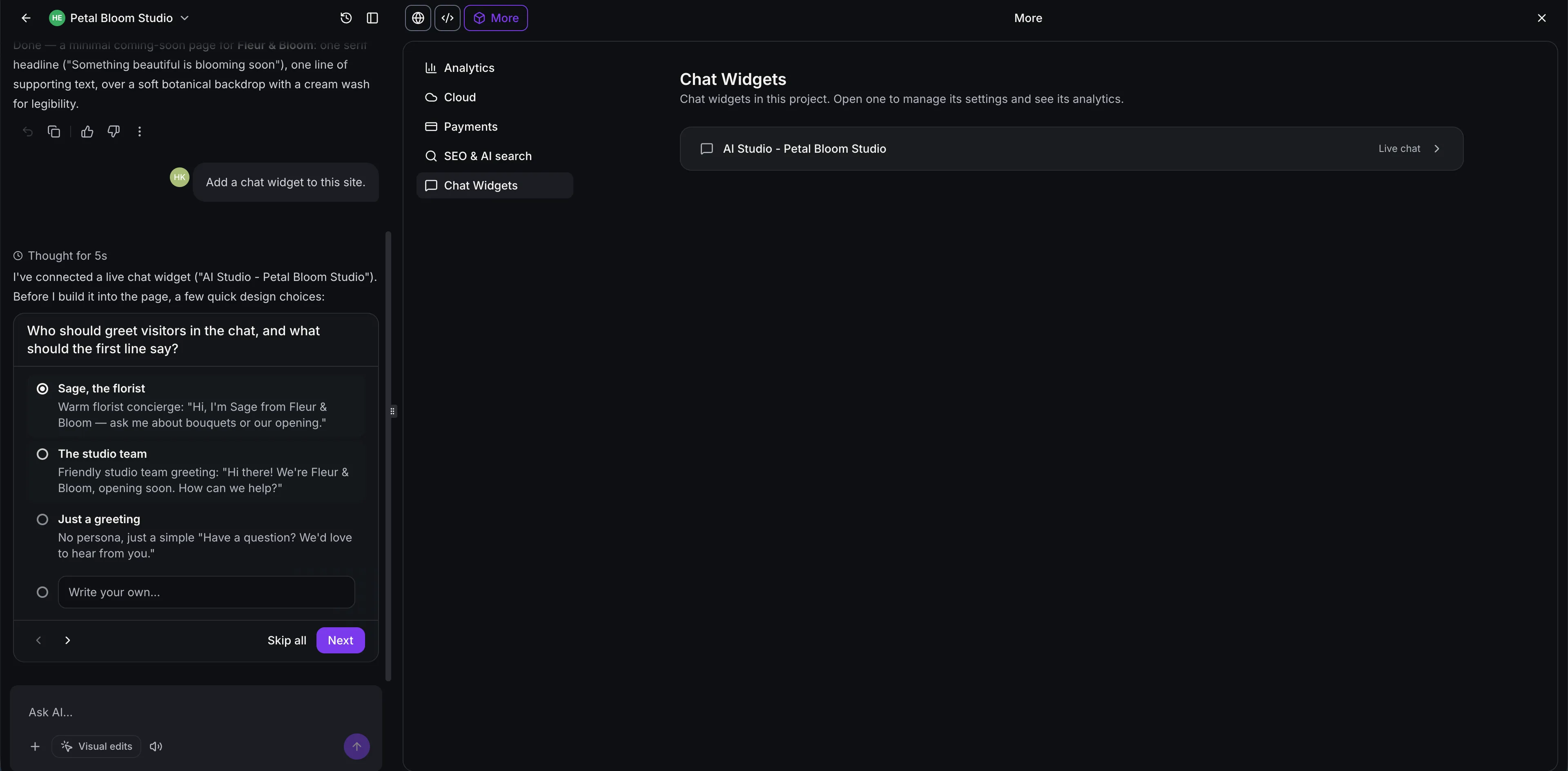
For a new widget, AI Studio asks about the greeting, placement, and tone. It then creates the widget in your account, names it after your project, and connects it to your app.
You can adjust the design by asking AI Studio or editing the app’s code. A project can include multiple widgets, such as live chat across all pages and a separate after-hours chat.
Keep conversations connected
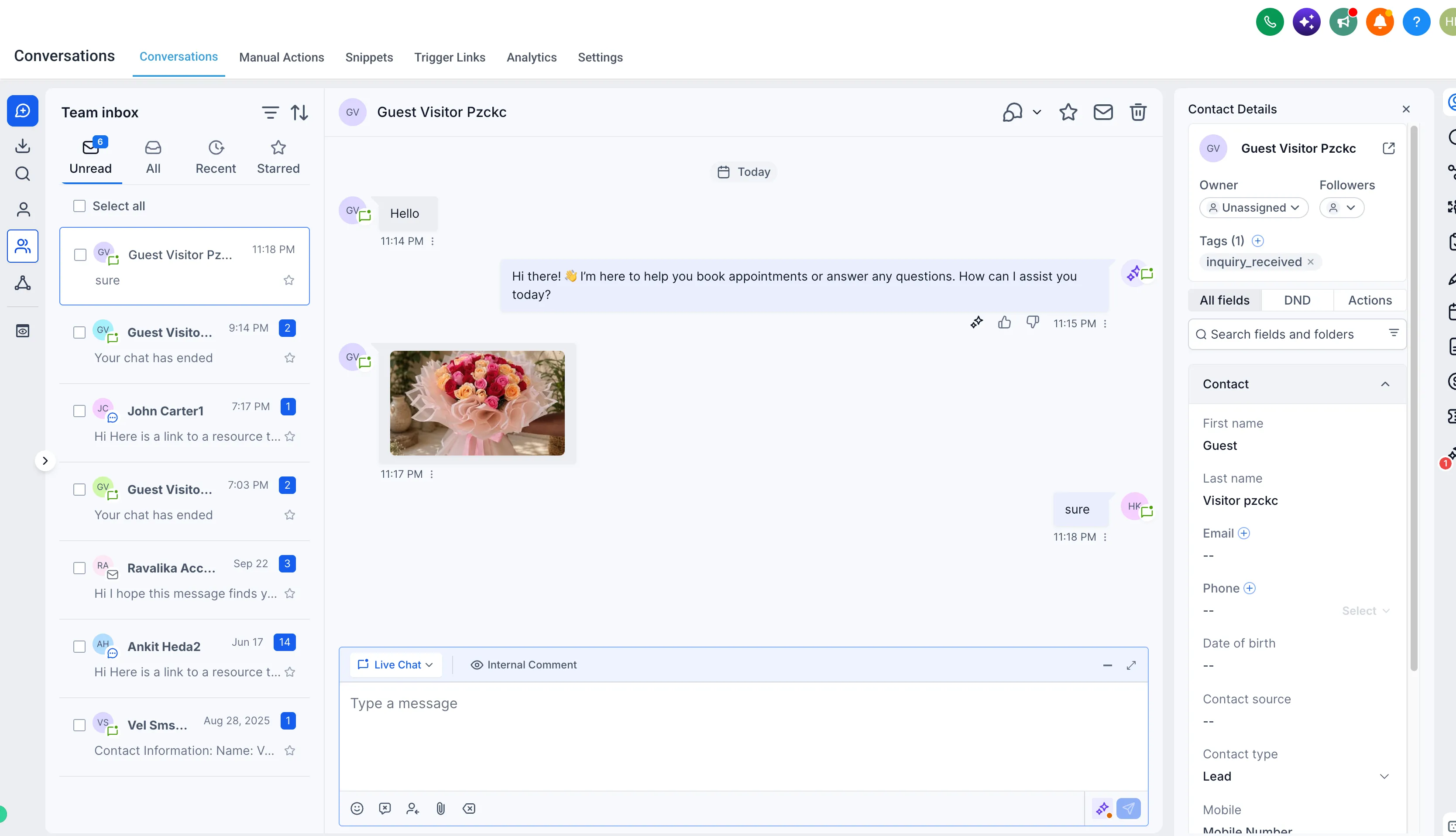
Messages flow into SMBcrm Conversations through your existing communication tools. The widgets support:
- Session security and spam protection: Secure visitor tokens stay out of your app’s code. Captcha appears when bot activity is suspected, and rate limits and widget spam settings apply to every message.
- Attachments: Visitors can share files in Live Chat within the widget’s supported file types and size limits.
- Conversation history: Returning visitors can resume their conversation, with older messages loading as they scroll.
- Delivery status: Messages show sending, sent, or failed status, with retries for failed messages.
- Existing business rules: Business hours, offline messages, inactivity timeouts, chat ratings, and chat-ended messages follow your widget settings.
AI Studio can also update welcome messages and feedback wording when asked.
Review chat analytics
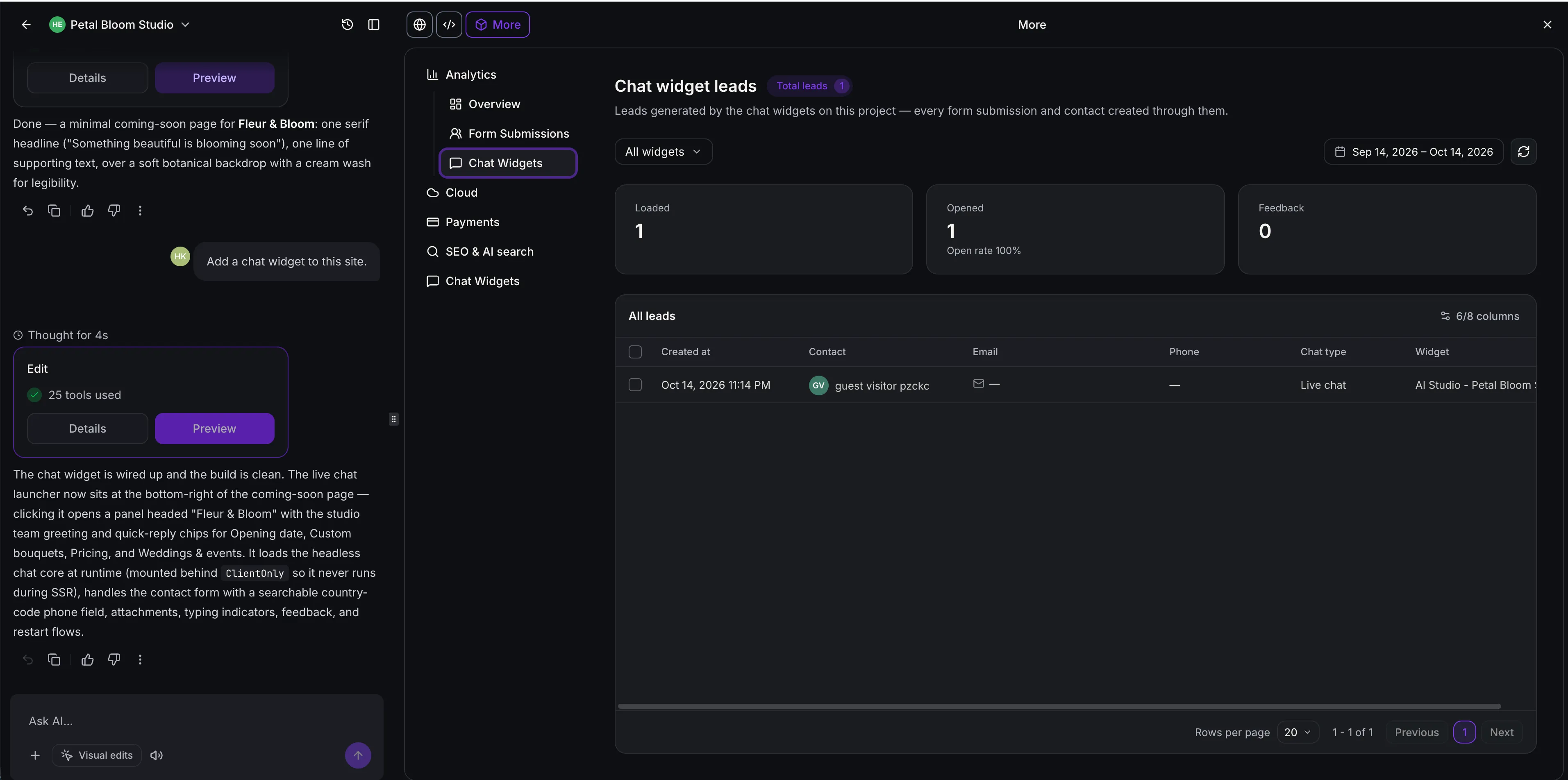
Open More → Analytics → Chat Widgets to review chat loads, opens, open rate, visitor feedback, and satisfaction ratings.
The leads table includes contact details, chat type, the page where the chat started, and the originating widget. Filter by widget or date range, choose visible columns, and select leads to download.
Manage settings inside AI Studio
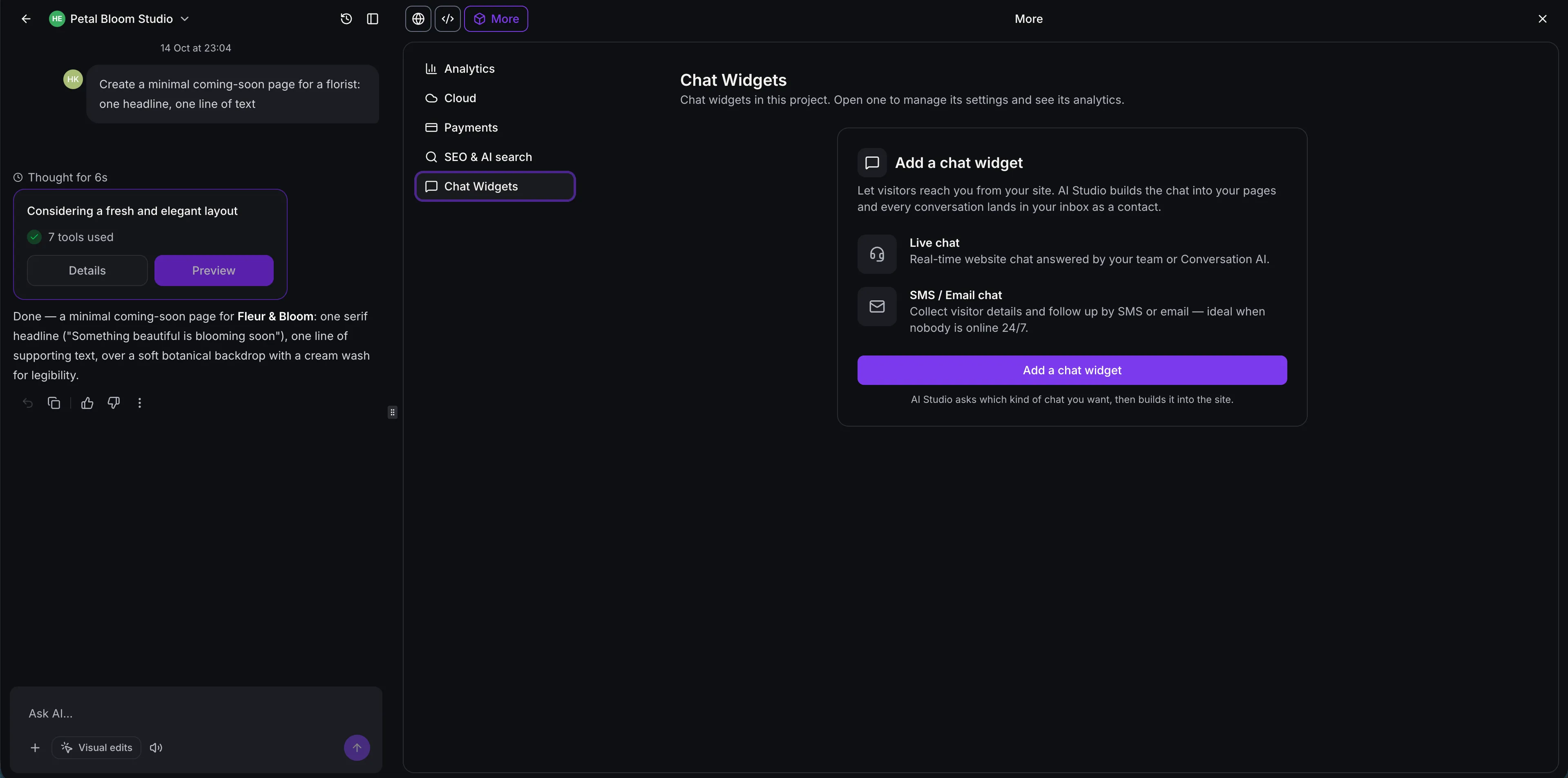
Open More → Chat Widgets and select a widget to manage its name, welcome and acknowledgement messages, and pre-chat contact form.
You can also manage compliance notices and opt-in consent, spam review settings, optional SMS or email Do Not Disturb settings, and Live Chat business hours and offline messaging. If no widget exists, Add a chat widget asks AI Studio to create one.
Supported projects and chat types
This addition to SMBcrm’s AI features supports Live Chat and Email Chat in both TanStack Start and React projects. Voice chat, WhatsApp, Facebook Messenger, and Instagram chat widgets are not yet supported in AI Studio.
Release Images
Need Help Applying This Update?
Want help turning this update into a working part of your CRM, marketing, or automation setup?
Get Started or schedule a demo and we’ll help you map the right next step.