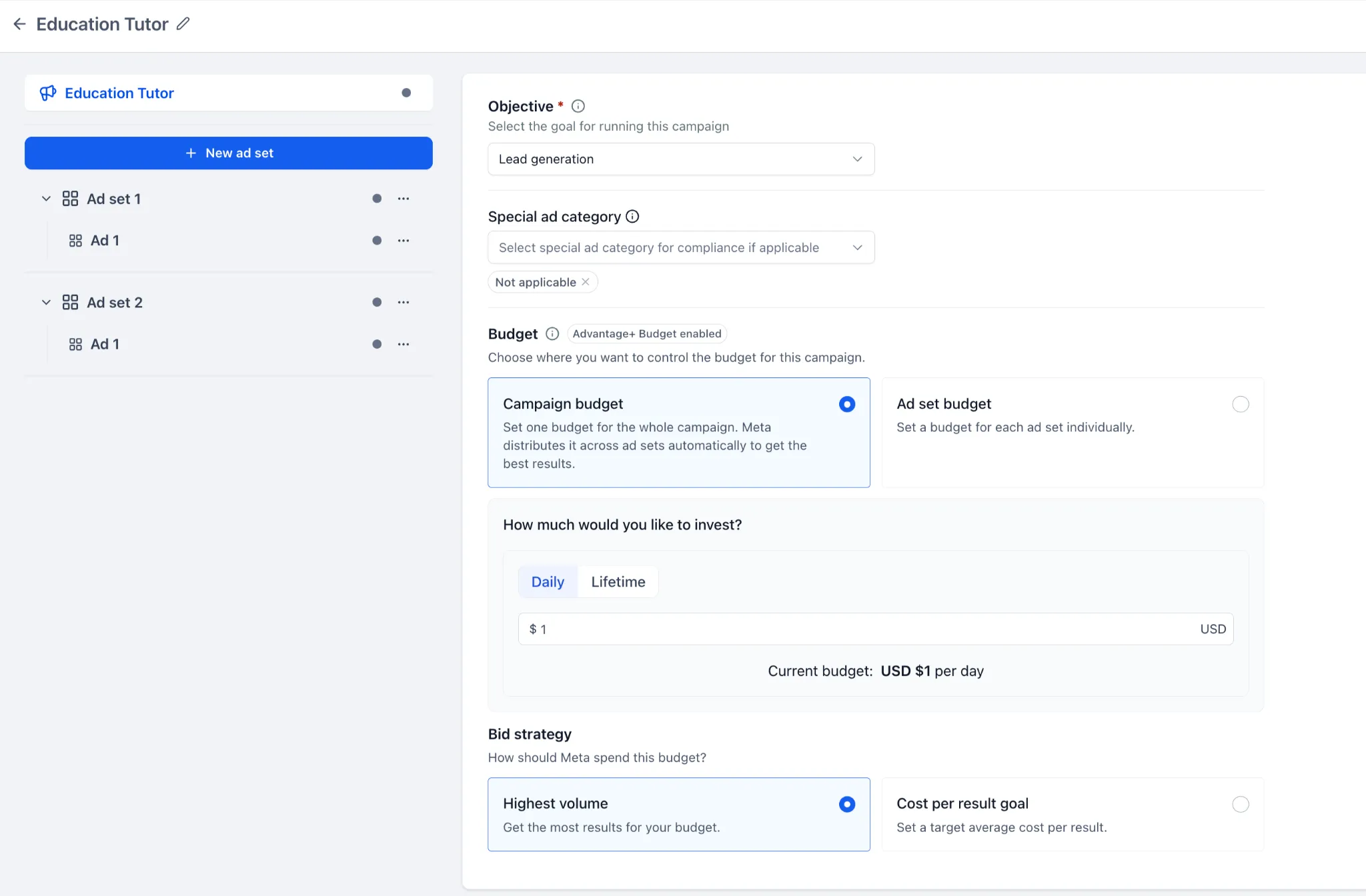
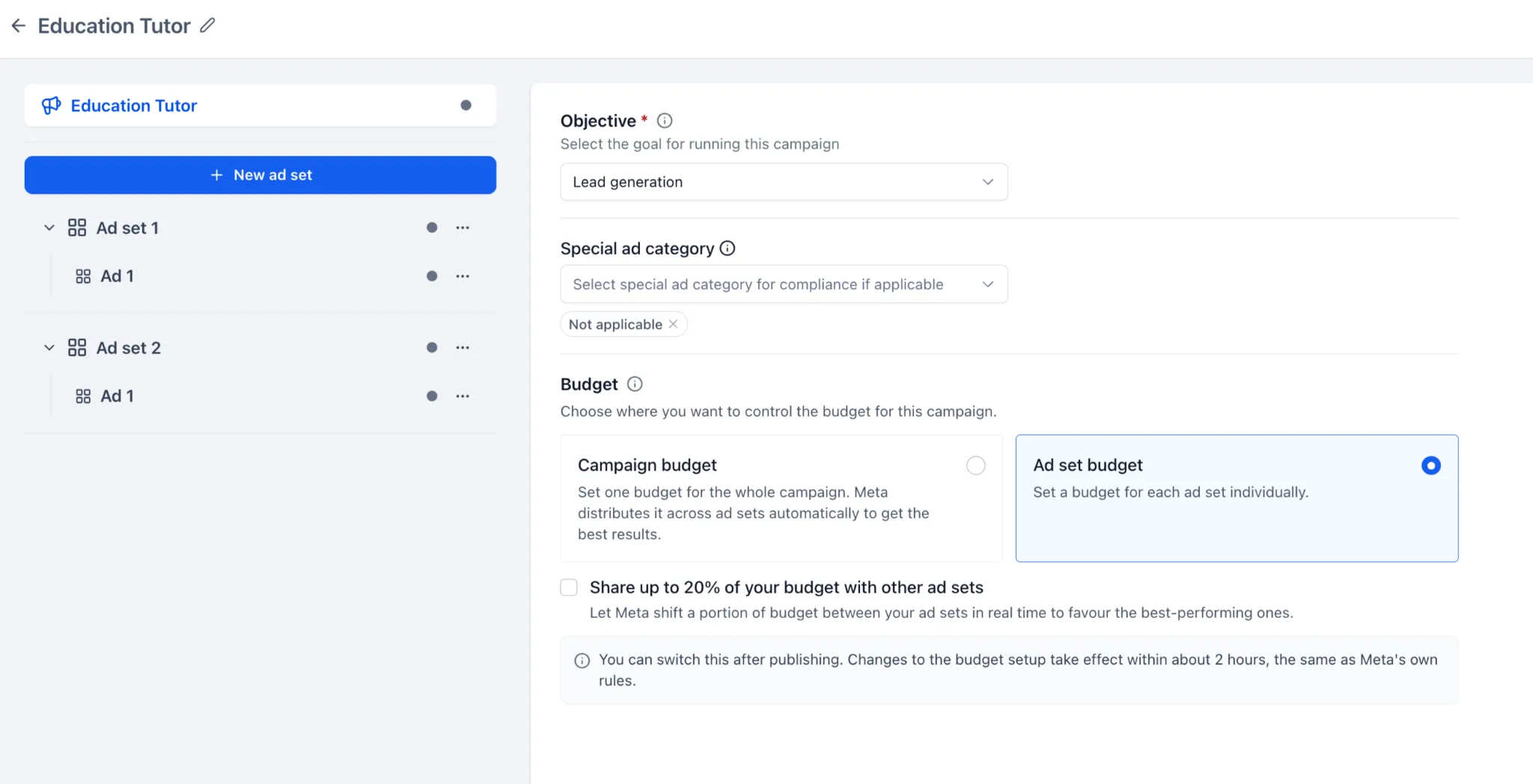
When creating or editing a Meta campaign in SMBcrm Ad Manager, you can choose where its budget is managed:
- Campaign budget: Set one budget and let Meta distribute it across ad sets.
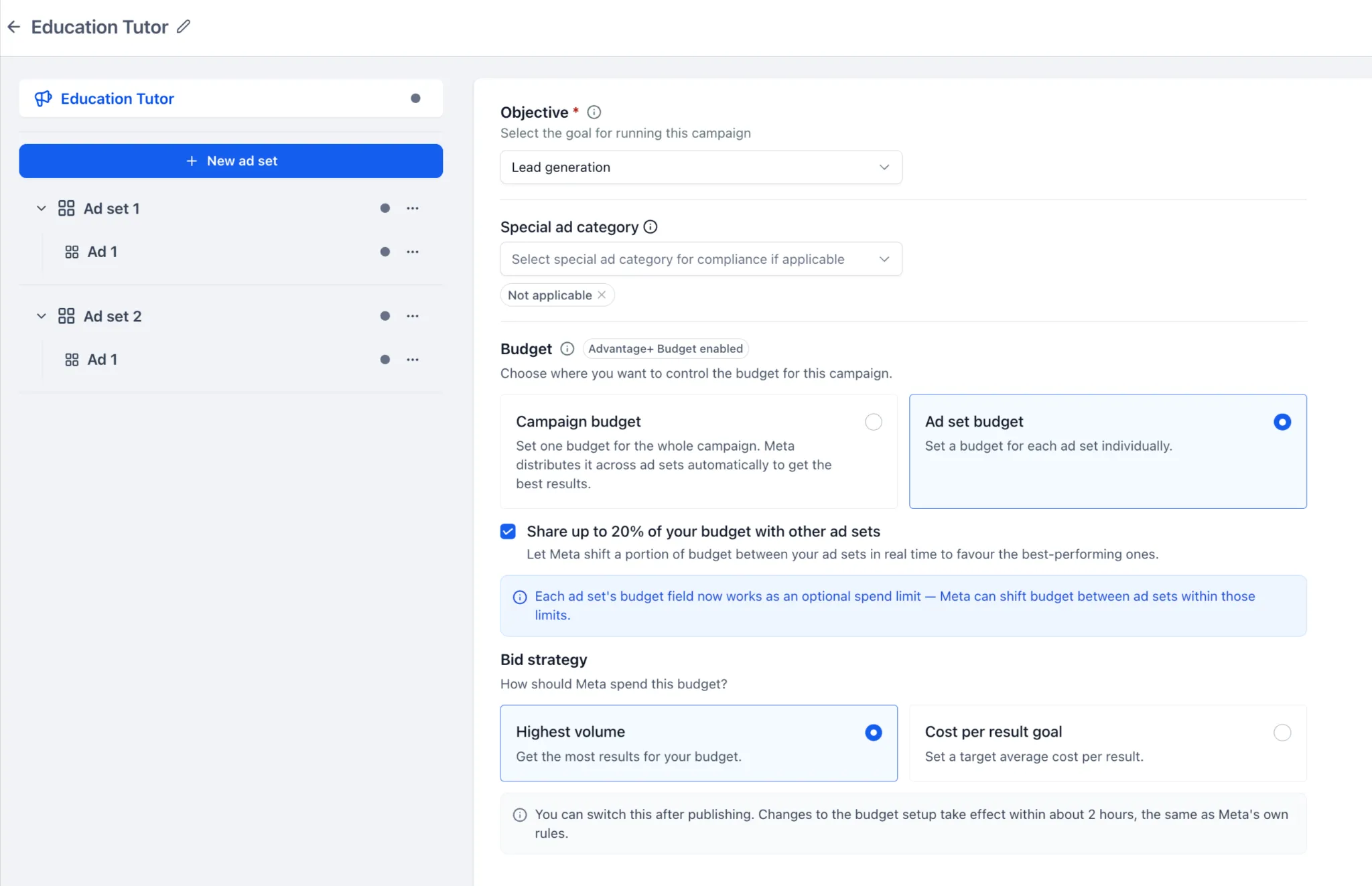
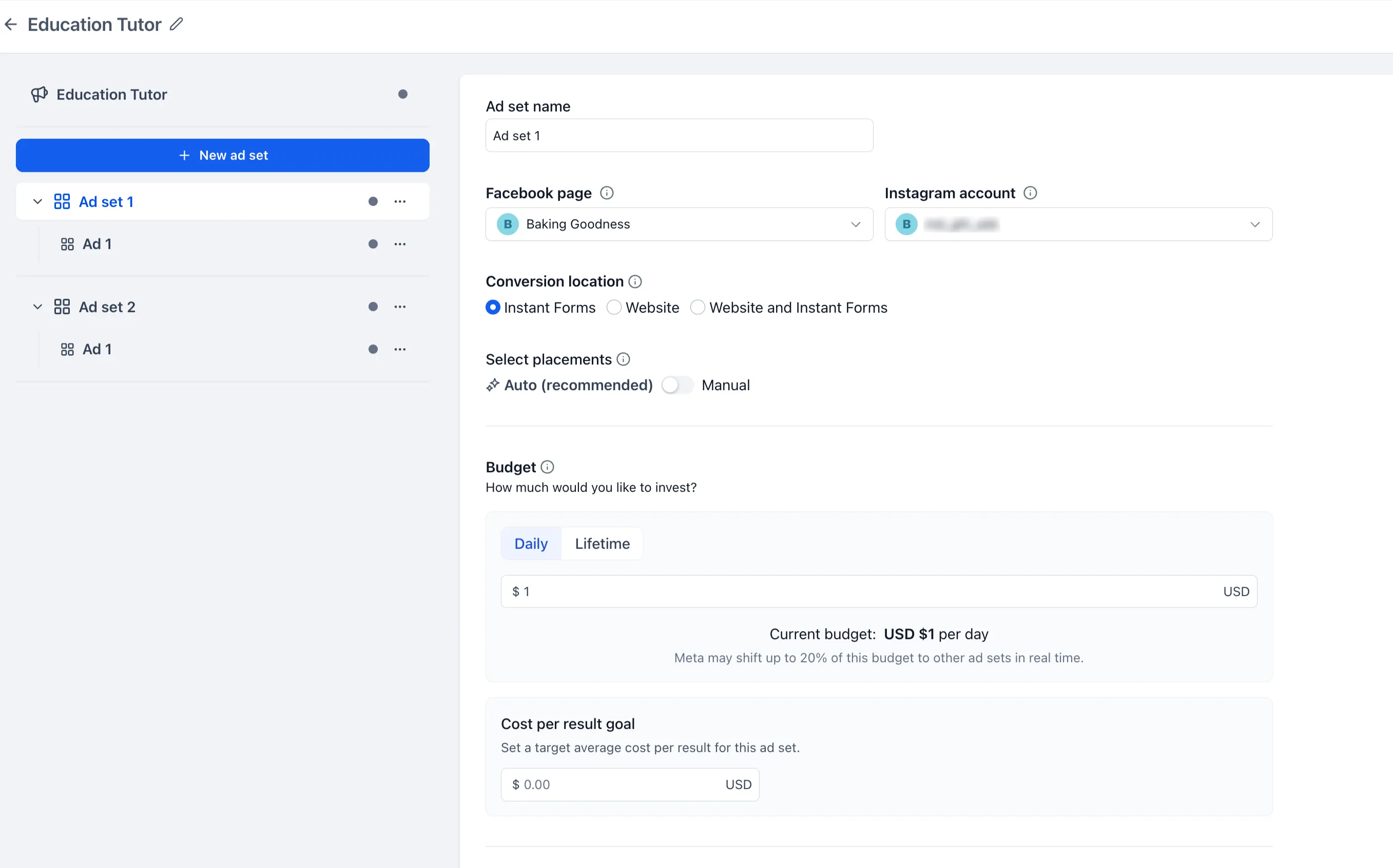
- Ad set budget: Set a budget for each ad set. You can optionally allow Meta to share up to 20% of an ad set’s budget with other eligible ad sets based on performance.
Daily and Lifetime budgets are supported. If you choose Ad set budget, you configure each ad set’s budget and applicable schedule separately. Supported bid strategies include Highest volume and Cost per result goal; the target cost for Cost per result goal is set at the ad set level.
Manage a campaign’s budget
In Ad Manager, create or edit a Meta campaign and choose a budget option under Budget. Set the applicable budget, schedule, and bid strategy, then review and publish the campaign.
You can also change the budget setup after publishing, including switching between Campaign budget and Ad set budget. When switching to ad set budgets, you must provide the required budgets for the applicable ad sets. Meta’s eligibility rules affect budget sharing, and Meta may temporarily restrict further budget-setting changes after an update. Budget-sharing behavior can vary by campaign and ad set configuration.
In SMBcrm Ad Manager, these options let you choose whether Meta distributes spend across ad sets or you manage each ad set’s budget.
Release Images
Need Help Applying This Update?
Want help turning this update into a working part of your CRM, marketing, or automation setup?
Get Started or schedule a demo and we’ll help you map the right next step.
Explore this in SMBcrm
See where campaigns connect to the CRM.
Explore Ad Manager and its reporting, then plan how your team will handle the leads a campaign brings in.
Explore Ad ManagerAlready using this feature? Find setup help