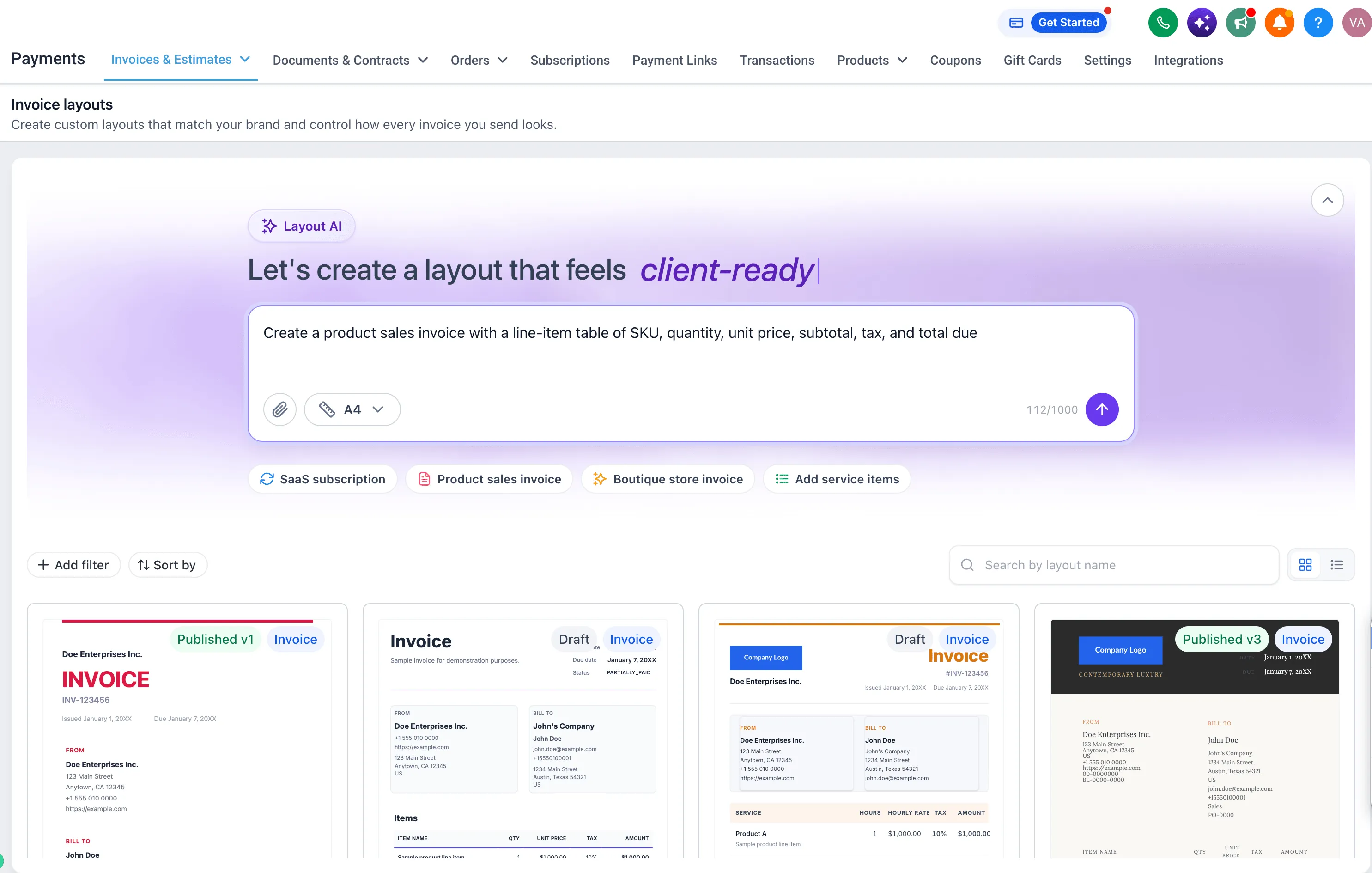
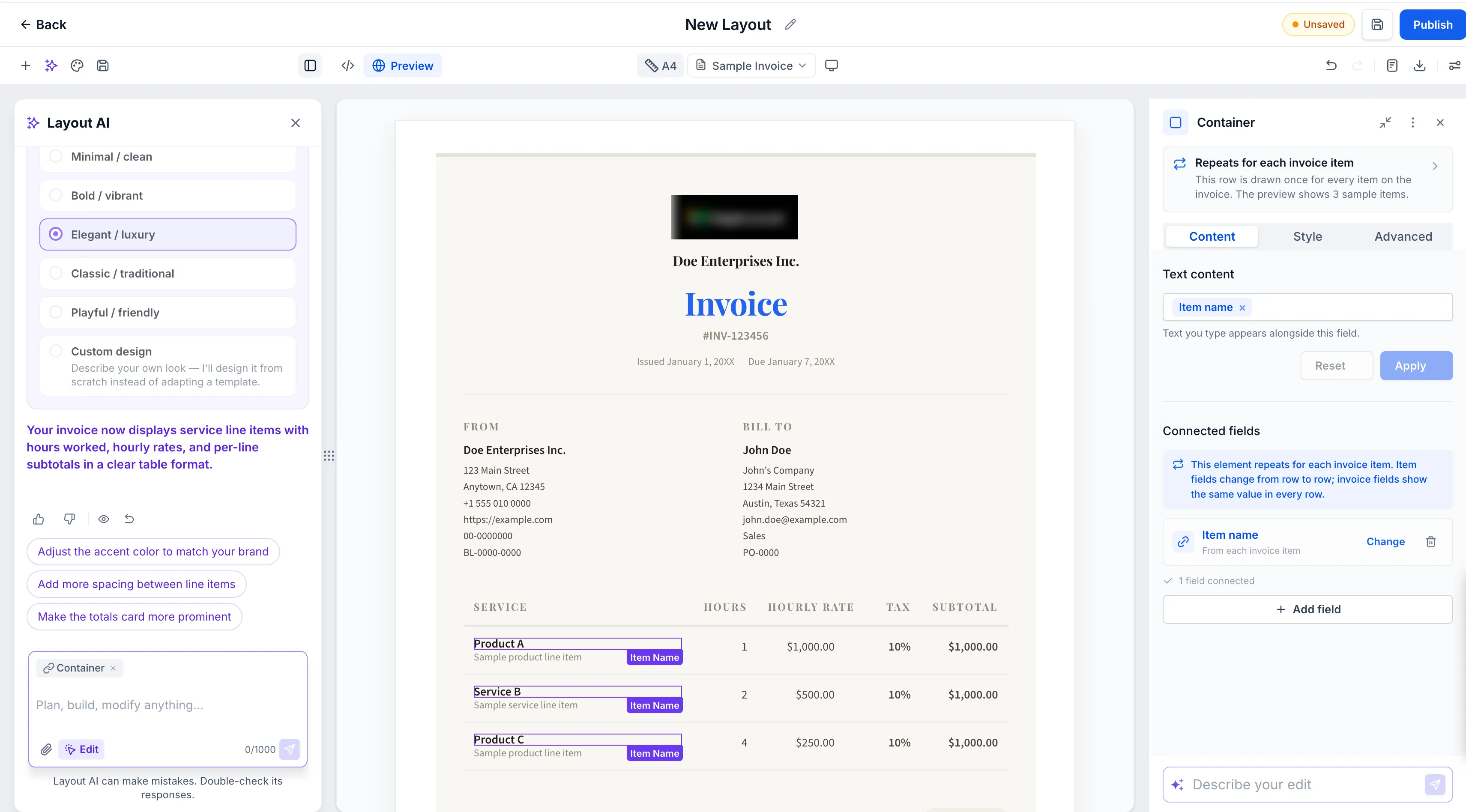
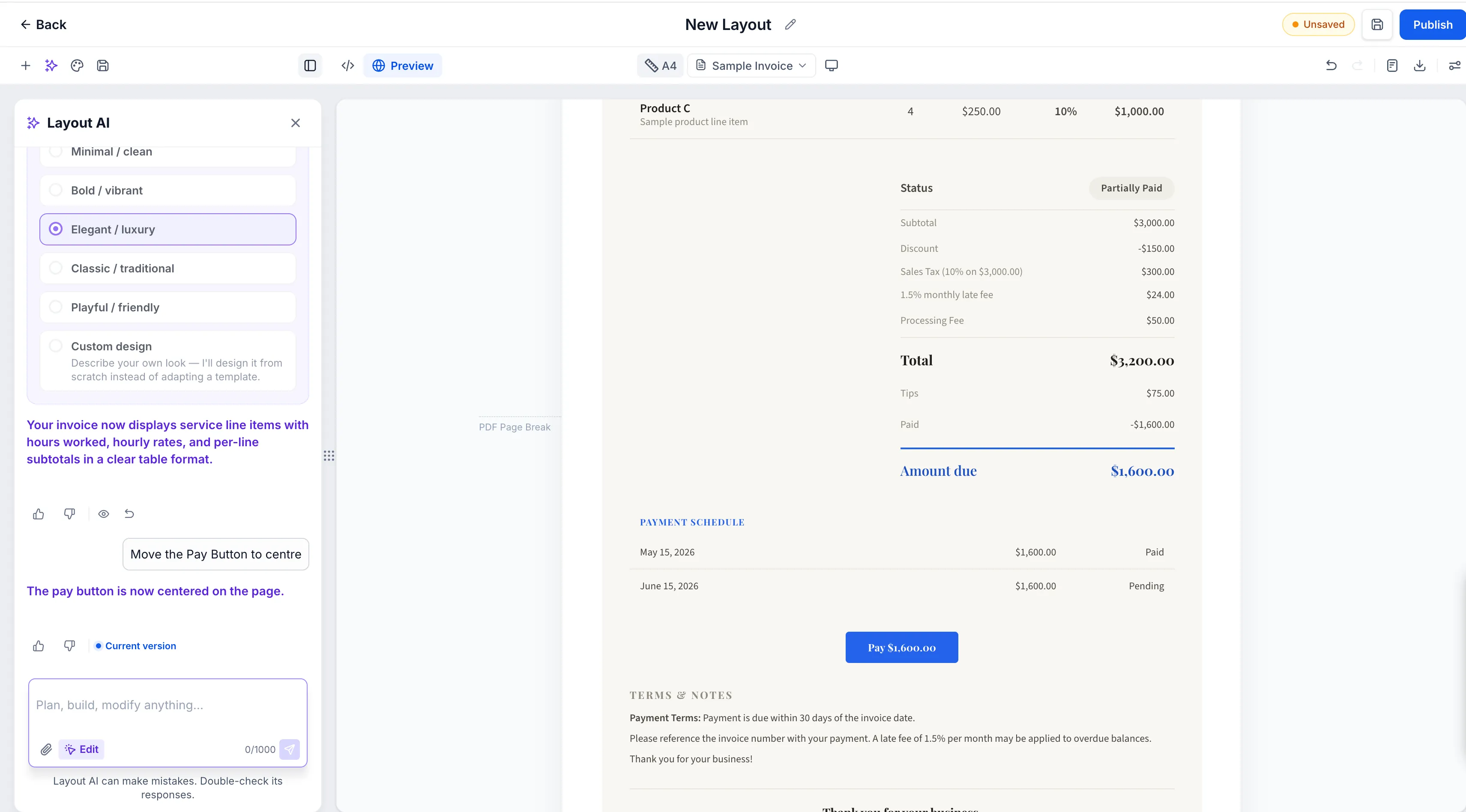
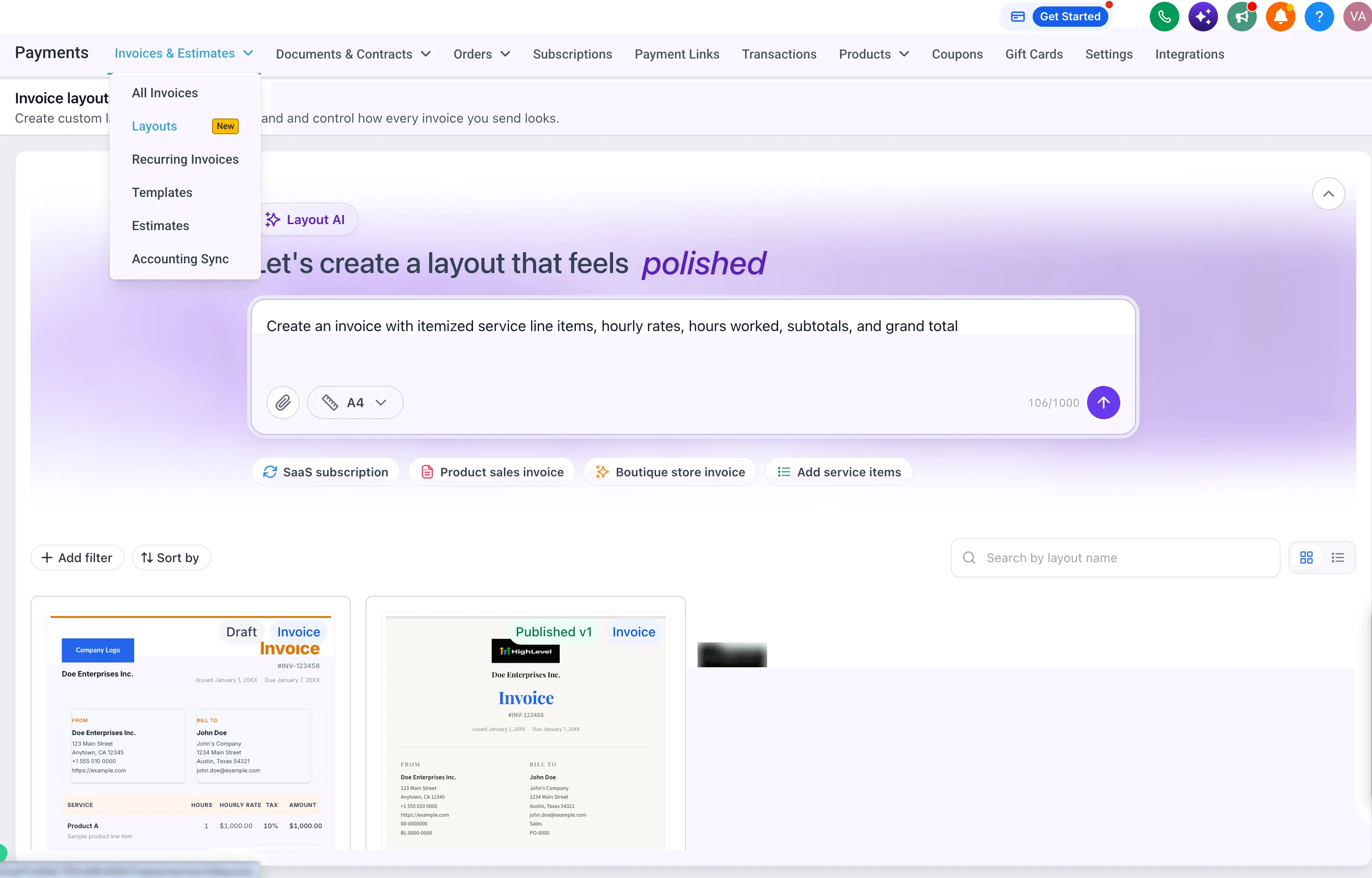
SMBcrm users can create custom invoice layouts with an AI builder and refine them in a visual editor. Describe the design you want, or upload or describe an invoice you already use. You can then adjust the result with further prompts or edit its content and styling directly.
Create and manage layouts
Each AI change creates a restore point, so you can return to an earlier version. You can also undo changes from the toolbar. Once a layout contains content, you can publish it and select it when creating an invoice.
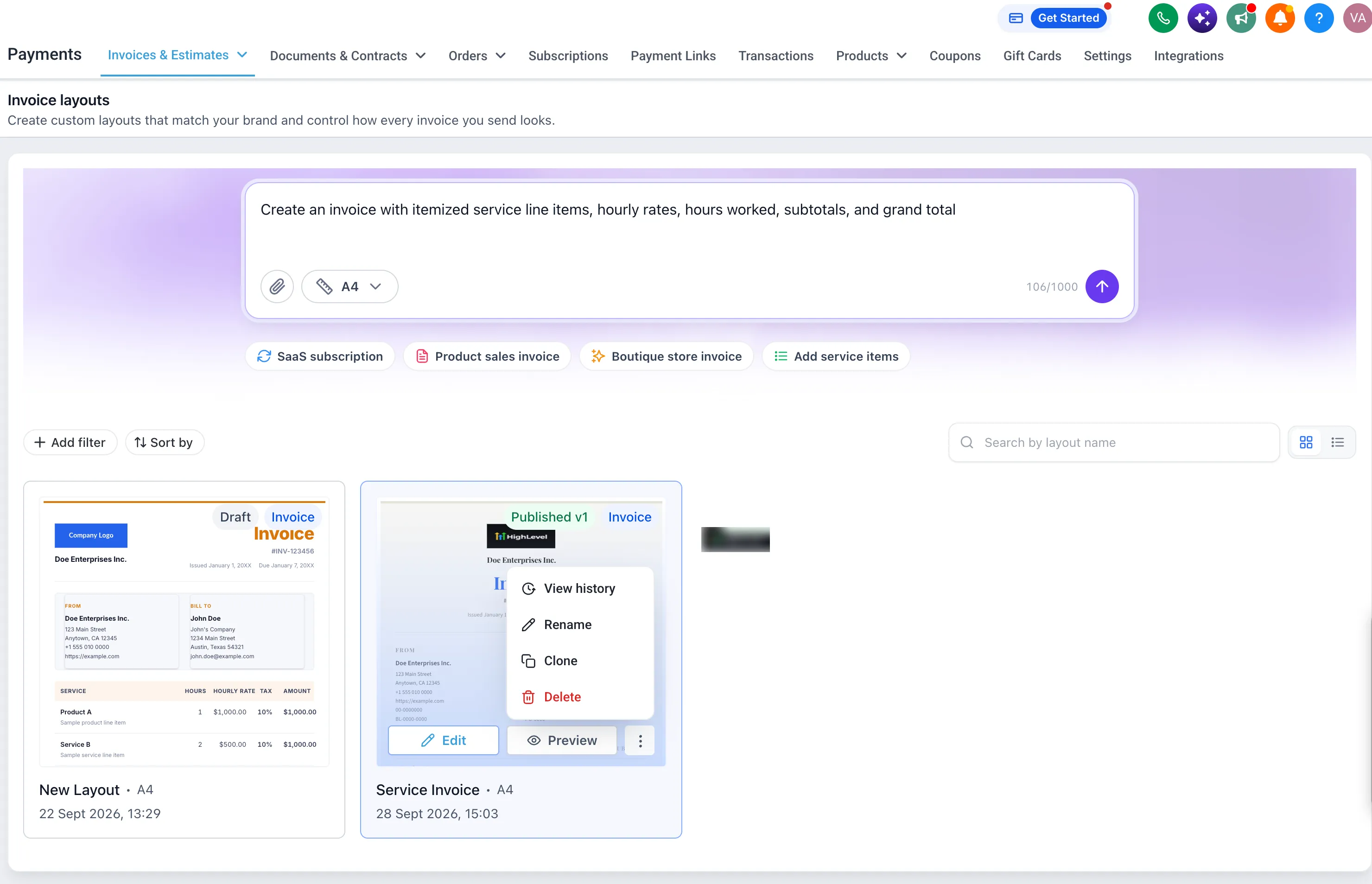
The Layouts list lets you preview, download, clone, rename, or delete layouts. You can search by name, sort by name or last updated date, and view a history of who created, edited, published, or copied each layout.
How layouts affect invoices
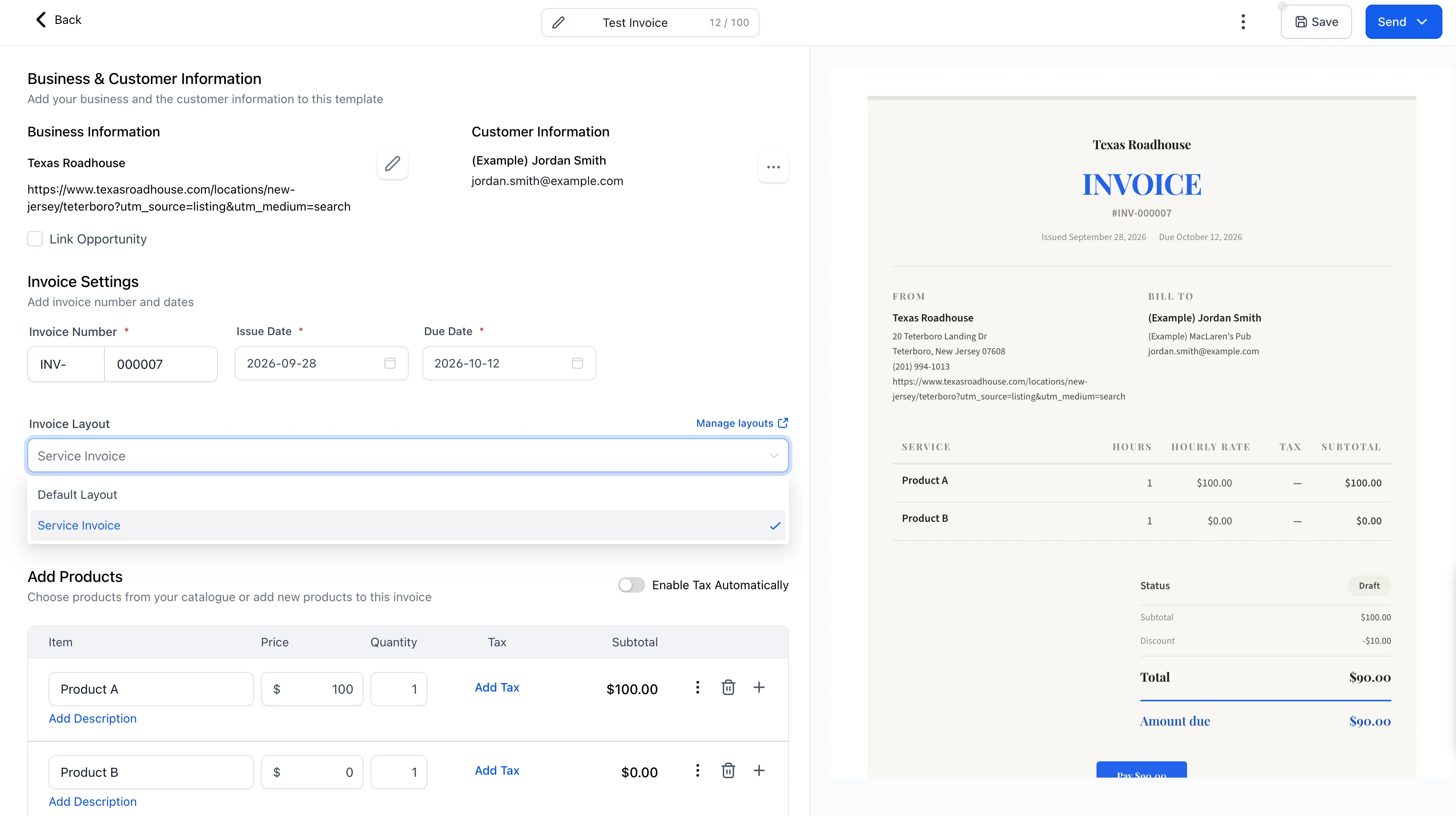
A published layout determines the design customers see in the invoice preview. The layout locks once an invoice is sent or partially paid. If you delete a layout, sent invoices retain their original design, while draft invoices using it switch to the default layout.
Find the builder under Payments > Invoices & Estimates > Layouts. For more on invoicing tools, see Payments & Commerce.
To activate the feature, go to Settings > Labs, search for AI-Powered Custom Invoice Layouts, and select Activate Feature. Access can be enabled for individual accounts or all accounts.
Release Images
Need Help Applying This Update?
Want help turning this update into a working part of your CRM, marketing, or automation setup?
Get Started or schedule a demo and we’ll help you map the right next step.