SMBcrm forms, surveys, and quizzes now include clearer error detection, configuration recommendations, and an Insights tab. These improvements help you troubleshoot and review your lead capture tools before publishing, whether you’re editing an existing form, survey, or quiz or creating one from scratch.
Find and Resolve Validation Errors
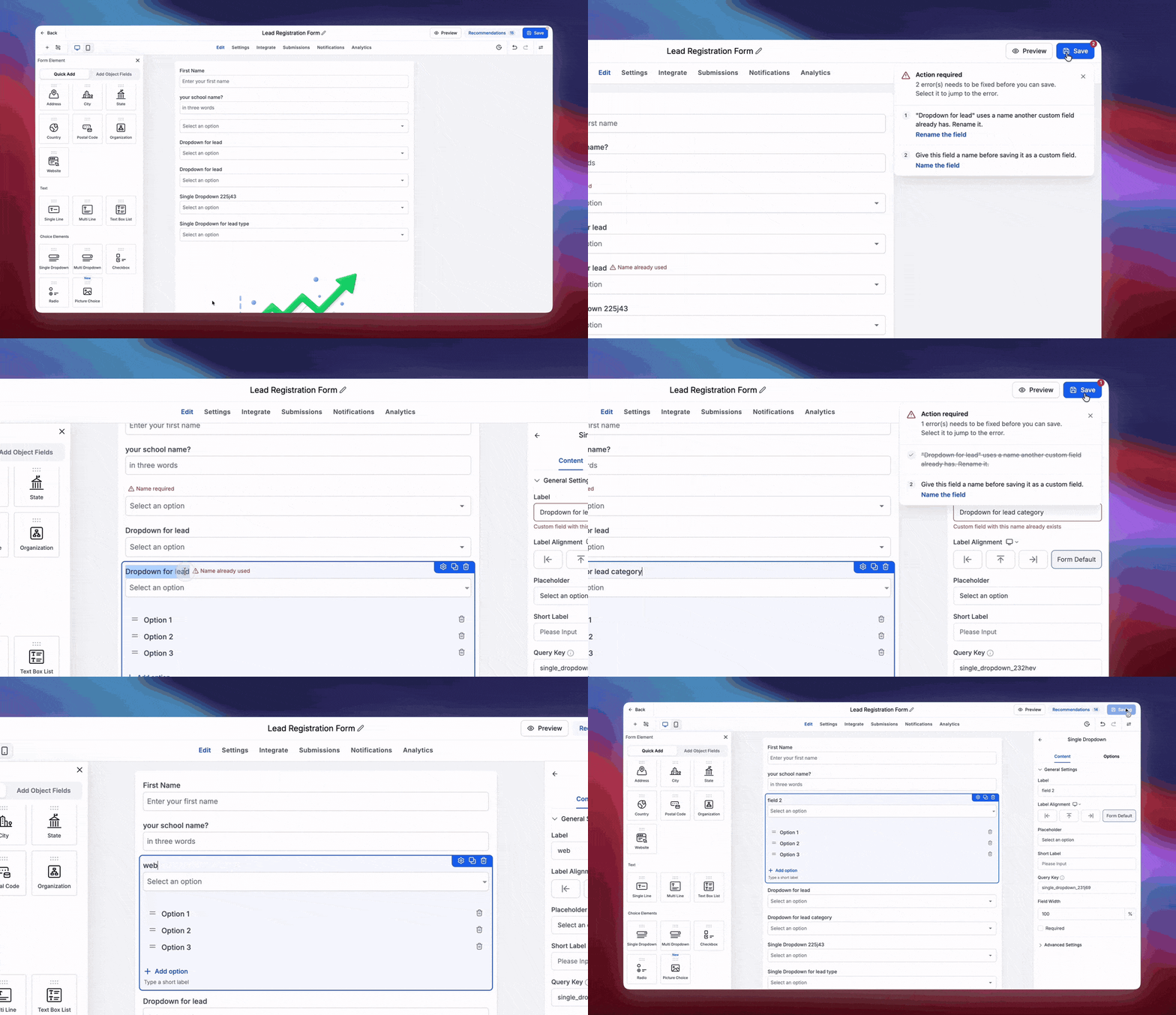
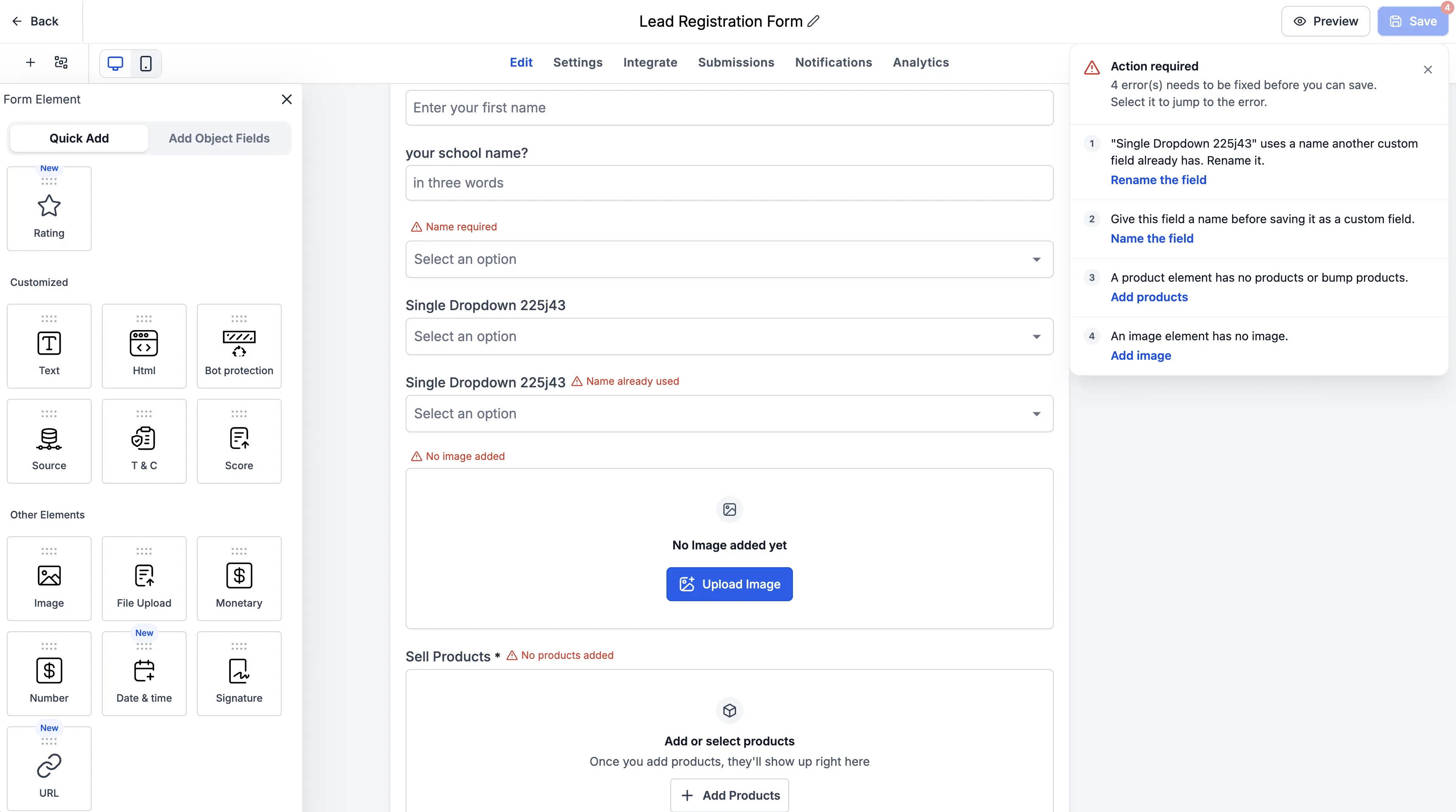
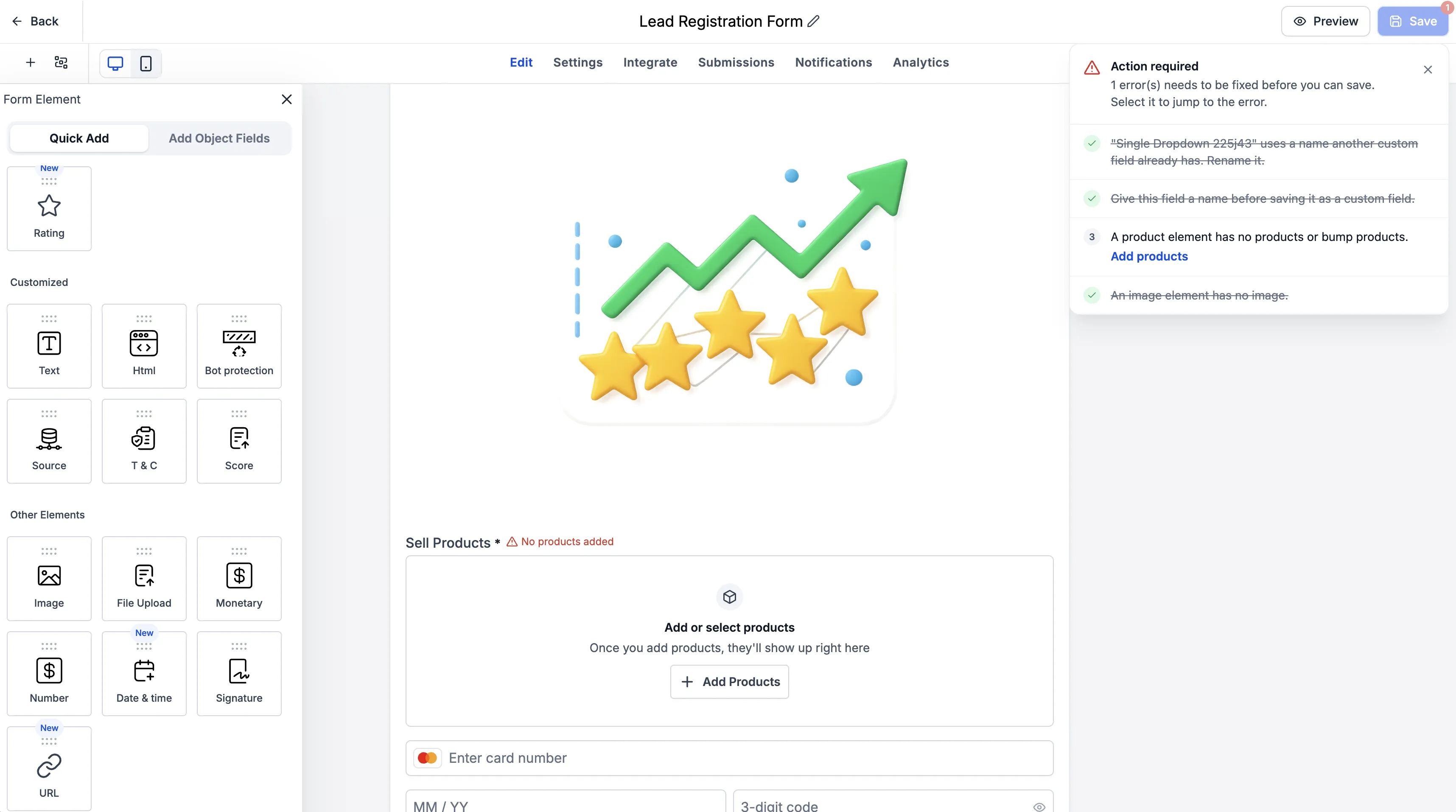
When you attempt to save, existing validation errors appear in a dedicated modal and beside the affected fields. Each error identifies the field and explains what needs attention.
- Click an error to jump directly to the affected field.
- Fix the issue, and the error is automatically crossed off the list.
- Review errors related to custom field creation, duplicate custom fields, and form, survey, or quiz elements.
This update makes existing validation errors easier to locate and resolve. It does not introduce additional validation rules or restrictions.
Catch Overlooked Settings with Recommendations
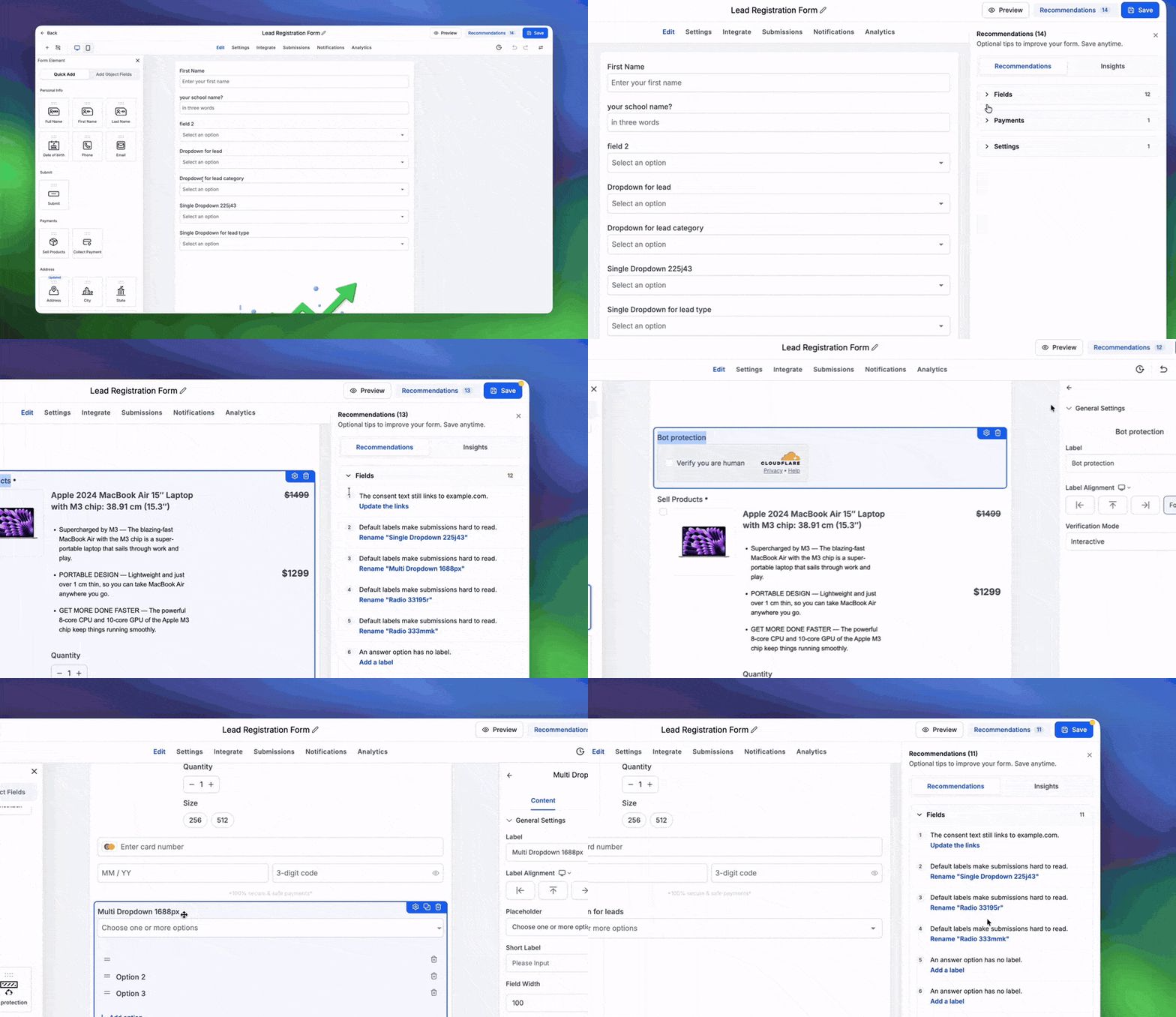
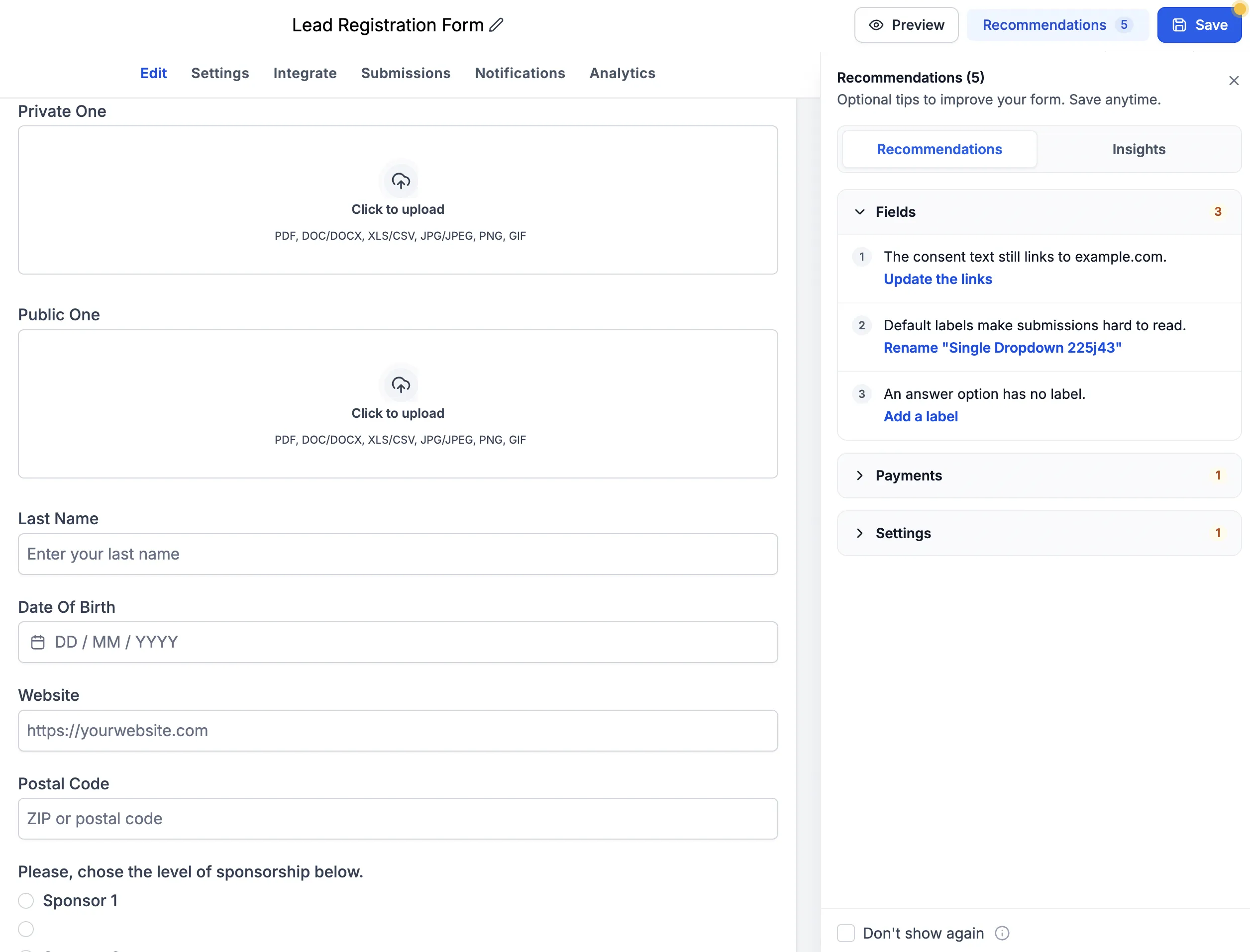
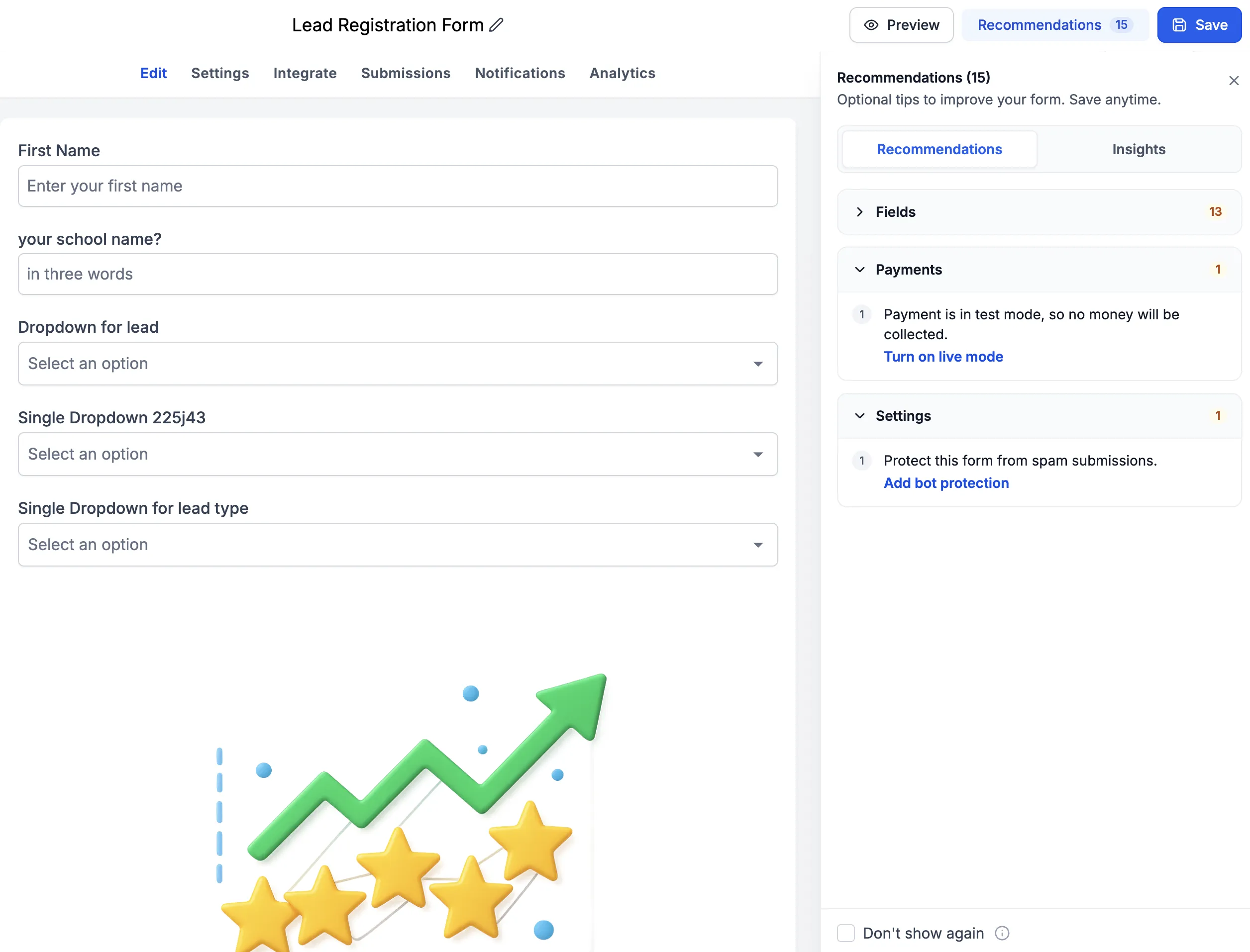
Recommendations highlight common configuration issues, including:
- Placeholder URLs: Reminders to replace placeholder destinations with your actual URLs.
- Default custom field names: Notices when a newly created custom field still uses its placeholder name.
- Payment test mode: Alerts when the Sell Products element is configured in Test Mode rather than Live Mode.
- Bot Protection: Suggestions to enable Bot Protection to help reduce spam submissions.
You can enable or disable Recommendations in Settings.
Review Your Configuration in Insights
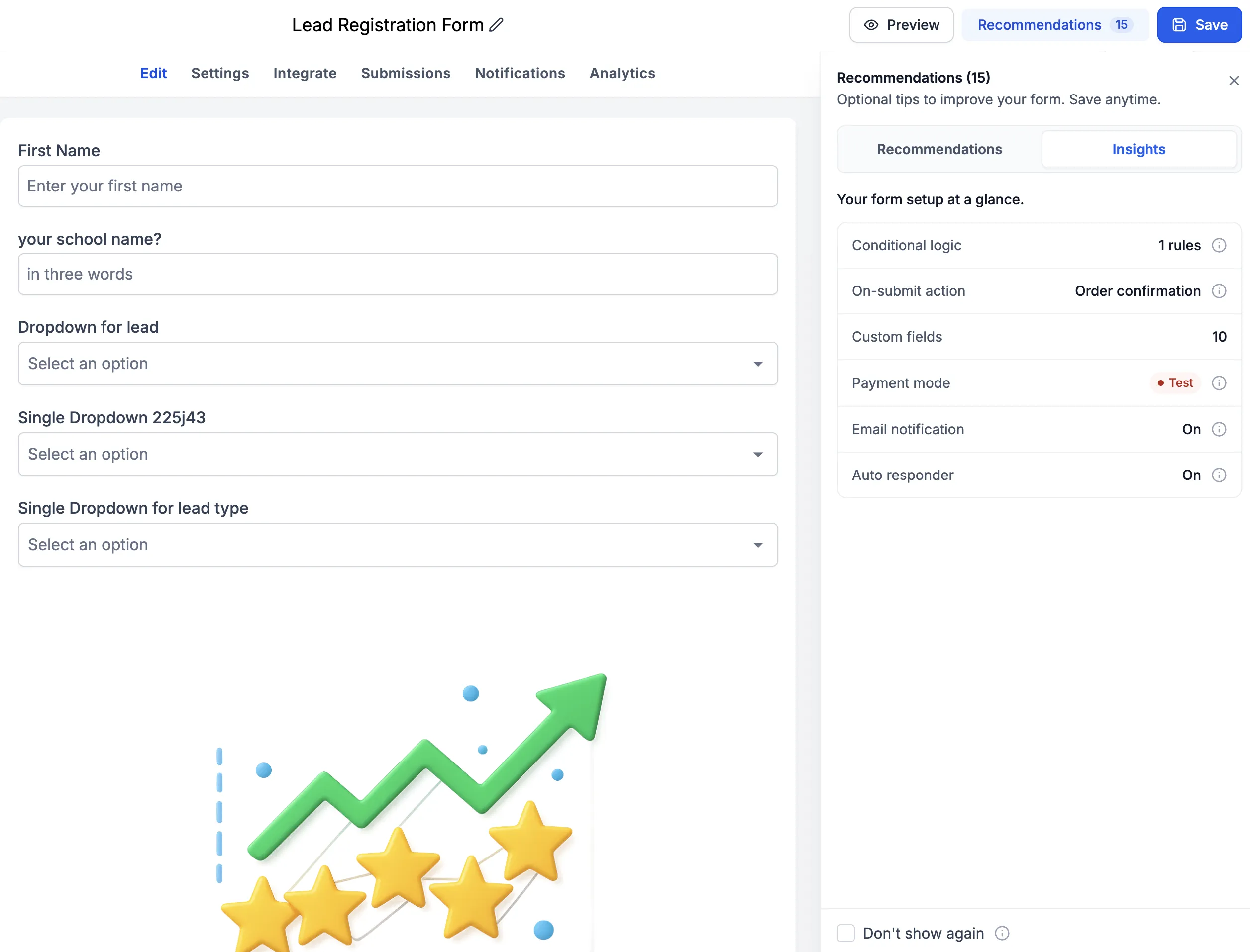
The Insights tab brings key setup details into one place:
- Number of conditional logic rules.
- Number of custom fields in use.
- Whether automated responses are enabled.
- Whether email notifications are enabled.
- Whether the Payment element is in Test Mode or Live Mode.
To use these tools, create or edit a form, survey, or quiz as usual. Save to surface validation errors, resolve any flagged fields, then review Recommendations and Insights to check your configuration.
Release Images
Need Help Applying This Update?
Want help turning this update into a working part of your CRM, marketing, or automation setup?
Get Started or schedule a demo and we’ll help you map the right next step.