Meta will stop delivering WhatsApp marketing messages through the Cloud API on October 13, 2027. Marketing sends must then use Meta’s Marketing Messages API, supported in SMBcrm as MM Lite.
This affects WhatsApp marketing within SMBcrm’s communication tools. Service and utility messages will continue through the Cloud API unchanged.
What changes with MM Lite
The Cloud API remains available for service and utility messaging but will receive no additional marketing capabilities. MM Lite provides:
- Engagement-based delivery: Delivery decisions account for engagement signals to prioritize expected, relevant, and timely messages.
- Additional creative formats: Animated GIF template headers and Android app deep links are supported. Automated creative enhancements, including image animation and filtering, are available as a pilot.
- Conversion tracking: Measure the path from a WhatsApp message through to purchase, rather than stopping at delivery and read receipts.
- Campaign guidance and cost metrics: Access tailored recommendations, spend per template, cost per click, and cost per delivery.
Media, carousels, product catalogs, flows, interactive lists, and interactive replies remain supported.
What carries over
Existing phone numbers and marketing templates carry over without rebuilding or reapproval. Current templates, workflows, and campaigns continue without interruption during activation.
Accounts using the WhatsApp Business App can also be onboarded without disruption.
How to activate MM Lite
Activation takes a few minutes per account:
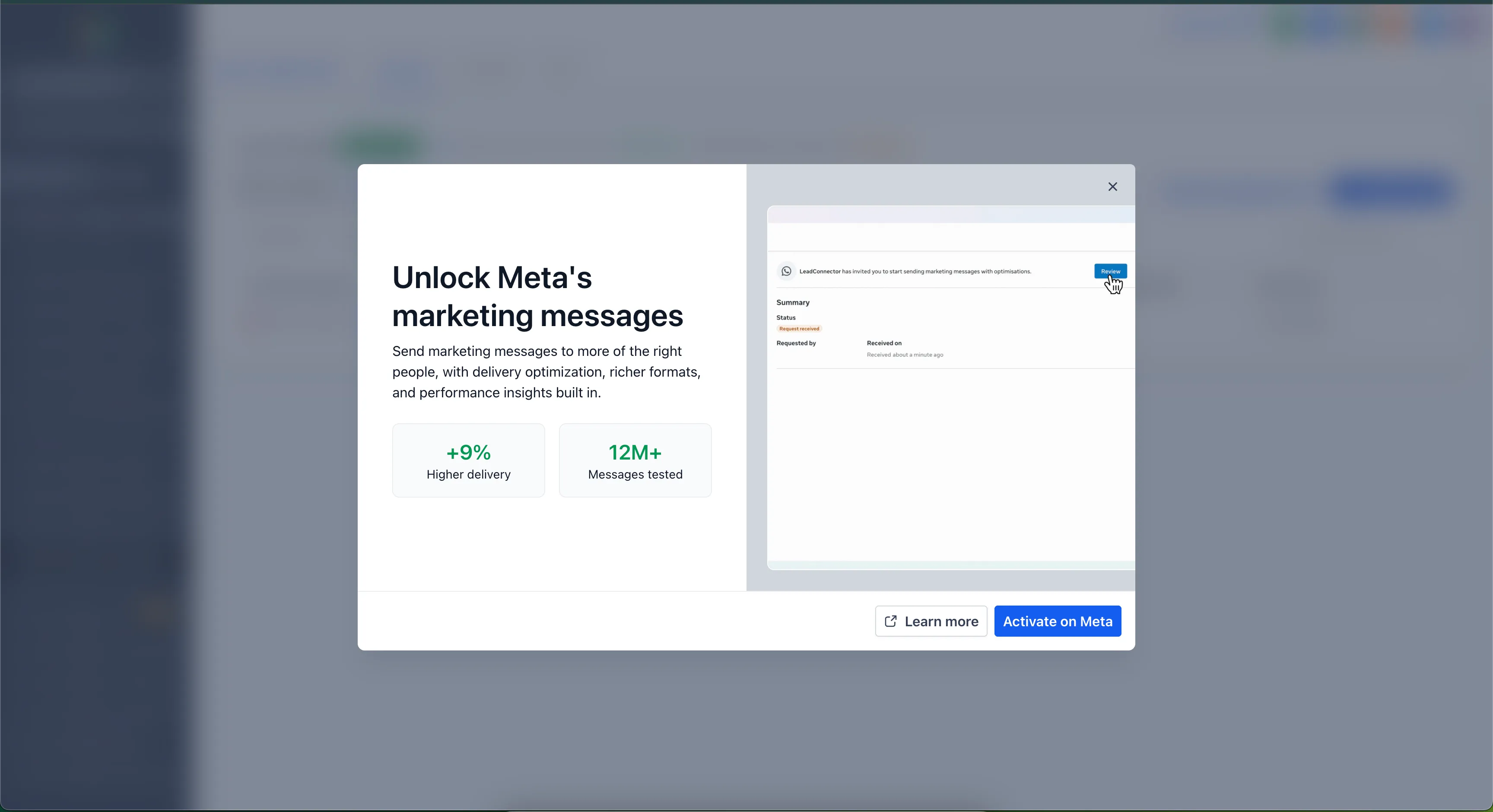
- Go to Settings → WhatsApp in the account and find the MM Lite activation banner.
- Click Enable MM Lite to open the WhatsApp account interface.
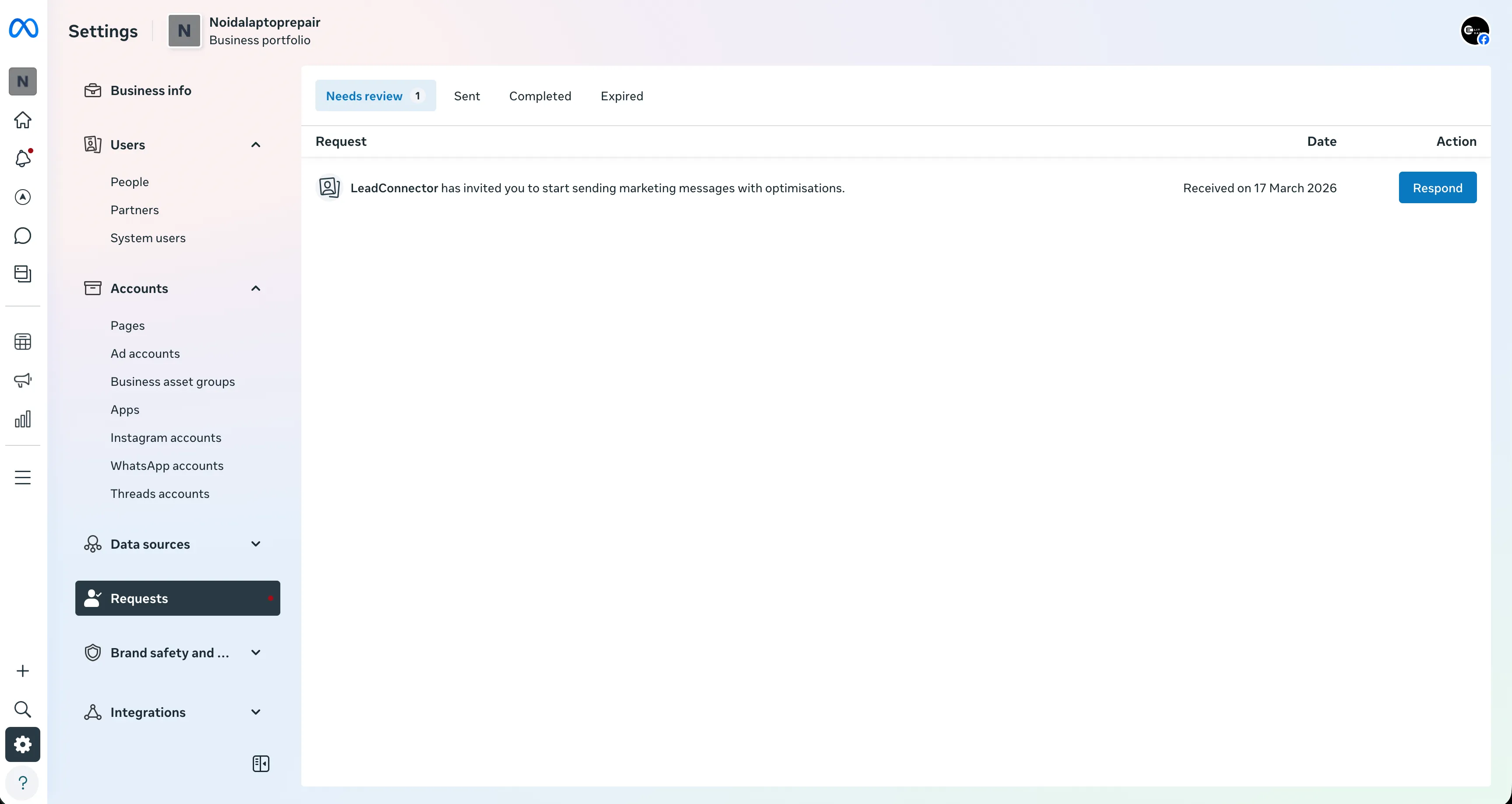
- Open the Requests tab and click Respond.
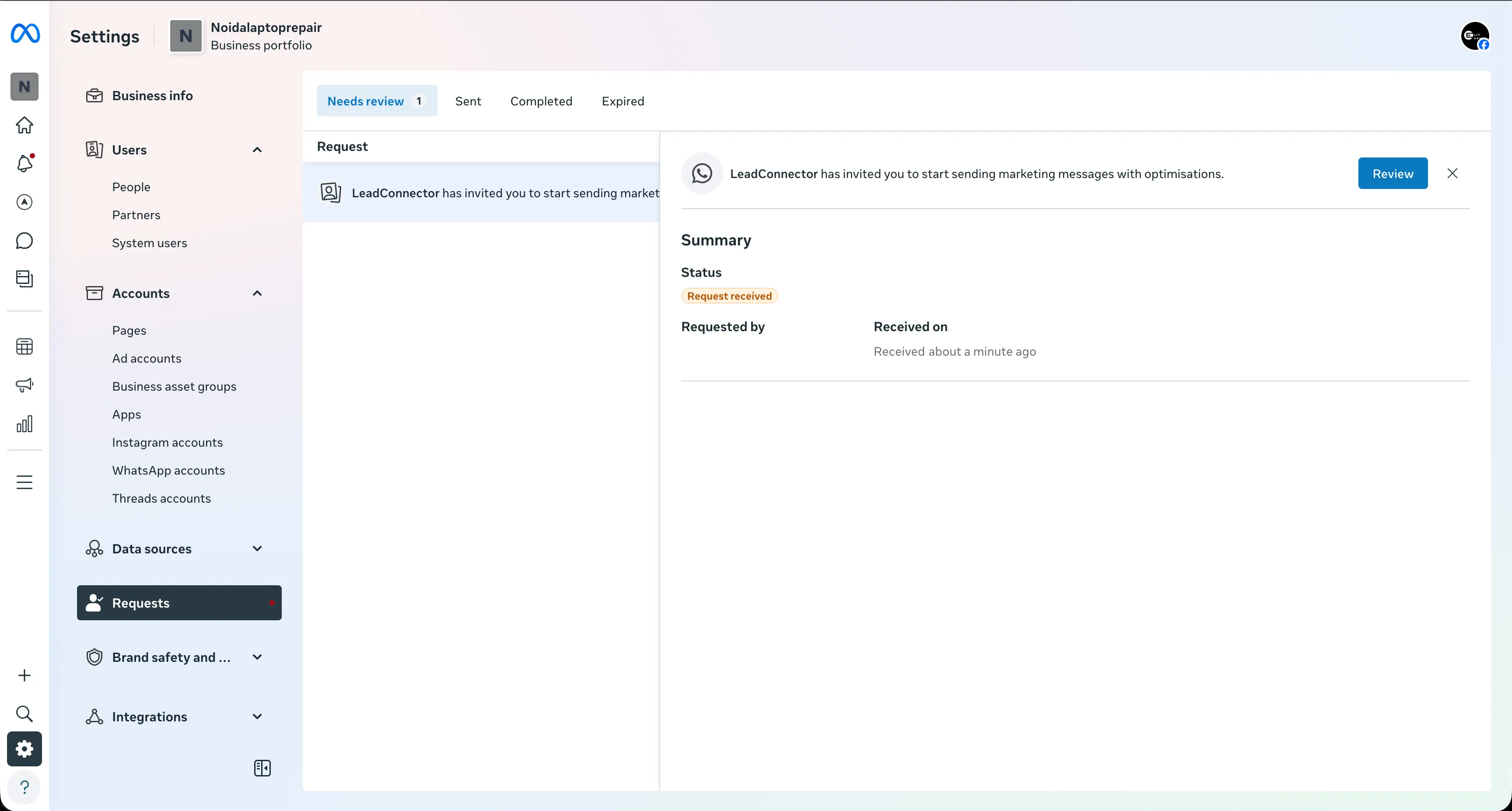
- When prompted to improve ROI with the Marketing Messages API, click Continue.
- Review the access request, confirm the permissions, and click Finish.
Release Images
Need Help Applying This Update?
Want help turning this update into a working part of your CRM, marketing, or automation setup?
Get Started or schedule a demo and we’ll help you map the right next step.