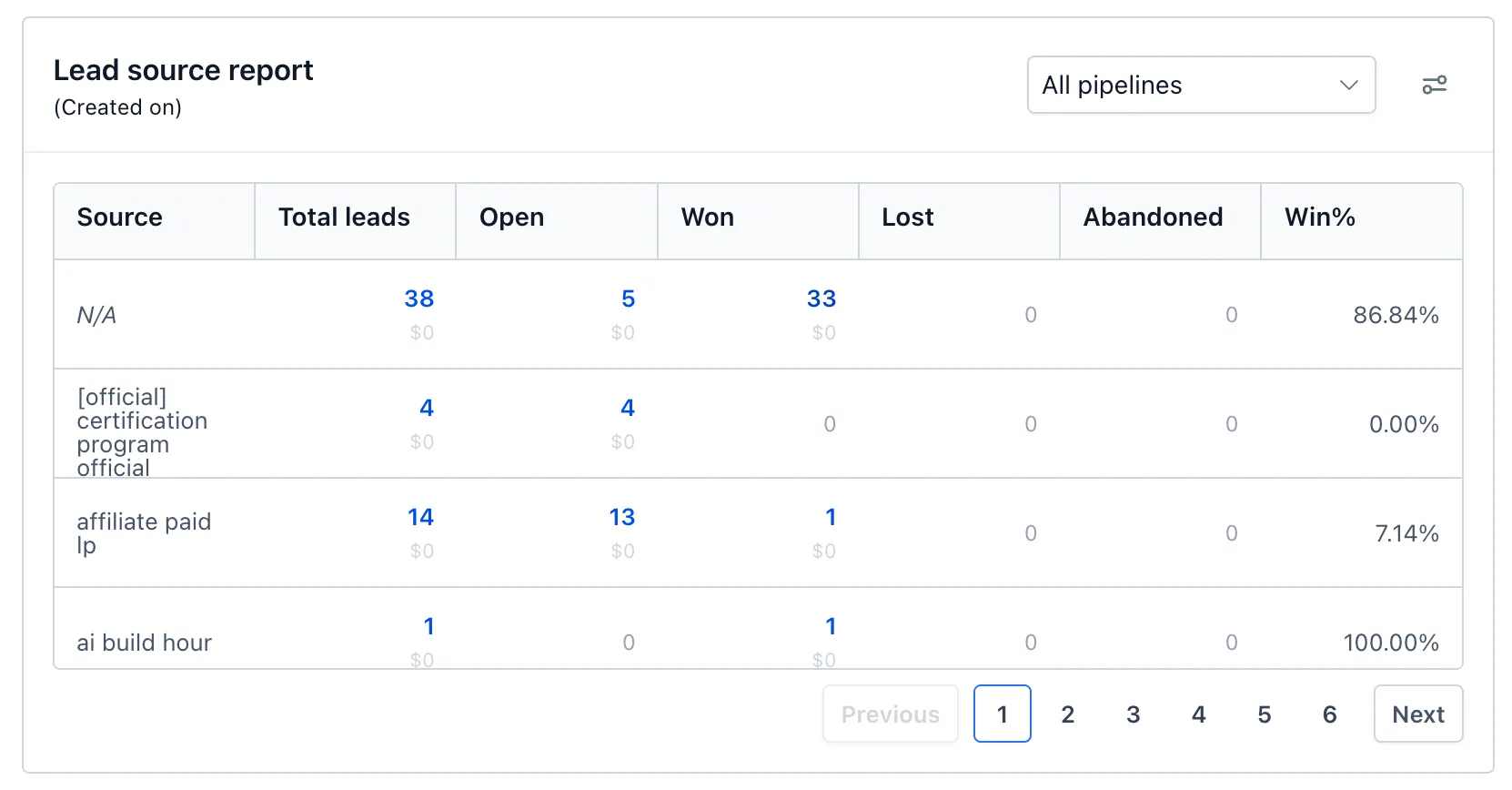
The Lead Source Report now shows opportunity counts and values by source for Open, Won, Lost, and Abandoned statuses. You can click any count greater than zero, including Total leads, to see the opportunities behind it.
To find opportunities without a source, use the Source filter’s “Is empty” option or review the “N/A” row. The filter also supports “Is not empty.” Report rows now have a consistent height, and columns remain readable on smaller screens.
Add the Lead Source Report widget to a dashboard, or open an existing one, to use these changes. Values are visible only to users with permission to view lead value.
In Case You Missed It
Read about more specific community email unsubscribes.
Release Images
Need Help Applying This Update?
Want help turning this update into a working part of your CRM, marketing, or automation setup?
Get Started or schedule a demo and we’ll help you map the right next step.
Explore this in SMBcrm
Use the CRM to review your next decision.
Explore contacts, pipelines, and dashboards. Choose the records and definitions your team will use before relying on a report.
Explore CRM dashboardsAlready using this feature? Find setup help