What’s New: Autosave Now Works in AI Builder for Workflows
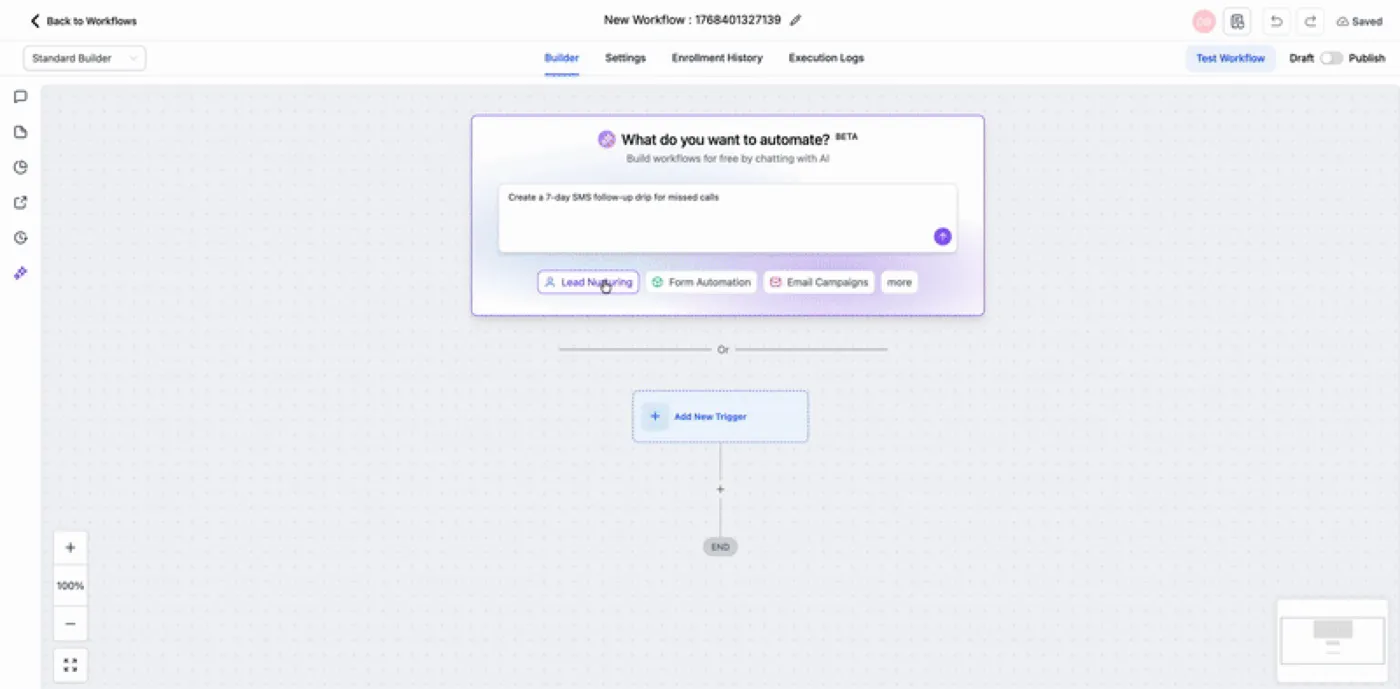
Autosave is now supported for workflows created and edited with AI Builder. When Autosave is turned on, newly generated AI workflows save automatically upon creation, and any future AI Builder edits continue saving in the background.
This update helps reduce the risk of losing progress if you forget to save manually, refresh your browser, or run into a brief connection issue.
How It Works
1) Enable Autosave in Workflow Settings
Turn on Autosave in your global workflow settings.
2) Create a Workflow with AI Builder
When you generate a workflow using AI Builder, it will save automatically as soon as it’s created.
3) Keep Editing Without Manual Saves
Any subsequent changes you make through AI Builder will continue saving automatically in the background.
Why This Matters
Autosave makes it easier to work quickly with AI Builder while keeping your workflow edits protected. It’s especially useful when you’re iterating on workflow logic, testing variations, or moving fast between ideas without wanting to stop and click Save each time.
If you’d like help optimizing workflows or applying AI-driven automations across your account, visit our support resources at https://smbcrm.com/support/ or request a walkthrough at https://smbcrm.com/demo/.