SMBcrm now supports Course Tags for courses, helping creators organize content and helping learners find relevant lessons in the course library.
Course Tags are part of Memberships & Education and appear in both the All Courses and My Courses library views.
What changed
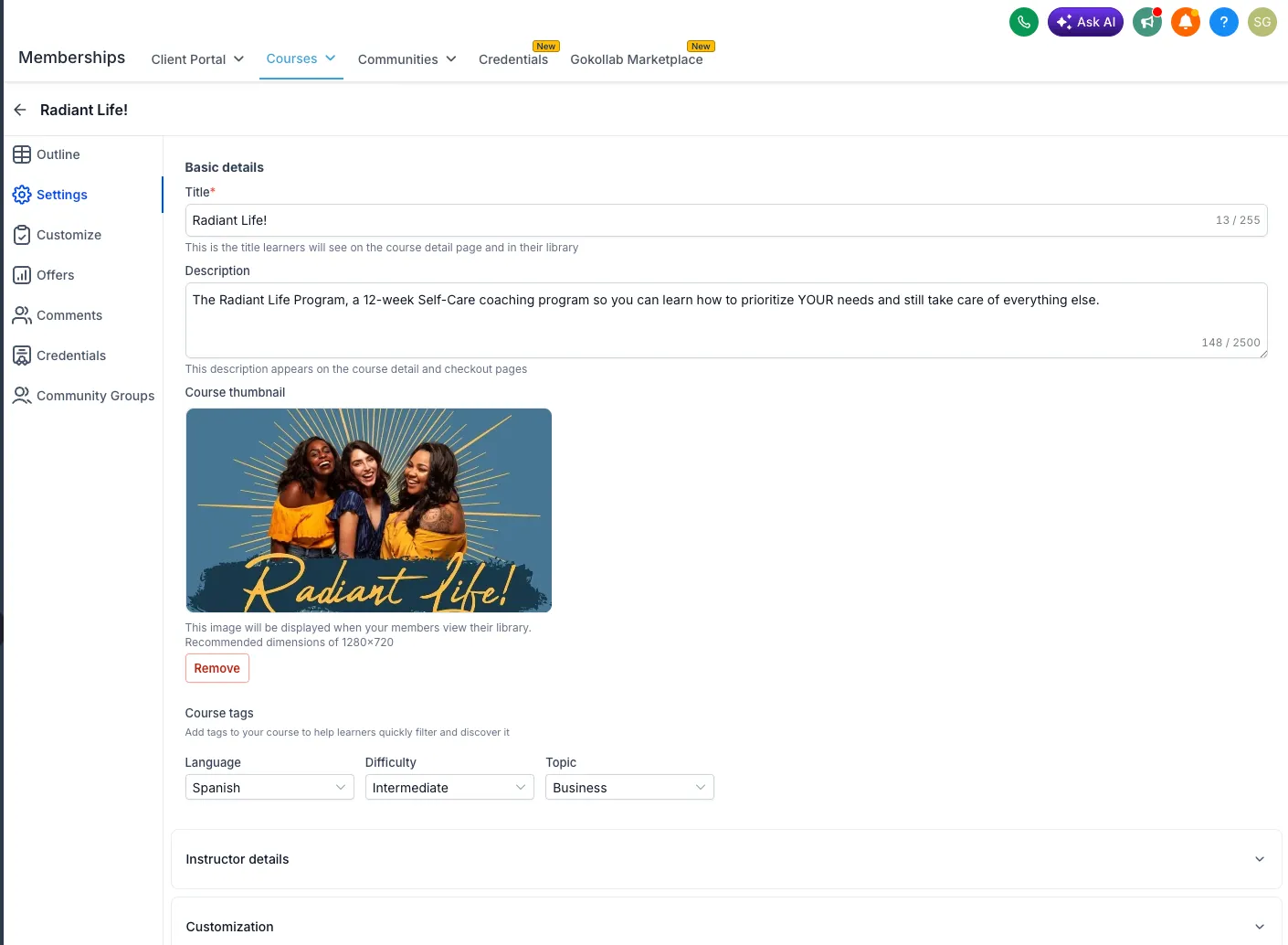
Creators can add standardized tags from Course Settings:
- Language
- Difficulty
- Topic
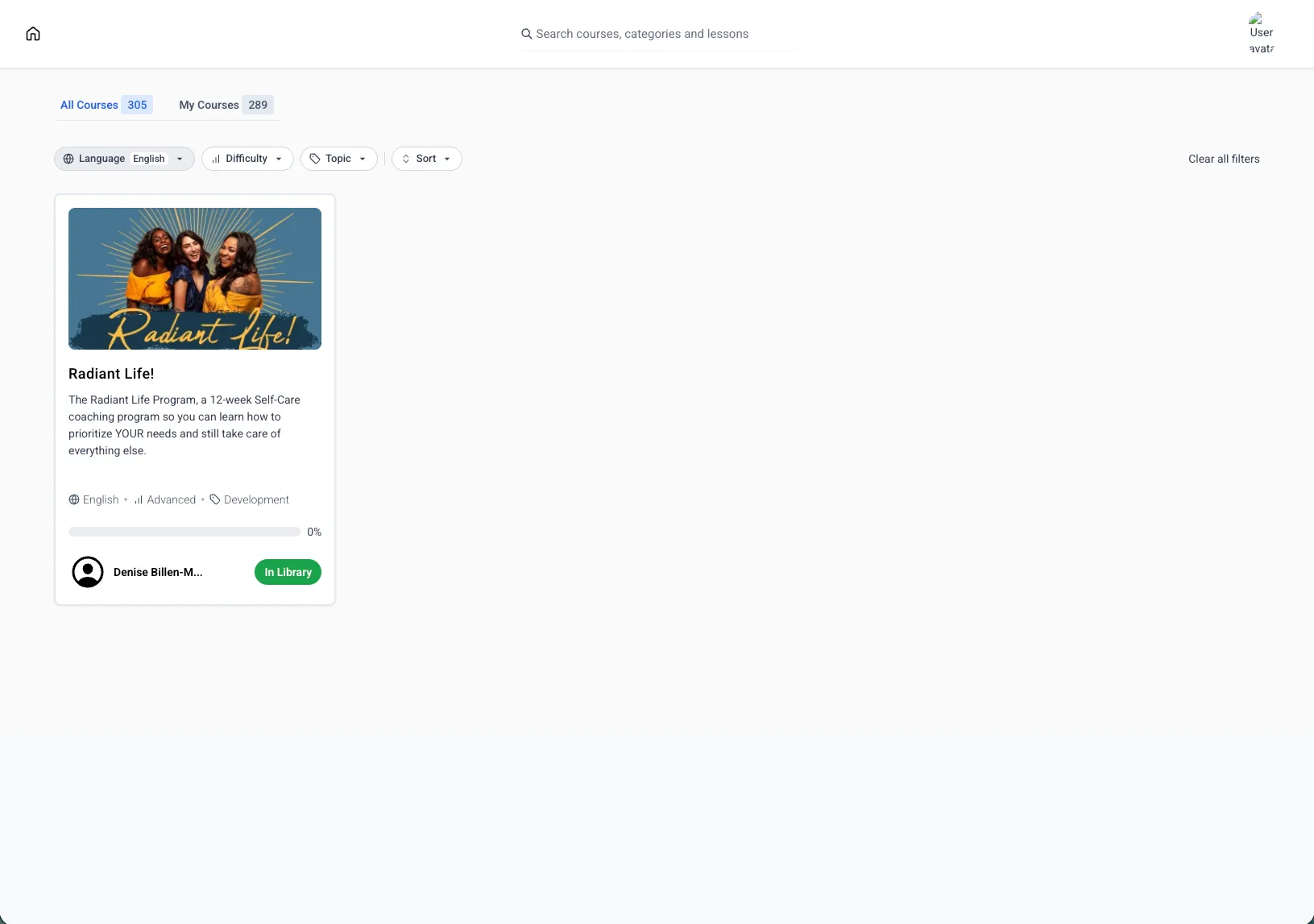
Learners can then filter the course library by those tags. Tags also display on course cards, making each course easier to identify before opening it.
Why it matters
Course Tags make course libraries easier to browse by giving learners clear filters for language, skill level, and topic. They also help creators keep course catalogs organized without relying on custom fields or manual organization.
How to use Course Tags
- Go to Memberships → Courses → Settings.
- Under Course Tags, select the relevant Language, Difficulty, and Topic.
- Save the course.
Learners can use the updated filters in the course library after the tags are saved.
In Case You Missed It
For another recent update, read Python Support Added to Custom Code Actions.
Looking ahead
SMBcrm also plans to add the ability to create tags in a future update.
Need Help Applying This Update?
Want help turning this update into a working part of your CRM, marketing, or automation setup?
Get Started or schedule a demo and we’ll help you map the right next step.