Enhancements to the New Conversations UI: Inbox Unread Counter and Standardized Date Format
We’ve made a couple of practical updates to the New Conversations UI to help you stay on top of unread messages and reduce confusion when reviewing conversation timelines.
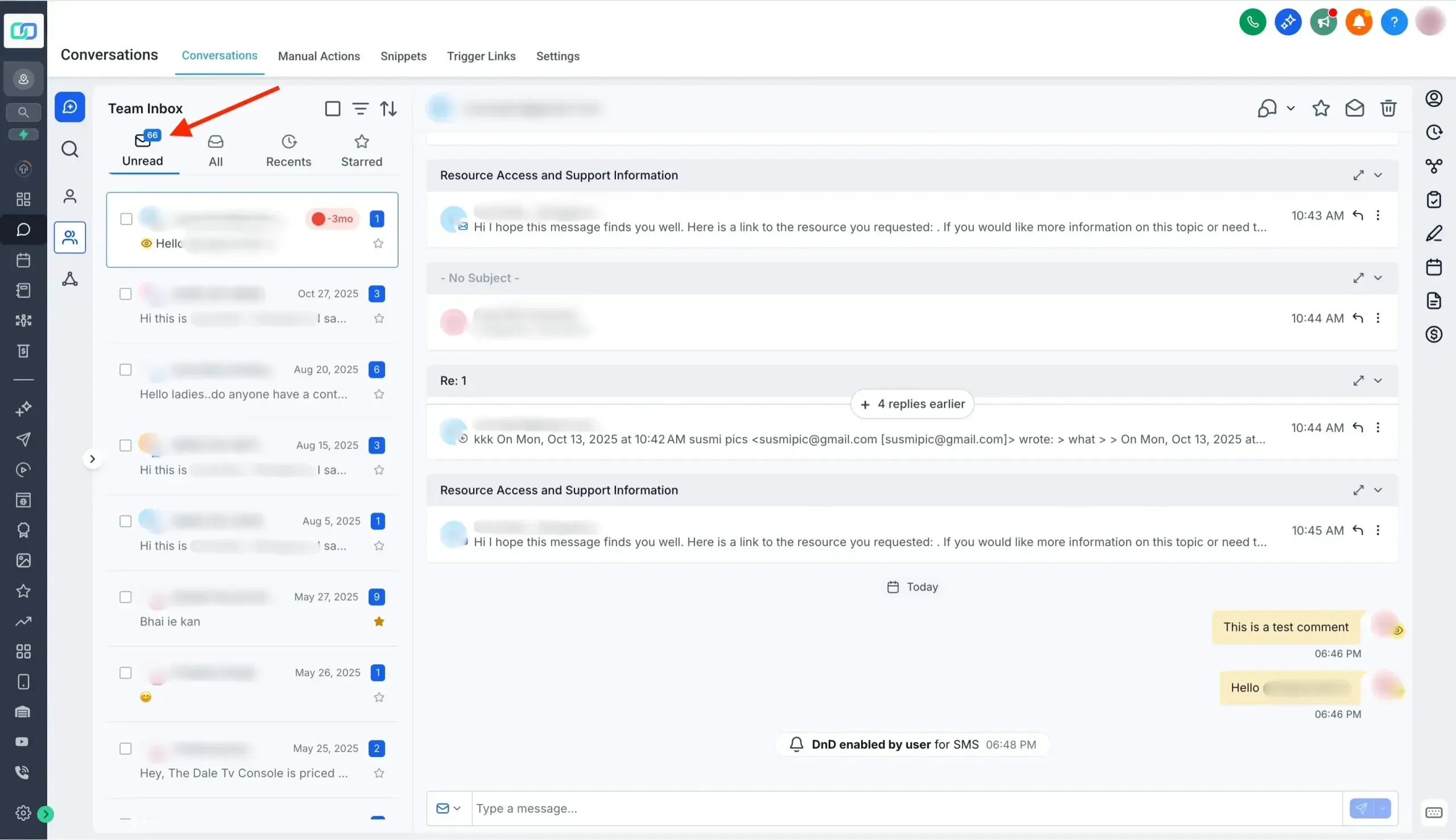
Real-Time Unread Counter (Per Inbox)
You can now see the unread conversation count for each inbox, making it easier to prioritize follow-ups at a glance.
What you’ll notice
- Real-time updates: The unread count updates instantly as new conversations come in or as items are marked read or unread
- Always visible: The unread count stays visible even when you’re browsing other tabs within the inbox
Standardized Date Format Across Conversations
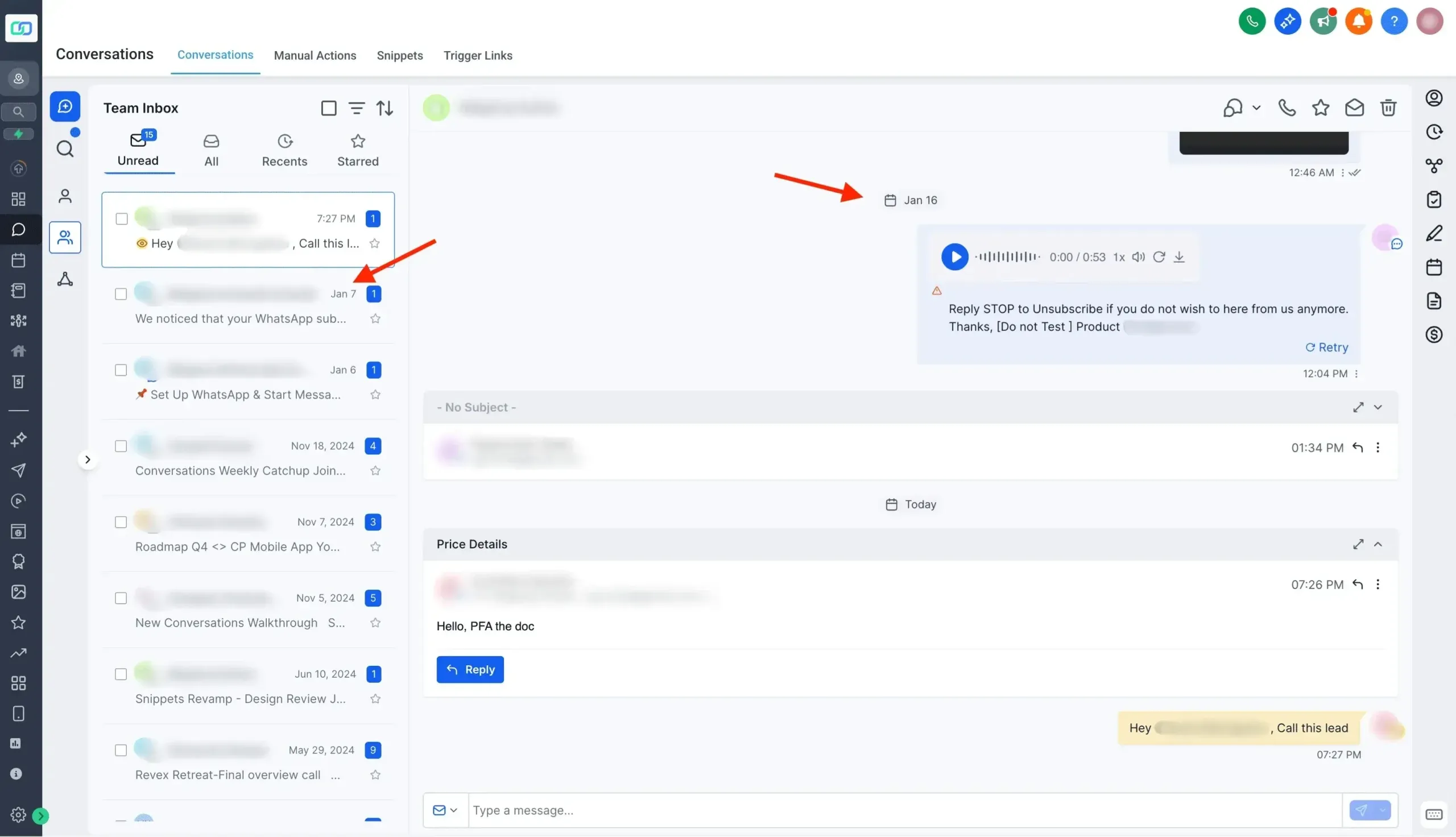
To eliminate date-format confusion, we’ve standardized how dates appear throughout the Conversations page.
What changed
- Previously, different areas could show different numeric formats (for example, mm/dd vs dd/mm)
- Dates are now displayed as MMM-dd (for example, Jan 5) using the month name for quicker, unambiguous identification
How to Enable the New Conversations UI
If you’re not already using the updated experience, you can enable the New Conversations UI in Labs by turning on:
- CRM Redesign: Conversations and Contacts Page Upgrade (Beta)
If you’d like help confirming the right setting in your account, visit our Support page or Contact Us.