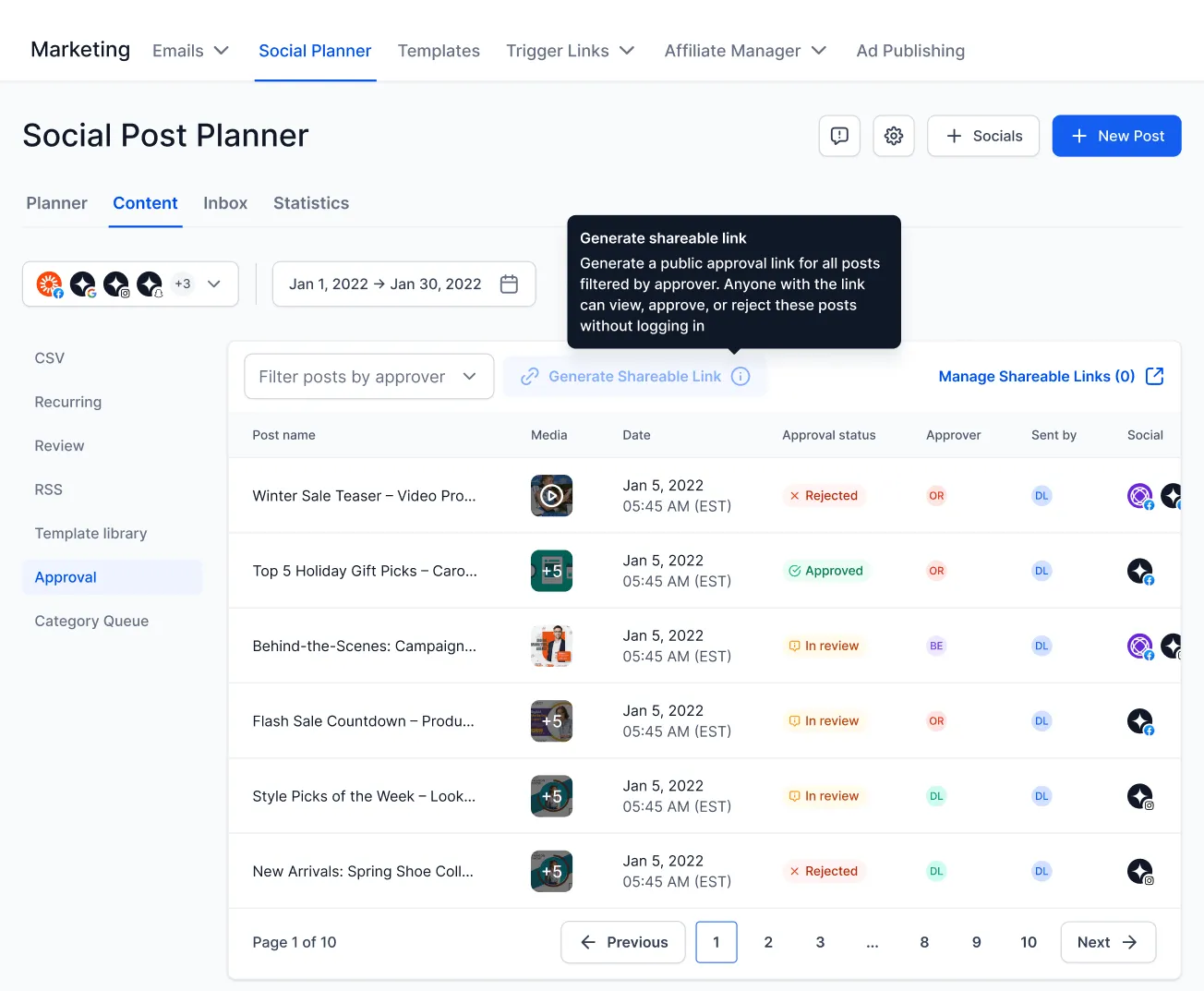
Social Planner now supports secure magic links for post approvals. This lets clients and stakeholders review content, approve or reject posts, add notes, and request scheduling changes without signing in.
What Changed
The new external approval flow is designed to reduce back-and-forth during content review. Instead of sending screenshots or asking reviewers to access the platform, you can generate a secure link and share it directly.
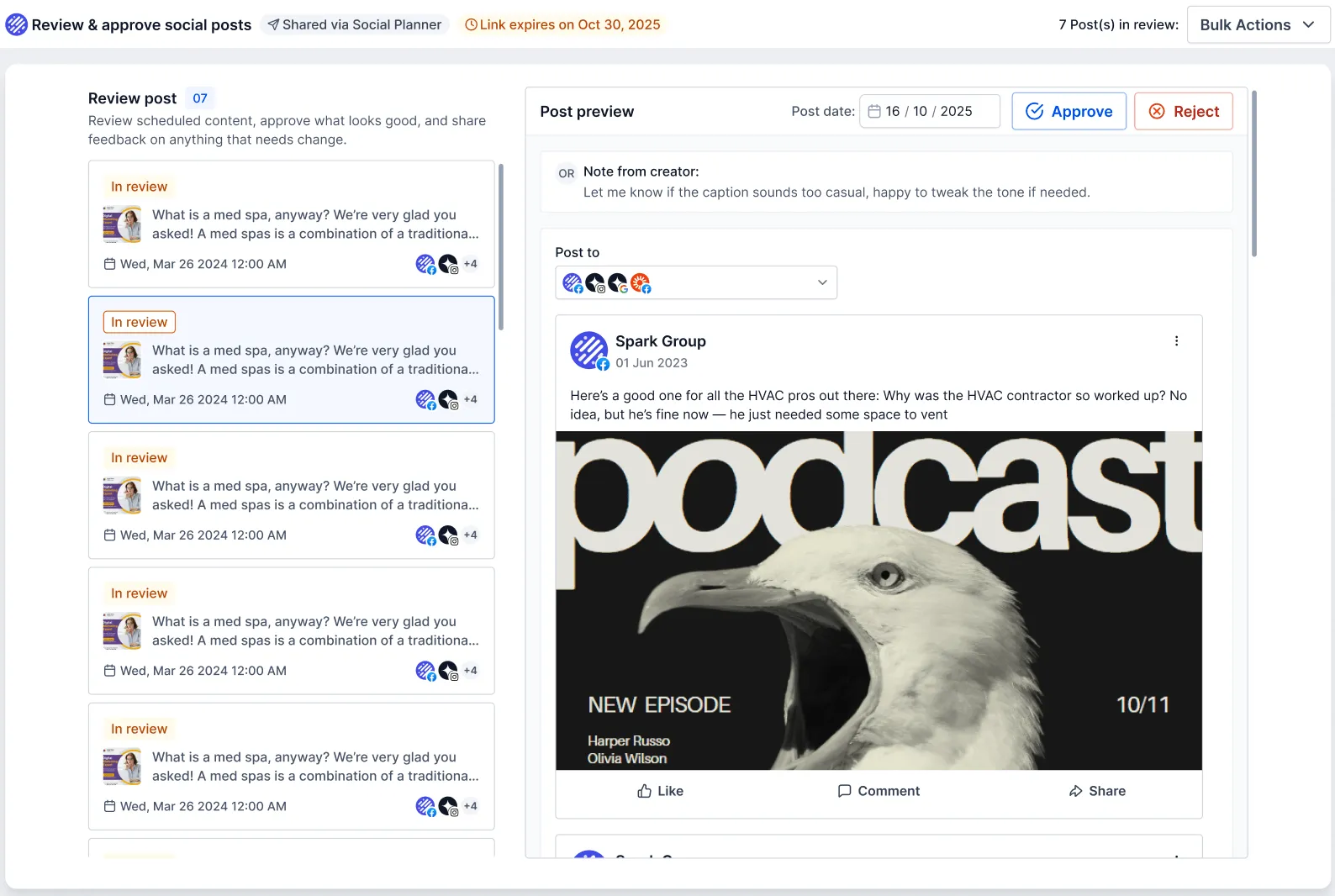
With these approval links, reviewers can:
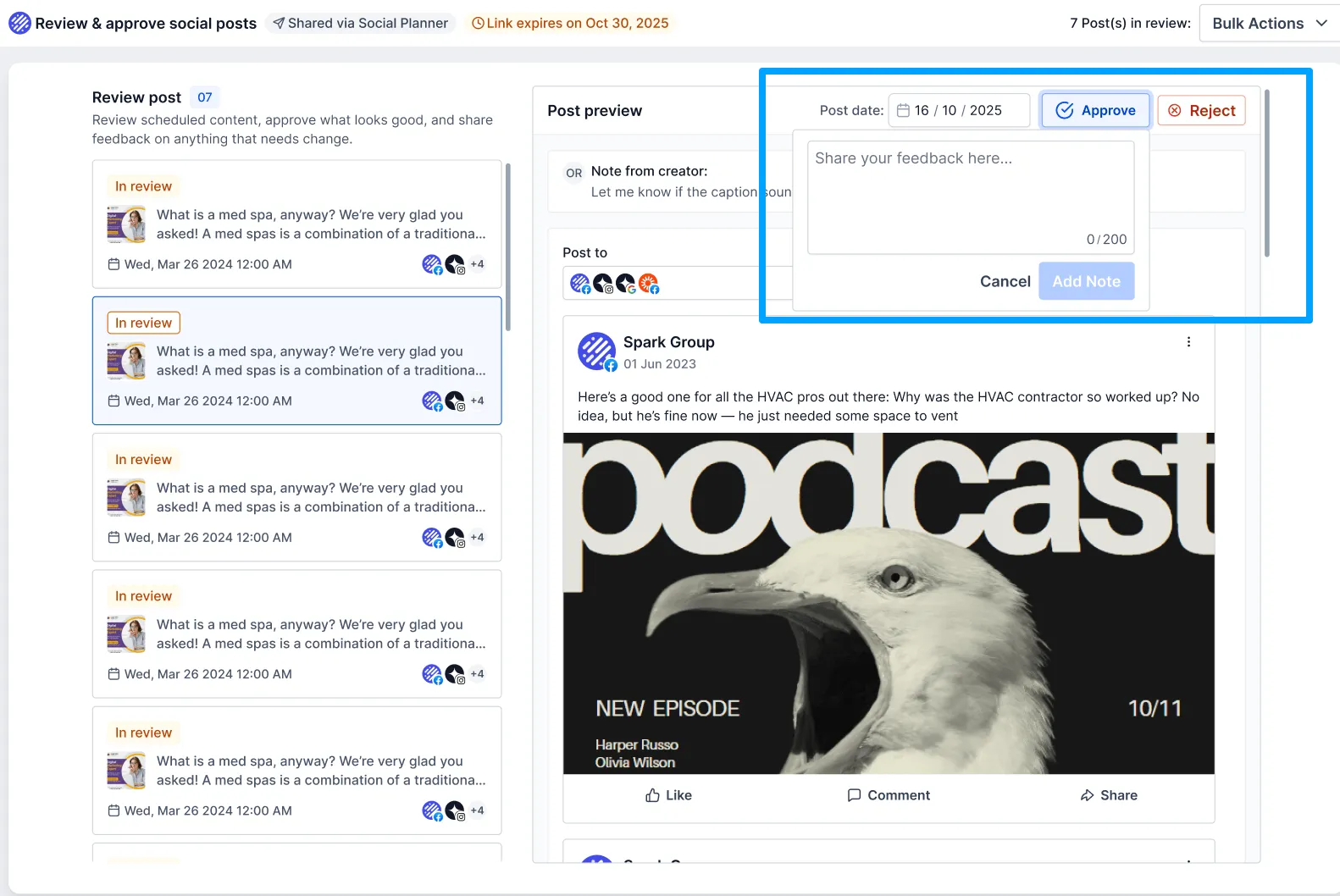
- approve or reject posts with notes
- reschedule posts
- use bulk actions like Approve All or Reject All
- review post details before taking action
Each approval page includes:
- a post preview with image or video and caption
- scheduled time
- platform details
- creator notes
Security and Link Controls
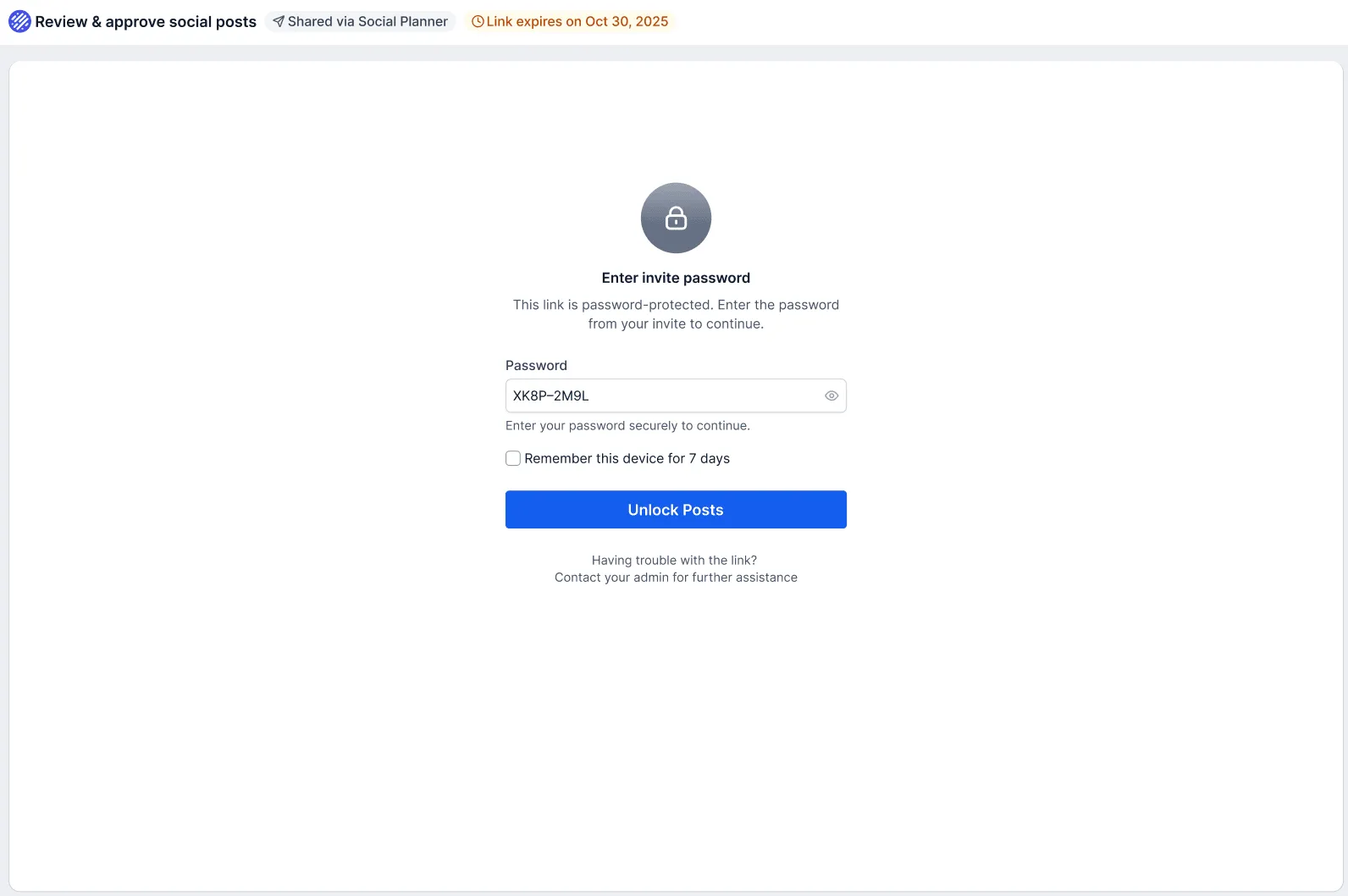
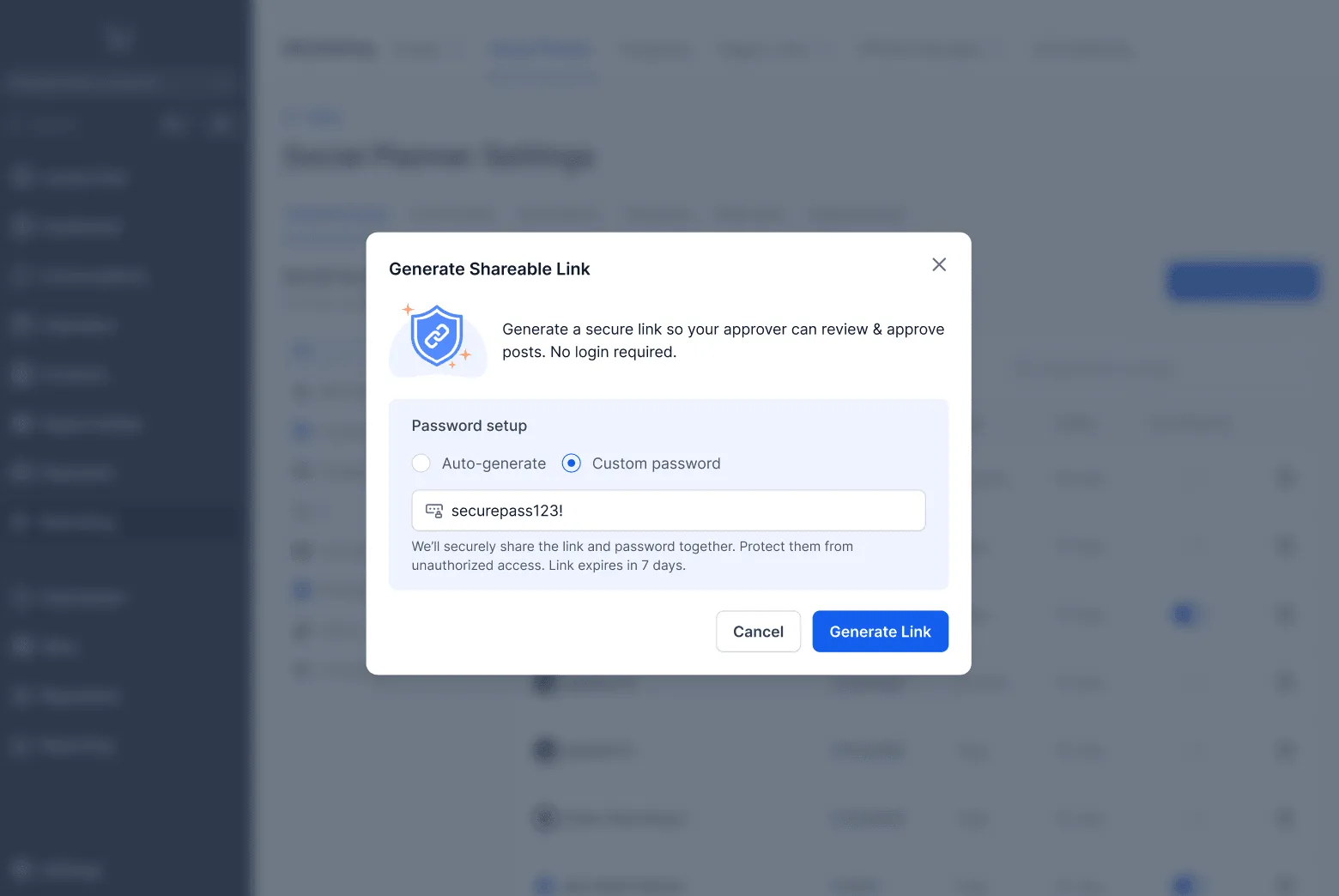
Approval links include an auto-generated password option, and links expire after 30 days. Users can also:
- regenerate links
- revoke access
- extend link validity
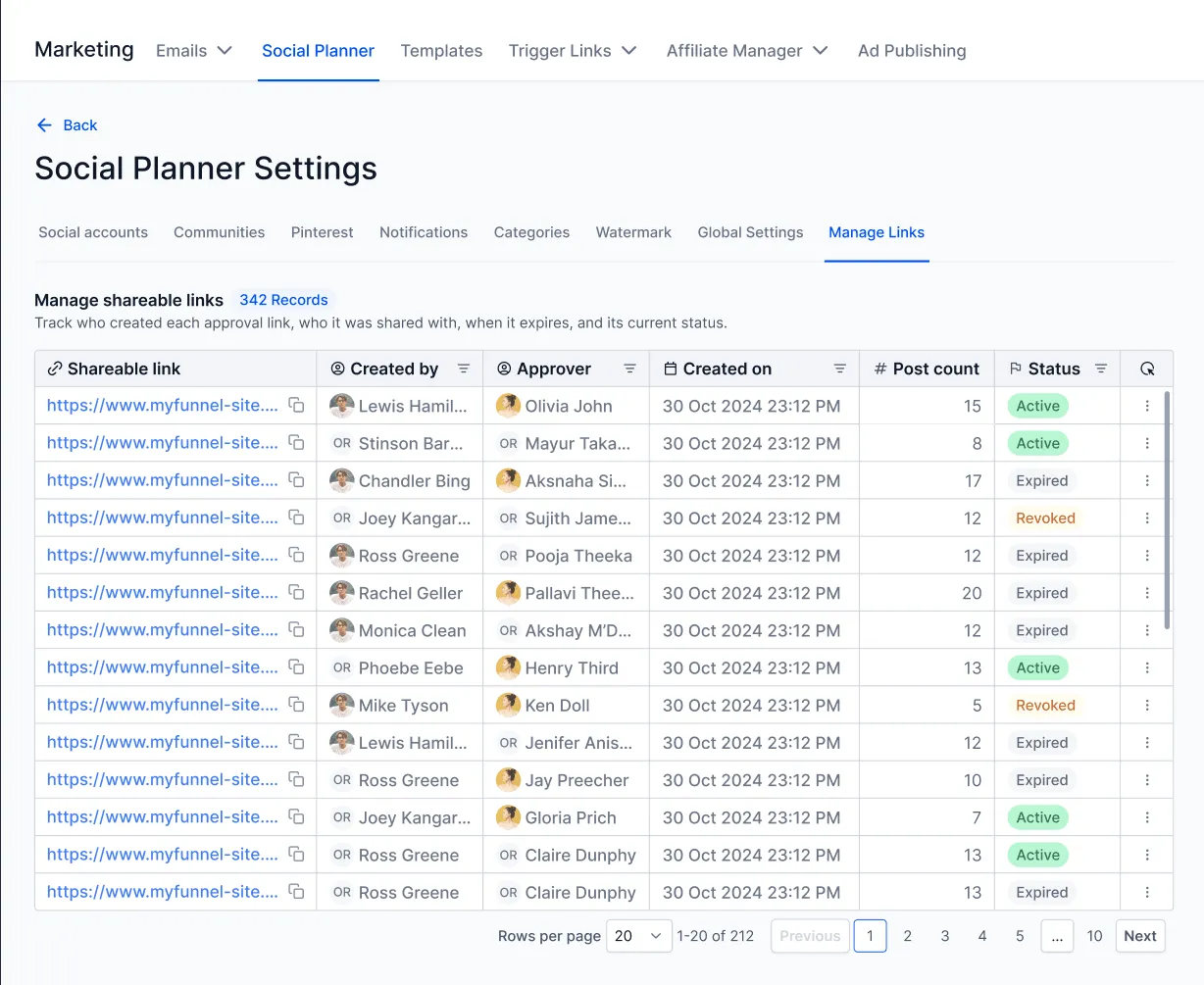
- track link status as Active, Expired, or Revoked
If a link expires, the reviewer can request a new one and the creator can regenerate it.
How to Use It
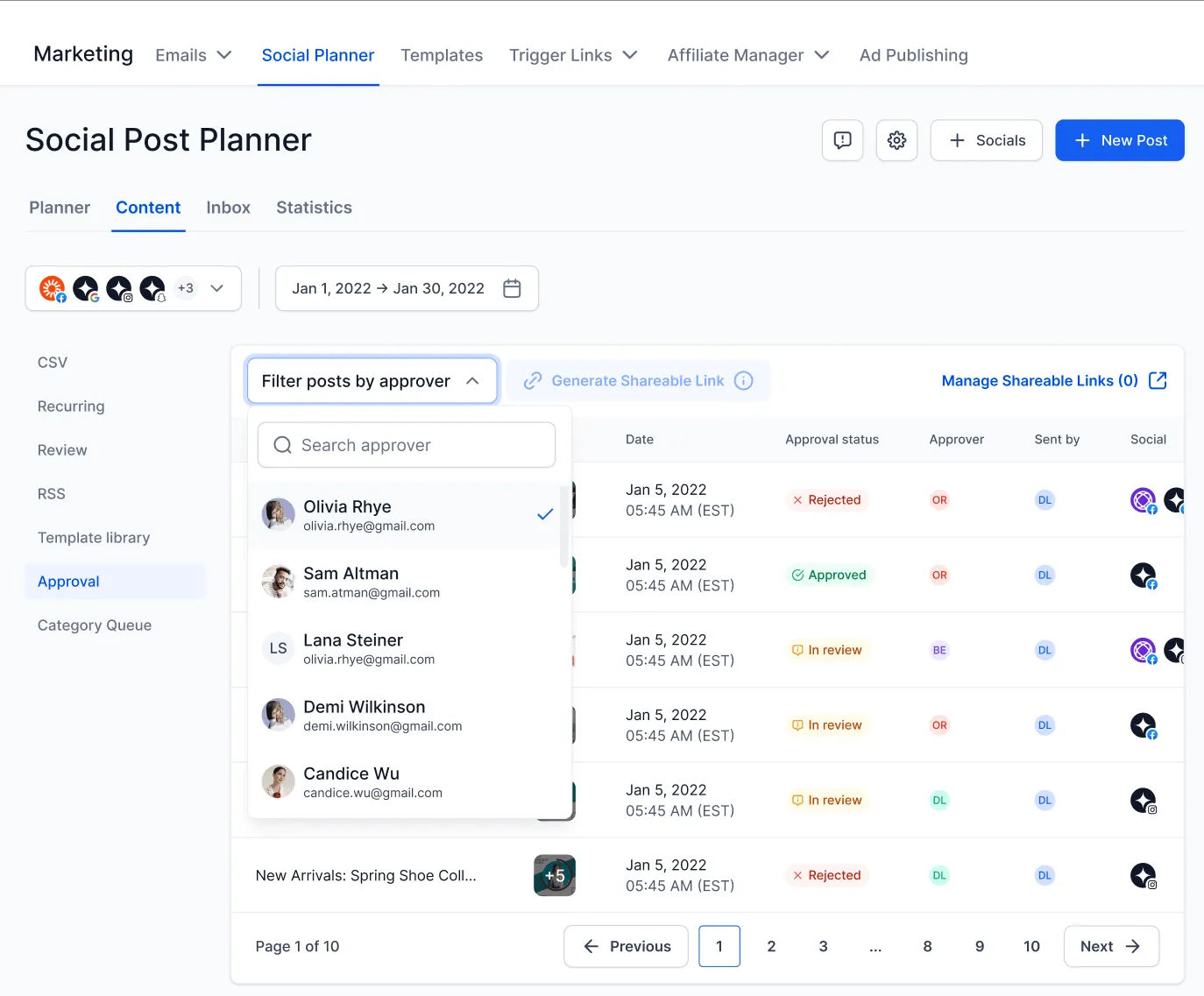
In Social Planner, select the approver and generate an approval link. You can use an auto-generated password or create a custom one, then share the link with your client or stakeholder.
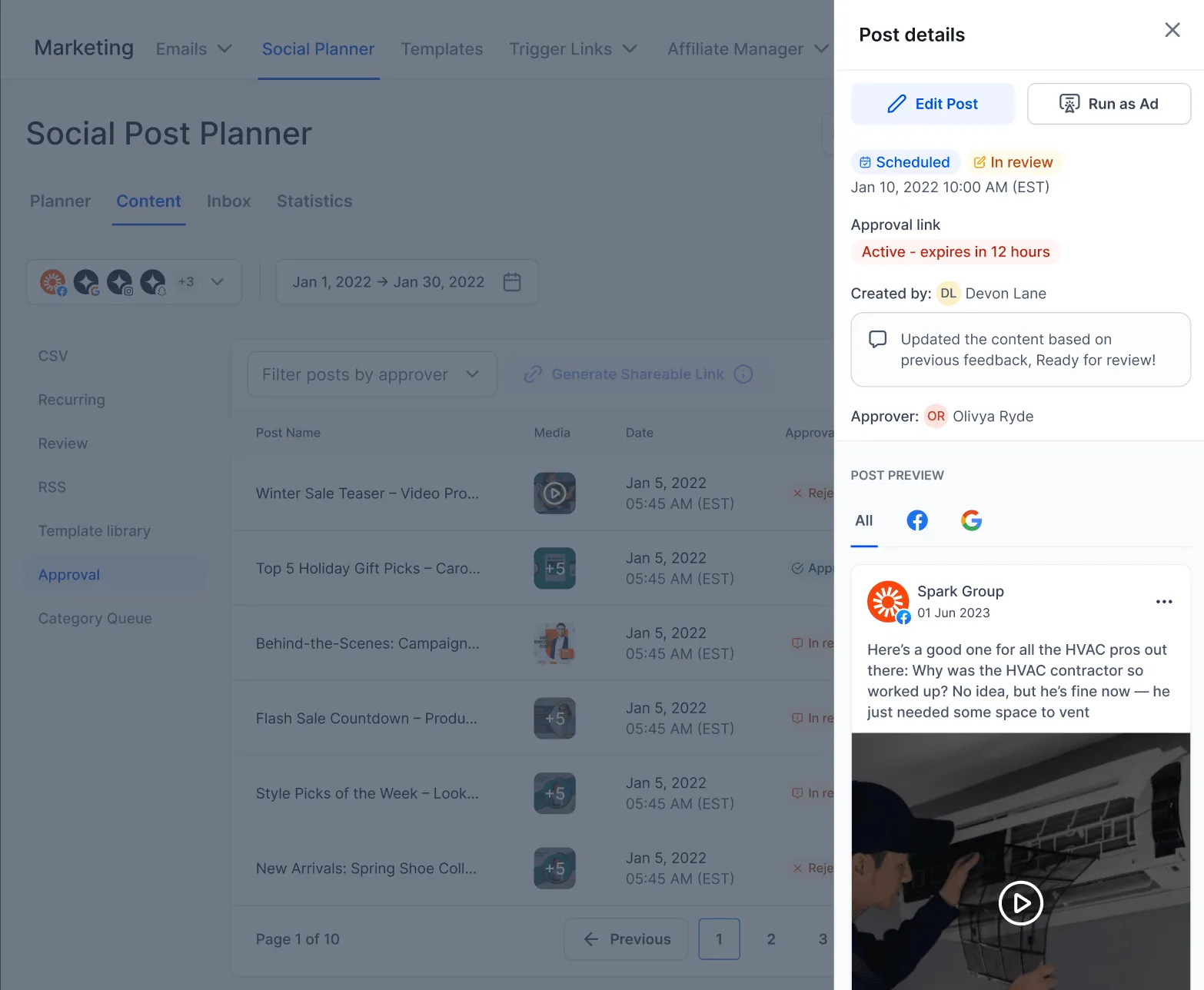
The reviewer can open the link, review the post, and take action. Notes added during approval or rejection sync back into Social Planner so the post creator can see feedback in context.
You can also manage approval links from the Manage Links section in settings.
Notes
- Approval links are valid for 30 days.
- Links can be regenerated or revoked at any time.
- Actions are restricted once a post is published.
- Only users with the required permissions can generate approval links.
In Case You Missed It
You can also read about the latest reporting updates in Social Planner Statistics Add Custom Date Ranges and Comparison Views.
Release Images
Need Help Applying This Update?
If you’d like help rolling this out in SMBcrm, visit Support or request a demo.