Run Events Inside Your CRM
Create free, paid, and RSVP events. Build the event page, sell tiered tickets, and scan people in at the door with the mobile app. Every registration lands in your CRM as a contact, so confirmations, reminders, and follow-ups are one workflow away.
From first draft to event day
- 1
Create the event
Set the date, location, schedule, and speakers. Run it in person, online, or hybrid, as a one-off or across multiple days.
- 2
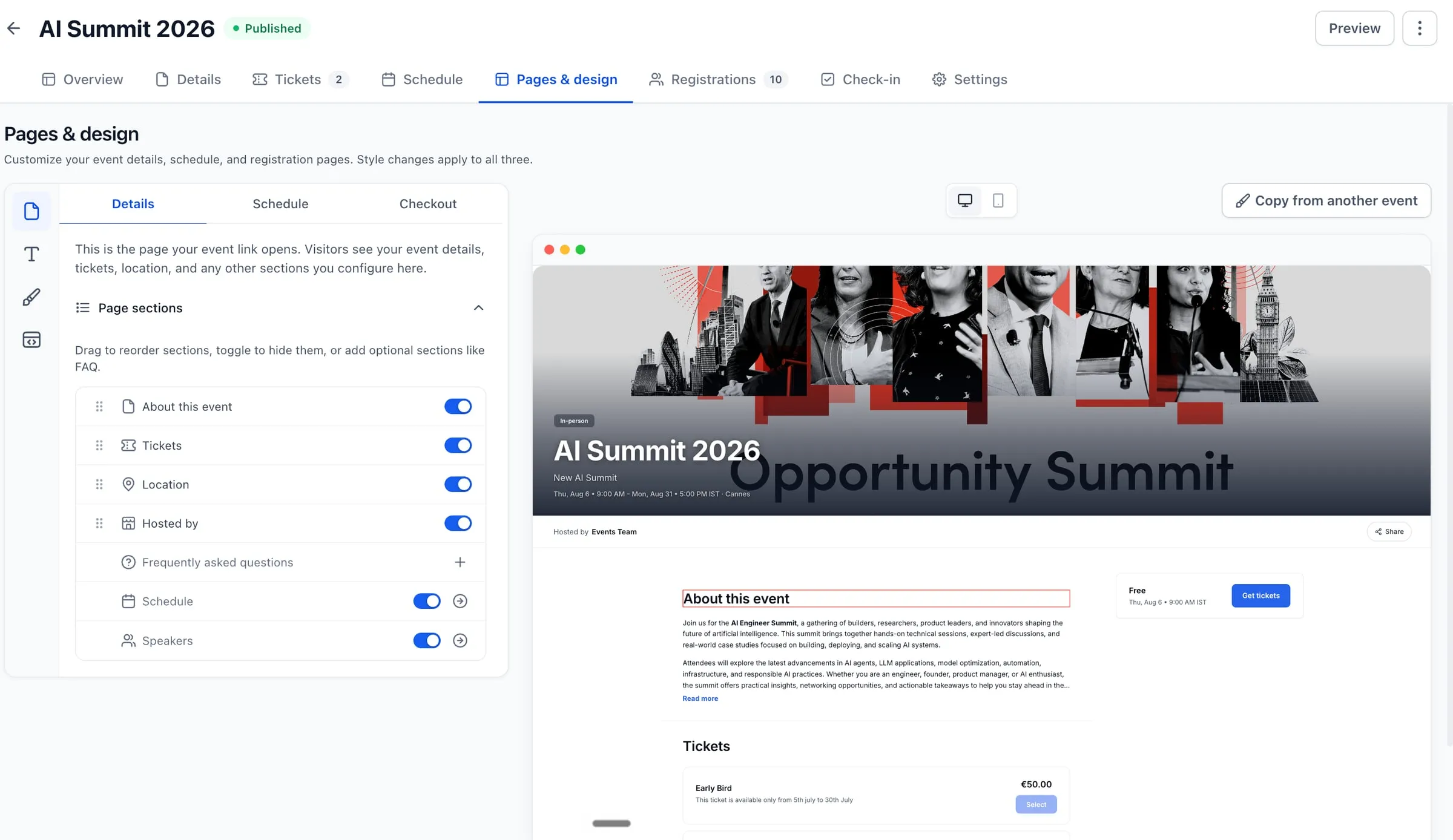
Design the pages
Your event, schedule, and checkout pages come ready to customize: reorder sections, restyle them, or add custom CSS. Embed the result in a funnel or on any website.
- 3
Publish and fill seats
Share the link and registrations land in your CRM. On event day, scan QR tickets at the door with the mobile app.
Sell tickets on your terms
Define the ticket tiers your event actually needs: an early bird that ends on the date you pick, a premium tier with limited seats, a free RSVP for open houses. Pricing, inventory, and sales windows are set per ticket type.
-
Free, paid, and RSVP
Mix ticket types in a single event, from free admission to premium tiers.
-
Inventory and sales windows
Cap seats per tier and schedule exactly when each ticket goes on and off sale.
-
Coupons and add-ons
Run promo codes and offer extras alongside the ticket at checkout.
-
Group registrations
One buyer can register several attendees, with details collected for each person.
Paid tickets are charged through your connected payment provider, the same processing that powers invoices and checkout in SMBcrm. You can also add attendees manually and record payments taken elsewhere.
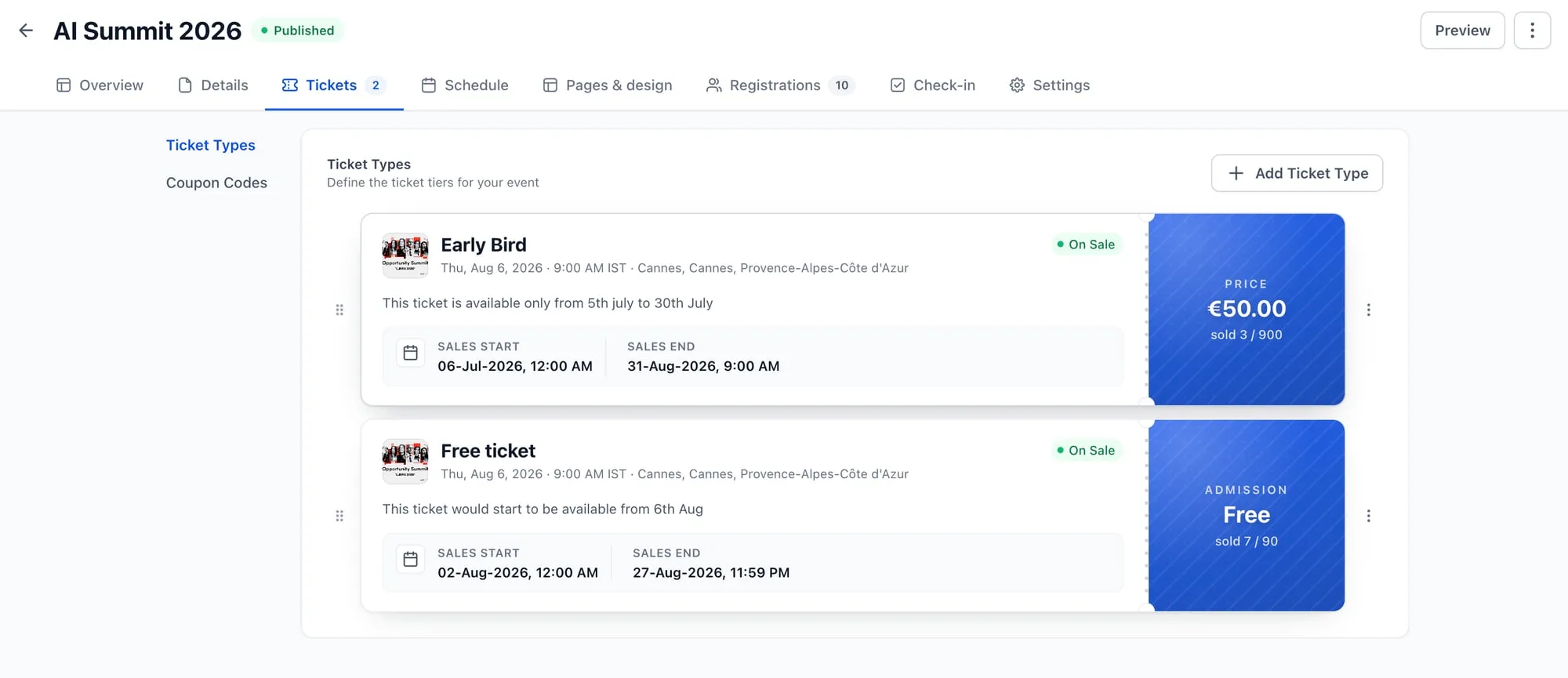
Each ticket type carries its own price, inventory, and sales window.
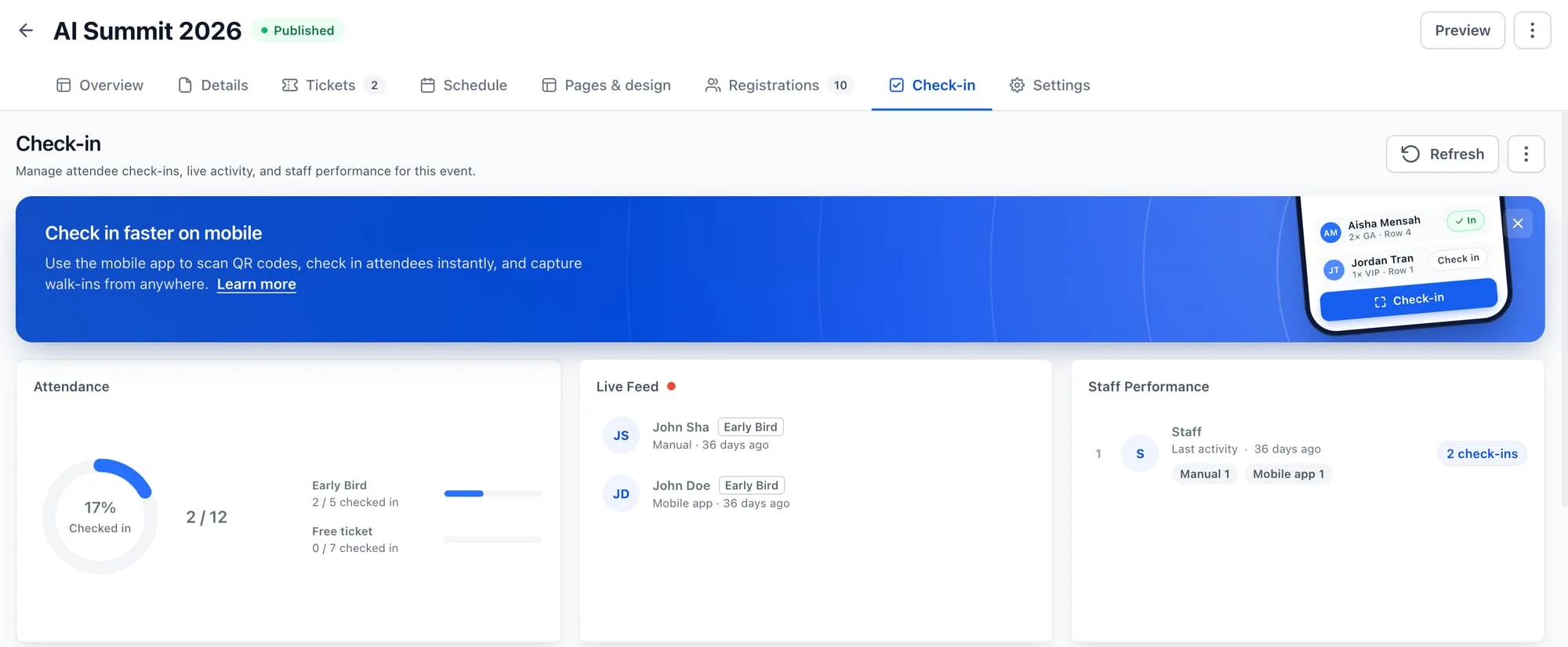
Attendance, arrivals, and door staff activity, live during the event.
Check-in without the clipboard
Every registration gets a QR-code ticket automatically. On event day, scan tickets with the SMBcrm mobile app and watch the room fill up from the dashboard.
-
QR tickets, issued automatically
Attendees get a scannable ticket the moment they register. No exports, no third-party scanner app.
-
Live attendance
See who's checked in by ticket type, watch arrivals in the live feed, and capture walk-ins at the door.
-
Staff performance
Multiple people working the door? See check-ins per staff member as they happen.
Follow-up that runs itself
Registration and check-in are native workflow triggers, right next to form submissions and pipeline changes. Build the confirmation email, the day-before reminder, the thank-you for everyone who showed, and the follow-up for everyone who didn't, then let them run.
Trigger on the moment
Start workflows when someone registers or checks in, with one run per attendee.
Branch on the details
Route by event, ticket type, registration status, or check-in method.
Time it to the event
Wait until, before, or after the event date, so reminders land when they should.
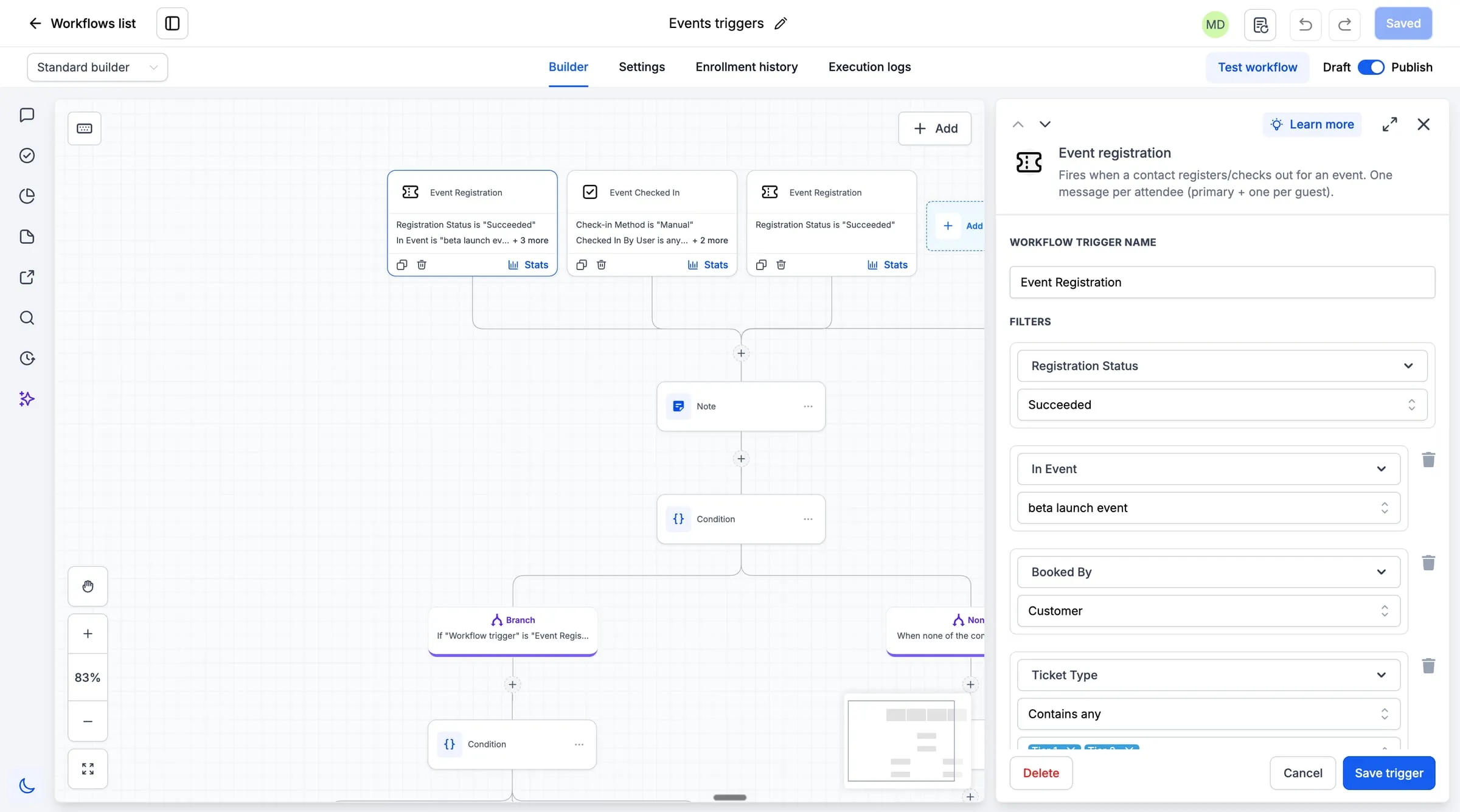
Event Registration and Event Checked In triggers in the workflow builder.
Want to watch an event go from blank page to first registration?
Bring a real event you're planning: a workshop, a class, an open house. We'll build it with you on the call and wire up the follow-up.
Part of Memberships, next to your courses and community

The Events tab in the Memberships area of SMBcrm.
Events lives in the Memberships area of SMBcrm, alongside your courses, communities, and certificates. That neighborhood is the point: the people who attend your workshop are the same people who buy your course and join your community, and now they're all in one place.
Events is in beta and available on every SMBcrm plan. Open Memberships, choose Events, and create your first event. Beta means the feature is still evolving, so expect new capabilities as they roll out.
Selling paid tickets requires a connected payment provider.
Frequently Asked Questions
What is Events in SMBcrm?
What kinds of events can I run?
Do I need a separate ticketing platform?
How does check-in work?
Can Events trigger my automations?
Can I put my event page on my own website?
What does beta mean, and what does Events cost?
Ready to run your next event from your CRM?
Create the event, share the page, and check everyone in at the door. The follow-up is already wired in.
60-day money-back guarantee
Full refund within 60 days if SMBcrm isn't right for you
No setup fees
Get started in minutes, we handle the heavy lifting
Cancel anytime
No long-term contracts, stay because you want to