Team only
Incoming WhatsApp calls ring your selected team members.
Help callers get answers, take the next step or reach your team. Configure a Voice AI agent around your business knowledge, booking needs and handoff rules.
AI usage, phone charges and channel eligibility apply. Agent versioning is available through Labs.
Business knowledge
Configured call actions
Team handoffs
Test before publishing
A useful phone agent needs more than a greeting. Decide what it should answer, what it can change and where a caller goes when they need a person.
Give the agent the information it should use for questions about your services, hours and next steps. Test the answers before customers rely on them.
Configure supported booking, CRM or external-tool actions. A speech-to-speech agent can use selected MCP tools during the call when its model and connected app support them.
Decide which calls your team should handle and configure the route. Test the transfer through a phone call before using it with customers.
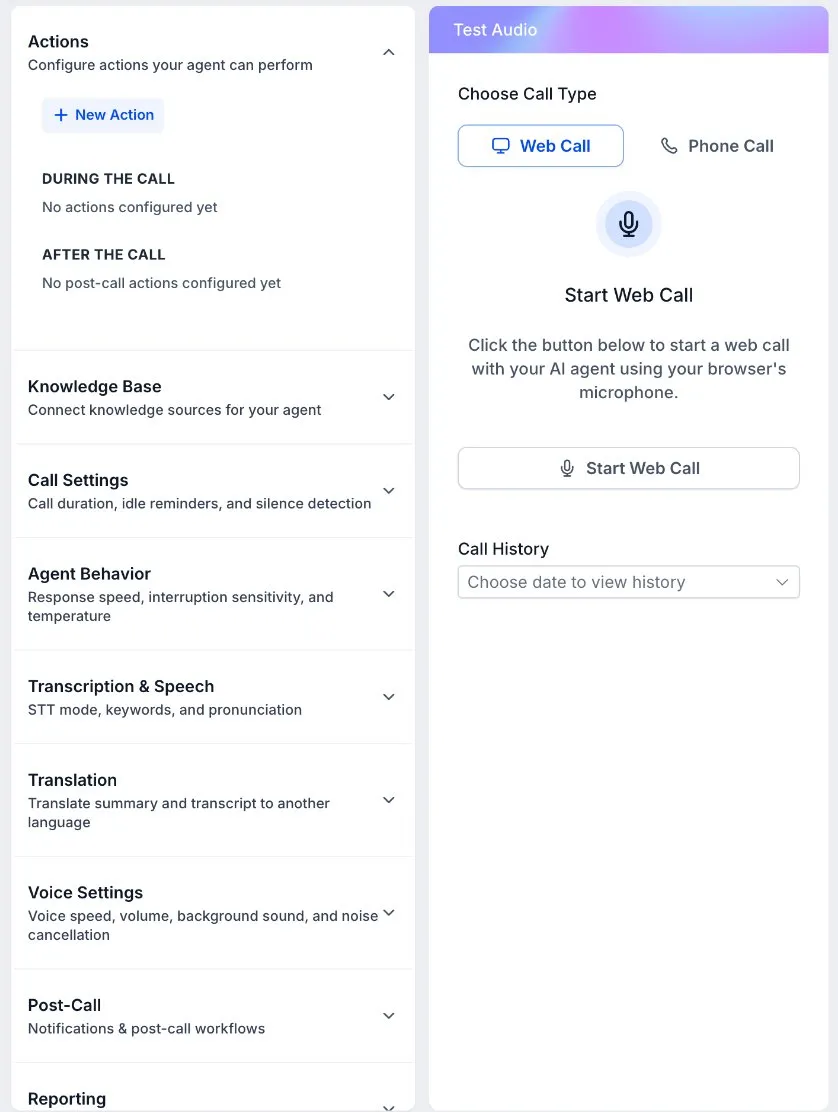
Use an existing Voice AI agent for an eligible WhatsApp number. You can give your team the first chance to answer or send calls straight to AI.
Incoming WhatsApp calls ring your selected team members.
Give your team the first chance to answer. The selected AI agent takes over after the configured wait if nobody picks up.
Route the incoming WhatsApp call directly to your chosen agent.
WhatsApp Calling must be available and enabled for the number. Configure routing and test the selected agent before accepting customer calls; channel and usage charges may apply.
Voice AI versioning separates a working draft from the configuration callers are using. Test changes before publishing, then review how the agent performs in real conversations.
Prepare prompt or configuration changes while the current version continues handling calls.
Try the revised behavior, then review what changed between versions before deciding to publish.
Make the reviewed version live. An eligible earlier version can be restored if you need to return to it.
Review call activity and use Agent Health to evaluate recent transcripts. Self Healing prepares improvements for your review; applying them remains your decision.
Versioning supports prompt-based Standard and Realtime agents, with one draft and up to 20 saved versions per agent. It does not cover Flow-Based Builder agents. Agent Health needs usable transcripts, and its evaluations use a sample of conversations.
Supported speech-to-speech agents can use MCP connections to work with external apps during a conversation. Connect a compatible app or custom server, select the tools it may use, and explain when each tool belongs in the call.
For example, a caller can ask about availability and the agent can check a connected calendar. Booking or changing an appointment requires the relevant tool and account permission.
Model and app compatibility vary. Test the selected tools and inspect their results. A test call can perform real actions in a connected account.
A Voice AI agent can answer calls, use your business knowledge to respond to questions, and perform configured actions such as checking appointments or routing a call. You choose its instructions, knowledge, tools and handoff behavior, then test those choices before assigning live calls.
Yes, where WhatsApp Calling is available for your connected number. You can ring your team only, send incoming calls directly to an existing Voice AI agent, or let the team answer first and use AI if nobody picks up. Each eligible number has its own routing settings.
Yes. Voice AI Agent Versioning lets supported prompt-based Standard and Realtime agents keep a separate draft for testing. Compare configurations before publishing, or restore an eligible earlier version. Versioning is a Labs feature and does not support agents made with the Flow-Based Builder.
Supported speech-to-speech agents can use selected tools from a connected MCP app or compatible custom server. This can support a live lookup or action, such as checking a connected calendar. Compatibility depends on the voice model and available tools. The connected account’s permissions still apply.
No. Agent Health can evaluate recent call transcripts and use Prompt Optimizer to prepare and test proposed improvements. You review the results and prompt changes before applying them. Monitoring requires usable transcripts and applicable AI usage capacity.
A browser call helps you check the greeting, knowledge and supported actions. Call transfers and other phone-dependent behavior need testing through an actual phone connection. Connected tools can perform real actions during tests, so choose appropriate test data and review what happened.
Voice AI is usage-based, with eligible usage covered by the AI Employee add-on according to its allowance and fair-use terms. Normal phone usage charges still apply. Check the AI Features page for current coverage, and review the relevant channel and integration charges before activating your agent.
See AI Employee coverage and usage for the full billing explanation.
Choose the questions and actions your agent should handle, then test the call and the route to your team.
60-day money-back guarantee
Eligible Startup and Professional initial subscription fees only. Usage and add-ons are excluded. Read the refund terms.
No setup fees
Plan your setup with training and support
Cancel anytime
No long-term contracts, stay because you want to