The new A/B Test action in SMBcrm workflows lets you compare messages and follow-up sequences within one workflow. Contacts are split evenly across 2–10 paths, with each path measured against the same conversion goal.
Set up a test
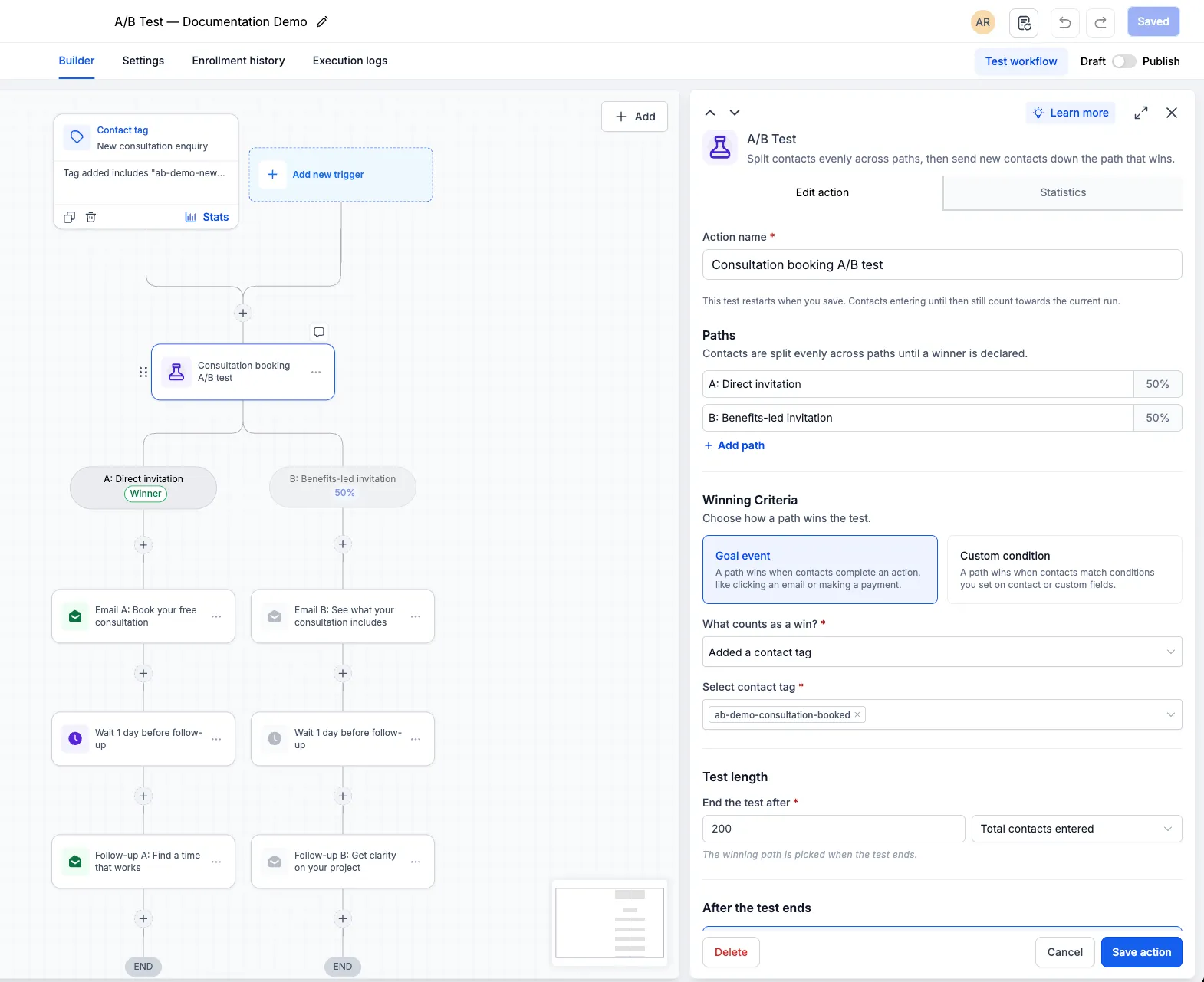
Go to Automation > Workflows > Add action and select A/B Test. Name your test, then configure:
- Paths: Add 2–10 paths and build the actions you want to compare under each one.
- Winning criteria: Choose email activity, appointment status, a contact tag, or payment received, then select the relevant emails, calendar, tag, or product. You can also use a custom condition based on contact or custom fields.
- Test length: End the test after a specified number of contacts enter, a number of goal completions, or a selected date and time.
For example, compare consultation invitations, email engagement, lead-nurturing sequences, or payment reminders.
Choose how contacts are routed afterward
When the test ends, you can:
- Send new contacts to the winning path: Future entrants follow the path with the highest conversion rate. Contacts already in a path finish their sequence. The workflow canvas shows a Winner badge and mutes the other paths.
- Keep splitting and show the result: Contacts continue to be split evenly while the winner is marked in Statistics.
Review results and run another test
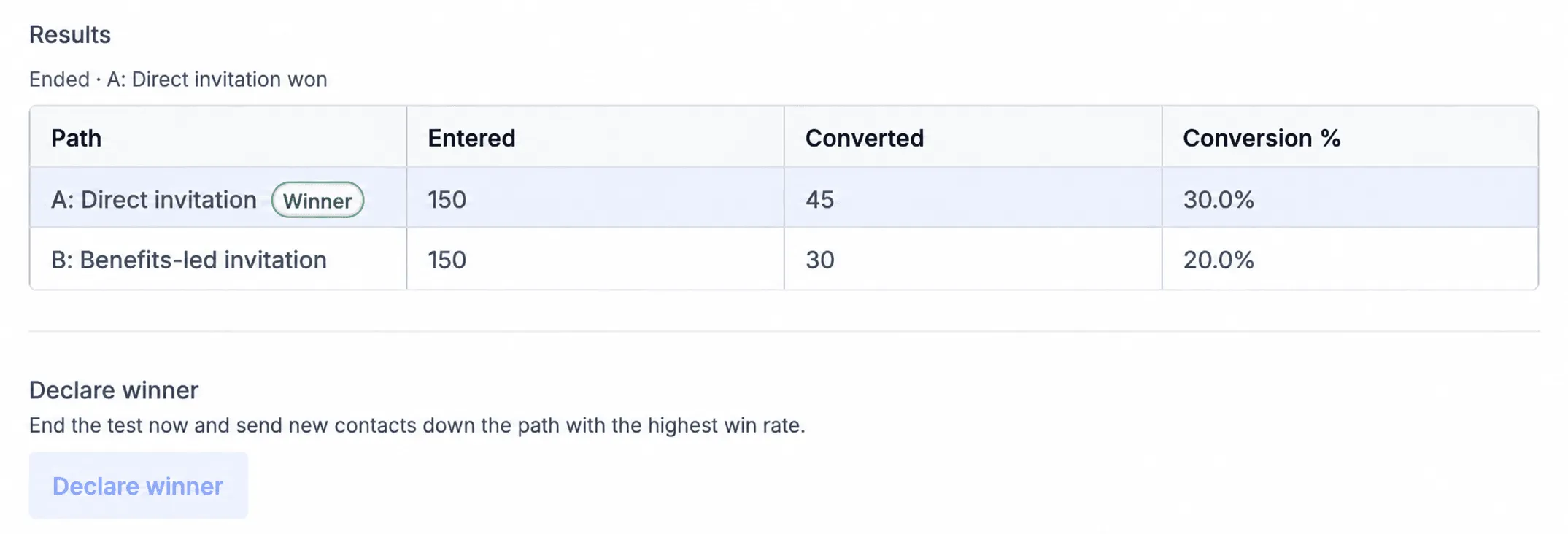
Open Statistics to see entrants, conversions, and conversion percentage for each path. Once you have enough data, select Declare winner to end the test early. The path with the highest conversion rate wins.
Keep these details in mind:
- A/B Test is separate from the Split action. Its goal measures conversions, not which path a contact enters.
- If paths tie, the first path is treated as the winner.
- Date-based tests use the account’s time zone.
- Reset test starts another comparison. Saving after a reset clears previous results, and returning contacts may take a different path.
Release Images
Need Help Applying This Update?
Want help turning this update into a working part of your CRM, marketing, or automation setup?
Get Started or schedule a demo and we’ll help you map the right next step.