Auto-Detect Review Profiles Across 52+ Platforms
SMBcrm now helps users find review profiles across 52+ supported platforms from inside Reputation & Growth. Recommended profiles can include detected review counts, match confidence, and business details before a profile is connected.
What changed
Users can see detected review profiles across supported platforms such as Google Business Profile, Facebook, TripAdvisor, Agoda, Booking.com, Yelp, Trustpilot, and more.
Each detected profile may show details such as:
- Platform name
- Business name
- Address preview
- Available review count
- Match confidence
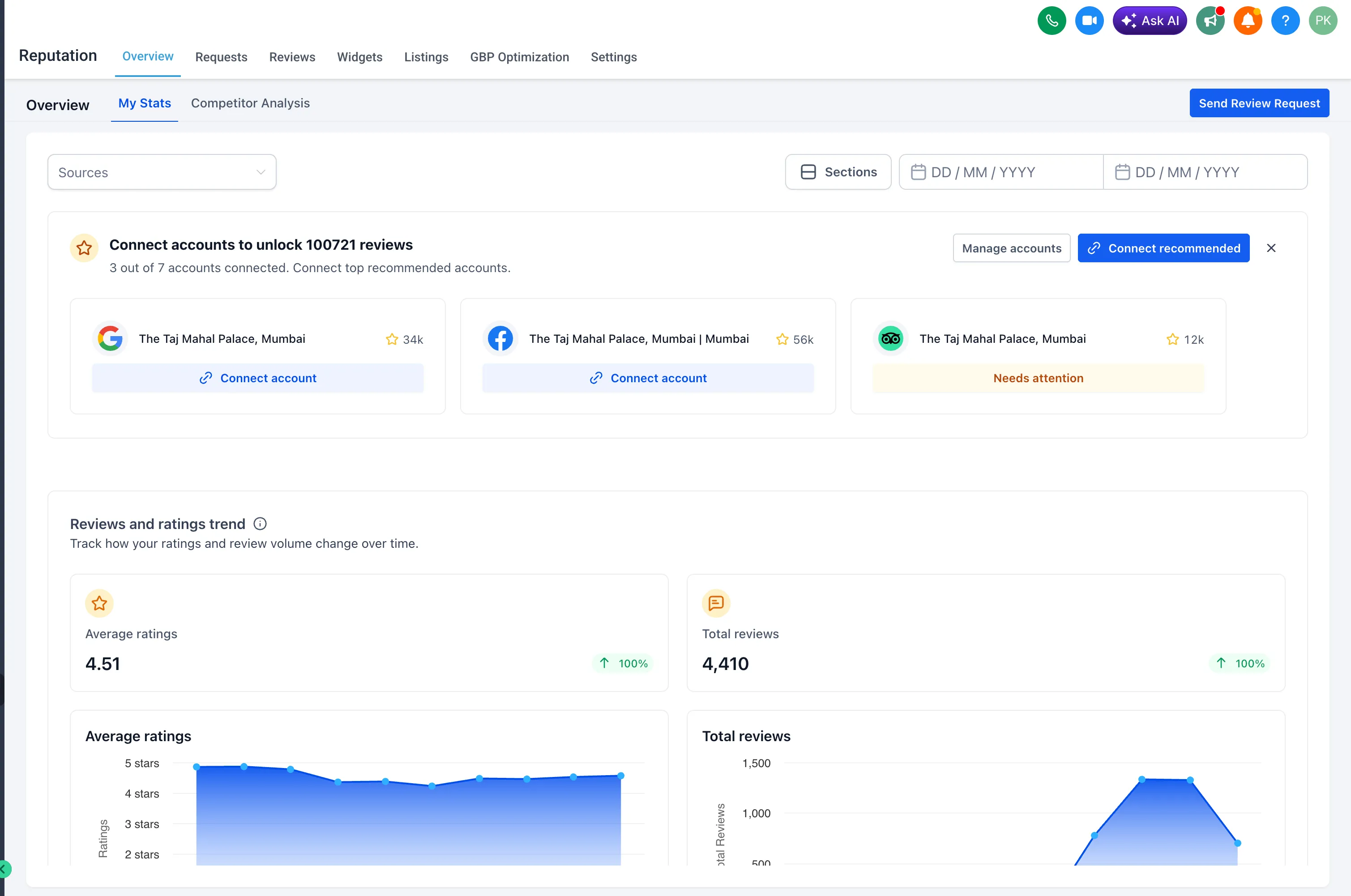
Prioritize the best profiles first
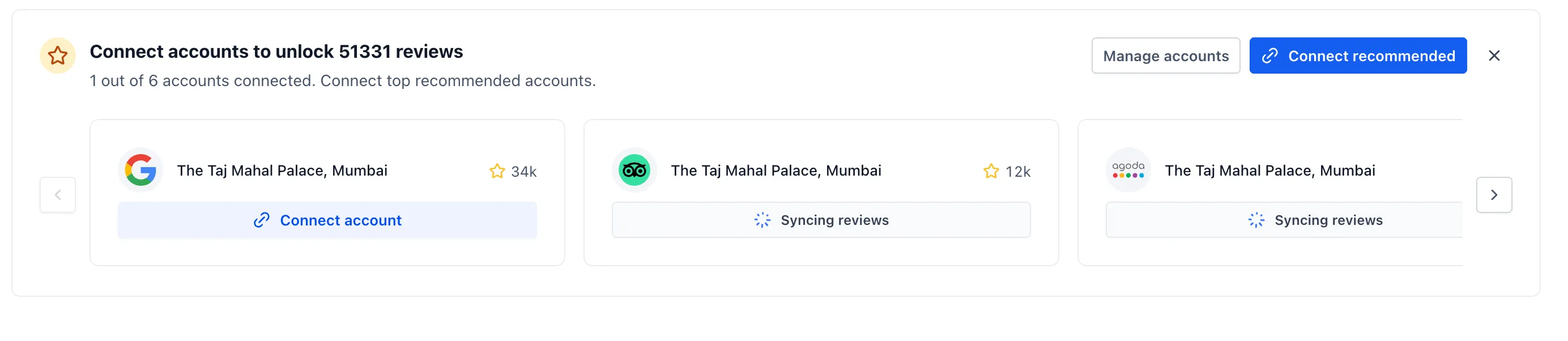
A Top Recommendation card highlights the profile that may be most useful to connect first. This helps users focus on listings with larger review counts or stronger match signals.
Detected listings also show review volume before connecting, so teams can prioritize the platforms with the most existing customer feedback.
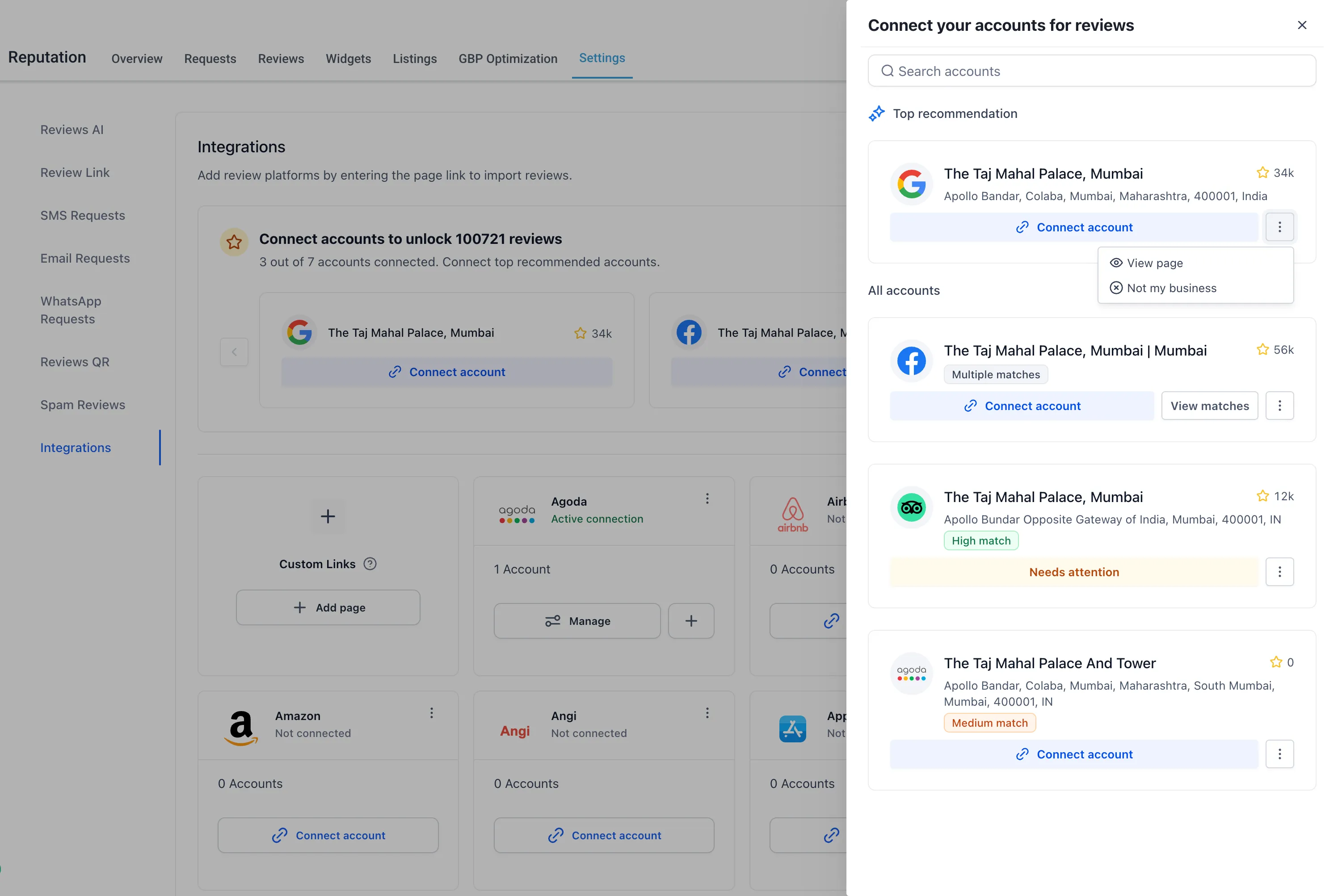
Notifications for newly found review sites
SMBcrm can show in-app notifications when high-confidence review sites are found for an account. These notifications highlight the total review opportunity and guide users to Reputation to connect recommended profiles.
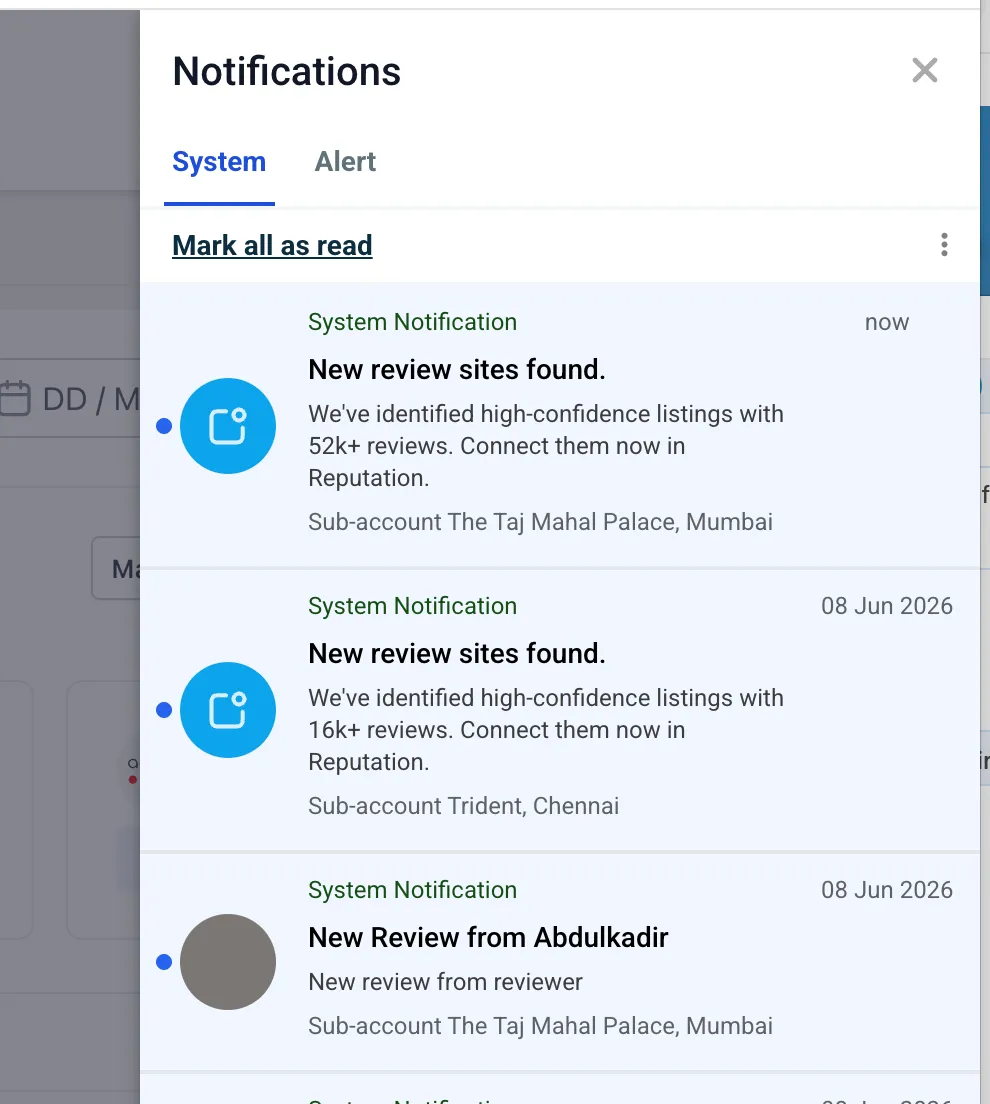
Faster connection options
Recommended profiles can be connected from Reputation Overview or from Reputation Settings under Integrations. This reduces manual searching and makes it easier to link review platforms.
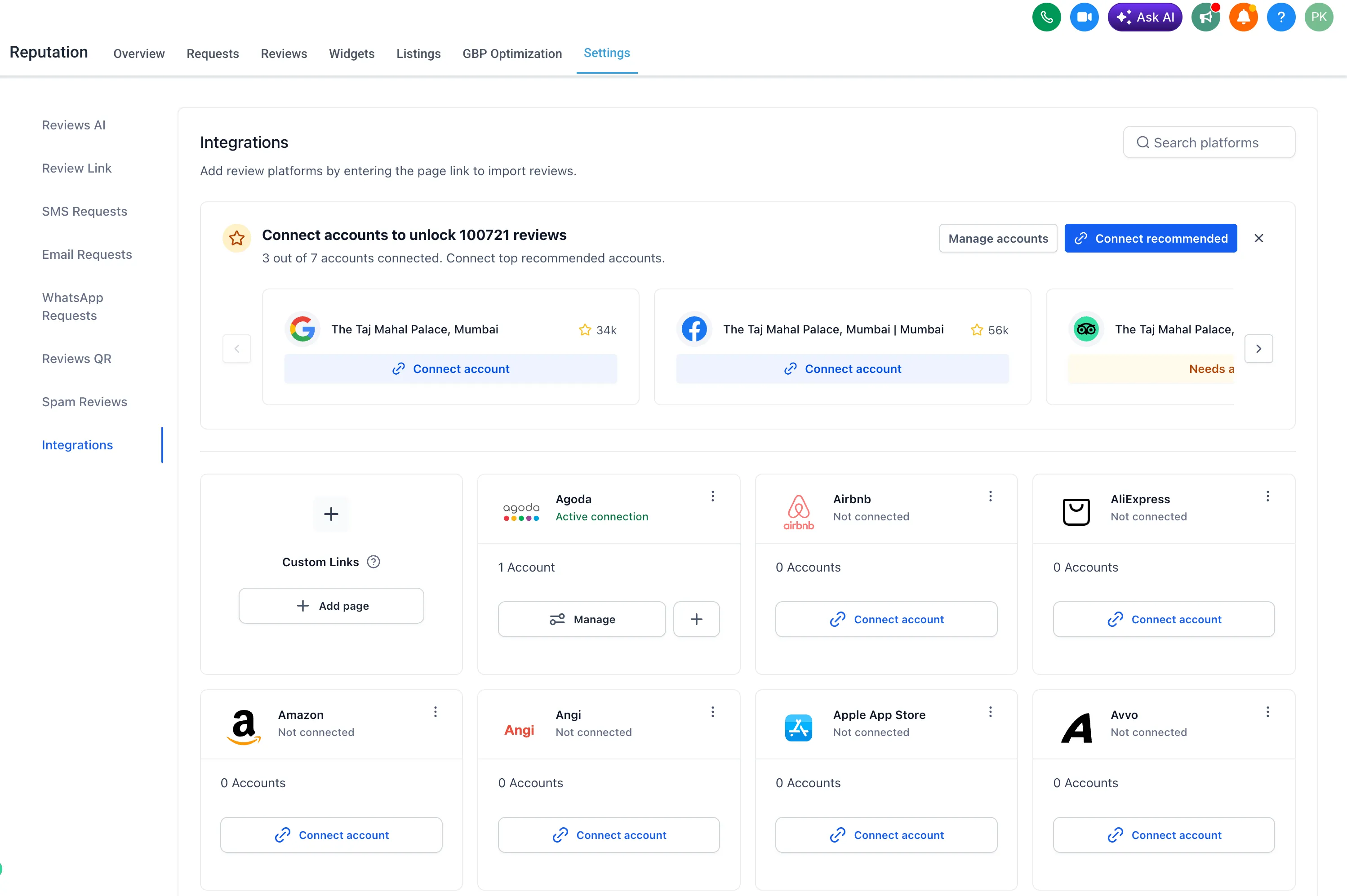
More control over matches
Detected listings include confidence indicators such as High match, Medium match, and Multiple matches. When multiple possible listings are found for the same platform, users can compare them before selecting the right business profile.
Users can also take actions such as:
- View page
- Integrate a different profile
- Mark as not my business
All supported platforms allow multiple review page connections, so users can connect more than one review page for a platform when needed.
Why it matters
This update helps teams discover review profiles they may not have known existed, evaluate review volume before connecting, and manage more review sources from one place.
Need Help Applying This Update?
Want help turning this update into a working part of your CRM, marketing, or automation setup?
Get Started or schedule a demo and we’ll help you map the right next step.