Contact page customization is now available in Labs for all users.
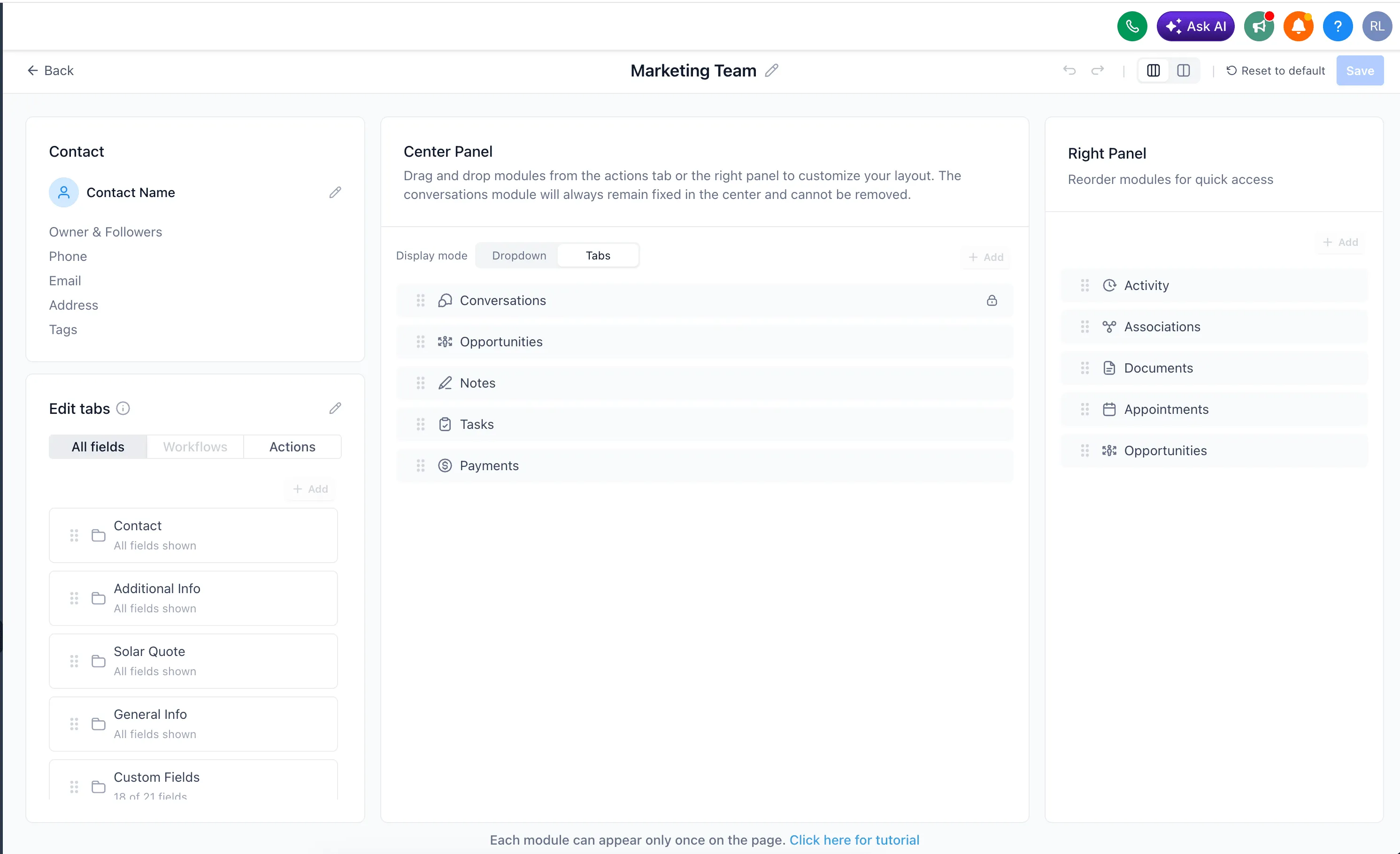
This update gives teams more control over how contact records are structured and viewed inside the CRM. Instead of using one fixed layout for everyone, you can create different contact views based on role, workflow, or team needs.
What Changed
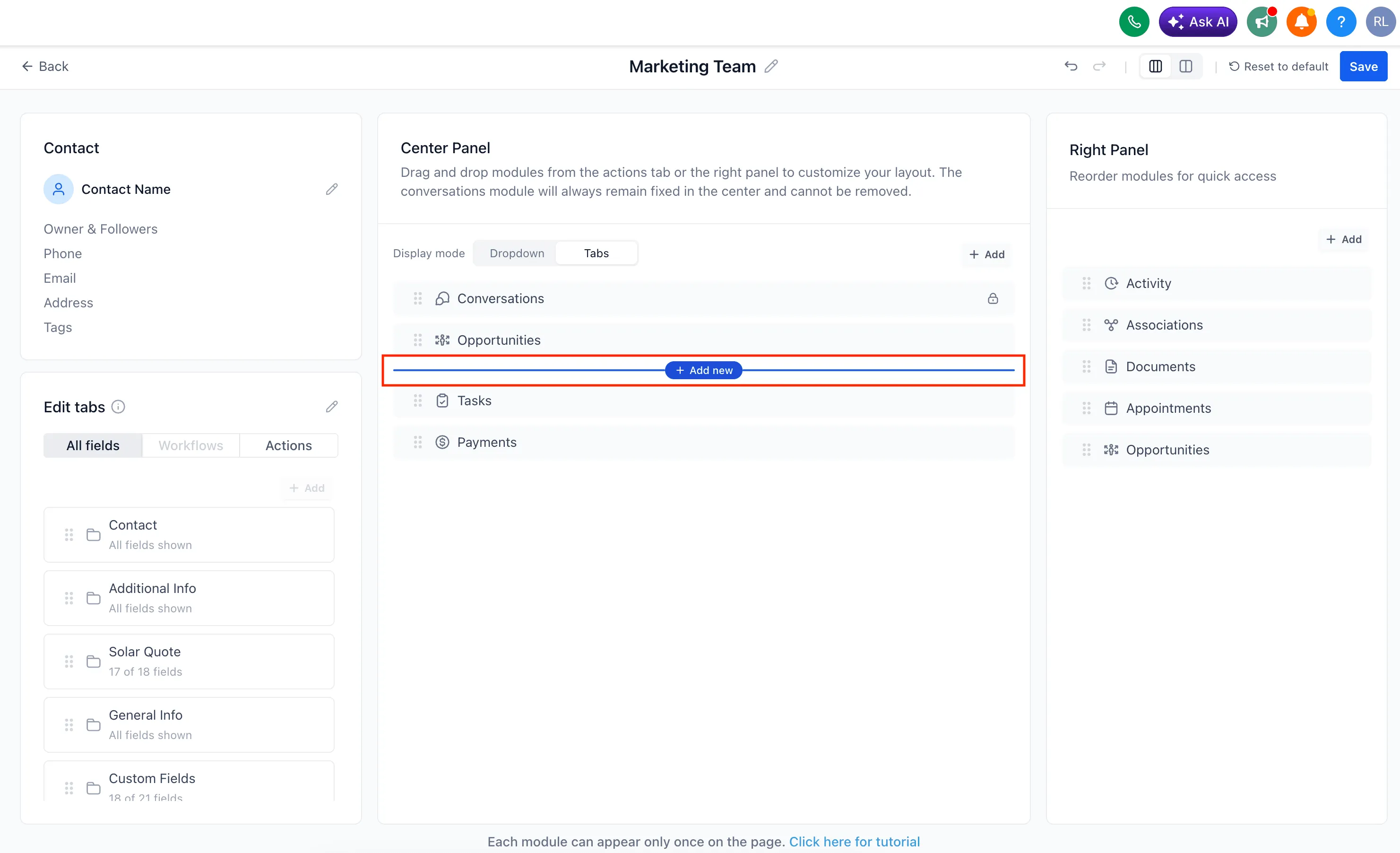
You can now customize the contact detail page with options such as:
- Custom contact detail layouts for users and admins
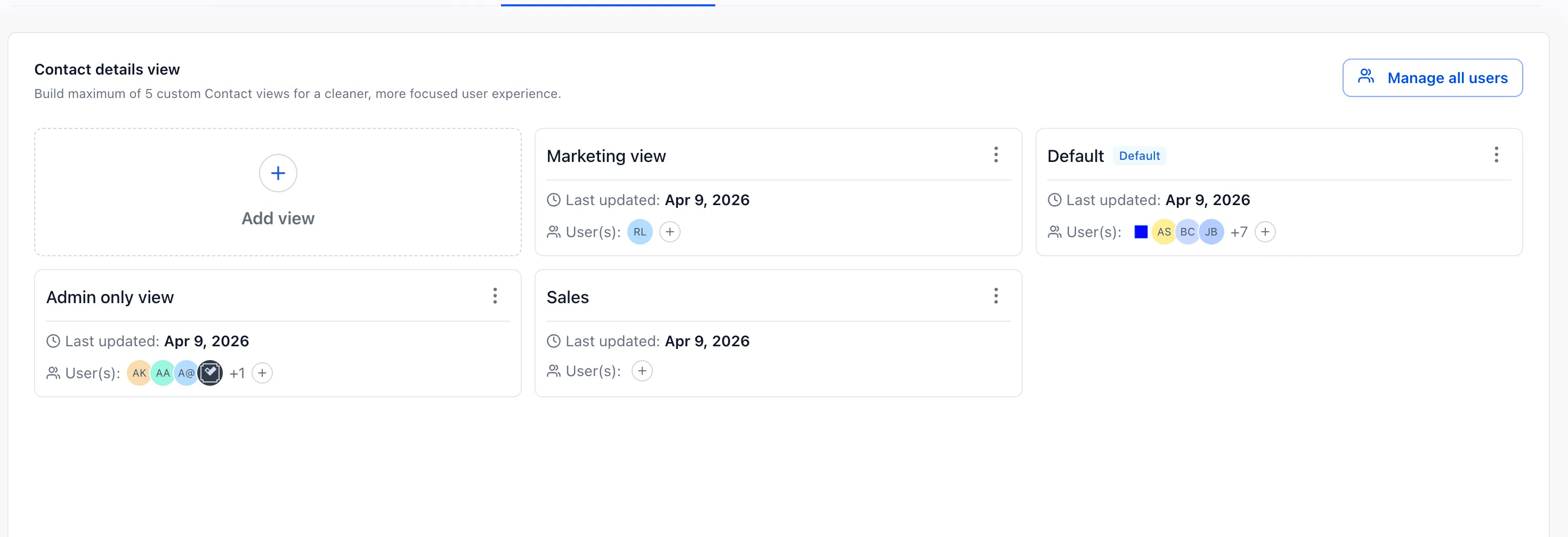
- Up to 5 different views per account
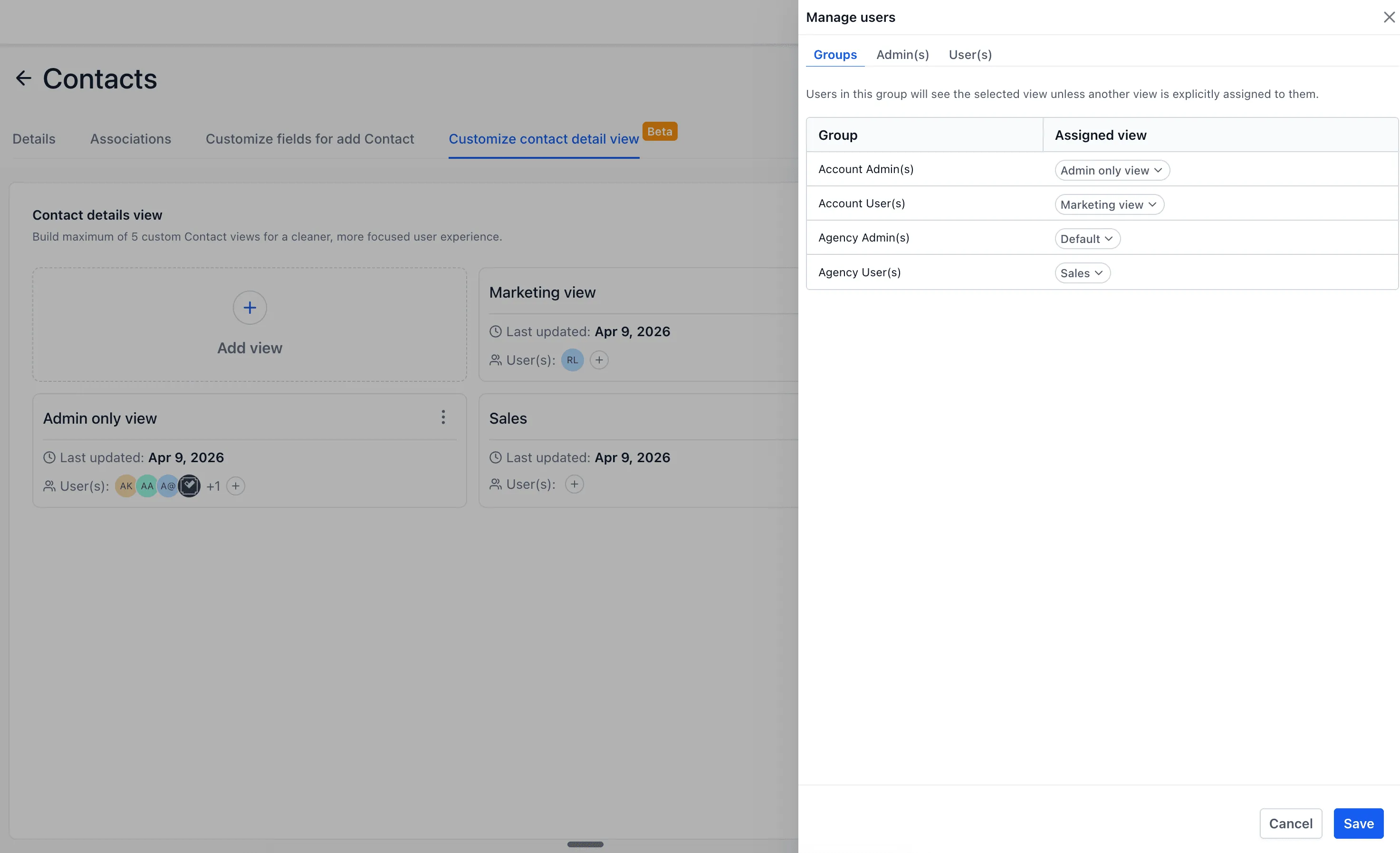
- View assignment for specific users or user groups
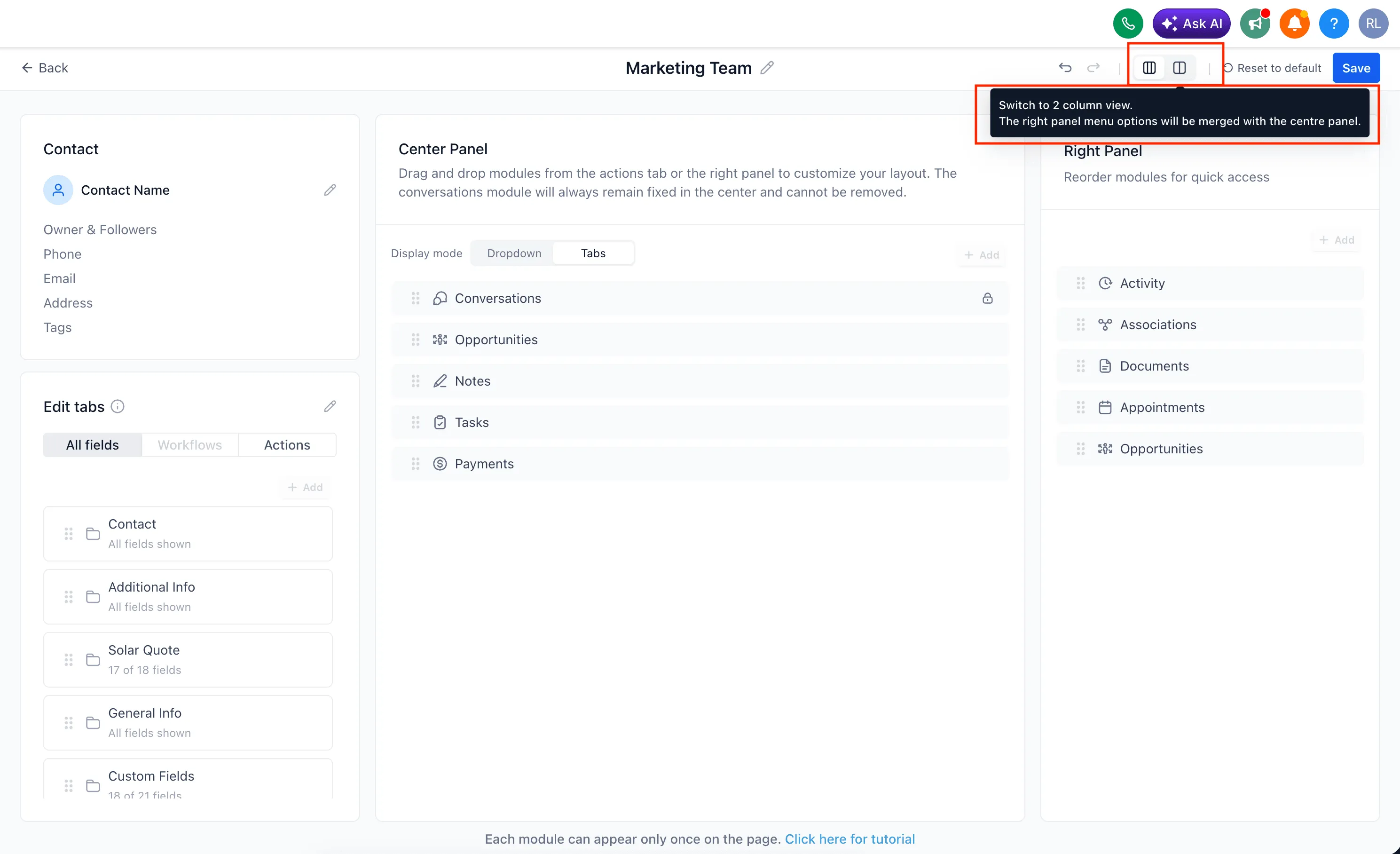
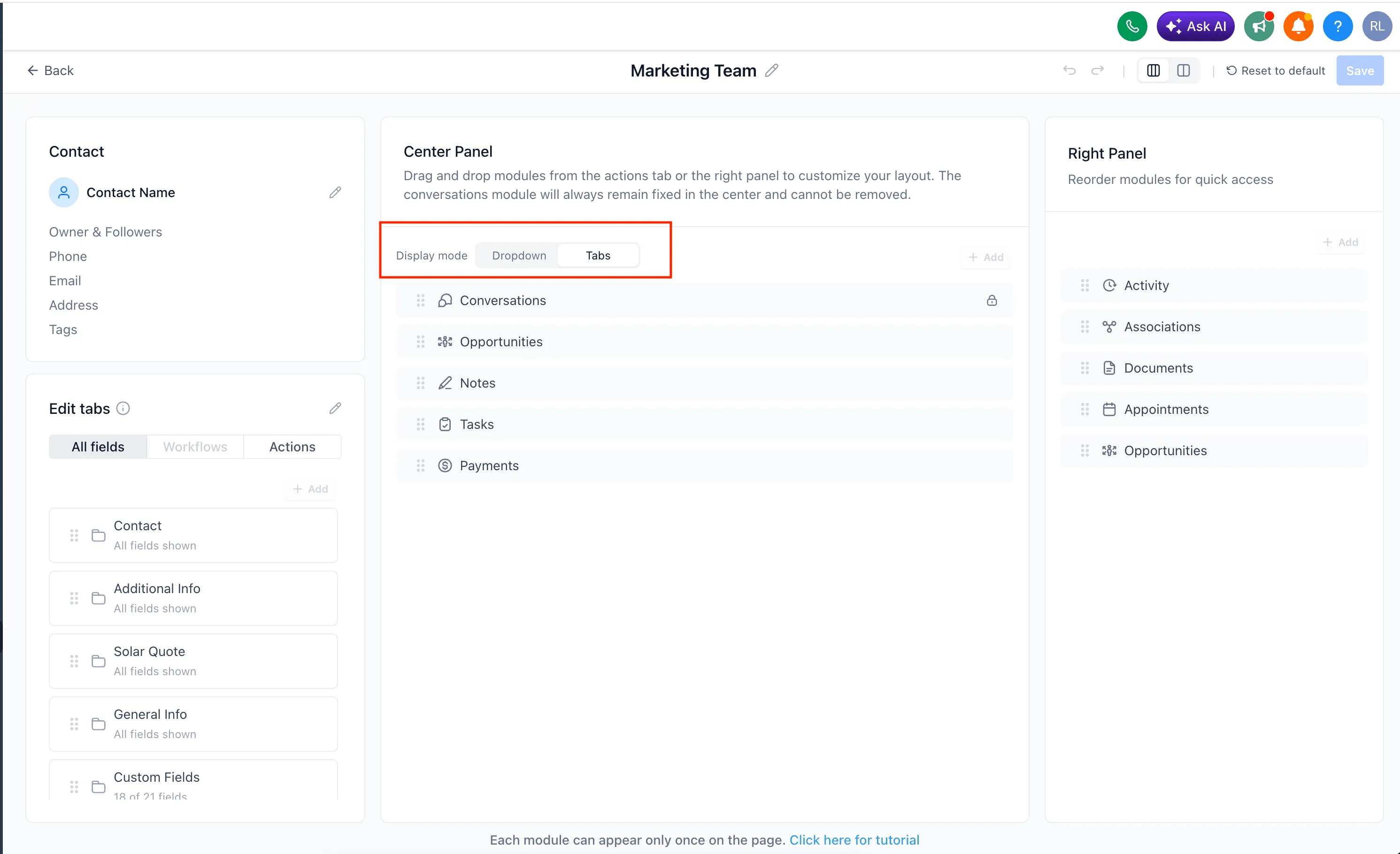
- 2-panel or 3-panel layouts
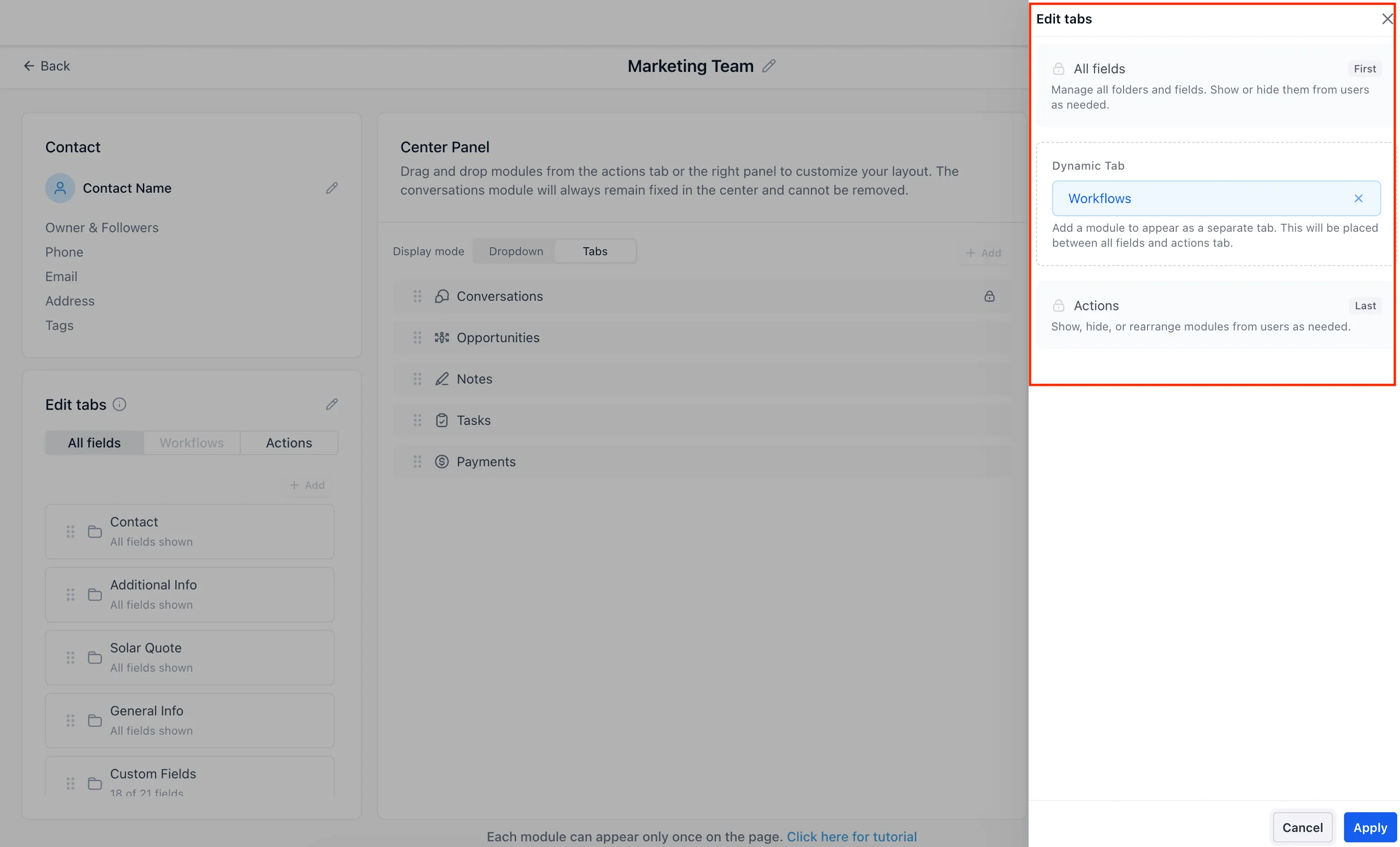
- Tabs or dropdowns for modules
- Drag-and-drop module placement across panels
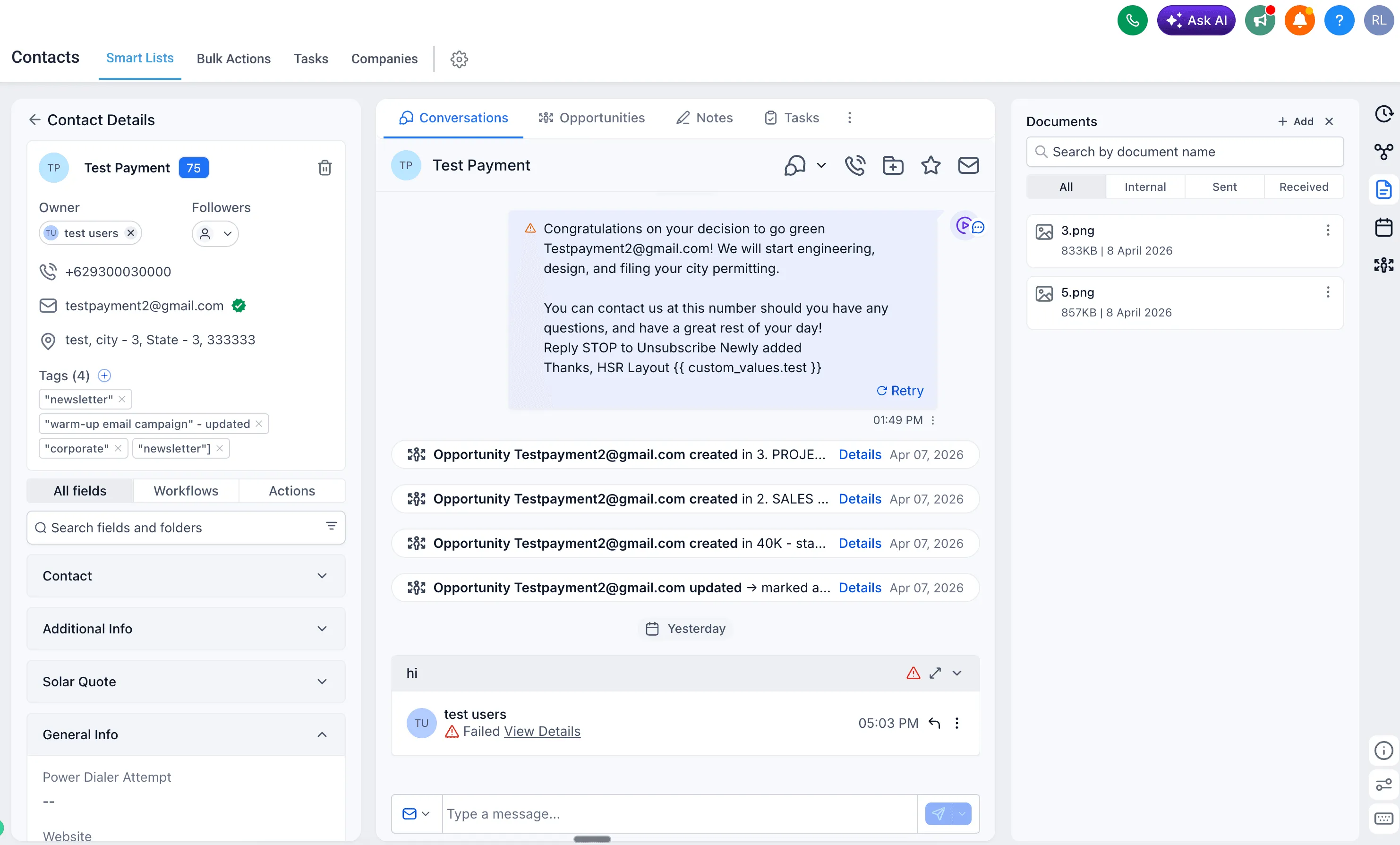
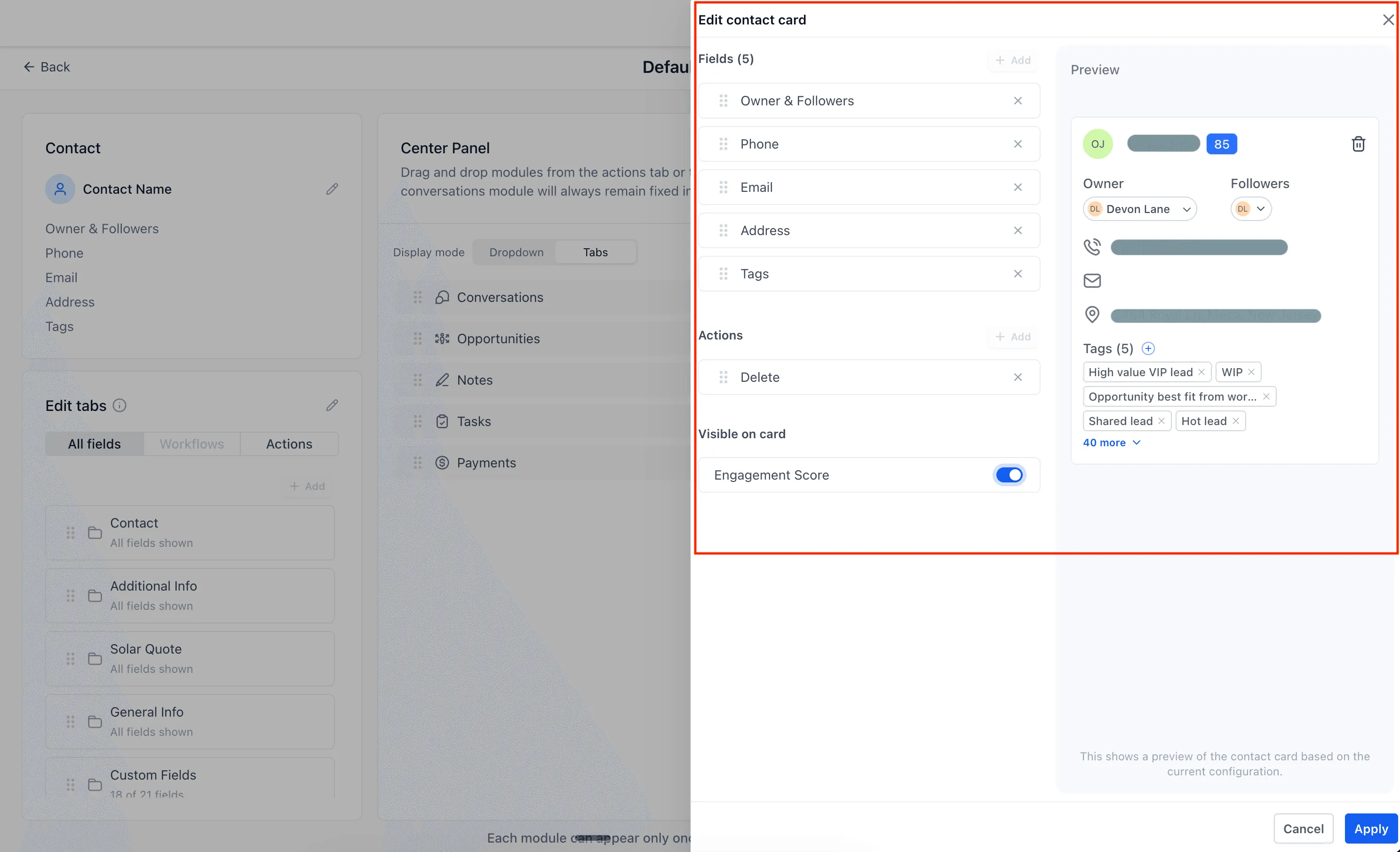
- An enhanced contact card with key details like email, phone number, and address
- More control over where modules appear on the page
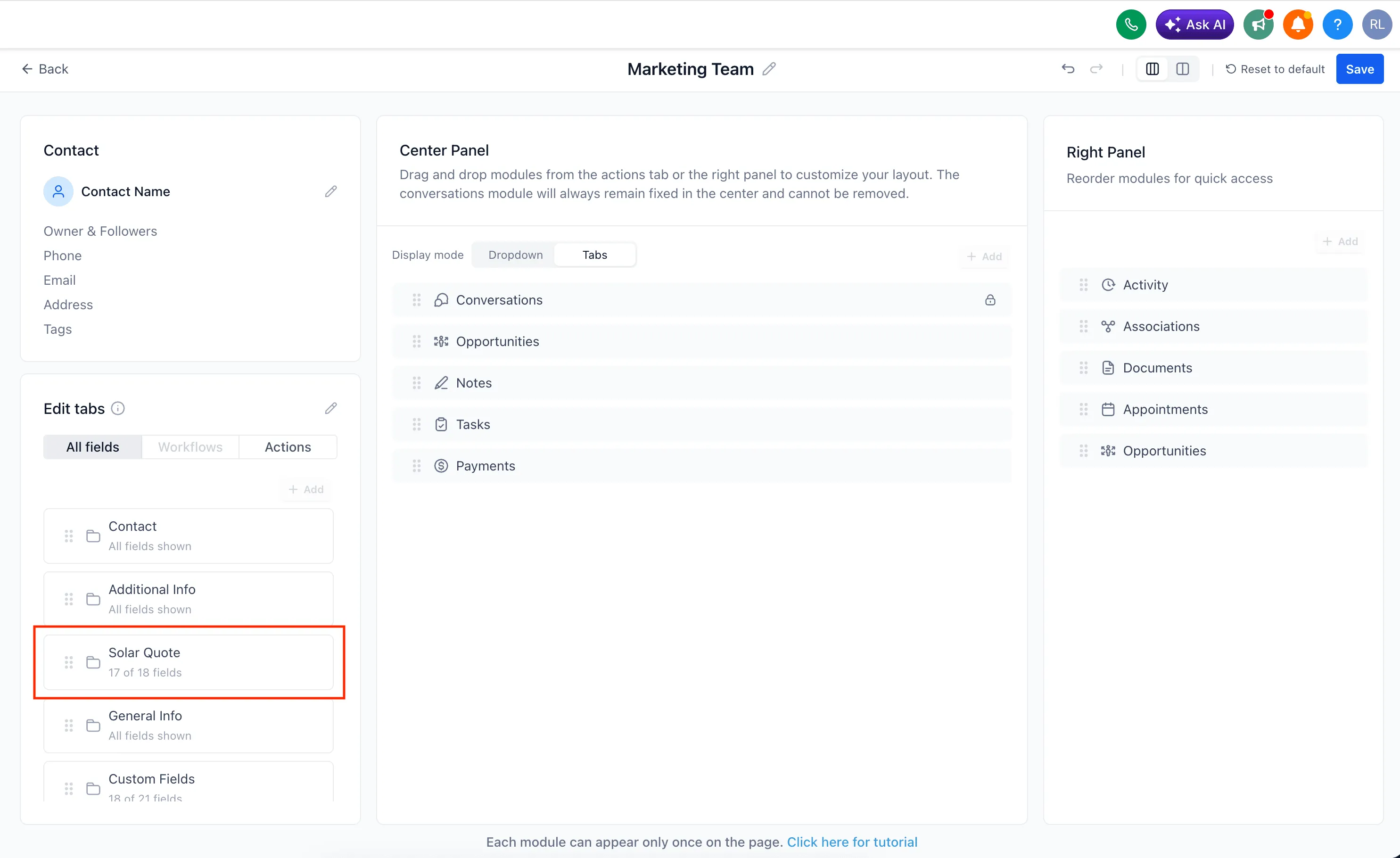
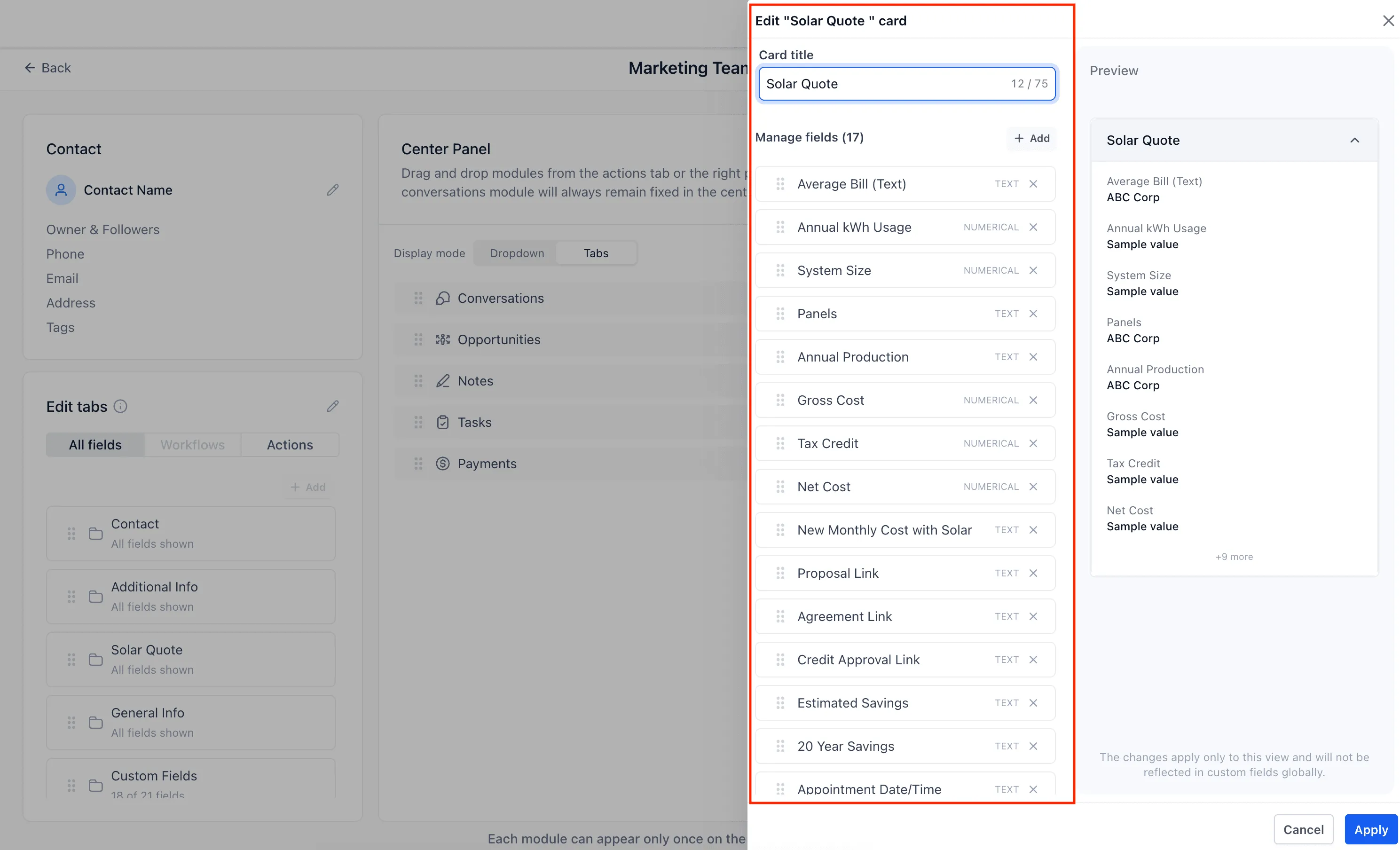
- Show or hide custom fields and folders based on relevance
How It Works
To use contact page customization:
- Enable contact page customization in Labs.
- Go to Contacts > Settings > Customize contact detail view.
- Create a custom view.
- Arrange modules, choose the panel layout, and select how modules display.
- Set visibility for custom fields and folders.
- Assign the view to individual users or user groups.
Once assigned, users will see their designated layout when they open contacts.
Why It Matters
Previously, all users had to work from the same contact layout, even when their responsibilities were different.
With this update, teams can:
- Tailor the contact experience by role
- Surface the most important information first
- Reduce clutter by hiding unnecessary fields
- Improve productivity with layouts that better match day-to-day work
Looking Ahead
The source release also notes planned improvements, including:
- More control over who can create custom views
- Panel resizing
- Allowing modules to appear multiple times on the page
- Module renaming
- Renaming the Actions and All fields tabs
- Making tags available as a movable standalone card
In Case You Missed It
You can also read about Communities Events now supporting Live Rooms.
Release Images
Need Help Applying This Update?
If you’d like help rolling this out in SMBcrm, visit Support or request a demo.