Conversation AI now supports optional triggers and instructions for Knowledge Base usage. This update gives you more control over when AI should prioritize Knowledge Base content while keeping existing behavior unchanged unless you add triggers.
You can learn more about related SMBcrm AI features, automation tools, and communication workflows.
What Changed
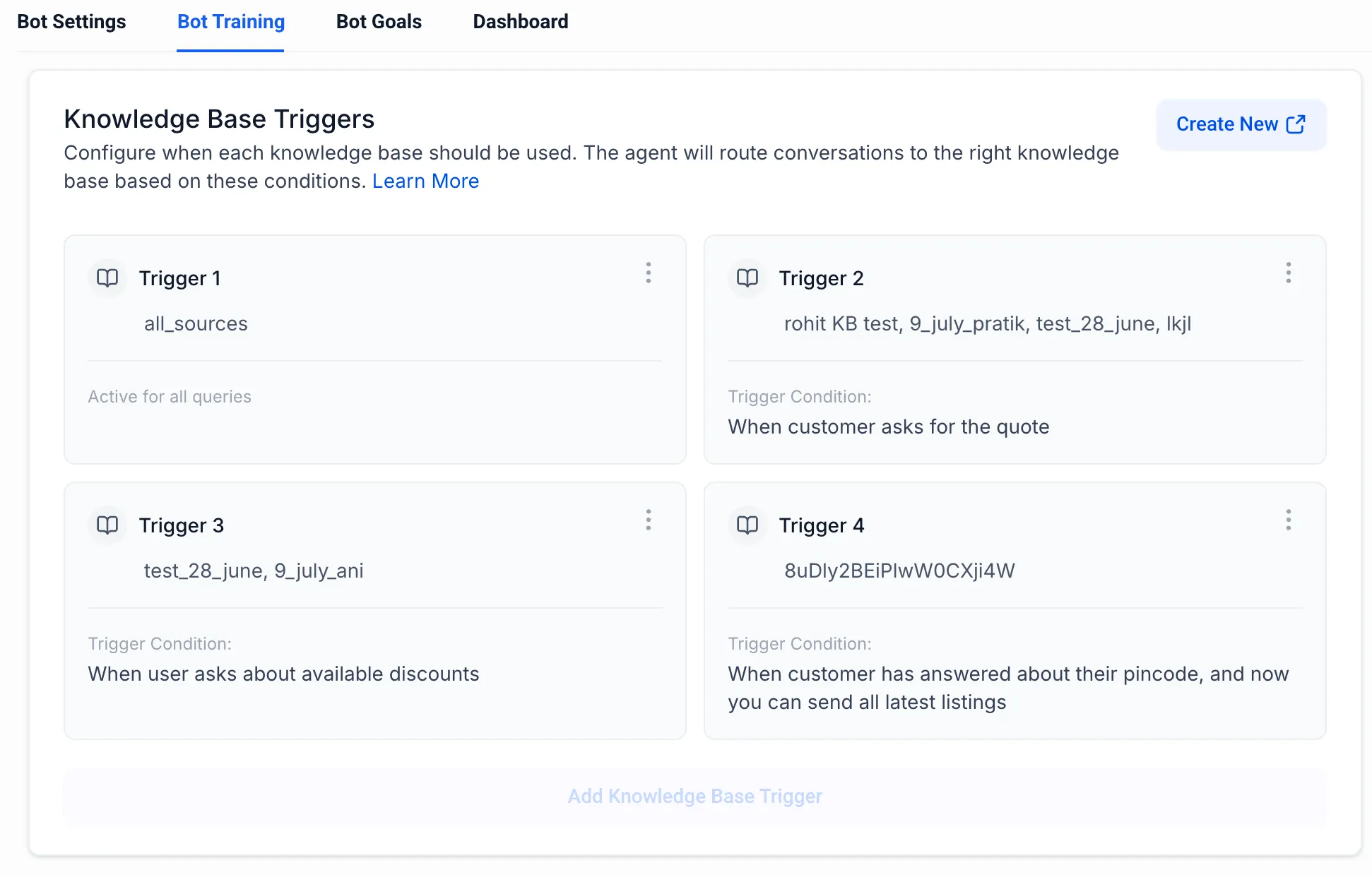
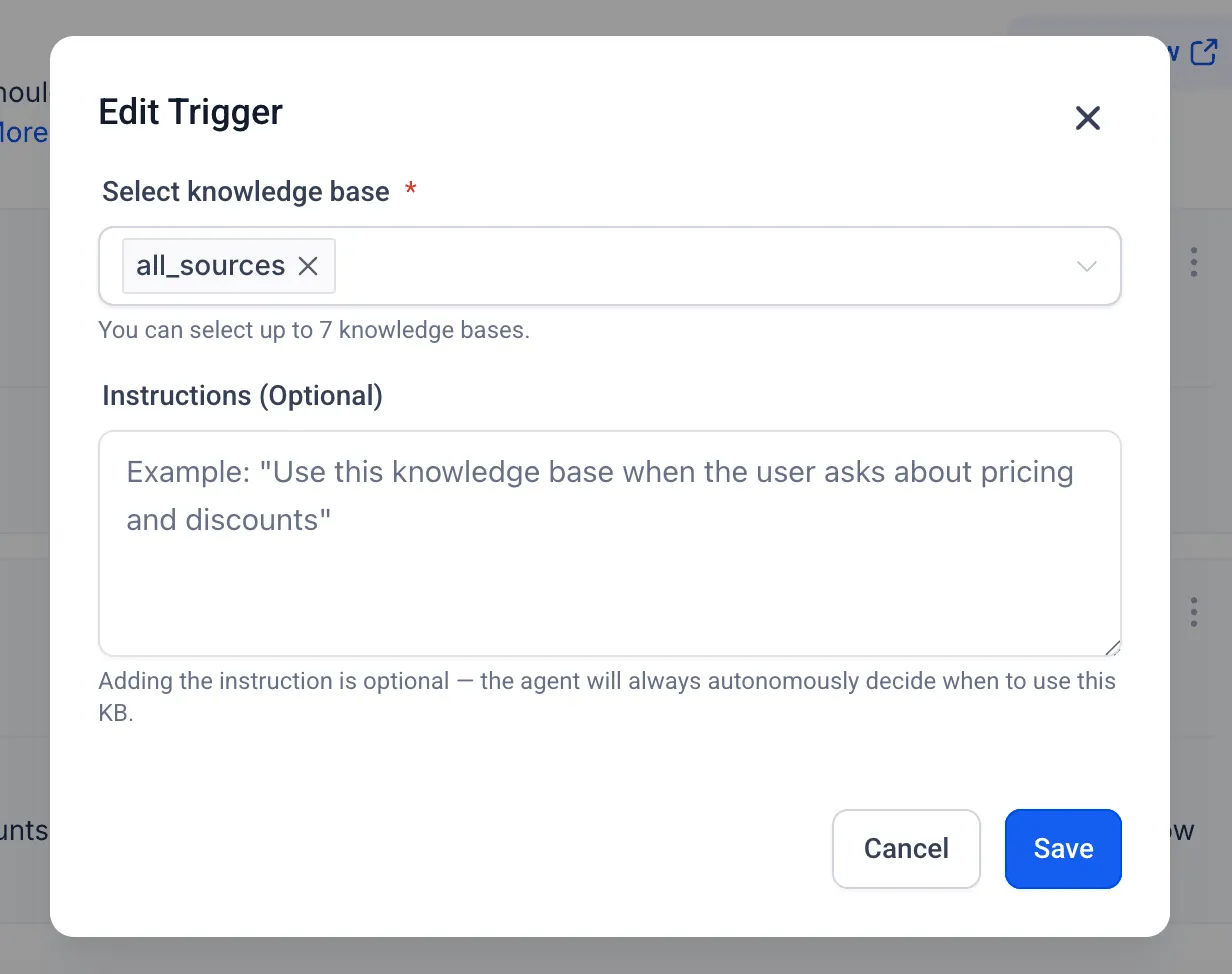
You can now define specific trigger conditions or instructions inside the Knowledge Base to guide when Conversation AI should use it.
This update also expands Knowledge Base configuration limits:
- Up to 4 triggers can be created
- Each trigger can include up to 7 Knowledge Bases
- Previously, only 7 Knowledge Bases could be configured in total
How It Works
Default Behavior
If no triggers are configured, nothing changes.
Conversation AI will continue to:
- Decide on its own when to query the Knowledge Base
- Follow the existing behavior in your current setup
Optional Trigger Conditions
When you add triggers or instructions:
- Conversation AI evaluates those conditions during execution
- If a condition is met, the system prioritizes retrieving information from the Knowledge Base
- AI can still decide independently to use the Knowledge Base when needed
This means you can combine AI decision-making with more explicit control for important scenarios.
Why It Matters
This update can help:
- Reduce cases where AI misses relevant Knowledge Base information
- Improve response accuracy and consistency
- Give users more predictable control for critical workflows
Notes
- This is a newly released capability and may evolve based on feedback
- Existing workflows are not affected unless triggers are configured
In Case You Missed It
You can also read Import Content From Another Course.
Need Help Applying This Update?
If you’d like help rolling this out in SMBcrm, visit Support or request a demo.