Conversation SLA Triggers and Dismissal Controls
SMBcrm can now run workflows when a conversation SLA is due soon, overdue, or manually dismissed. This helps teams manage response expectations in Communication without requiring managers to manually watch SLA timers.
What changed
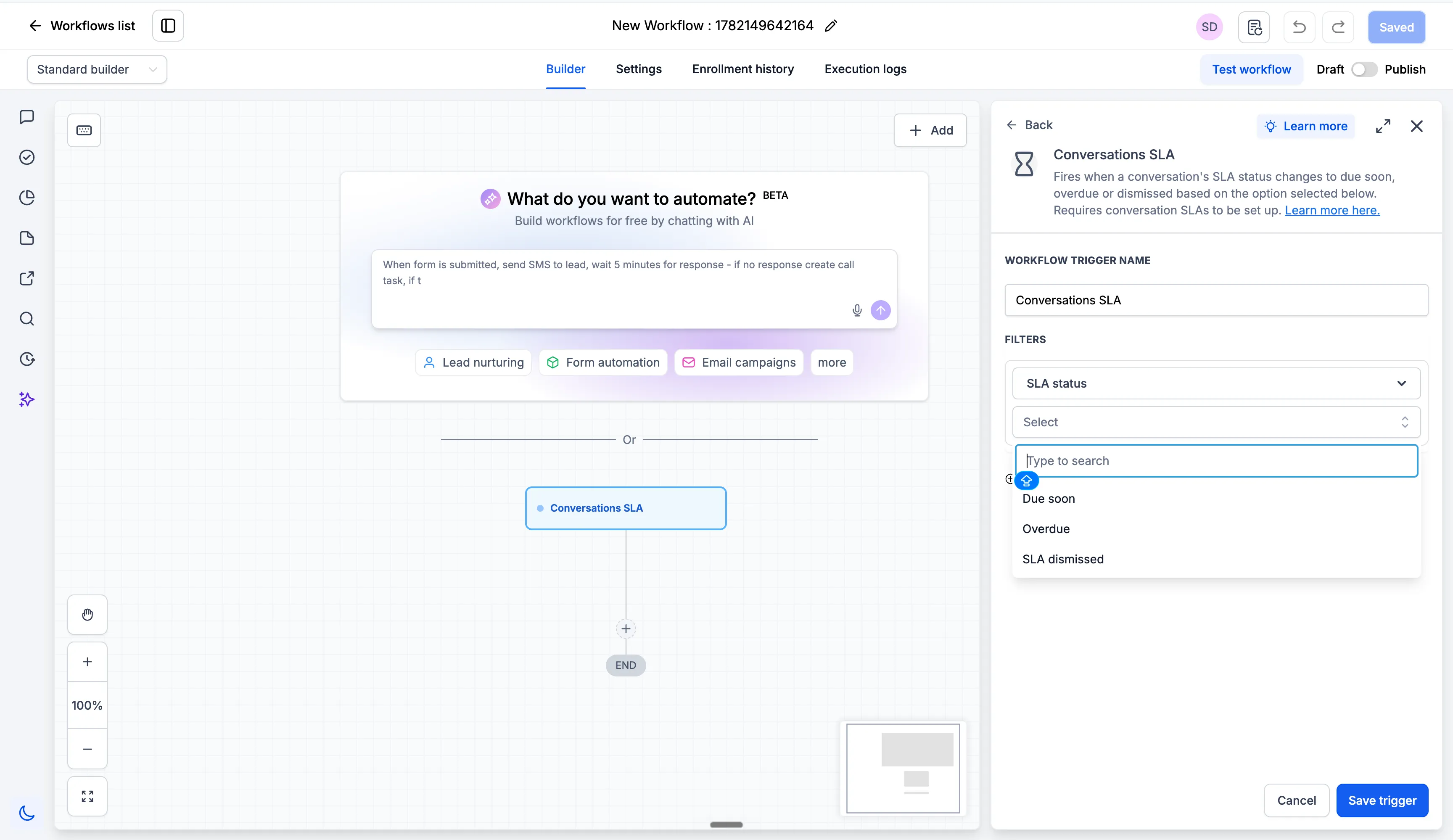
You can use the Conversation SLA trigger in Automation to start workflows for three SLA events:
- Due soon
- Overdue
- SLA dismissed
Workflow actions can notify a user, reassign contacts for escalation, or perform other configured actions based on your workflow setup. Optional filters include message channel, tags, owner, and custom fields.
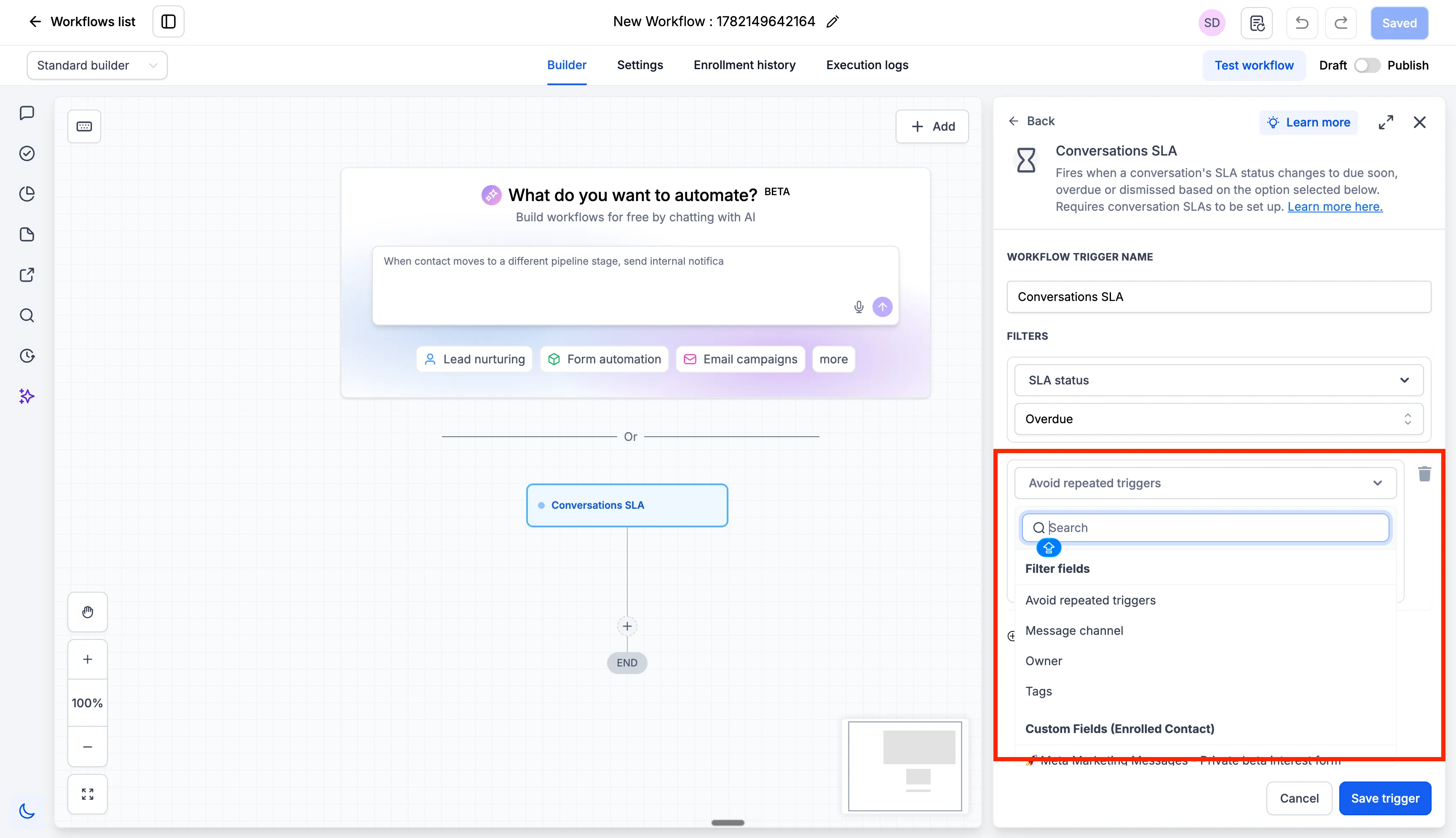
To reduce repeated notifications, the Avoid Repeated Triggers option runs the workflow only once per conversation within a 24-hour period, even if additional messages from the same contact create more SLA events.
Manual SLA dismissal permissions
For conversations that do not require a response, such as “Thank you,” “Got it,” or “Not interested,” users with permission can dismiss the SLA without replying.
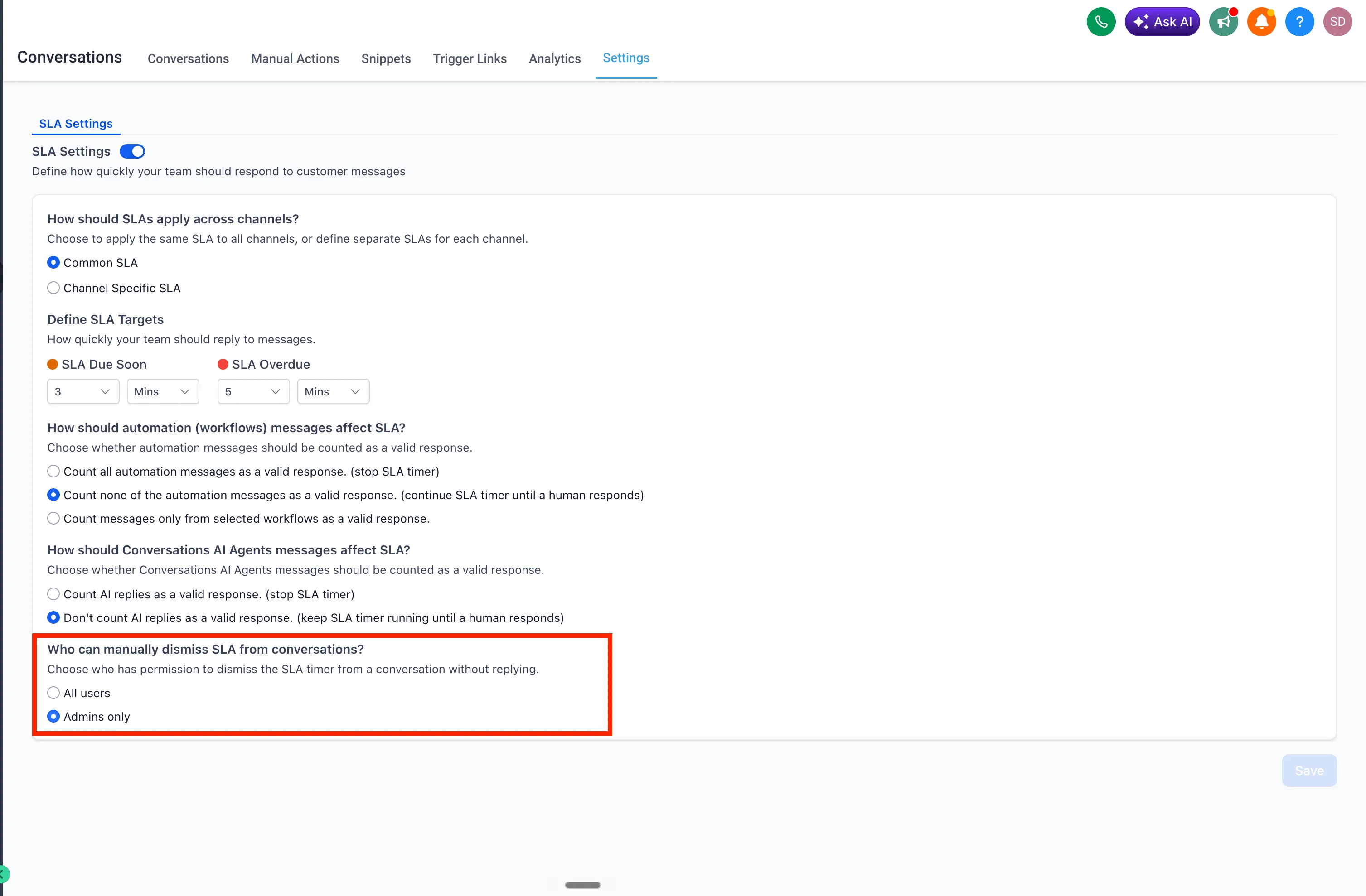
Admins can choose who can manually dismiss SLAs from Conversations Settings:
- All users
- Admins only
Users with access can click the SLA timer in the conversation center panel and dismiss the SLA.
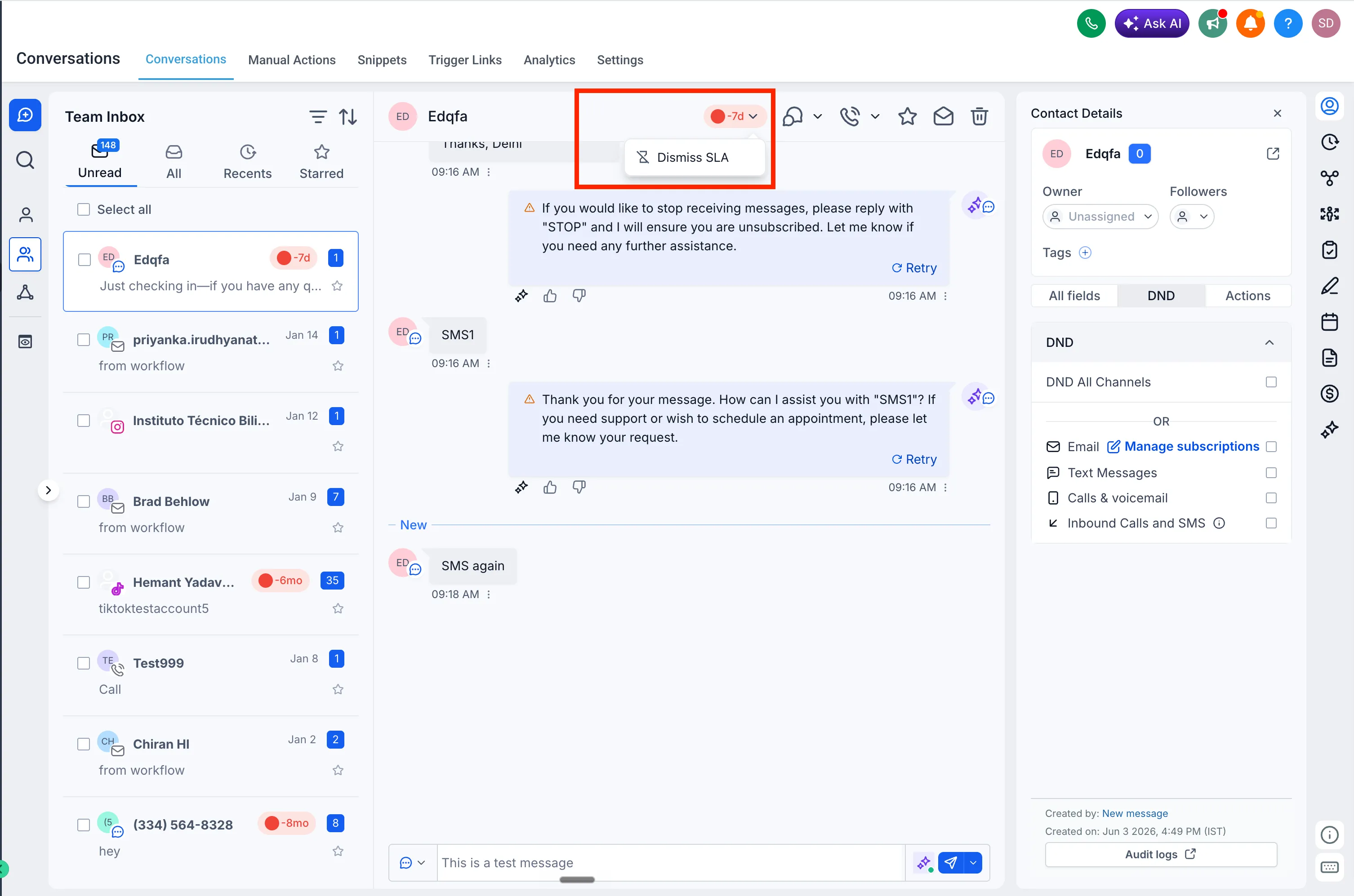
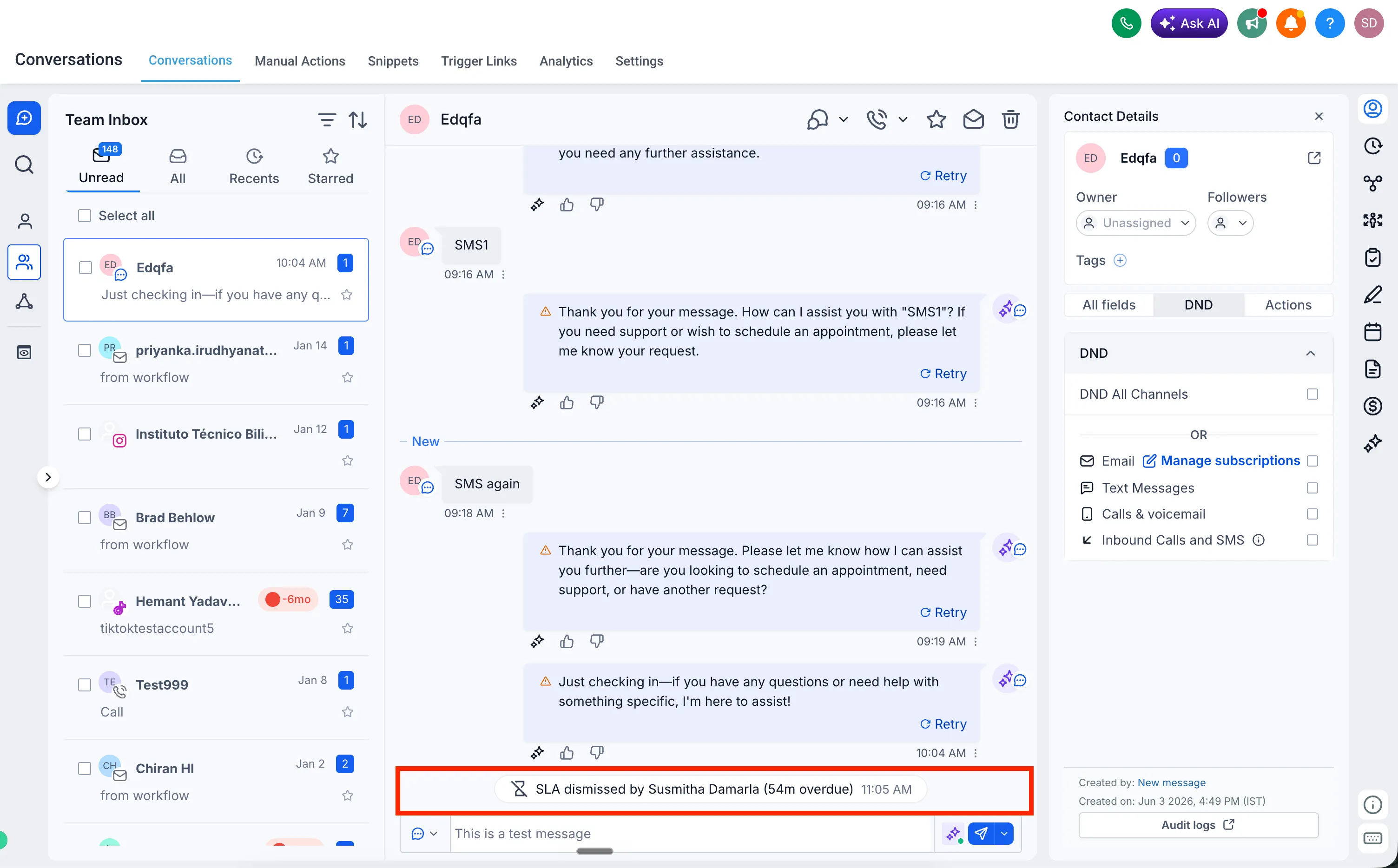
When an SLA is dismissed, SMBcrm adds a conversation log showing which user dismissed it and the SLA status at the time.
How to set it up
- Go to Automation, then Workflows.
- Create a workflow and select Conversation SLA as the trigger.
- Choose the SLA event: Due Soon, Overdue, or SLA dismissed.
- Add optional filters such as message channel, tags, owner, or custom fields.
- Define the workflow actions and publish the workflow.
- To configure dismissal permissions, go to Conversations Settings and choose who can manually dismiss SLAs.
In Case You Missed It
For another Conversations update, read MMLite Adoption Banner Added to Conversations.
Need Help Applying This Update?
Want help turning this update into a working part of your CRM, marketing, or automation setup?
Get Started or schedule a demo and we’ll help you map the right next step.