SMBcrm updated Conversations to make bulk selection easier and internal comments faster to access. These changes reduce friction in everyday communication workflows.
For teams using Communication, the update focuses on two areas that previously slowed down routine conversation handling.
What Changed
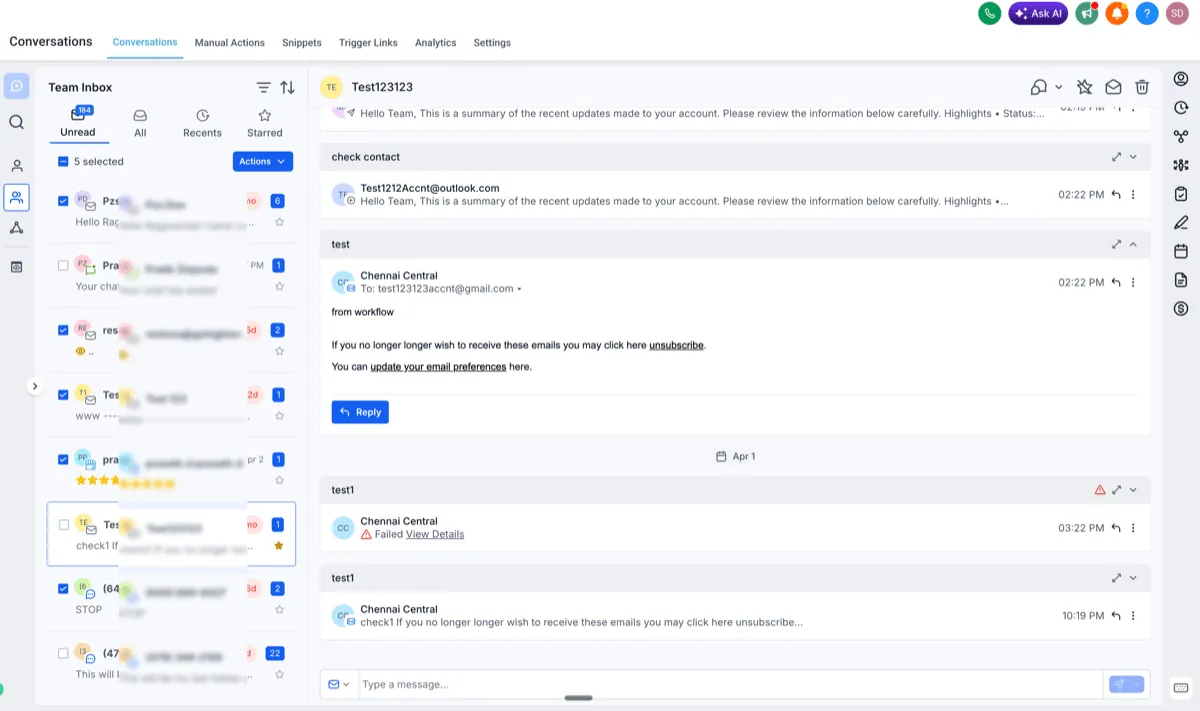
Bulk selection is easier to manage
Previously, bulk actions appeared in the center panel and could cover chat history. That made it harder to review conversations before selecting them. Selection could also be cleared if you clicked outside the checkbox, which created extra effort.
Now, bulk actions appear at the top so you can keep viewing conversations while making selections. Selections are retained even if you click elsewhere on the card. Clicking a chat card opens the conversation without clearing your selection, while the checkbox still adds or removes the conversation from the selection.
Internal comments are faster to access
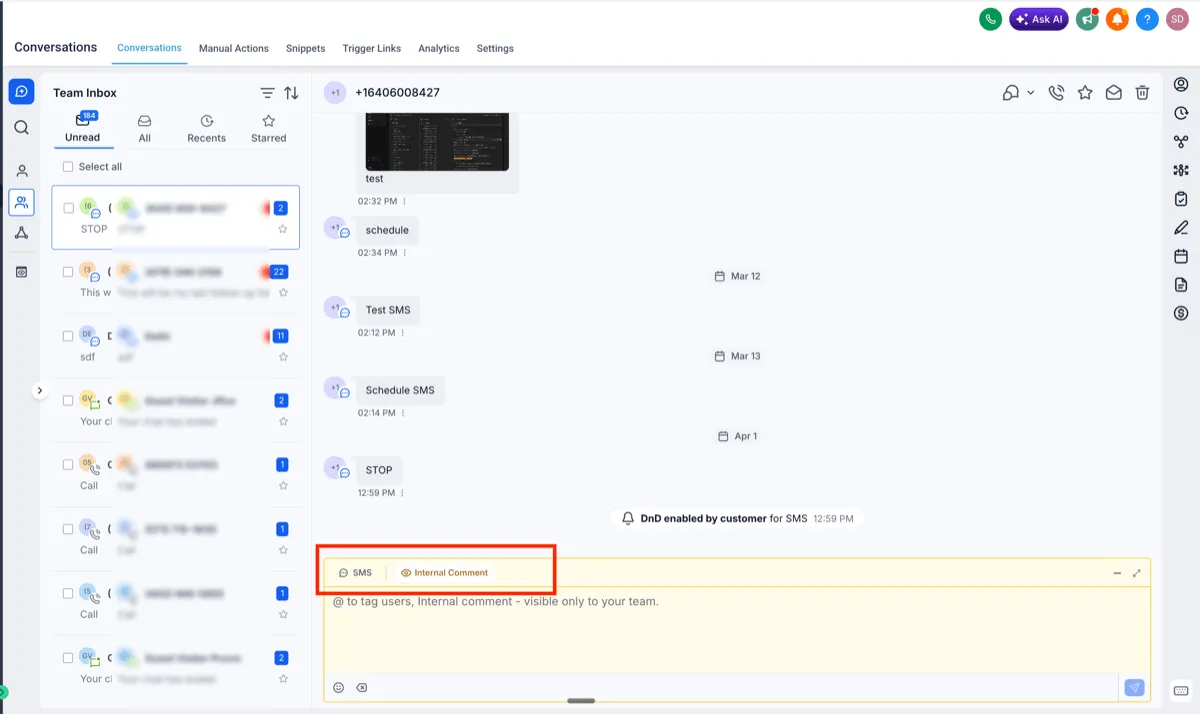
Previously, adding an internal comment required opening the channel selector, finding Internal Comment, posting the note, and then switching back to the original channel. That made collaboration slower during active conversations.
Now, Internal Comment is available directly in the composer with a single click. You can switch more quickly between replying to a customer and leaving an internal note.
Why It Matters
These improvements make conversation management more reliable and reduce interruptions when reviewing messages, working through bulk actions, and collaborating internally.
In Case You Missed It
You can also read about the latest update to the Reviews Overview Dashboard now available in Labs.
Need Help Applying This Update?
If you’d like help rolling this out in SMBcrm, visit Support or request a demo.