Email Sequences Available in Beta Labs
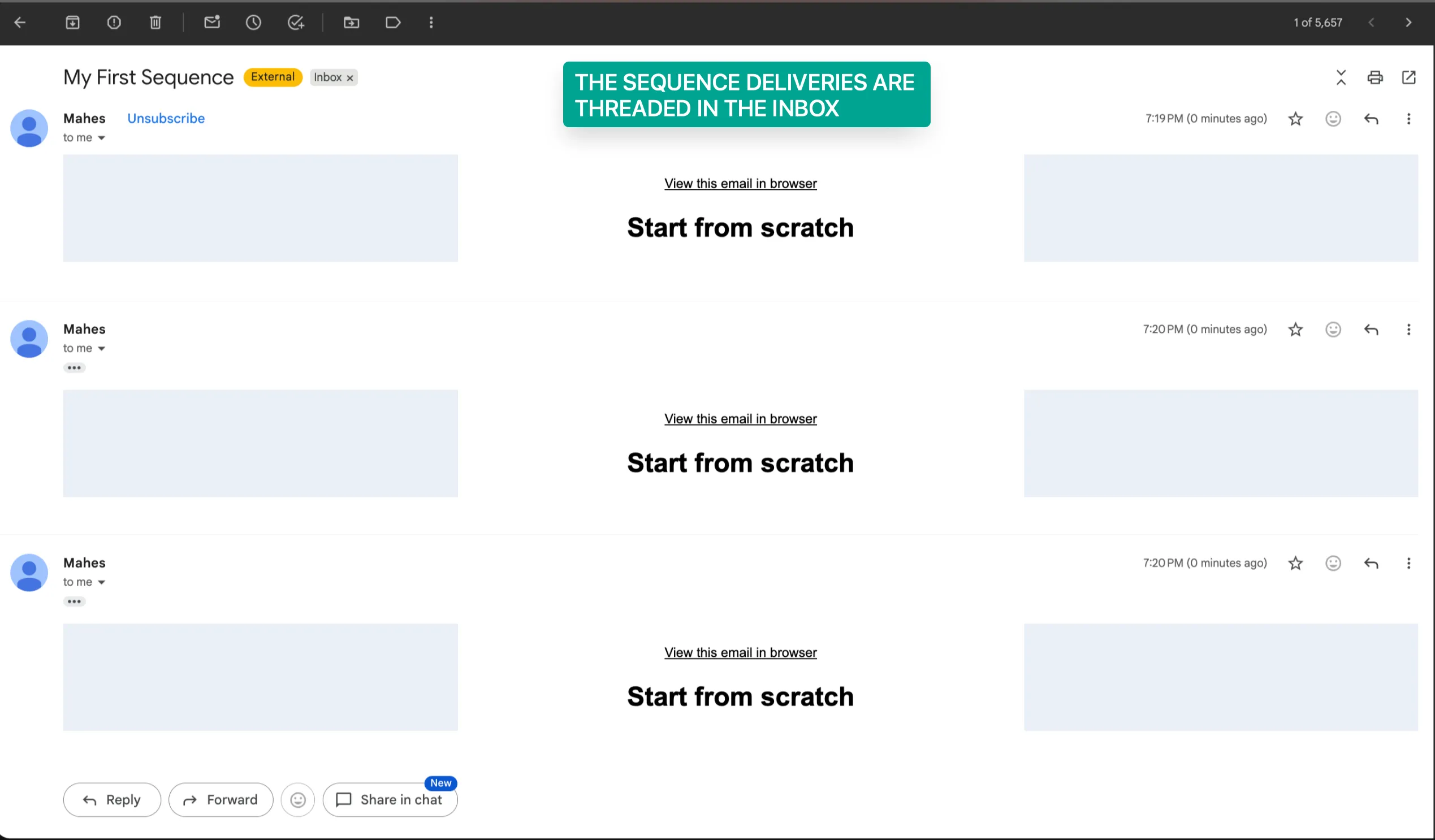
Email Sequences is now available in Beta Labs, giving users a simpler way to automate threaded email conversations without building a full automation from scratch.
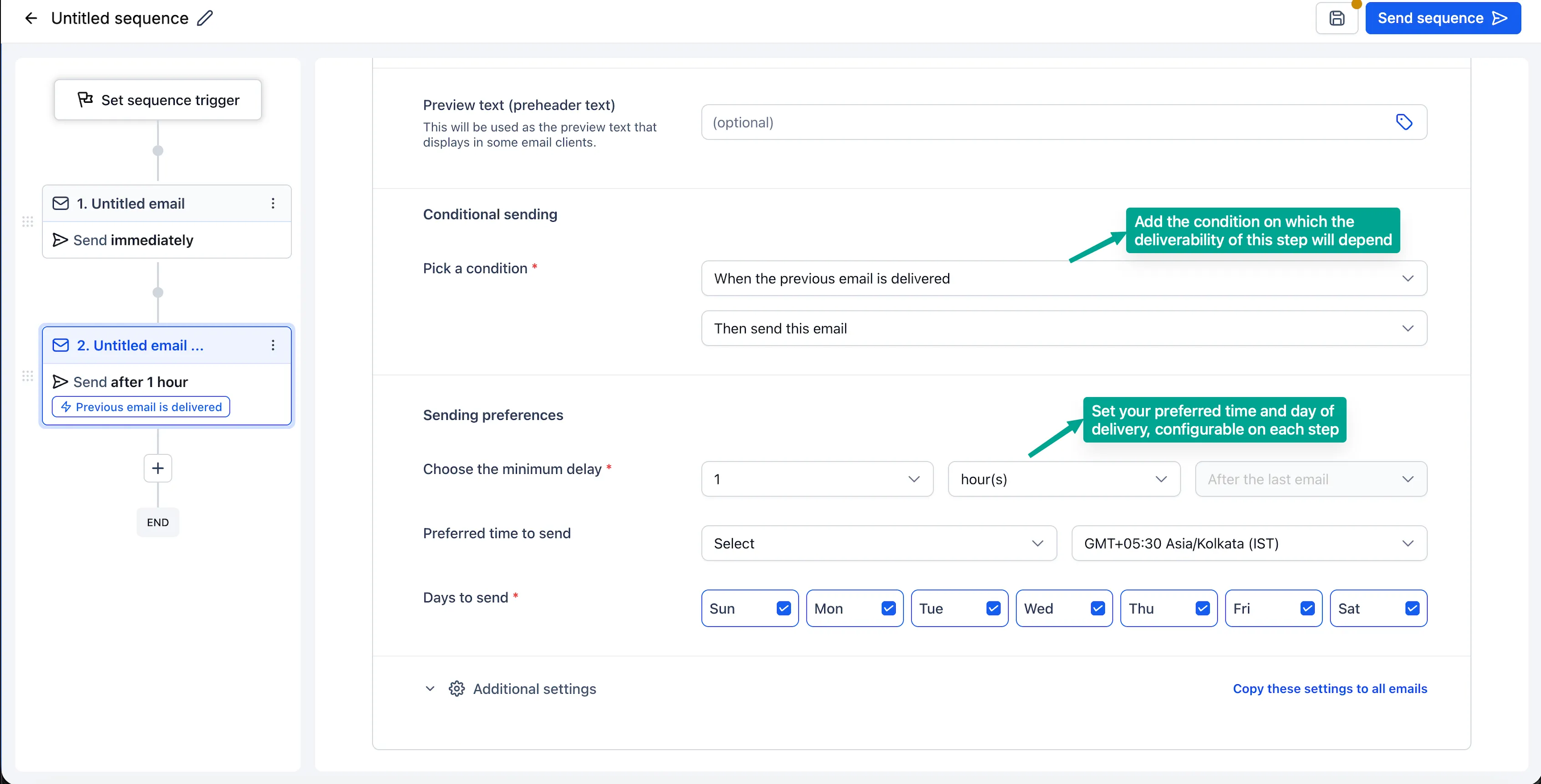
With Email Sequences, teams can create follow-ups, reminders, and nurture campaigns that keep the conversation in one thread while using delays, conditions, and smart scheduling.
What Changed
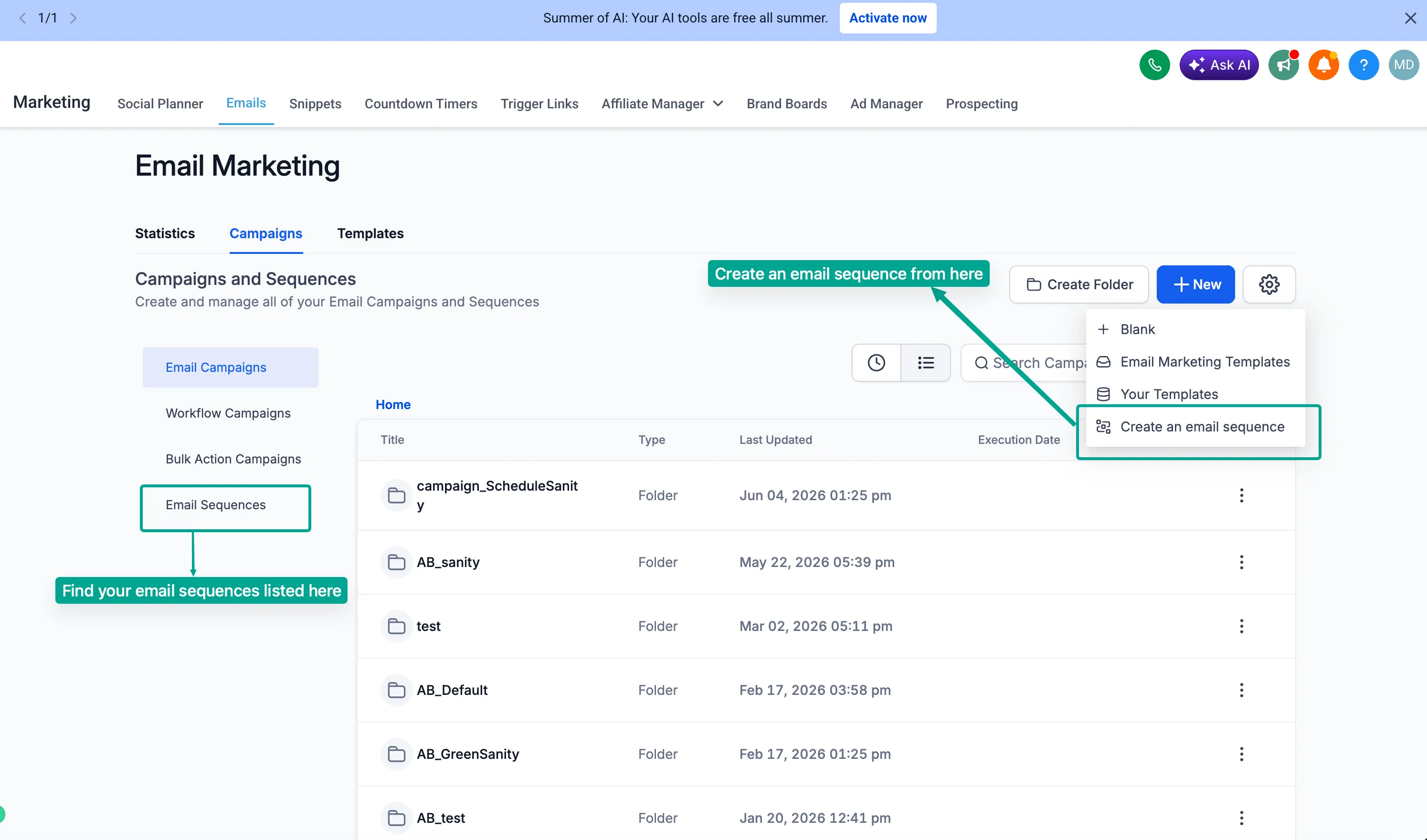
Email Sequences adds a dedicated way to build automated email follow-up paths inside SMBcrm. It supports:
- Single-threaded automated email conversations
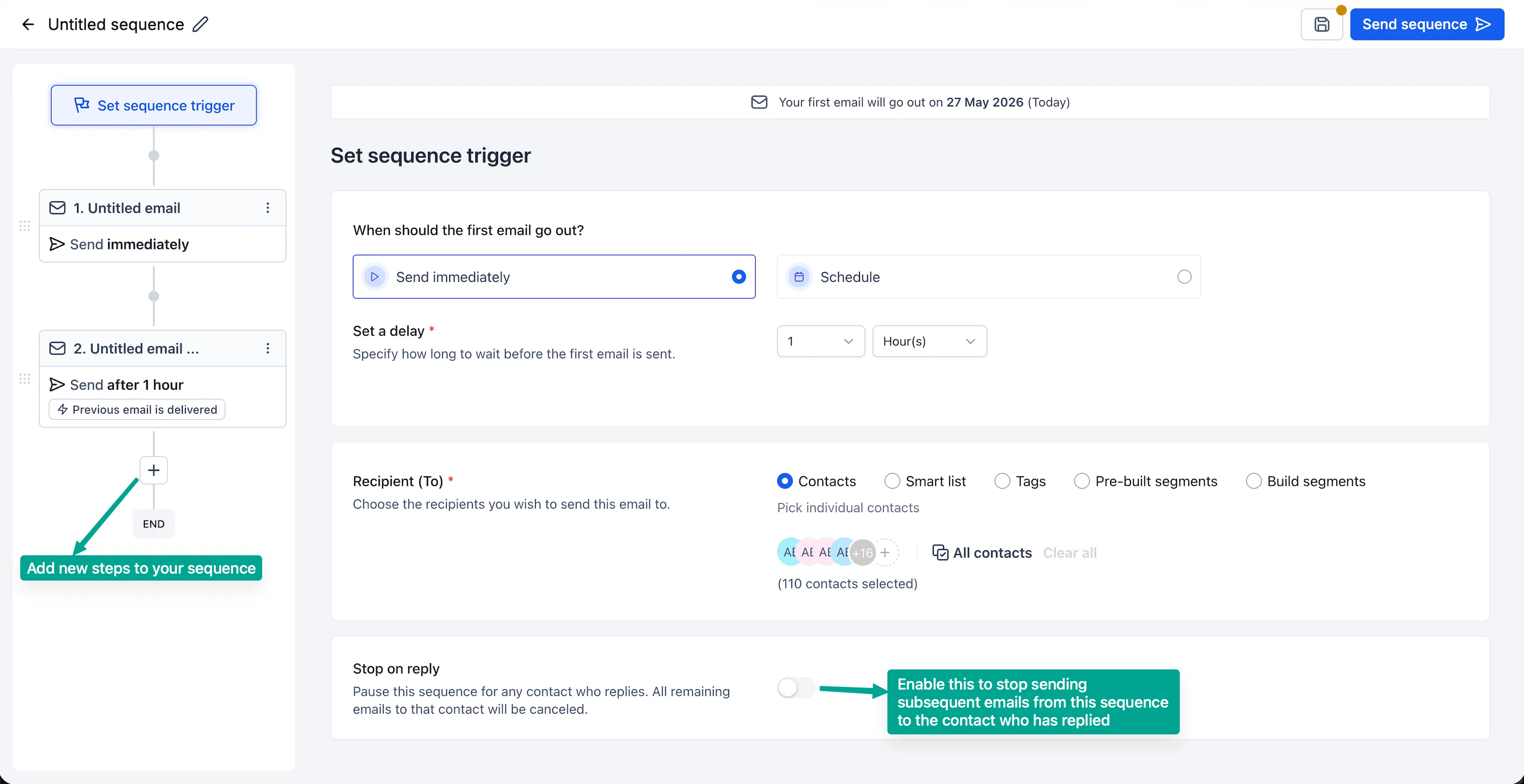
- Conditional sending based on open or delivery status
- Stop on Reply automation
- Designed and plain text emails
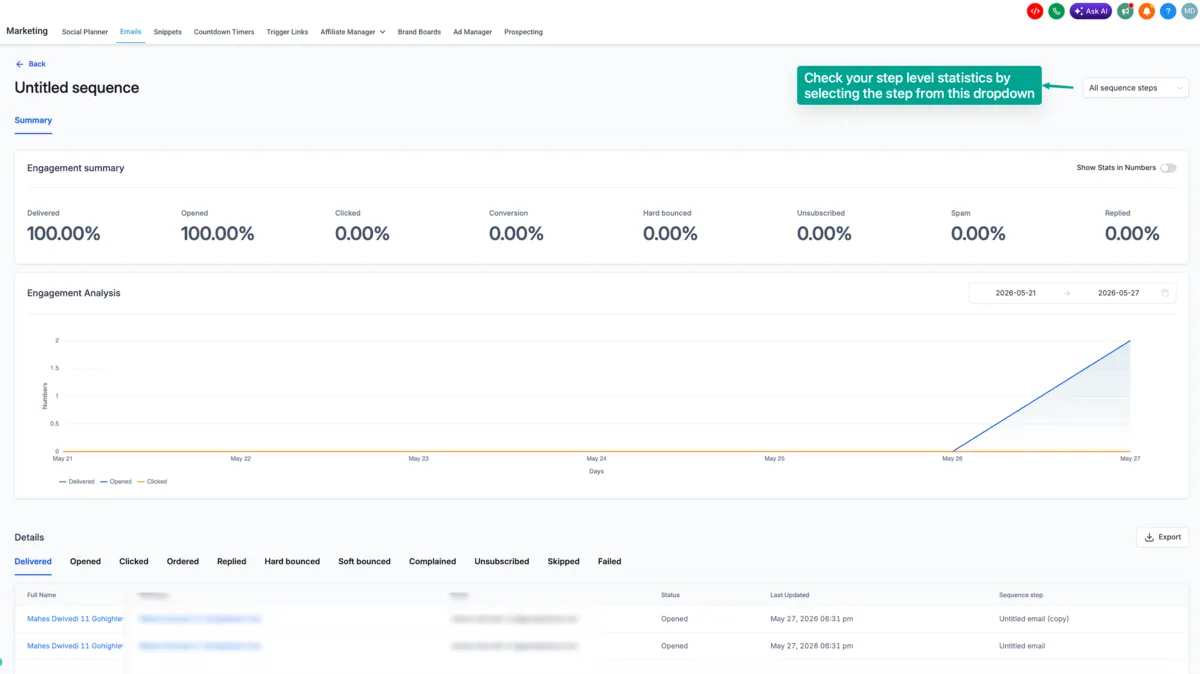
- Sequence-level and step-level analytics
These updates support more practical behavior-based outreach across SMBcrm communication tools.
How to Access Email Sequences
To enable and use Email Sequences:
- Go to Settings > Beta Labs.
- Enable Email Sequences.
- Go to Marketing > Email > Campaigns.
- Click Create New Sequence.
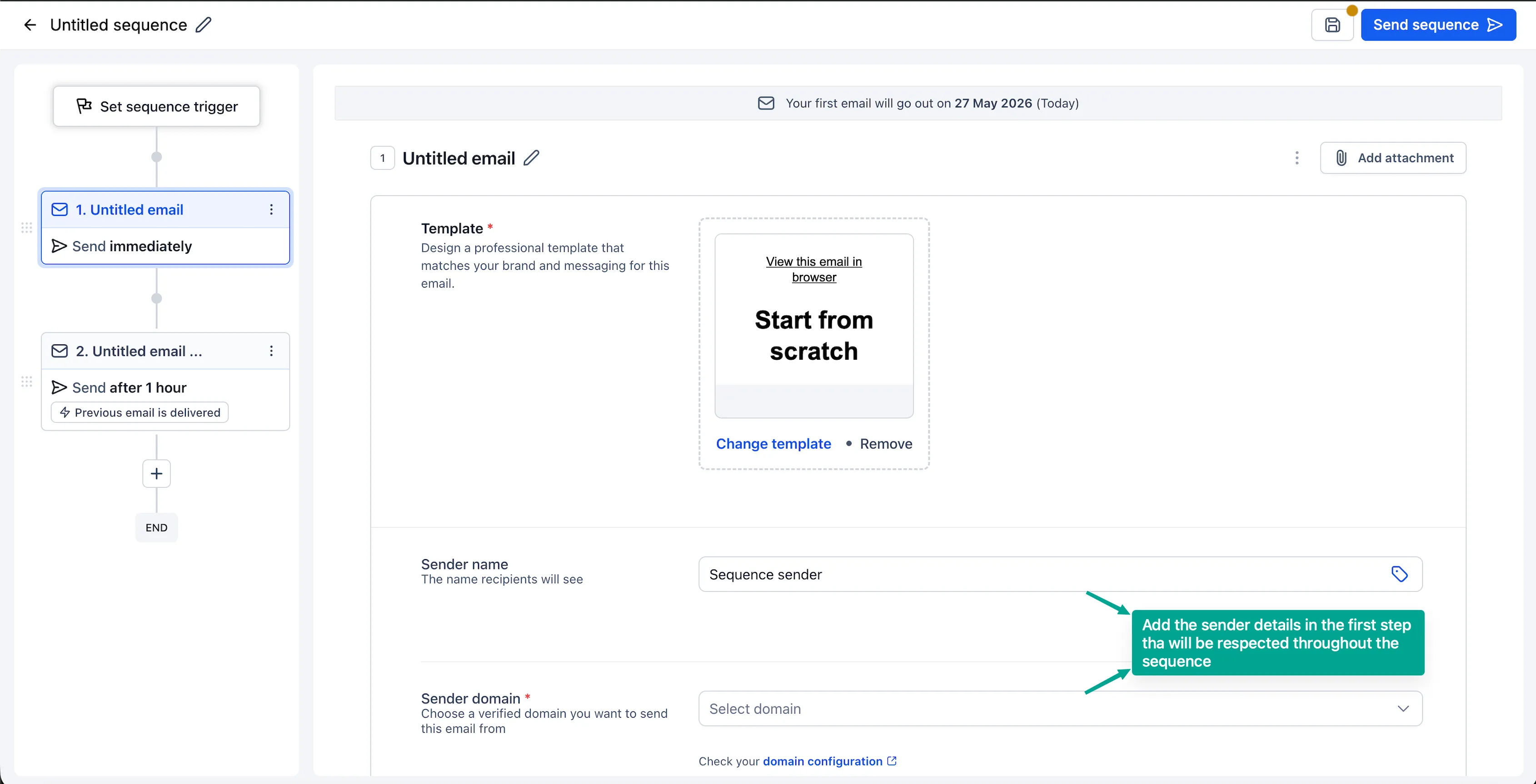
- Configure the audience, delays, conditions, and email steps.
- Enable Stop on Reply if replies should stop the sequence.
- Open Statistics to review overall and step-level metrics.
Also Noted
The source release lists the following items as coming soon:
- Enrolling into a sequence through a workflow
- Creating a sequence using Email AI
- A/B testing for each step
In Case You Missed It
For another email-related update, read Fix Email Setup Issues with AI.
Release Images
Need Help Applying This Update?
Want help turning this update into a working part of your CRM, marketing, or automation setup?
Get Started or schedule a demo and we’ll help you map the right next step.