Link Website Buttons to Ecommerce Actions
Website buttons can now connect directly to commerce actions, making it easier to move shoppers from any website page to a cart, checkout, or collection view.
What changed
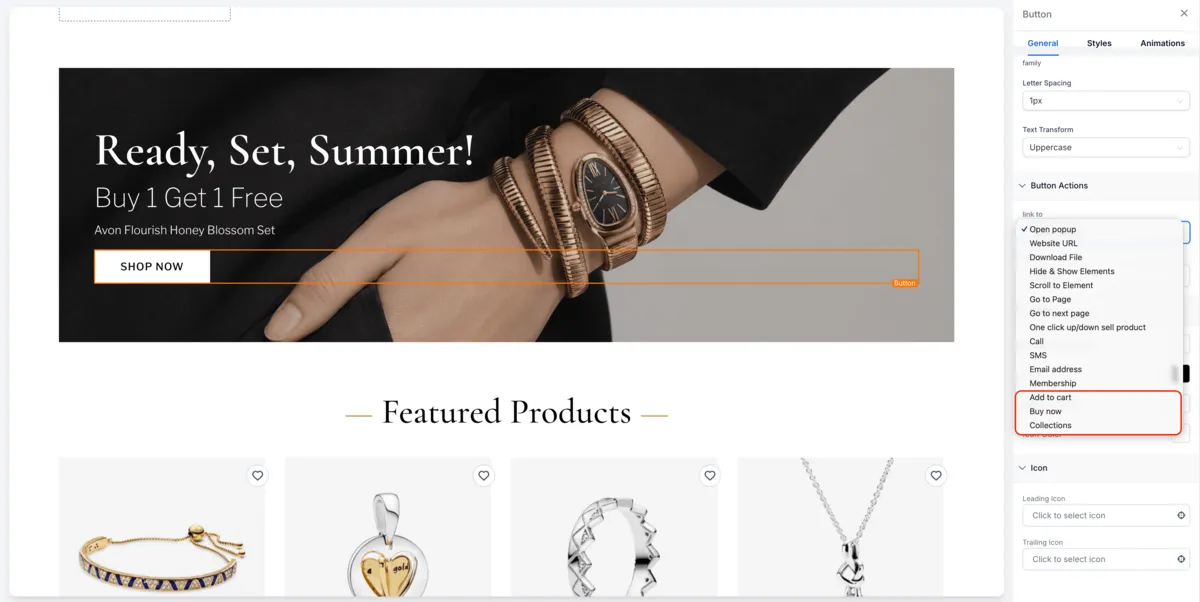
In the Website Builder, Button elements now include ecommerce options under Link To:
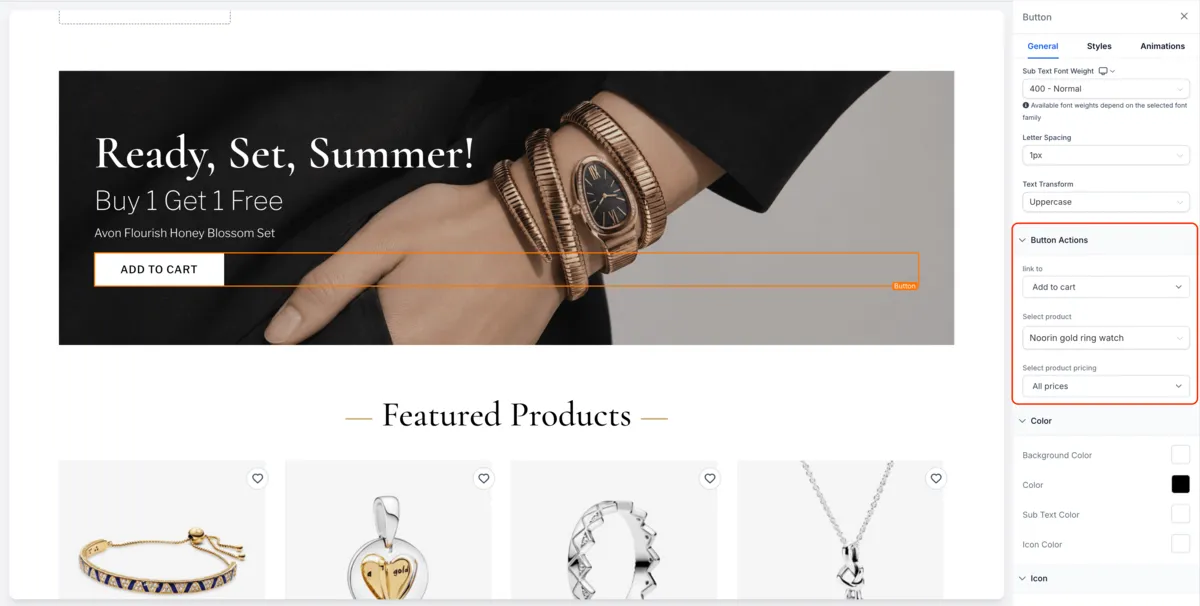
- Add to Cart: Select a product and pricing option. All Prices opens a product detail modal for variant selection. Single Price adds the product directly to the cart with quantity 1.
- Buy Now: All Prices opens the product detail modal with Buy Now support. Single Price sends shoppers directly to checkout with the product preloaded.
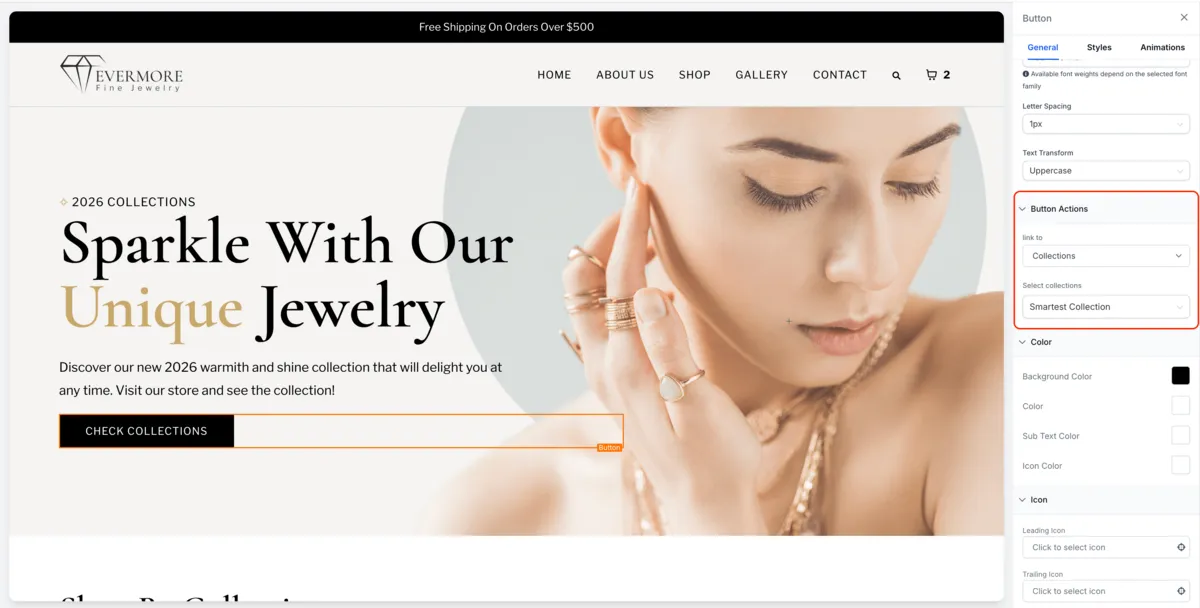
- Collection: Link a button to a selected collection’s filtered Product List Page.
Use these options with SMBcrm Payments & Commerce to help shoppers reach products and collections from website pages.
How to use it
- Open Website Builder and select a Button element.
- In Link To, choose Add to Cart, Buy Now, or Collection.
- Select the required product, pricing option, or collection.
- Save and publish.
Key details
- This applies to Websites only, not Funnels.
- If no store exists, users will be prompted to create one.
- If the linked product or price is deleted, the button will be disabled.
- If the linked collection is deleted, customers will see a 404 page.
Release Images
Need Help Applying This Update?
Want help turning this update into a working part of your CRM, marketing, or automation setup?
Get Started or schedule a demo and we’ll help you map the right next step.