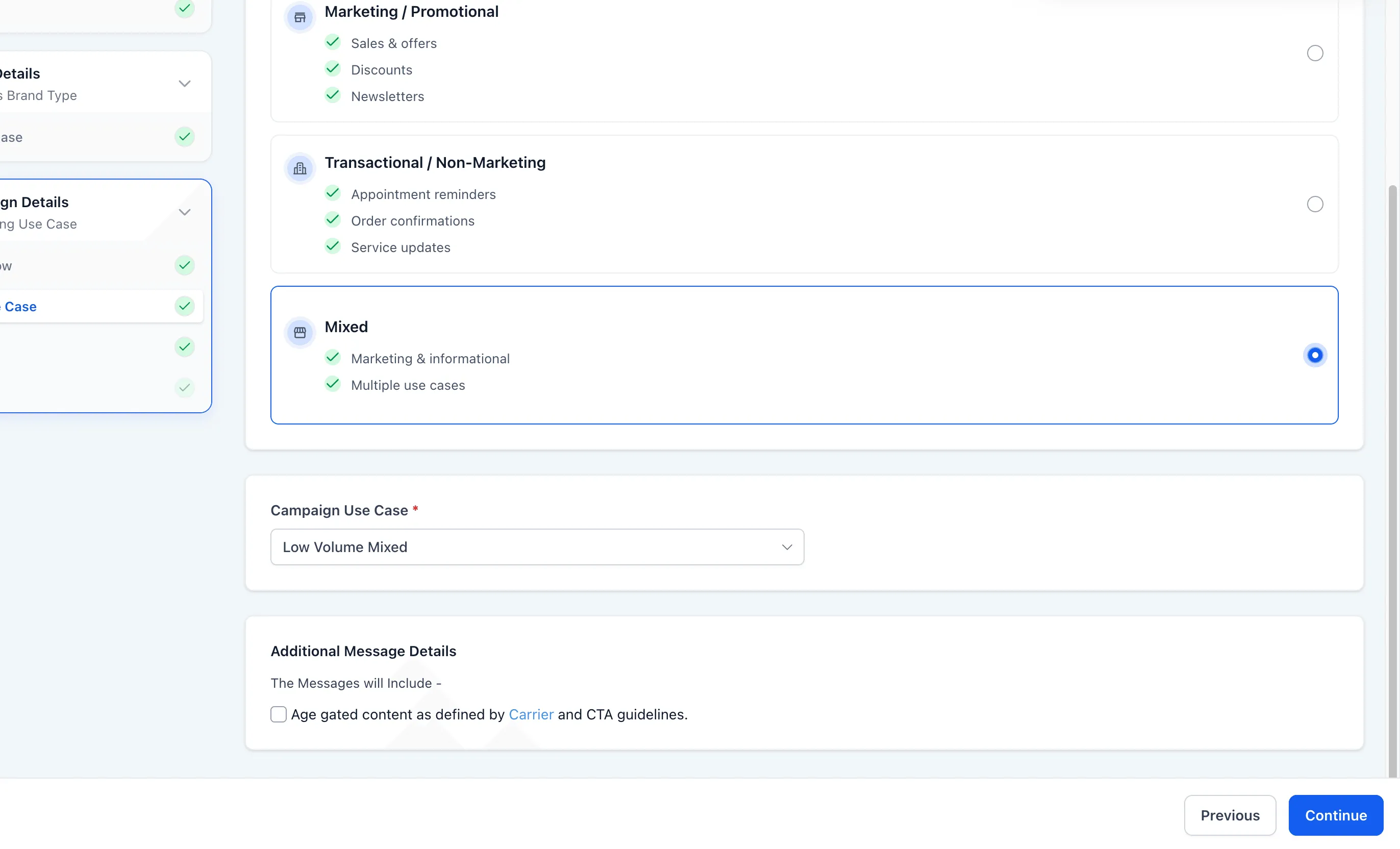
Businesses can now use a mixed use case in the chat widget A2P registration flow. This makes it possible to collect separate consent for marketing and informational messages through a single widget.
What changed
A Mixed message type is now available alongside the existing marketing and transactional options in the chat widget flow.
When this option is selected:
- The campaign use case is assigned automatically based on account type
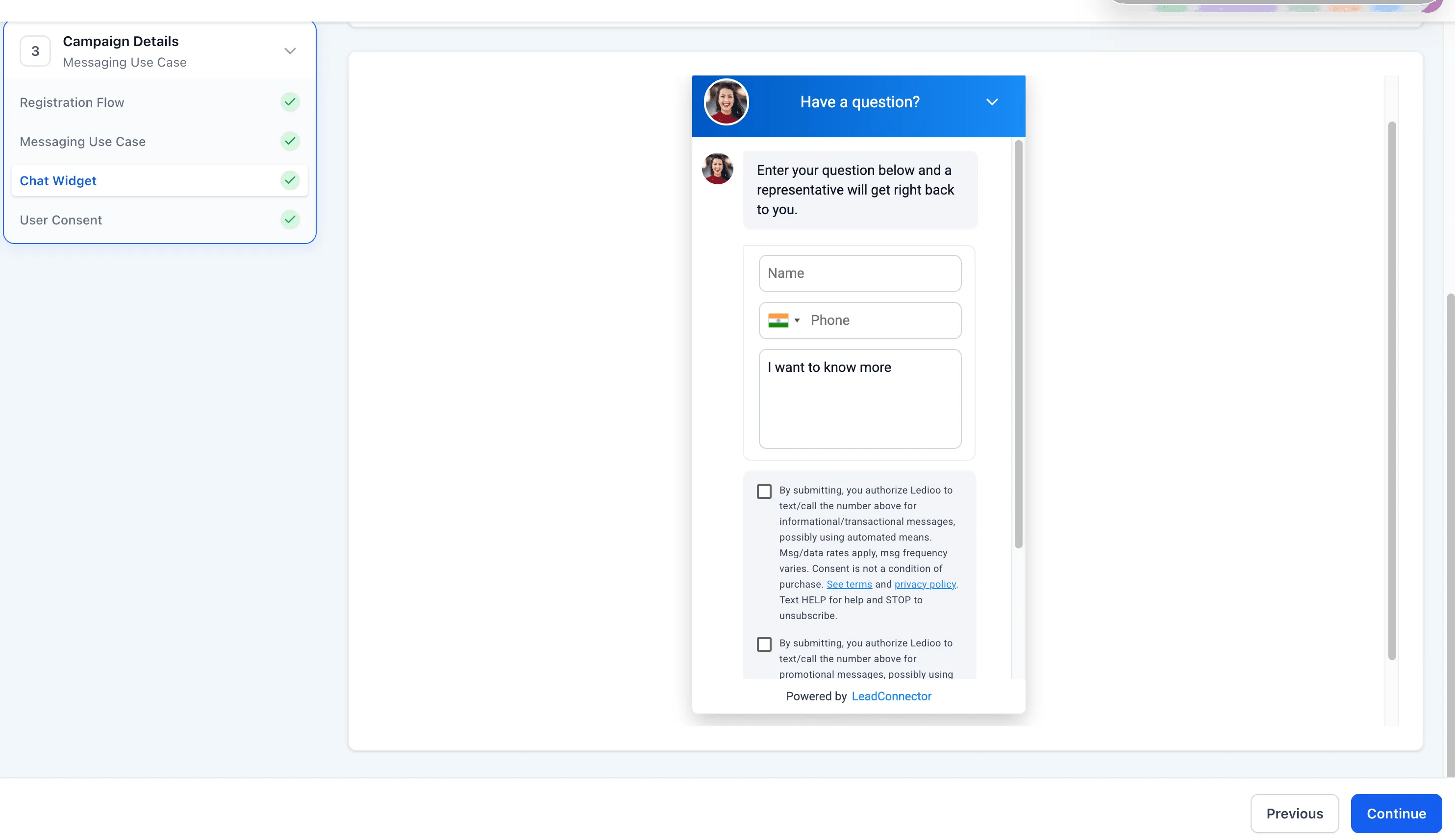
- The generated chat widget includes two separate consent checkboxes
- Each checkbox includes its own locked disclosure text
- Contacts can opt into marketing only, informational only, or both
- Neither consent checkbox is pre-selected
- Consent language, STOP and HELP disclosures, and compliance fields are system-controlled and cannot be edited
Why it matters
Previously, businesses that needed both marketing and informational messaging had to use a self-serve registration path instead of the pre-built widget flow.
With this update, mixed-use campaigns can be registered through the chat widget flow with clearer consent separation and built-in compliance language. For teams using SMBcrm for communication workflows, this creates a more streamlined setup and may help reduce registration issues.
In Case You Missed It
You can also read about Communities Events Now Support Live Rooms.
Need Help Applying This Update?
If you’d like help rolling this out in SMBcrm, visit Support or request a demo.