Save Meta Lead Forms as Drafts in Ad Manager
SMBcrm Ad Manager now supports saving Meta Lead Forms as drafts during campaign setup. This helps teams build, review, and finish form mappings before the form is published for campaign use.
What changed
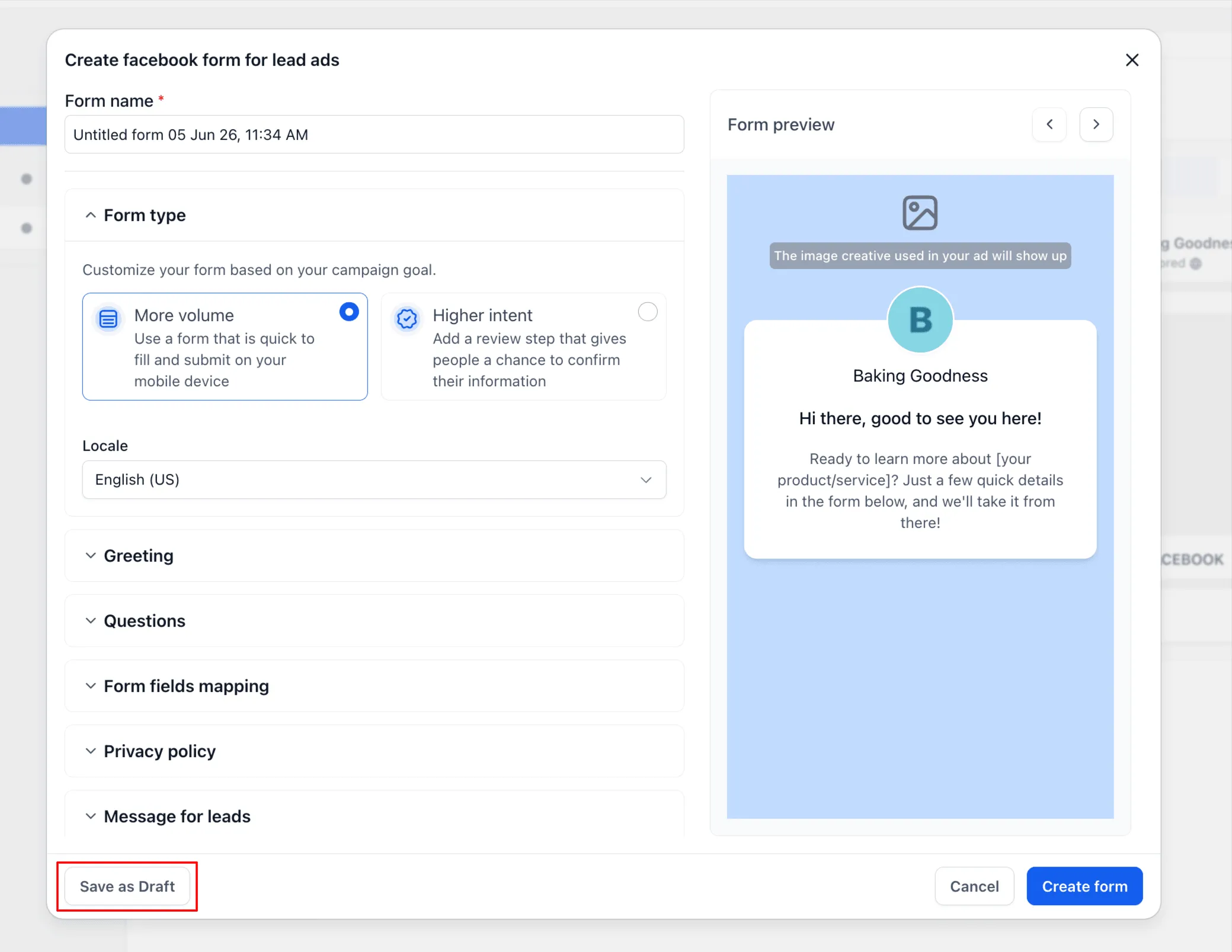
Users can now create a Meta Lead Form in the Ad Manager campaign flow and choose Save as Draft in the Facebook Lead Form builder. Draft forms are not created on Meta immediately, so teams can continue refining the form before publishing it.
Draft forms now appear in the Select a lead form dropdown with a Draft status badge, created timestamp, and inline edit option.
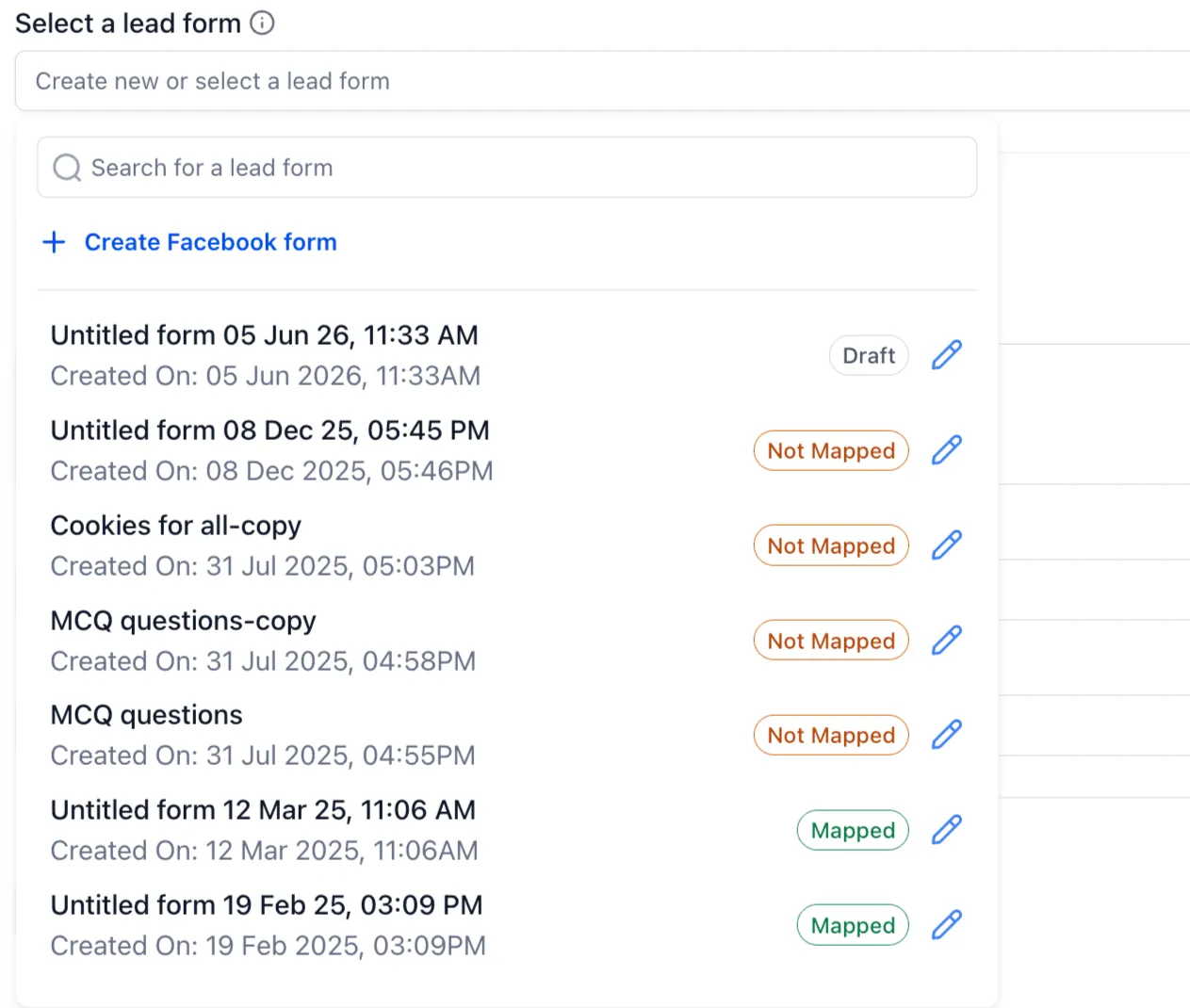
From the selector, users can reopen a draft form, continue editing, complete CRM field mappings, and publish the form when it is ready.
Campaign validation
If a draft or incomplete form is selected during campaign setup, SMBcrm now shows validation messaging before the ad is published. Validation can flag draft status, incomplete form field mappings, or both.
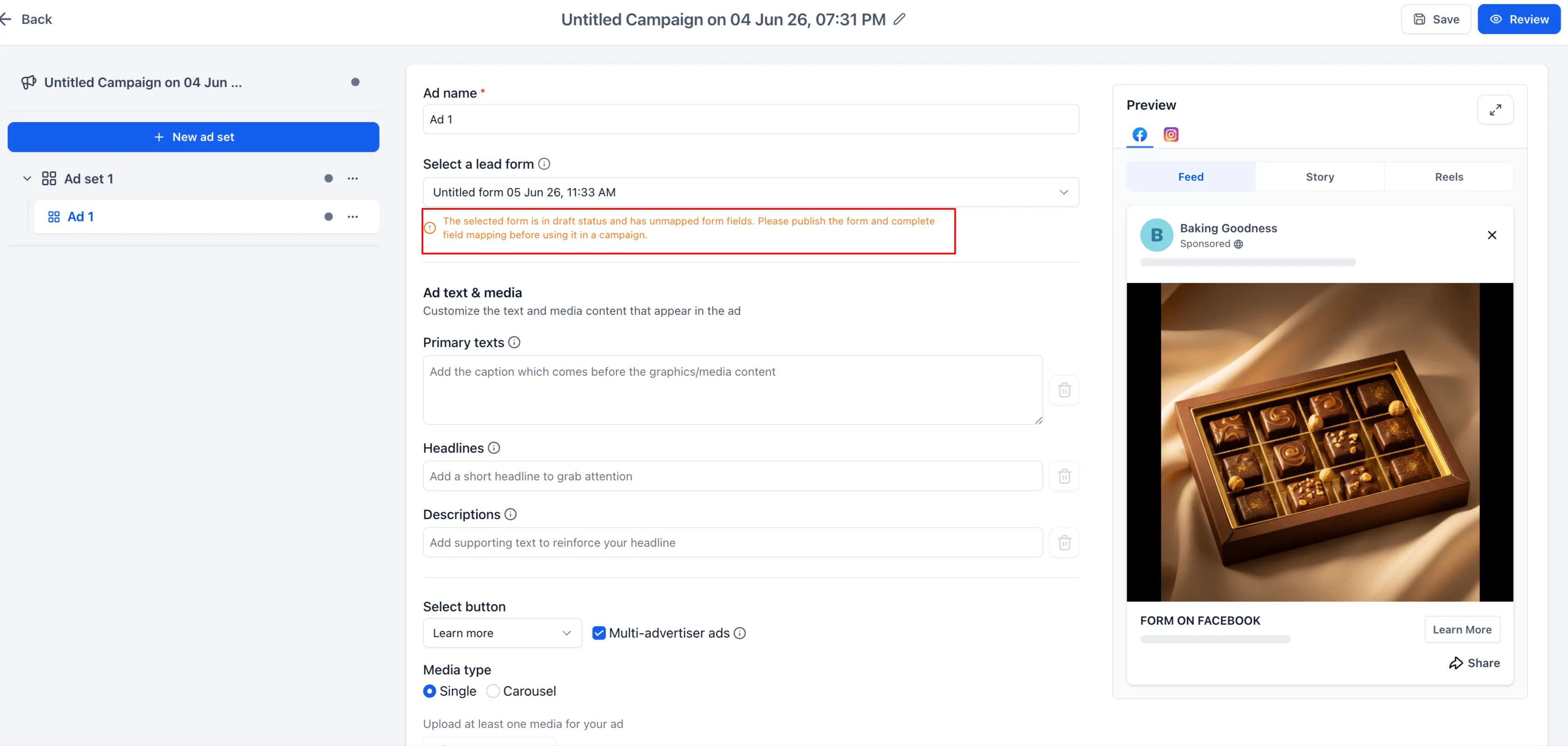
Draft saves have relaxed validation, but final publishing enforces the required checks. Draft forms cannot be used in live campaigns until they are published.
Why it matters
Meta does not allow editing already published lead forms, so draft support gives advertisers more room to prepare forms before they go live.
This update supports lead capture workflows by helping teams:
- Save work that is not ready for use
- Review forms before publishing
- Complete CRM field mappings later
- Reduce accidental publishing errors
Existing published Meta forms continue to work without changes.
Need Help Applying This Update?
Want help turning this update into a working part of your CRM, marketing, or automation setup?
Get Started or schedule a demo and we’ll help you map the right next step.