SMBcrm has updated the Services payment experience to give customers more flexibility at checkout and improve how deposits are calculated for service bookings.
What changed
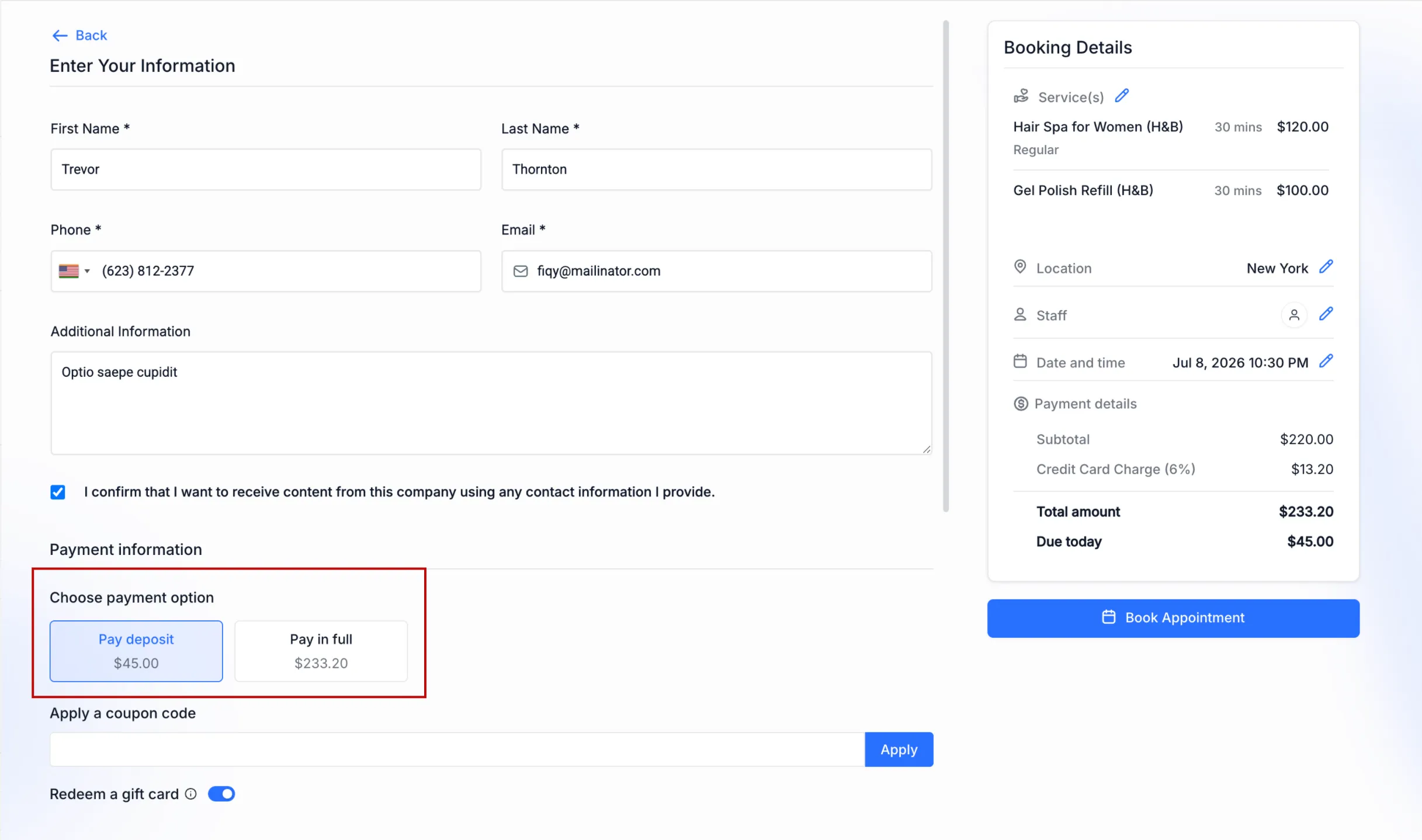
Businesses can enable a payment setting that lets customers choose how they want to pay when booking a service with a configured deposit.
When the setting is enabled and online payments are active, customers will see two checkout options:
- Pay Deposit
- Pay Full Amount
If the setting is disabled, customers will continue using the existing deposit-only checkout flow.
This update also supports customers who prefer financing options. By allowing the full service amount to be paid at checkout, supported Buy Now, Pay Later providers can finance the complete booking instead of only the deposit.
For more payment-related tools, see SMBcrm Payments & Commerce.
More accurate deposit calculations
Percentage-based deposits are now calculated from the final payable amount after discounts are applied. This helps ensure customers are charged a deposit based on what they actually owe.
Deposit amounts also update in real time if a coupon is added, removed, or changed during checkout.
Percentage-based deposit calculations now include applicable add-ons and taxes based on the configured deposit percentage. Flat deposit amounts are unchanged and continue to work as before.
How to enable it
To allow customers to choose between paying a deposit or the full amount:
- Go to Services → Global Settings → Payment Settings.
- Set the payment mode to Online Payment.
- Enable Allow Deposit or Full Payment Choice.
- Save your changes.
Once enabled, customers booking services with deposits can choose whether to pay the deposit or the full amount during checkout.
Why it matters
This gives customers more control over how they pay, improves support for Buy Now, Pay Later payment methods, and makes deposit amounts more transparent when discounts, add-ons, and taxes apply.
Need Help Applying This Update?
Want help turning this update into a working part of your CRM, marketing, or automation setup?
Get Started or schedule a demo and we’ll help you map the right next step.