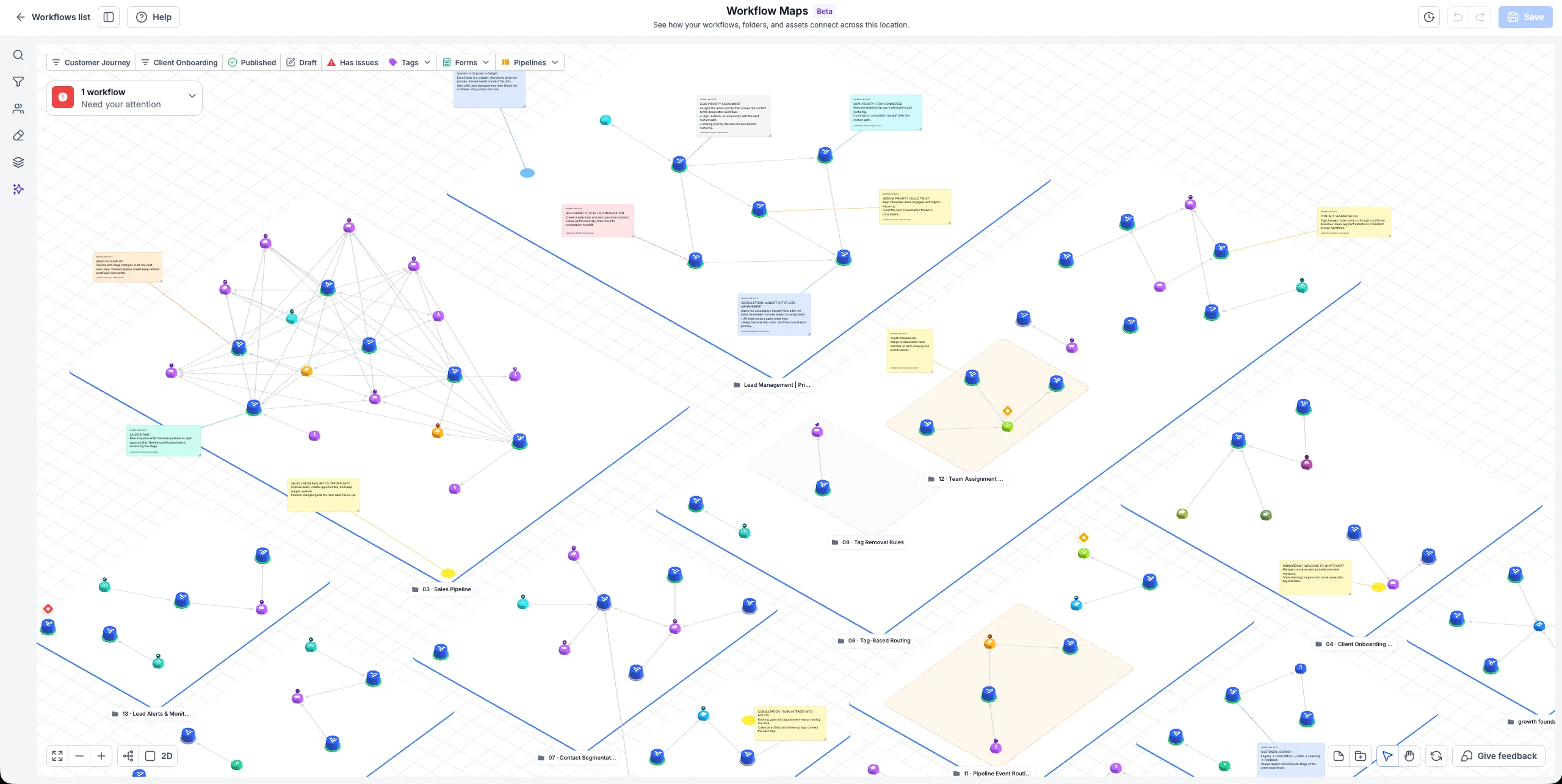
Workflow Maps gives you a visual overview of your SMBcrm automations, showing workflows within their folders alongside connected tags, forms, calendars, pipelines, and custom fields. The map is generated from existing workflows, so there is no diagram to create or maintain manually.
At launch, Workflow Maps is available only to agency users and agency admins. Each account has its own map.
Open and Explore Your Map
Go to Automation > Workflows > Workflow Maps, or open Maps from a workflow’s builder.
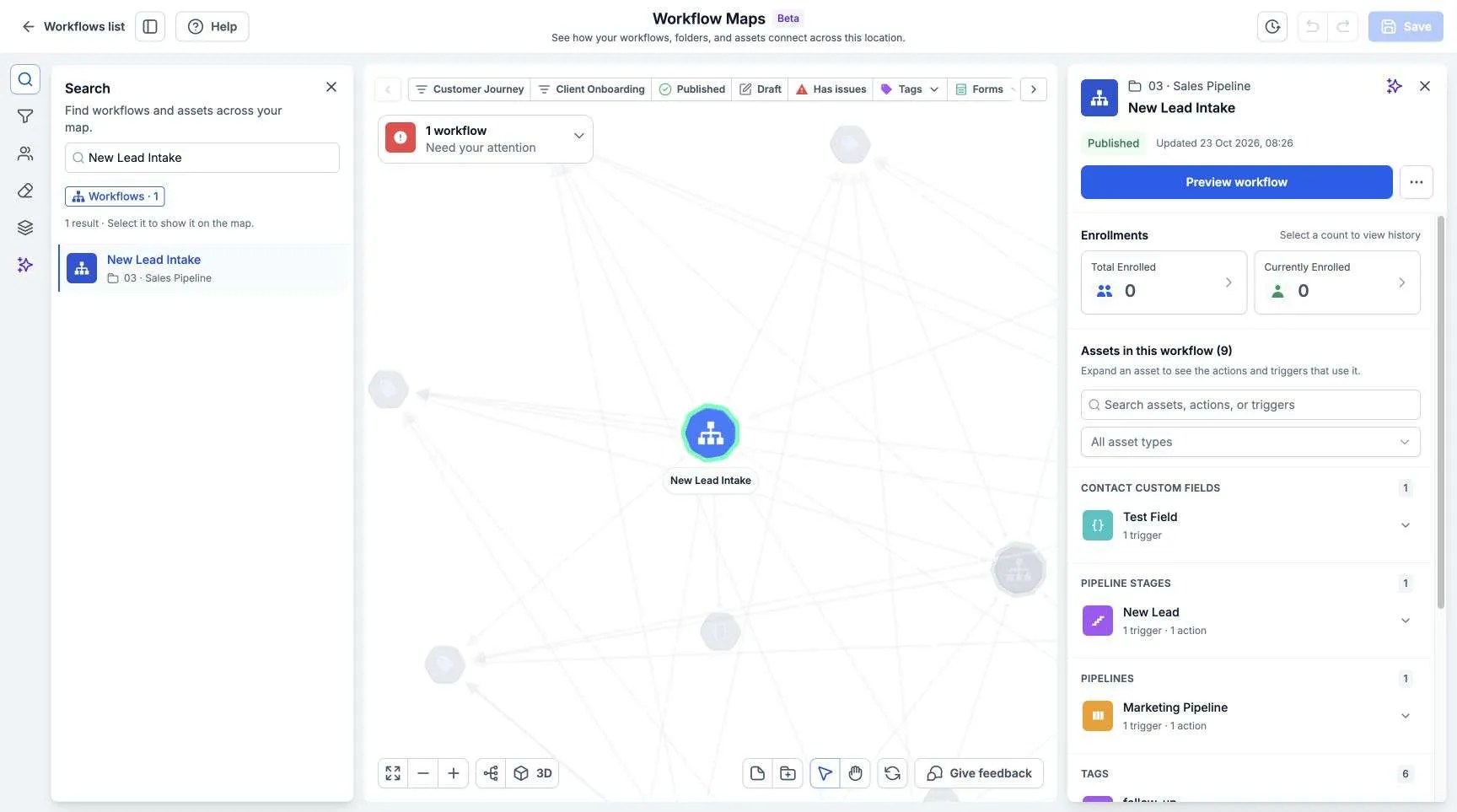
- Search: Find workflows, assets, triggers, or actions by name and jump to a result.
- Filter: Narrow the map to the workflows and assets you want to investigate.
- Navigate: Pan, zoom, fit the map to the screen, and switch between 2D and 3D views.
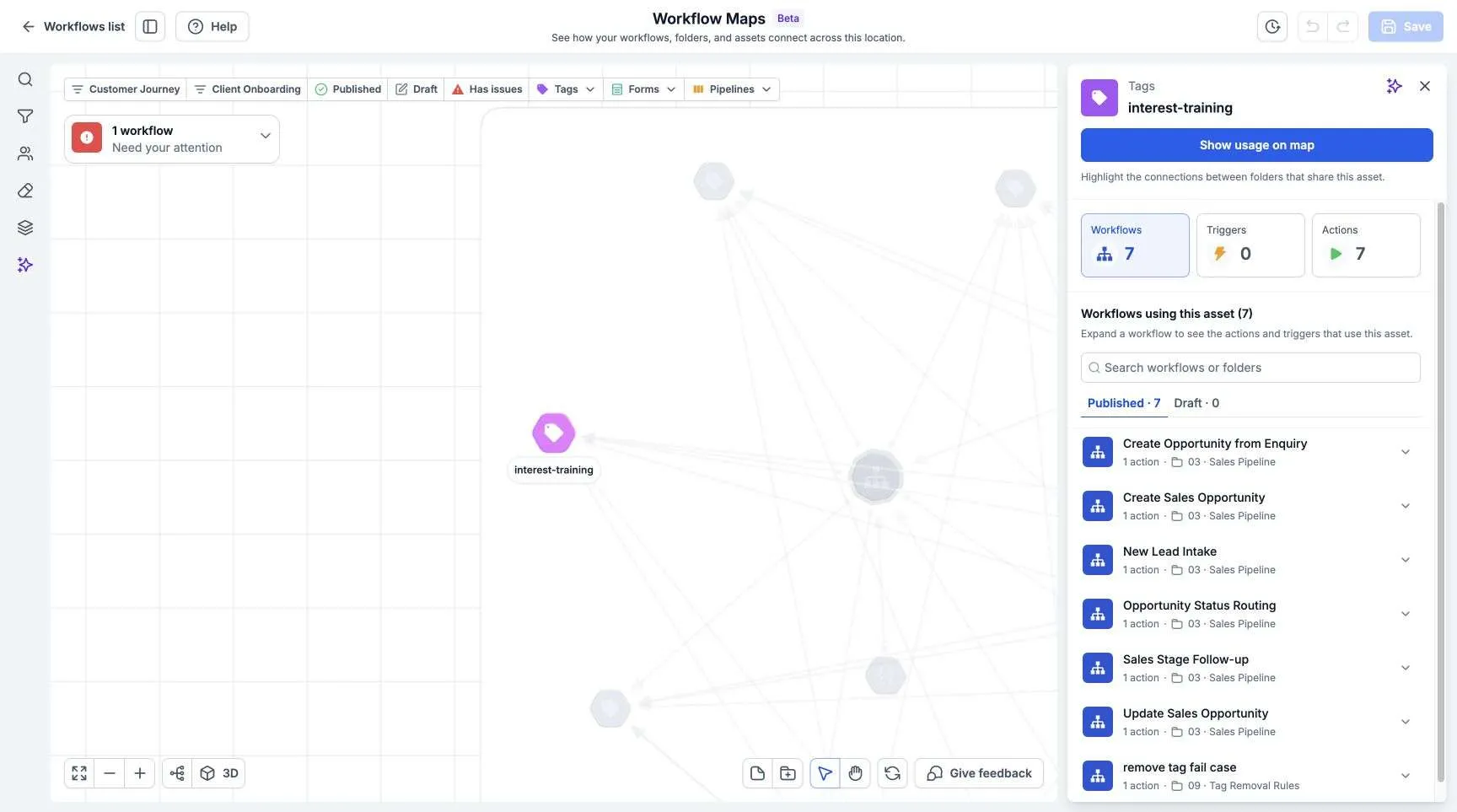
- Inspect connections: Select a workflow or asset to review its details and relationships.
For example, you can see how a form starts a workflow, that workflow adds a tag, and that tag starts another workflow.
Review Journeys and Troubleshoot Automation
Workflow Maps includes tools to help you understand how automation works across an account:
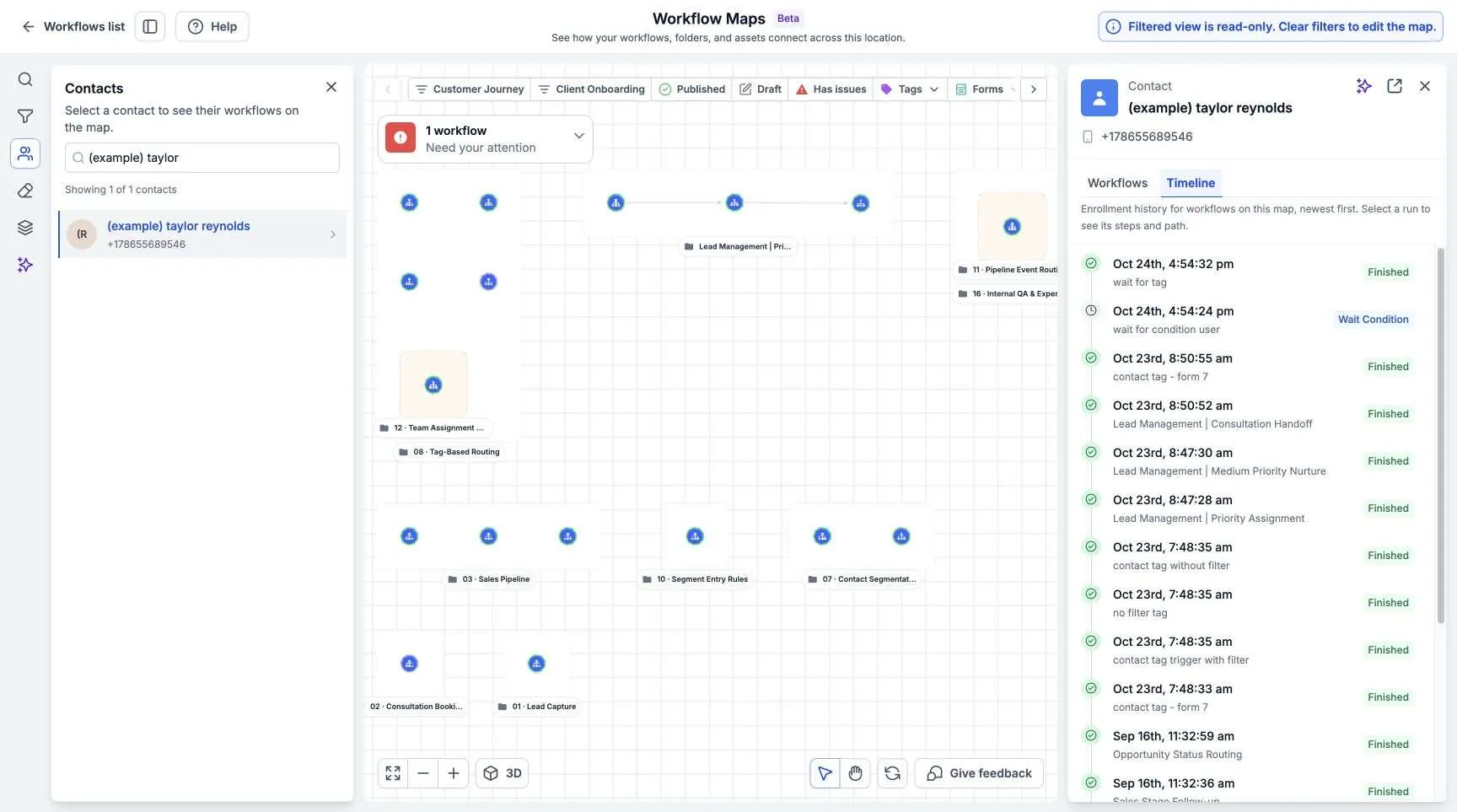
- Contact journeys: Follow a contact across workflows, review enrollment history, and see where they finished, are waiting, or encountered an error.
- Troubleshooting: Review failed executions and inspect affected steps.
- Workflow Canvas: View linked workflows together and follow their handoffs.
- Cleanup: Find workflows with default names, workflows without recent enrollments, and empty folders that may need attention.
- AI assistant: Ask questions about your automations and get help understanding, troubleshooting, and organizing the account.
- Onboarding and Resources: Access guided introductions, walkthroughs, quick references, and answers to common questions.
Use the map to understand an unfamiliar account, investigate a customer experience, or review an asset’s workflow dependencies before making a change.
Release Images
Need Help Applying This Update?
Want help turning this update into a working part of your CRM, marketing, or automation setup?
Get Started or schedule a demo and we’ll help you map the right next step.