AI Data Extract Action Added to Workflows
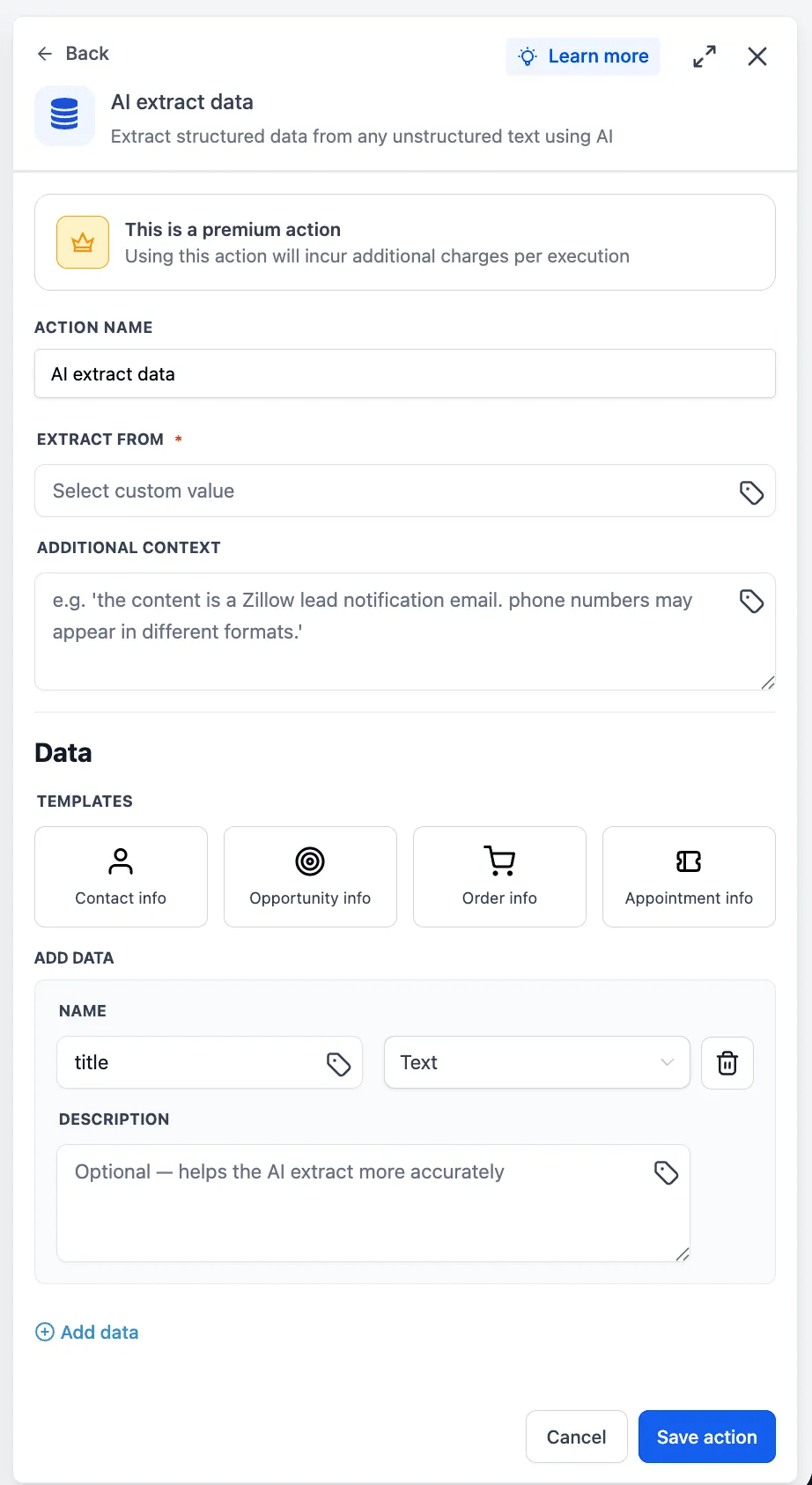
SMBcrm workflows now include AI Data Extract, a native AI-powered action for extracting structured data from unstructured text. It can take raw input from emails, SMS messages, webhook payloads, or AI outputs, then return clean, typed variables for use in later workflow actions.
This gives teams a way to turn messy text into usable workflow data without code or external tools. It is part of SMBcrm’s automation and AI features capabilities.
Key Capabilities
- Custom value input: Select text-based data already available in the workflow using the custom value picker.
- Optional context field: Add supporting context to help with more complex or ambiguous extraction needs.
- Pre-built templates: Choose from common extraction patterns or define a custom field set.
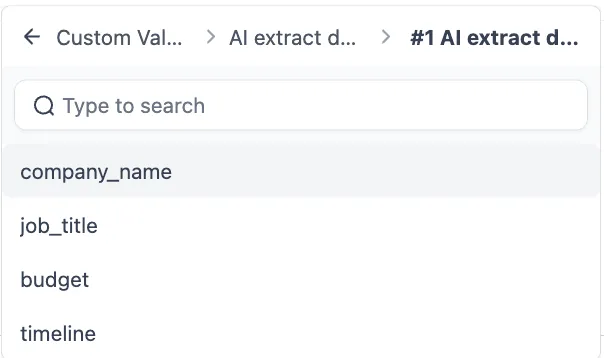
- Downstream variables: Each extracted field becomes a workflow variable that can be used in subsequent actions.
How It Works
To use AI Data Extract in a workflow:
- Click + Add Action in the workflow builder.
- Search for AI Data Extract in the AI action category.
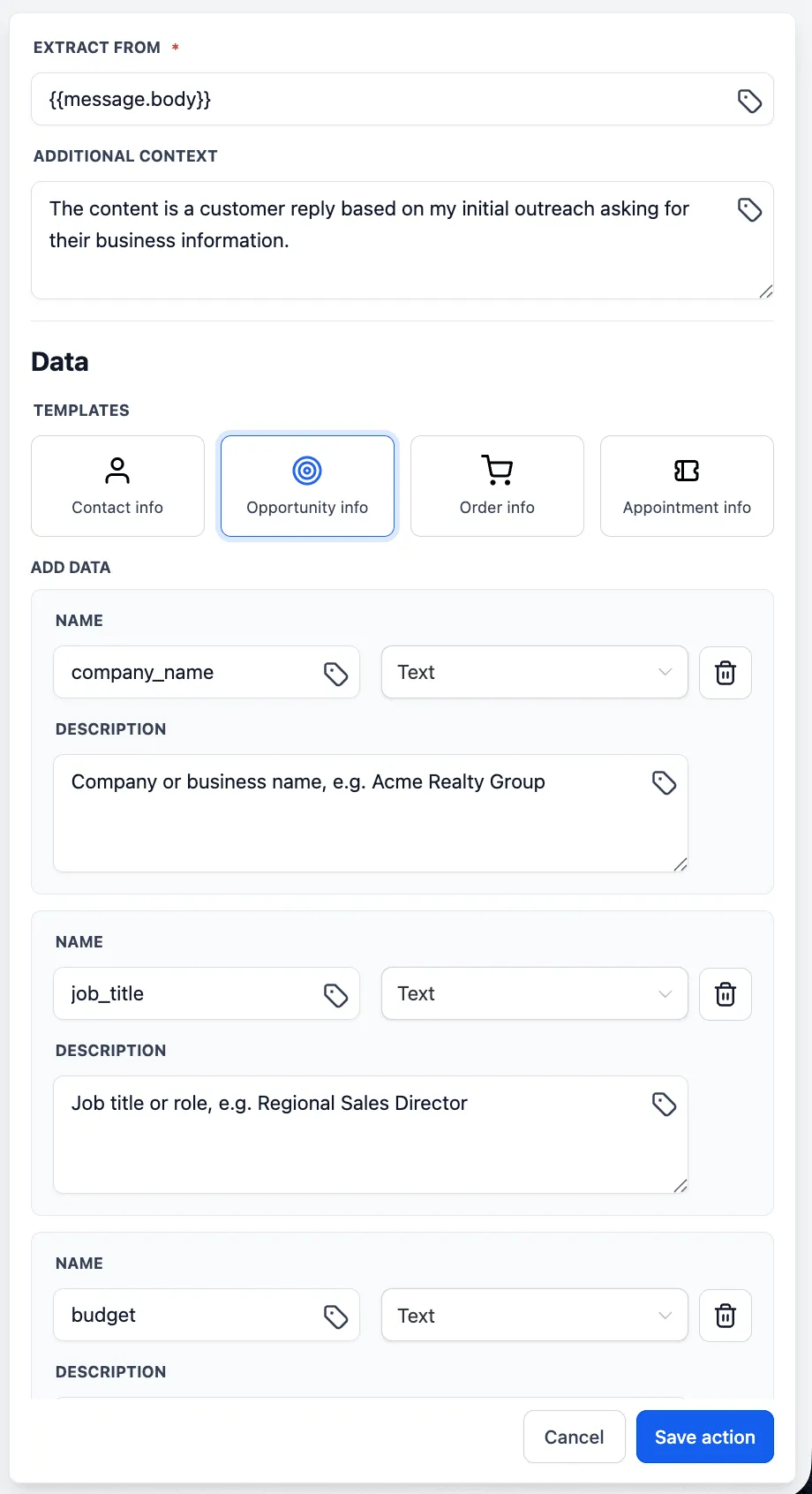
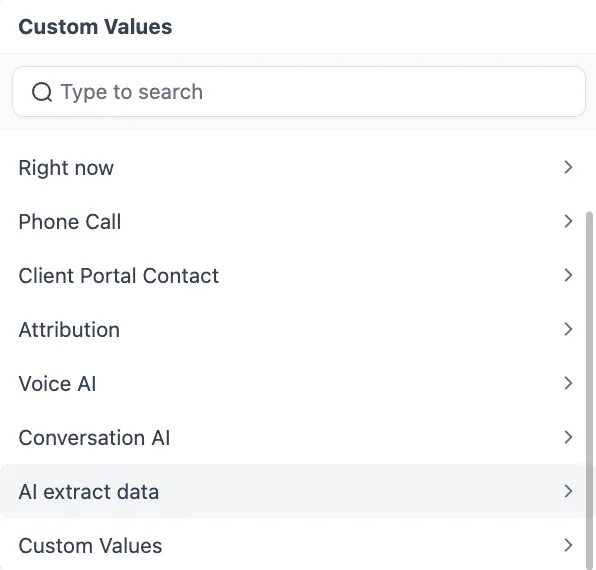
- Select an input source, such as an email body or webhook payload, using the custom value picker.
- Optionally add context to guide the extraction.
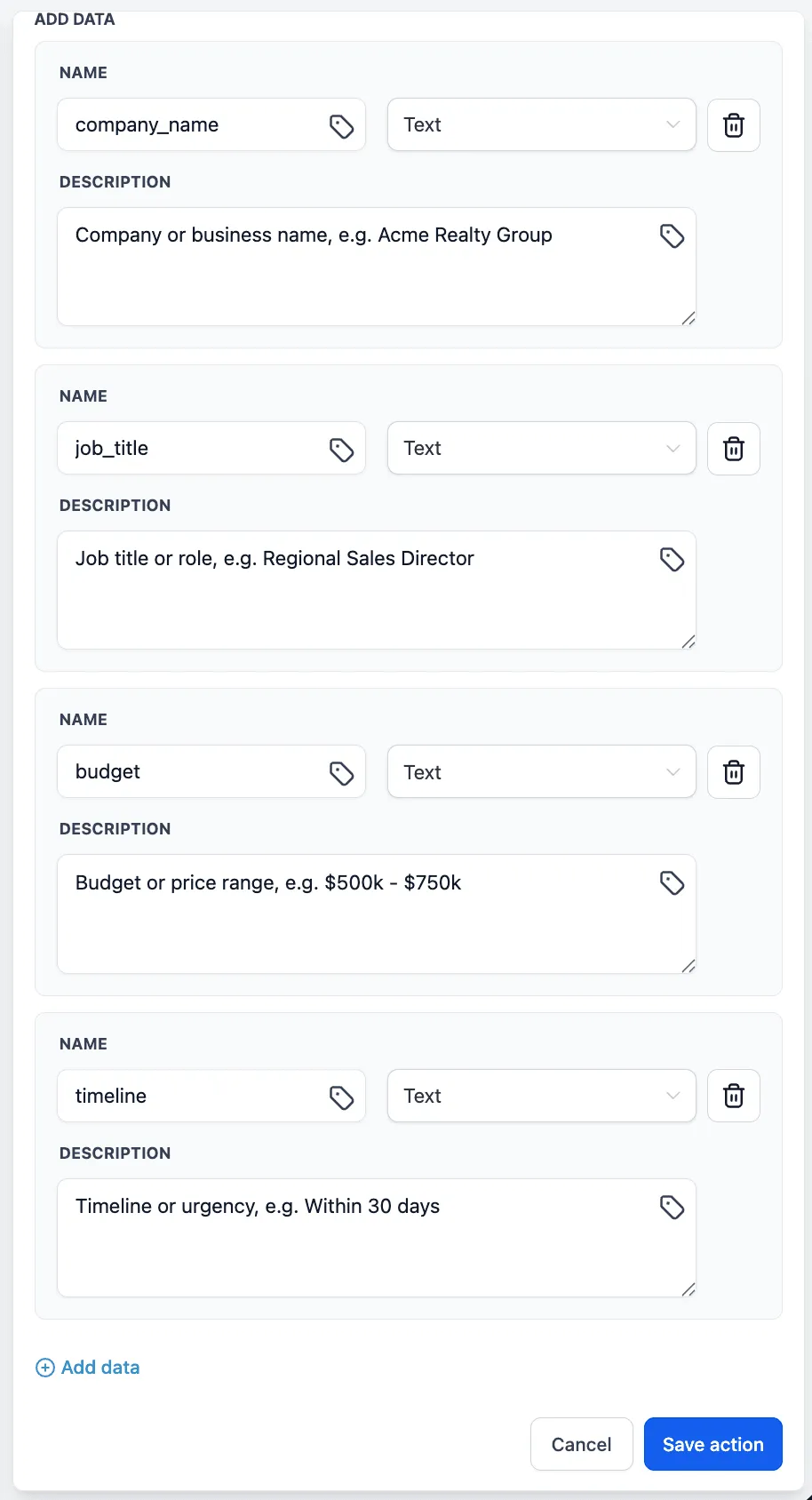
- Choose a pre-built template or define custom fields.
- Save the action.
After saving, the extracted fields are available as variables for downstream workflow actions.
Why It Matters
Extracting usable data from unstructured text previously required manual workarounds or external tools. AI Data Extract brings that process directly into the workflow builder, making it easier to convert raw text into structured, actionable automation data.
In Case You Missed It
You may also want to read about the recent HubSpot actions and trigger added to workflows.
Release Images
Need Help Applying This Update?
Want help turning this update into a working part of your CRM, marketing, or automation setup?
Get Started or schedule a demo and we’ll help you map the right next step.