AI Studio form submissions can now start workflows in SMBcrm. This gives teams a dedicated way to automate follow-up when visitors submit connected forms on AI Studio websites.
The trigger works alongside existing External Tracking functionality, so current tracking-based workflows can continue to operate.
What changed
The AI Studio Form Submitted trigger can be added to a workflow. When a visitor submits a connected AI Studio form, the workflow can start automatically.
This supports practical follow-up actions such as:
- Sending internal notifications
- Sending emails or SMS messages
- Applying tags
- Creating opportunities
This update connects AI Studio form activity more directly with SMBcrm lead capture and automation workflows.
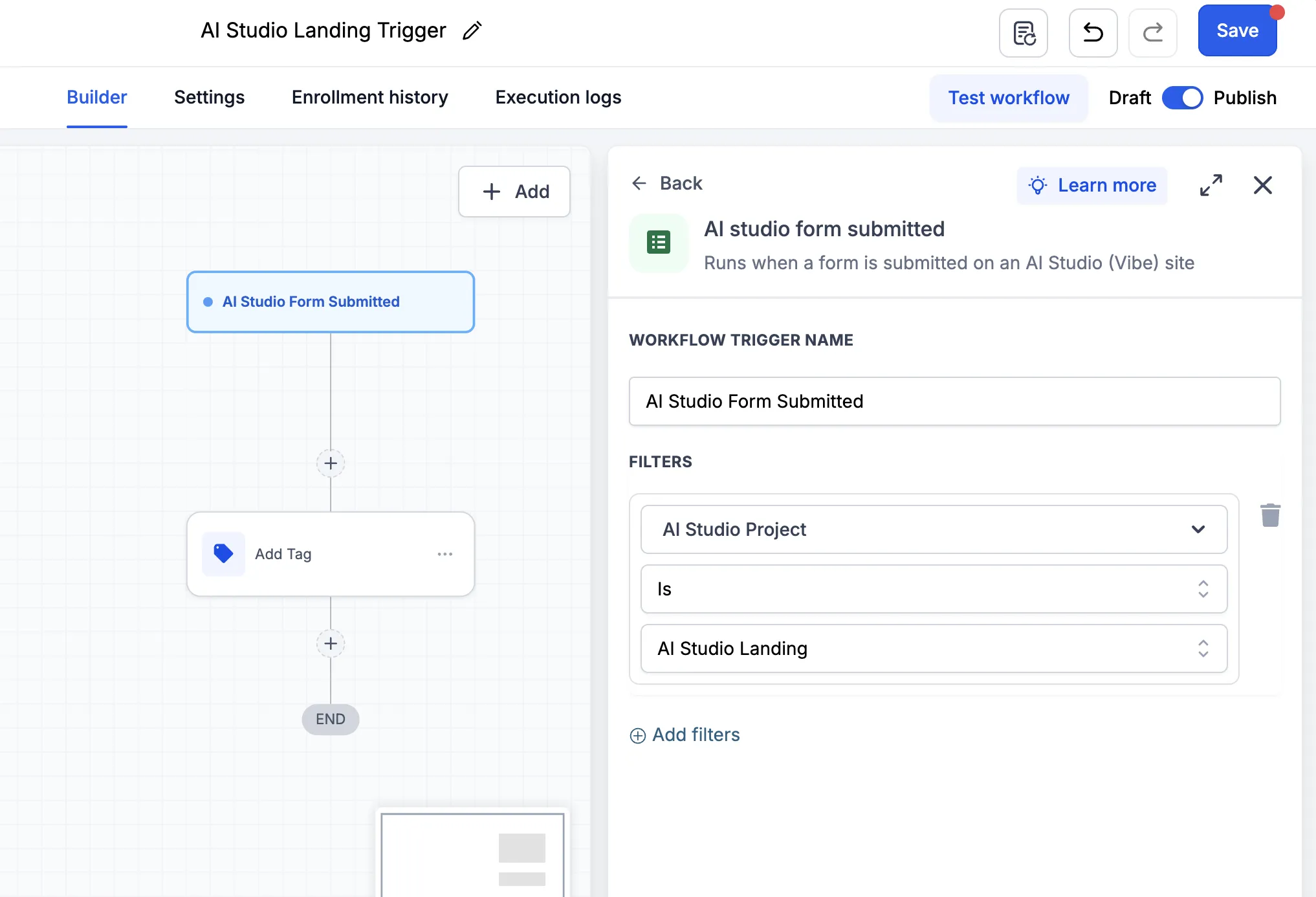
How to use the trigger
Add the AI Studio Form Submitted trigger to a workflow, then configure the actions that should happen after a connected form is submitted.
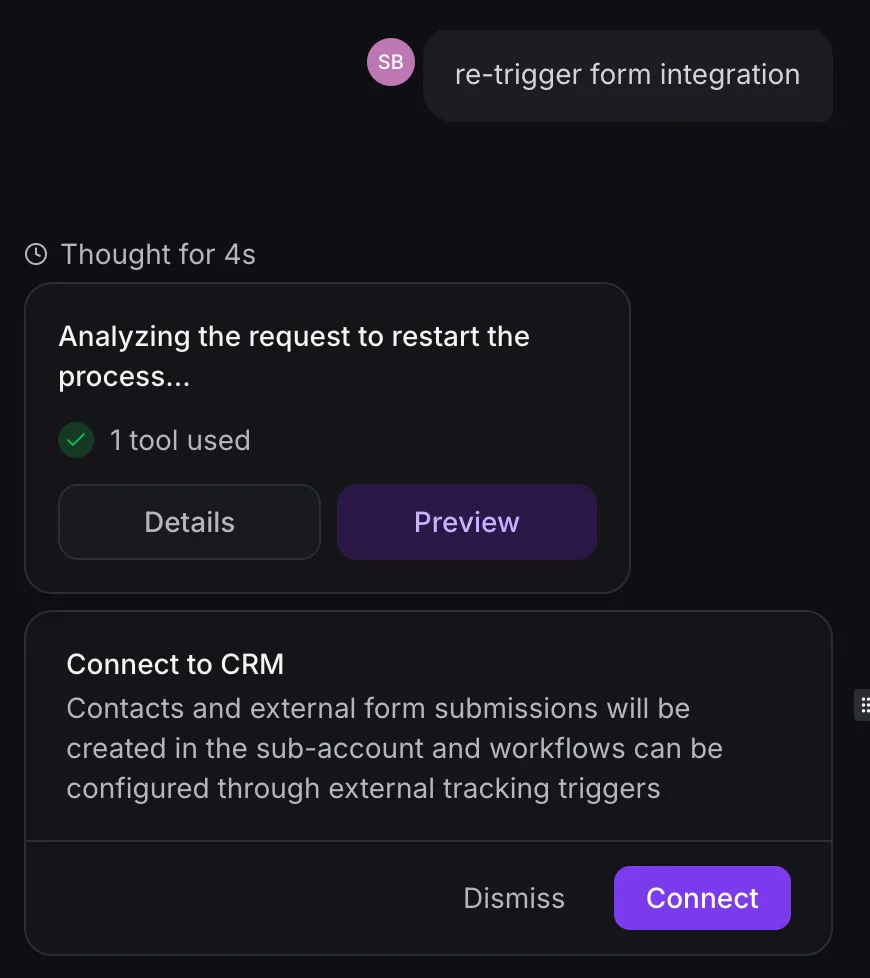
Important note for existing forms
Forms connected before this trigger was released need to refresh their tracking setup before using the new trigger:
- Open the AI Studio project.
- Ask AI Studio: “Re-trigger form integration.”
- Connect the form to CRM tracking again.
- Publish the project.
- Submit a test form entry.
- Refresh the workflow builder and configure the trigger.
Existing External Tracking scripts and triggers continue to work alongside this trigger.
Need Help Applying This Update?
Want help turning this update into a working part of your CRM, marketing, or automation setup?
Get Started or schedule a demo and we’ll help you map the right next step.