Email AI in SMBcrm can now recognize when an email would benefit from a live countdown timer and guide users through adding one during template creation or layout updates.
This helps teams create more timely messages across AI-assisted campaign workflows and customer communication without manually configuring timer elements every time.
What changed
Email AI can identify time-sensitive email content, such as flash sales, product launches, webinars, and expiring offers. When a deadline is relevant, or when a user explicitly asks for a timer, Email AI can offer countdown timer options.
Users can:
- Select an existing countdown timer.
- Create a new countdown timer.
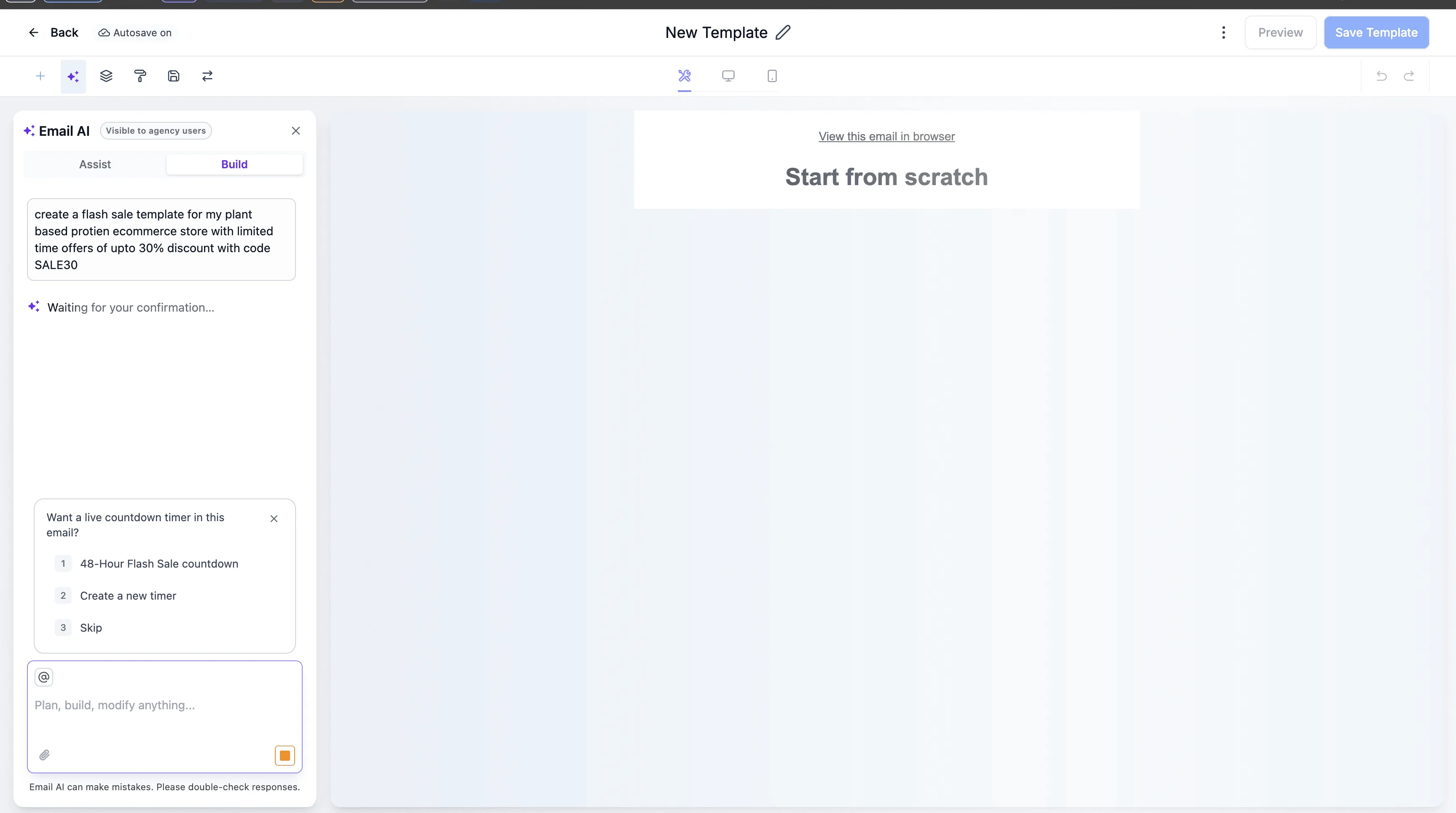
Creating a timer from Email AI
When creating a timer, Email AI collects the timer end date, style, and destination link.
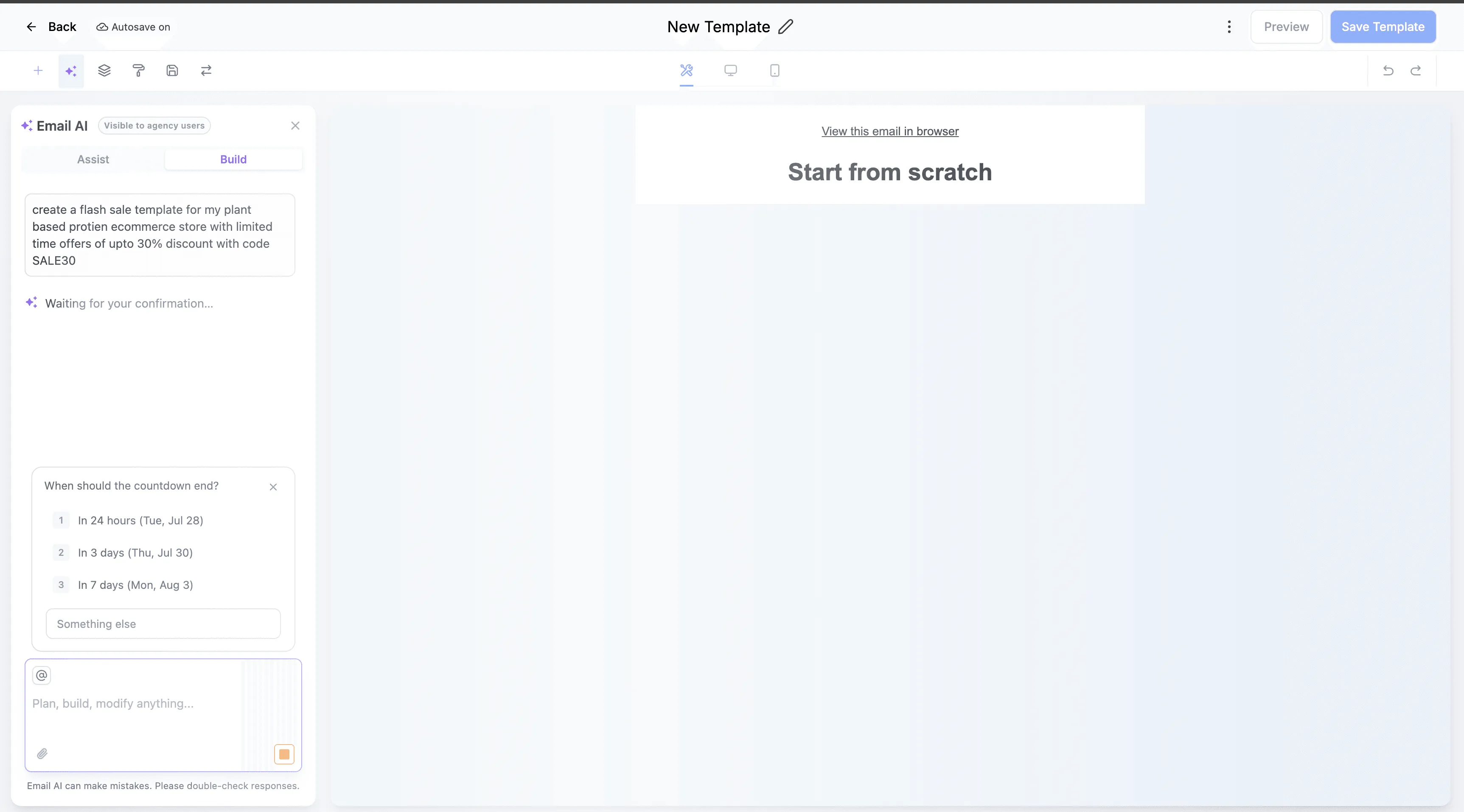
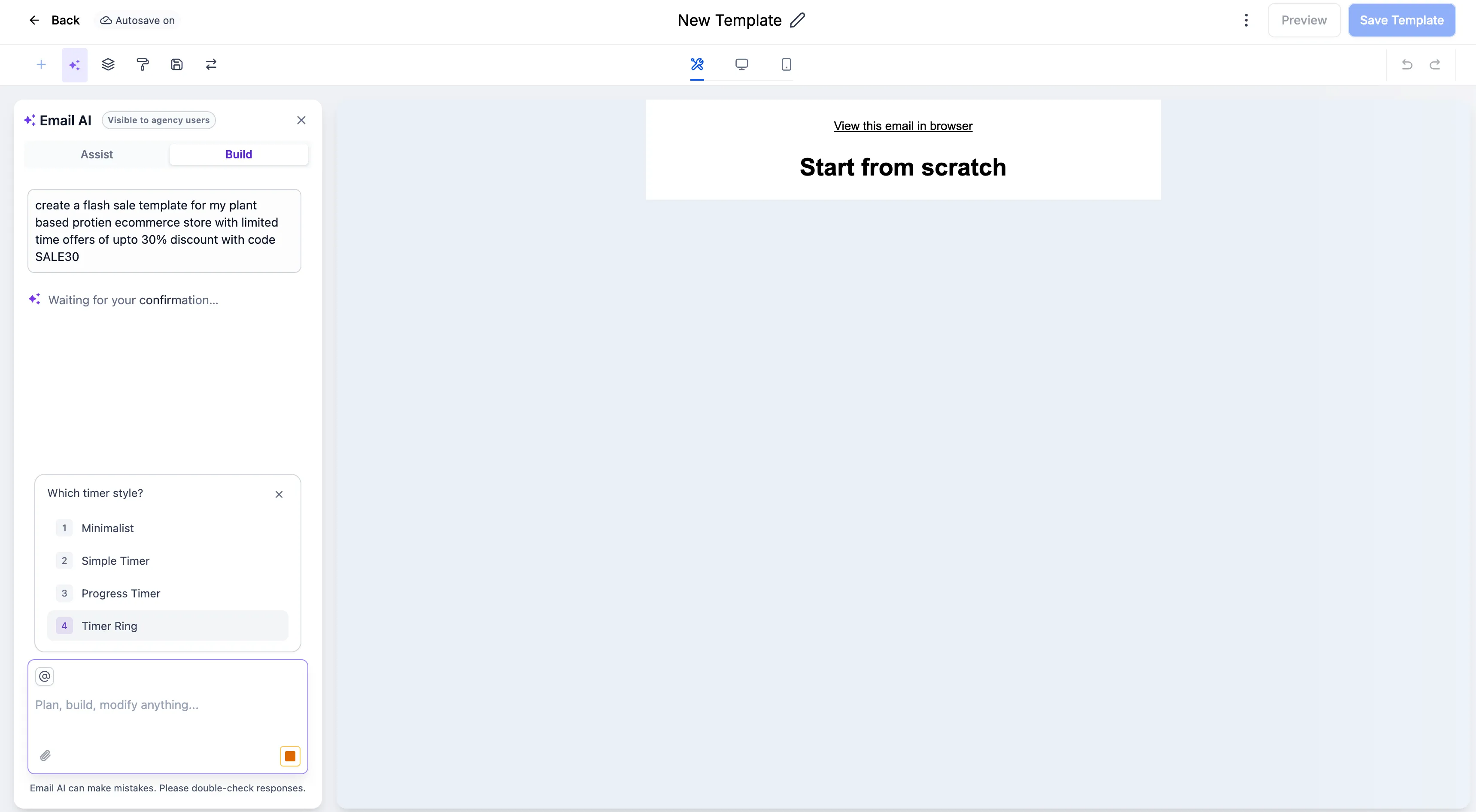
After a timer is selected or created, it is embedded into the generated email.
Why it matters
This update makes time-sensitive campaigns easier to build by helping users add urgency when it is relevant. It also reuses existing timers when available and avoids interrupting users with countdown suggestions when the email does not appear to need one.
If the timer prompt is skipped or times out, Email AI uses fallback behavior so users can continue working without disruption.
Need Help Applying This Update?
Want help turning this update into a working part of your CRM, marketing, or automation setup?
Get Started or schedule a demo and we’ll help you map the right next step.