Appointment Sorting in Contacts and Conversations
Appointments are now organized more clearly in Contacts and Conversations, helping users quickly see what is coming up next and what happened most recently.
This improvement supports day-to-day CRM and sales workflows by making appointment history and follow-up context easier to scan.
What changed
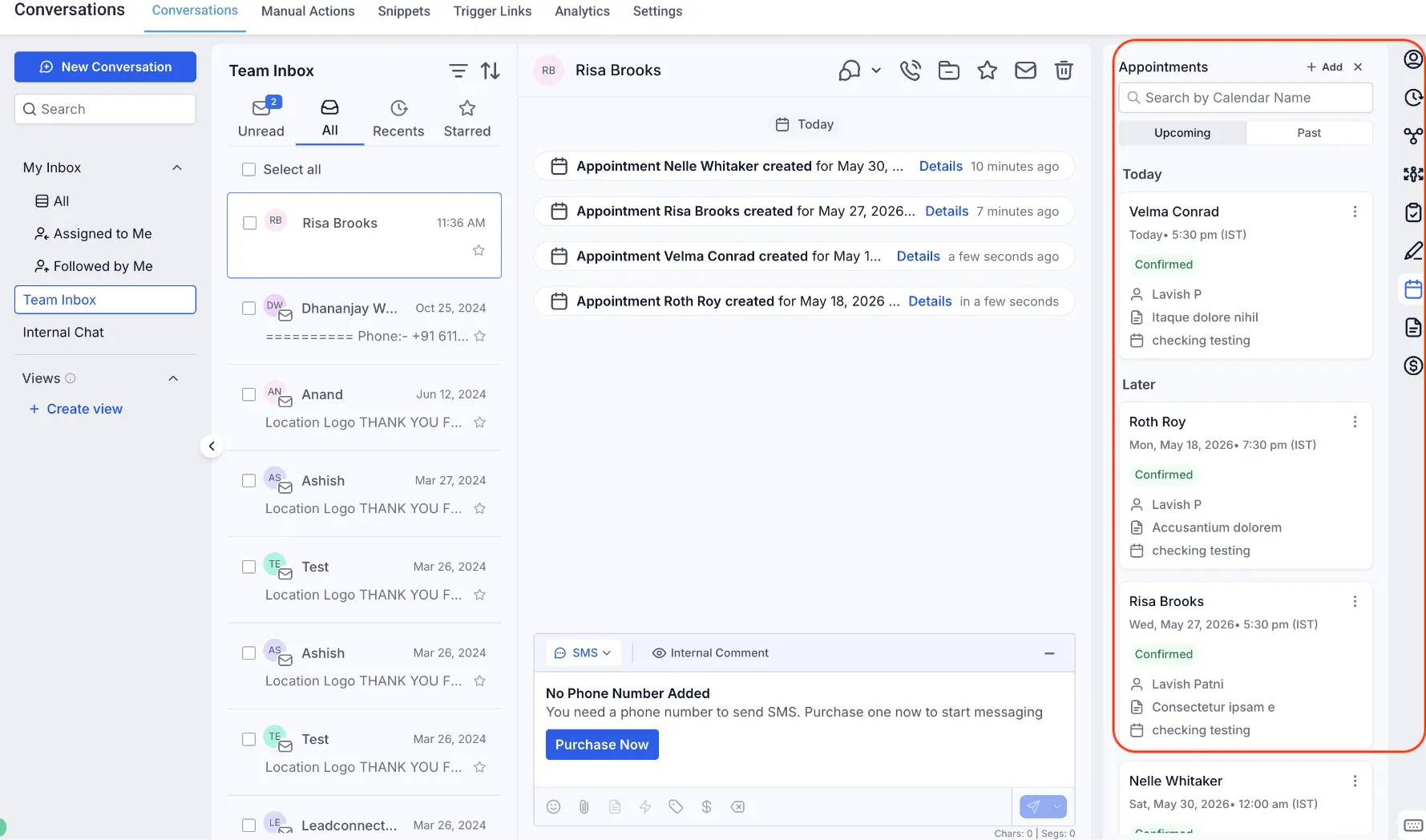
Upcoming appointments show nearest first
Upcoming appointments now appear in ascending chronological order. The appointment happening soonest appears at the top of the list.
For example, if a contact has appointments on June 10, June 15, and June 20, the June 10 appointment appears first.
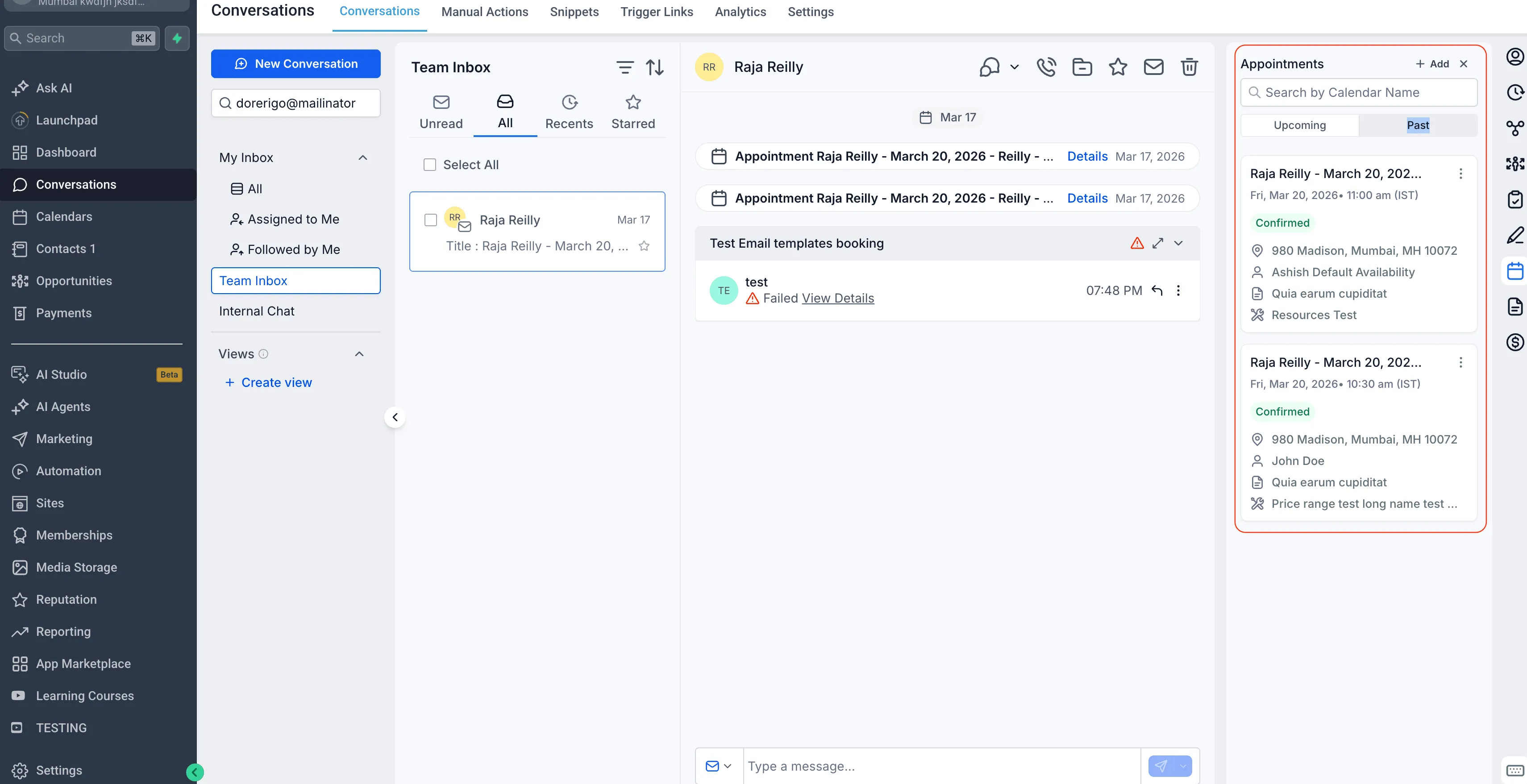
Past appointments show most recent first
Past appointments now appear in descending chronological order. The most recently completed appointment appears at the top of the list.
For example, if a contact had appointments on June 1, May 25, and May 10, the June 1 appointment appears first.
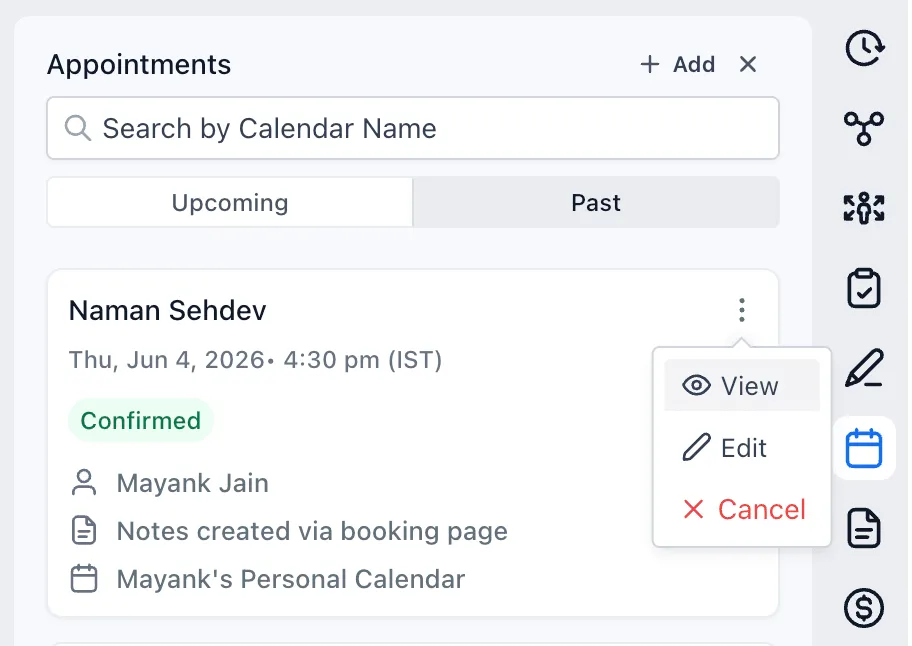
Appointment details are easier to open
Users can view appointment details directly from the Appointments tab by selecting the View action. This makes it easier to review details and take action without navigating elsewhere.
Why it matters
This update makes it easier to identify upcoming appointments, review recent customer interactions, and reduce time spent searching through appointment history inside Contacts and Conversations.
It also improves the flow of customer follow-up within communication workflows by keeping appointment information in a more intuitive order.
In Case You Missed It
You may also want to read about how you can upload and download folders in Media Center.
Need Help Applying This Update?
Want help turning this update into a working part of your CRM, marketing, or automation setup?
Get Started or schedule a demo and we’ll help you map the right next step.