Upload and Download Folders in Media Center
The Media Center now makes it easier to manage larger groups of files. You can upload full folders, download folders as zip files, and track progress more clearly while preserving the original folder structure.
What changed
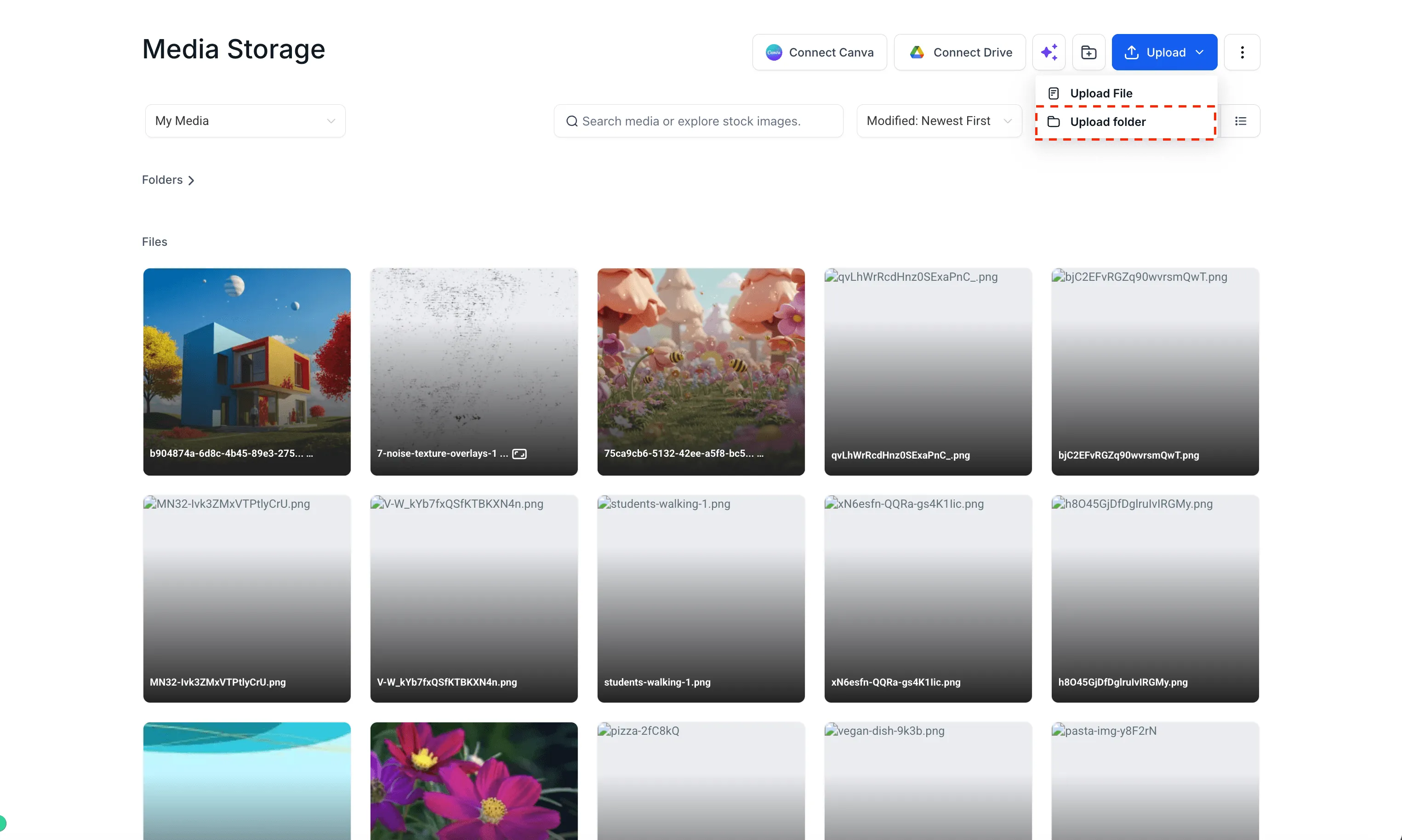
- Added an Upload Folder option in the Media Center
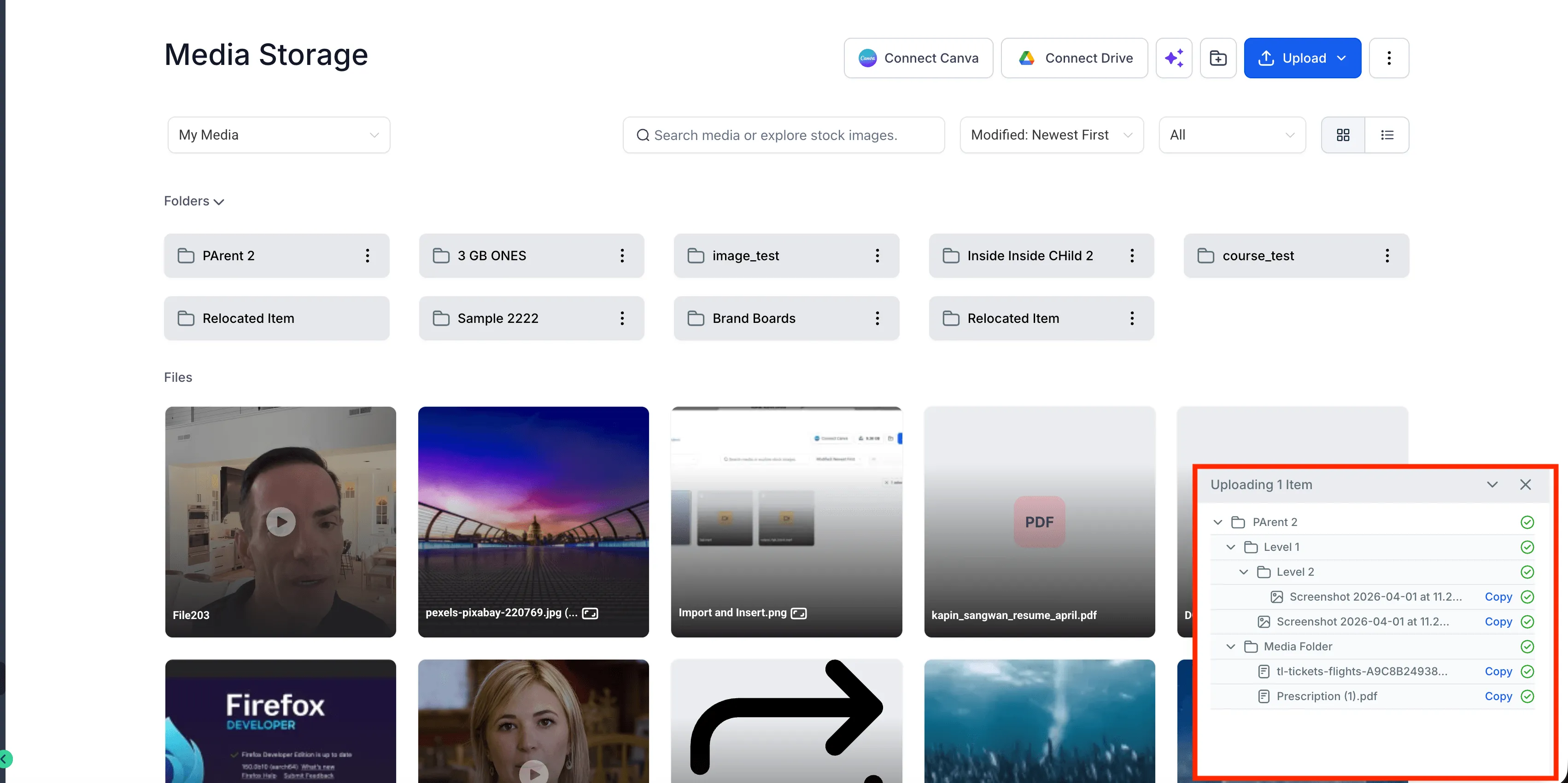
- Support for uploading entire folders, including subfolders and files
- Drag-and-drop support for folders, multiple folders, and mixed uploads with folders and individual files
- Folder downloads as a single zip file
- Clearer upload progress with a folder-based view for nested files and subfolders
- Preserved folder structure during uploads and downloads
- Improved sorting so the order selected in the main grid also appears in the Move to Folder modal
- Better upload and download performance for larger file batches
- Clearer handling for upload limits, skipped files, and partial completion states
How to use it
- Open the Media Center.
- Use Upload Folder from the header next to Upload File, or drag and drop folders directly into the Media Center.
- To download a folder, use the Download option on a folder to save it as a zip file.
Why it matters
This improvement reduces manual file organization when working with large media batches. It also gives you better visibility into upload and download progress, especially when folders include nested files or subfolders.
In Case You Missed It
For another workflow improvement, read Find Unread Messages Faster in Conversations.
Need Help Applying This Update?
Want help turning this update into a working part of your CRM, marketing, or automation setup?
Get Started or schedule a demo and we’ll help you map the right next step.