Find Unread Messages Faster in Conversations
Unread conversations are easier to review in SMBcrm. The communication tools now help you jump directly to unread messages in longer conversation threads so important replies are easier to find.
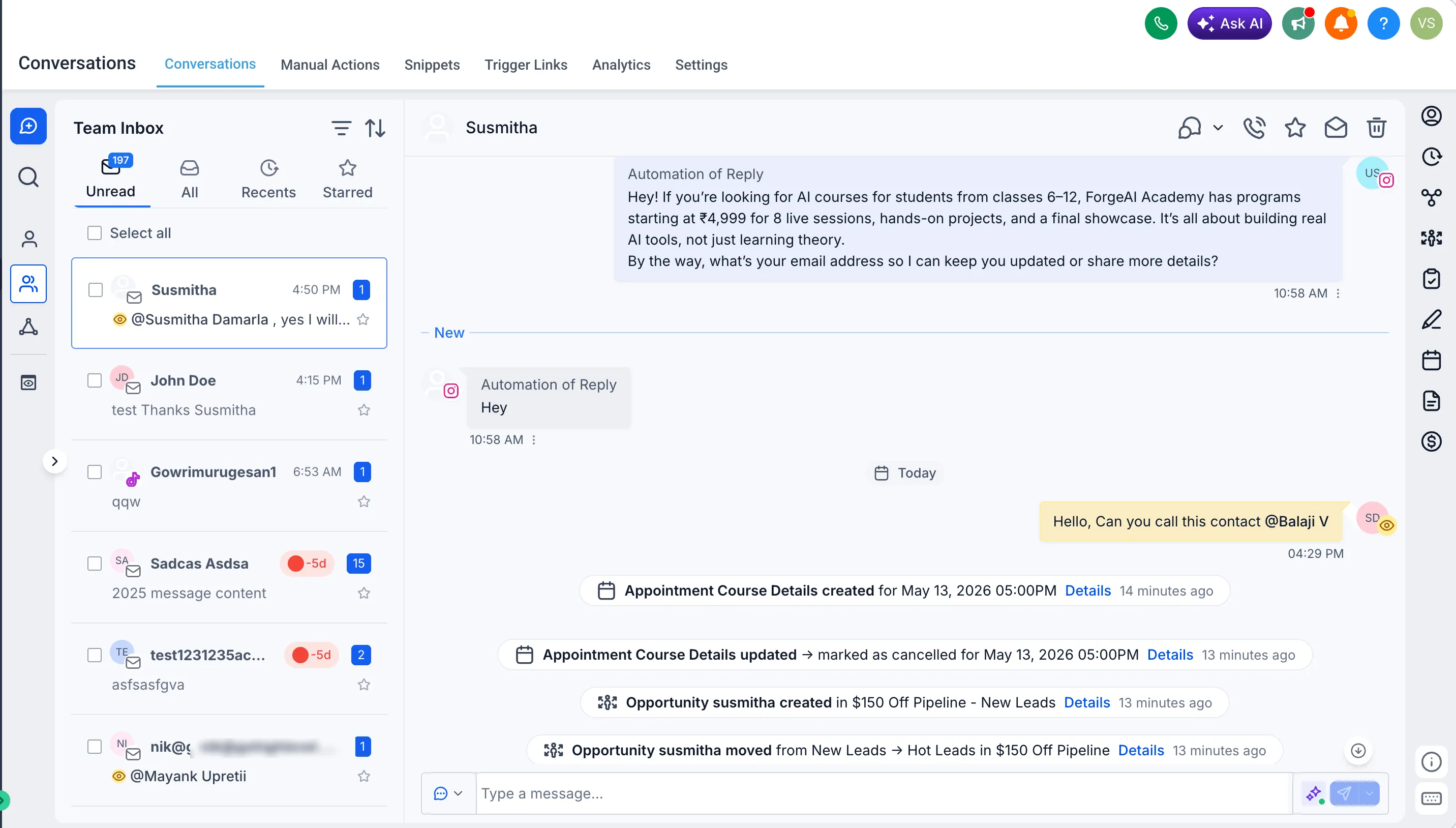
What changed
- A “New” divider clearly marks where unread messages begin in a thread.
- Opening an unread conversation automatically takes you to the first unread message.
- The “New” indicator stays visible if you navigate away or refresh the page.
- The indicator is cleared only when you reply or manually mark the conversation as read.
Why it matters
Long conversations can include campaign logs, activity updates, and message history. This improvement reduces scrolling and helps teams identify the messages that need attention.
Availability note
The “New” indicator is shown only for messages received after April 23, 2026.
In Case You Missed It
For another recent update, see Quiz Results Page Styling and Builder Improvements.
Need Help Applying This Update?
Want help turning this update into a working part of your CRM, marketing, or automation setup?
Get Started or schedule a demo and we’ll help you map the right next step.